Best 37 AI Collaboration Tools for Preparation Tools in 2026

Monday, Clickup, Calendly, Krispai, Affine, Smartsuite, Mindstudioai, Niftypm, Kroolo, Dartai are the best paid / free AI Collaboration Tools for Preparation tools.

AI Collaboration Tools for Preparation are designed to enhance teamwork and streamline the planning process by leveraging artificial intelligence, natural language processing, and machine learning. These tools assist teams in organizing ideas, managing projects, and facilitating communication, making them invaluable for professionals in various fields such as marketing, project management, and education. By analyzing data and providing insights, these tools help users identify trends, allocate resources efficiently, and generate actionable plans. Ultimately, they foster a more productive environment, allowing teams to collaborate effectively and prepare for successful outcomes.

Monday

Monday is an AI-powered work platform that enhances team productivity.

5
0 views
0 saved
39.0M

Free

0.00 USD free

For individuals looking to keep track of their work. Free includes: Up to 3 boards, Up to 3 Docs, 200+ templates, 8 column types, iOS and Android apps.

View Pricing

Basic

9.00 USD monthly

Manage all your team’s work in one place. Includes free, plus: AI credits, Unlimited free viewers, Unlimited items, 5GB file storage, Prioritized customer support, Create a dashboard based on 1 board.

View Pricing

Standard

12.00 USD monthly

Collaborate & optimize your work across teams. Includes basic, plus: AI credits, AI Sidekick (lite), Timeline & Gantt views, Calendar View, Guest access, Automations (250 actions per month), Integrations (250 actions per month), Create a dashboard that combines 5 boards.

View Pricing

Pro

19.00 USD monthly

Streamline complex workflows at scale. Includes standard, plus: AI credits, AI Sidekick (lite), Private boards, Chart View, Time tracking, Formula Column, Automations (25K actions per month), Integrations (25K actions per month), Create a dashboard that combines 20 boards.

View Pricing

Enterprise

0.00 USD monthly

Get exclusive features for your organization. Includes pro, plus: AI credits, AI Sidekick (plus), Portfolio management, Resource management, Enterprise-scale automations & integrations, Multi-level permissions, Enterprise-grade security & governance, Advanced reporting & analytics, Create a dashboard that combines 50 boards, Enterprise support.

View Pricing

For the latest pricing, please visit this link: https://monday.com/pricing

Prices are subject to change. Please visit the official website for the most up-to-date pricing information.

What is Monday?

Monday is an advanced AI work platform designed to enhance productivity and streamline workflows for teams across various industries. With its AI-powered product suite, including AI agents, workflows, and an app builder, Monday empowers teams to execute tasks more efficiently and achieve greater outcomes. It is tailored to meet the unique needs of different teams, allowing users to automate processes, manage projects, and facilitate communication all within a single, unified platform.

Pros

  • AI-Powered Workflows: monday.com offers AI-driven workflows that automate tasks, enhancing productivity and efficiency across teams.
  • Custom App Development: Users can create custom applications tailored to their specific business needs, allowing for greater flexibility and control.
  • Integration Capabilities: The platform supports over 200 integrations, enabling seamless connectivity with various tools and services.

What are the main features of Monday?

  • AI-powered workflows that automate repetitive tasks.
  • Customizable dashboards for real-time project tracking.
  • Integration capabilities with over 200 apps to enhance functionality.
  • Built-in AI agents that assist in various tasks like data analysis and project management.
  • Collaboration tools that allow team members to communicate and share updates seamlessly.
Clickup

ClickUp is an all-in-one productivity platform designed to streamline tasks, documents, and collaboration.

5
0 views
0 saved
34.4M

Free Forever

0.00 USD free

60MB Storage, Unlimited Tasks, Unlimited Free Plan Members, Two-Factor Authentication, Collaborative Docs, Kanban Boards, Sprint Management, Calendar View, Custom Field Manager Basic, In-App Video Recording, 24/7 Support, 1 Form

View Pricing

Unlimited

7.00 USD monthly

Everything in Free + Unlimited Storage, Unlimited Folders and Spaces, Unlimited Integrations, Unlimited Gantt Charts, Unlimited Custom Fields, Unlimited Chat Messages, Unlimited Forms, Guests with Permissions, Email in ClickUp, 3 Teams (User Group), Native Time Tracking, Goals & Portfolios, Resource Management, AI Compatible

View Pricing

Business

12.00 USD monthly

Everything in Unlimited + Google SSO, Unlimited Message History, Unlimited Mind Maps, Unlimited Activity views, Unlimited Timeline views, Unlimited Dashboards, Unlimited Whiteboards, Sprint Points & Reporting, Automation Integrations, Custom Exporting, Private Whiteboards, Workload Management, SMS 2-Factor Authentication, More Automations

View Pricing

Brain AI

9.00 USD monthly

Unlimited Brain Assistant, Unlimited @Brain Agent, Unlimited AI chat (ChatGPT, Gemini, Claude), Unlimited Premium AI models, Unlimited AI writing, Enterprise Search, +1,500 AI Super Credits per user monthly for Agents, Automations, & more

View Pricing

Everything AI

28.00 USD monthly

Everything in Brain AI + Unlimited Ambient Answers, Unlimited Talk-to-Text, Unlimited AI Notetaker, Unlimited Image Generation (Fair use), Unlimited AI Fields, Unlimited AI Automations & Dashboards, Unlimited AI Assign & Prioritize, Enterprise Search (Private & Workspace), +5,000 AI Super Credits per user monthly for Super Agents

View Pricing

For the latest pricing, please visit this link: https://clickup.com/pricing

Prices are subject to change. Please visit the official website for the most up-to-date pricing information.

What is ClickUp?

ClickUp is an all-in-one productivity[1] platform designed to enhance human productivity by integrating various work applications into a single workspace[2]. It combines tasks[3], documents[4], goals[5], and chat[6] functionalities, enabling teams to manage their projects seamlessly. ClickUp's mission is to replace the multitude of software tools that often lead to inefficiency, providing a unified solution that supports collaboration and organization. This everything app empowers users to customize their workflows and maximize their productivity, making it an essential tool for individuals and teams alike.

Pros

  • Comprehensive Productivity Features: ClickUp offers a wide range of productivity tools including tasks, docs, goals, and chat, all integrated into one platform, enhancing team collaboration.
  • Free Forever Plan: ClickUp provides a free forever plan with no credit card required, making it accessible for individuals and small teams.
  • AI Super Agents: The platform includes AI Super Agents that automate tasks and assist users 24/7, significantly improving efficiency and productivity.

What are the main features of ClickUp?

  • Tasks: Create, assign, and manage tasks with customizable statuses.
  • Docs: Collaborate on documents directly within the platform.
  • Goals: Set and track goals to measure team performance.
  • Chat: Communicate with team members in real-time.
  • Time Tracking: Monitor time spent on tasks and projects.
  • Automations: Automate repetitive tasks to save time.
  • Dashboards: Visualize project data and performance metrics in customizable dashboards.
  • Sprints: Plan and execute agile sprints efficiently.
Calendly

Calendly simplifies scheduling for teams and individuals.

4
0 views
0 saved
32.9M

Free

0.00 USD free

For personal use. Always free. Features include 1 event type, connect 1 calendar, customize availability, add video conferencing, customize your booking page, mobile apps, and browser extensions.

View Pricing

Standard

10.00 USD monthly

For professionals and small teams. Yearly plan at $10 per seat per month. Save 16%. Features include unlimited event types, connect multiple calendars, connect Hubspot, Mailchimp, Stripe, Paypal, automate meeting reminders, and 24/7 chat support.

View Pricing

Teams

16.00 USD monthly

Recommended plan for growing businesses. Yearly plan at $16 per seat per month. Save 20%. Features include sending meetings to Salesforce, sharing round-robin meetings, qualifying & routing leads, and advanced admin features.

View Pricing

Enterprise

15000.00 USD yearly

For large companies. Starts at $15,000 per year. Features include routing with Salesforce lookup, connecting Microsoft Dynamics, and dedicated account support.

View Pricing

For the latest pricing, please visit this link: https://calendly.com/pricing

Prices are subject to change. Please visit the official website for the most up-to-date pricing information.

What is Calendly?

Calendly is a modern scheduling platform designed to simplify the process of finding time for meetings and appointments. It allows users to connect multiple calendars, manage availability, and automate scheduling, making it easier for teams and individuals to coordinate meetings efficiently. With its user-friendly interface and powerful features, Calendly enhances productivity by reducing the back-and-forth communication often associated with scheduling.

Pros

  • Easy Scheduling: Calendly simplifies the scheduling process, allowing users to easily find and book meeting times without the back-and-forth emails.
  • Integration Capabilities: Calendly supports over 100 integrations with popular tools like Google Calendar, Zoom, and Salesforce, enhancing productivity.
  • Customizable Event Types: Users can create custom event types and use pre-built templates to streamline the scheduling of various meetings.

What are the main features of Calendly?

  • Calendar Integration: Connect up to six calendars to manage your availability in real-time.
  • Custom Event Types: Create and customize event types for different meeting needs.
  • Automated Scheduling: Reduce scheduling conflicts by allowing invitees to choose from available times.
  • Video Conferencing Integration: Sync with tools like Zoom, Microsoft Teams, and Google Meet for seamless meetings.
  • Mobile App: Access Calendly on-the-go through its mobile application.
Krispai

Krisp enhances meetings by transcribing notes and recording tasks seamlessly.

5
0 views
0 saved
953.0K

Free Trial

0.00 USD free

Free for 7 days with unlimited transcription, noise cancellation, audio & video recording, AI notes & action items, and limited AI accent conversion.

View Pricing

Core

8.00 USD monthly

$16/month or $8/month per user, billed annually. Includes unlimited transcription, noise cancellation, AI chat, in-person meeting support, and 5 GB storage.

View Pricing

Advanced

15.00 USD monthly

$30/month or $15/month per user, billed annually. Includes everything in Core, plus advanced security features, manager view, and 30 GB storage.

View Pricing

CC Advanced

0.00 USD monthly

Custom pricing for advanced agent productivity solutions designed for enterprises.

View Pricing

CC Core

10.00 USD monthly

Starts at $10 per agent/month, billed annually. Includes agent noise cancellation, customer noise cancellation, and after-call summary.

View Pricing

For the latest pricing, please visit this link: https://krisp.ai/pricing/

Prices are subject to change. Please visit the official website for the most up-to-date pricing information.

What is Krispai?

Krispai is an innovative AI Meeting Assistant[1] designed to enhance collaboration and efficiency during meetings. It transcribes notes, records tasks, and provides summaries, allowing users to focus on the conversation rather than manual note-taking. By leveraging advanced AI technology, Krispai offers features like real-time transcription[2], noise cancellation[4], and accent conversion[5], making it an essential tool for individuals and teams seeking to improve their meeting productivity.

What are the main features of Krispai?

  • AI-powered meeting transcription in real-time with 96% accuracy.
  • Automated note-taking[3] that generates summaries and action items.
  • Noise cancellation technology to eliminate background distractions.
  • Accent conversion for clearer communication.
  • Seamless integration with popular conferencing apps like Zoom, Microsoft Teams, and Google Meet.
Affine

AFFiNE AI is a versatile Canvas tool for creative collaboration and project management.

4
0 views
0 saved
494.2K

Basic Plan

0.00 USD free

Free forever plan includes unlimited local workspaces, unlimited use and customization, unlimited doc and edgeless editing, 10 GB of cloud storage, 10 MB of maximum file size, up to 3 members per workspace, 7-days cloud time machine file version history, and up to 3 login devices.

View Pricing

Pro Plan

6.75 USD monthly

For family and small teams, includes everything in AFFiNE FOSS & Basic, 100 GB of cloud storage, 100 MB of maximum file size, up to 10 members per workspace, 30-days cloud time machine file version history, community support, and real-time syncing & collaboration for more people.

View Pricing

Team Plan

10.00 USD monthly

Best for scalable teams, includes everything in AFFiNE Pro, 100 GB initial storage + 20 GB per seat, 500 MB of maximum file size, unlimited team members (10+ seats), multiple admin roles, and priority customer support.

View Pricing

Believer Plan

499.99 USD one-time

Lifetime personal usage plan that includes everything in AFFiNE Pro and 1TB cloud storage.

View Pricing

For the latest pricing, please visit this link: https://affine.pro/pricing

Prices are subject to change. Please visit the official website for the most up-to-date pricing information.
What is AFFiNE AI?

AFFiNE AI is a premier Canvas AI[1] tool designed for seamless planning, brainstorming, and team collaboration[2]. It enhances creativity and streamlines workflows, allowing teams to organize projects efficiently through its intuitive and flexible platform. With features that support smarter note-taking, drawing, and presentation creation, AFFiNE AI serves as a valuable assistant for individuals and teams looking to optimize their productivity.

Pros

  • Intuitive User Interface: AFFiNE AI offers an intuitive and flexible platform that enhances creativity and streamlines workflows, making it easy for teams to collaborate.
  • Multimodal Features: The tool supports various functionalities such as note-taking, drawing, and presentation creation, catering to diverse user needs.
  • Seamless Collaboration: With features like Edgeless Mode and Teamhub, AFFiNE AI allows for unlimited collaboration among team members, enhancing productivity.

What are the main features of AFFiNE AI?

  • Smart Writing Assistance[3]: Provides insights, perfects tone, and summarizes content quickly.
  • Drawing Tools[4]: Converts ideas into visual formats such as mind maps for impactful communication.
  • Presentation Generation[5]: Creates polished, presentation-ready slides with just one click.
  • Inline AI Editing: Allows users to edit text directly with AI suggestions for grammar and style.
  • Seamless Collaboration: Facilitates teamwork without limitations, enhancing project organization.
Smartsuite

SmartSuite streamlines team collaboration and project management in one platform.

5
0 views
0 saved
338.2K

Free Trial

0.00 USD free

Try SmartSuite’s Professional plan with your real workflows — then upgrade anytime. 14 days of Professional, Invite teammates and collaborate, Upgrade when you’re ready, No auto-charge at end of trial.

View Pricing

Team

12.00 USD monthly

For teams that need a better way to manage workflows. Includes SmartSuite AI, Minimum 3 Billable Users, Unlimited Solutions, 5,000 Records per Solution, 50GB of File Storage, 30 Days Recycle Bin.

View Pricing

Professional

30.00 USD monthly

For teams and departments who need more advanced features to manage their workflows. Includes SmartSuite AI, Minimum 5 Billable Users, Unlimited Solutions, 100,000 Records per Solution, 100GB of File Storage, 45 Days Recycle Bin, Everything in Team, plus Folders, Gmail and Outlook Integrations, Advanced Permissions.

View Pricing

Enterprise

45.00 USD monthly

For organizations that need scalable workflows with advanced features, security, and support. Includes SmartSuite AI, Minimum 10 Billable Users, Unlimited Solutions, 400,000 Records per Solution, 500GB of File Storage, 60 Days Recycle Bin, Everything in Professional, plus SSO, SCIM User Provisioning, SCIM-Synced User Groups, Audit Logs, IP Address Restrictions, Data Loss Prevention (DLP), European Data Residency, Premium Support.

View Pricing

For the latest pricing, please visit this link: https://www.smartsuite.com/pricing

Prices are subject to change. Please visit the official website for the most up-to-date pricing information.

What is SmartSuite?

SmartSuite is a collaborative[1] work management[2] platform designed to help teams efficiently plan, track, and manage workflows, projects, and everyday tasks. It serves as a unified Work Operating System (Work OS), integrating data, automation, AI, permissions, and reporting to streamline operations across various organizational functions. SmartSuite aims to enhance productivity by providing a secure, scalable, and AI-powered environment that connects workflows, reduces tool sprawl, and improves visibility for better decision-making.

Pros

  • Comprehensive Work Management Features: SmartSuite offers a wide range of features for managing workflows, projects, and everyday tasks, making it suitable for diverse business needs.
  • No-Code Automation: The platform allows users to automate workflows without coding, enabling teams to streamline processes and reduce manual tasks.
  • AI Integration: SmartSuite incorporates AI to enhance workflows, providing intelligent automation and decision-making support.
  • Real-Time Reporting: Live dashboards and reports keep teams updated on project progress and performance metrics, facilitating better decision-making.

What are the main features of SmartSuite?

  • Collaborative Work Management: Enables teams to plan, track, and manage projects and tasks collaboratively.
  • Workflow Orchestration: Visually design and customize workflows without coding, allowing for tailored solutions.
  • AI Integration[4]: Built-in AI enhances workflows by automating tasks and providing intelligent insights.
  • Real-Time Reporting[5]: Live dashboards and reports provide up-to-date visibility into project statuses and team performance.
  • Automation: Automate repetitive tasks and streamline processes to increase efficiency and reduce manual work.
Mindstudioai

Mindstudioai enables users to build AI agents effortlessly without coding.

5
0 views
0 saved
198.3K

Free

0.00 USD monthly

One agent, 1,000 runs/month, access to 200+ AI models via the MindStudio Service Router, self-paced learning, community support.

View Pricing

Individual

16.00 USD yearly

Unlimited agents, unlimited runs/month, access to premium AI image and video generation models, free live weekly workshops, and community support.

View Pricing

Business

0.00 USD free

Custom pricing tailored for teams, includes unlimited collaborators, team training, dedicated enterprise support, and security compliance.

View Pricing

For the latest pricing, please visit this link: https://www.mindstudio.ai/pricing

Prices are subject to change. Please visit the official website for the most up-to-date pricing information.

What is Mindstudioai?

Mindstudioai is a versatile platform designed for building, deploying, and managing AI agents[2] without the need for coding. It caters to individuals, teams, and enterprises, making AI accessible to users of all skill levels. The platform boasts a visual builder[1] that allows users to create functional agents quickly, with an average build time of 15 minutes to an hour. Mindstudioai supports over 100 templates for various business and personal use cases, and it can be integrated into other systems via APIs and Webhooks, enhancing its utility for diverse applications.

Pros

  • No Coding Required: Mindstudioai allows users to build AI agents without any coding skills, making it accessible for everyone.
  • Fast Deployment: Users can create and deploy AI agents in as little as 15 minutes to an hour, enhancing productivity.
  • Extensive Integration Options: Mindstudioai supports over 200 AI models and offers easy integration with various platforms through APIs and webhooks.
  • User-Friendly Interface: The platform features a visual builder that simplifies the process of designing and managing AI agents, catering to users of all backgrounds.
  • Comprehensive Training Resources: Mindstudioai provides extensive learning materials, including tutorials and workshops, to help users maximize their experience.

What are the main features of Mindstudioai?

  • Visual builder for creating AI agents without coding.
  • Over 100 customizable templates[3] for various applications.
  • Instant access to more than 200 AI models[5], including text, image, and video generation.
  • Seamless integration with popular business applications via APIs and Webhooks.
  • Real-time testing[4] and debugging capabilities within the IDE.
  • Community support and extensive learning resources including webinars and tutorials.
Niftypm

Nifty is an all-in-one AI-driven project management tool that simplifies task management and collaboration.

4
0 views
0 saved
179.9K

Free Plan

0.00 USD free

Free forever. No credit card needed.

Paid Plan

7.00 USD monthly

Upgrade anytime at just $7/mo.

For the latest pricing, please visit this link: https://niftypm.com/

Prices are subject to change. Please visit the official website for the most up-to-date pricing information.
What is Niftypm?

Nifty™ is an all-in-one AI-powered project management workspace designed to help teams manage tasks, documents, discussions, and automation seamlessly. With a user-friendly interface, Nifty enables users to consolidate various project management functionalities into a single platform, enhancing collaboration and productivity. Whether you're managing a small team or a large organization, Nifty offers a scalable solution that can adapt to your needs, allowing you to upgrade to premium features for just $7/month.

Pros

  • Comprehensive Project Management Features: Nifty offers a wide range of features including roadmaps, tasks, discussions, docs, and reporting, making it a complete project management solution.
  • AI-Powered Productivity Tools: With Orbit AI, Nifty enhances productivity by helping users plan, prioritize, and execute tasks more efficiently.
  • Flexible Use Cases: Nifty is adaptable for various industries such as marketing, engineering, and client management, catering to diverse project needs.

What are the main features of Niftypm?

  • Roadmaps: Visualize project timelines and milestones.
  • Tasks: Manage and prioritize tasks with various views (Kanban, List, etc.).
  • Discussions: Facilitate team communication and collaboration.
  • Docs & Files: Create and manage project documentation and integrate with Google Docs.
  • Forms: Build forms to capture data and automate task creation.
  • Reporting: Access insights and analytics to track project performance.
  • Orbit AI: Enhance productivity through AI-driven suggestions and automation.
  • Time Tracking: Monitor time spent on tasks and projects.
Kroolo

Kroolo is an AI-driven productivity management platform that enhances collaboration and project efficiency.

5
0 views
0 saved
159.7K

Starter

0.00 USD free

Free Forever 1 Workspaces 5 Projects Unlimited Tasks Invite Up to 5 Members 5 Goals 5 Channels / Unlimited Chats 5 Teams With Generative AI

Plus

30.00 USD monthly

$30 / user/month 5 Workspaces 50 Projects Unlimited Tasks Invite Up to 20 Members 20 Teams 20 Goals 100 Docs 20 Channels / Unlimited Chats With Generative AI

Business

45.00 USD monthly

$45 / user/month Unlimited Workspaces Unlimited Projects Unlimited Tasks Invite Up to 500 Members Unlimited Teams Unlimited Goals Unlimited Docs Unlimited Channels / Chats With Generative AI

Enterprise

0.00 USD monthly

Get a custom demo Team / Skills Sharing Custom Roles Resource Workload Enterprise AI Project Financials and Tracking Single Sign On (SSO) SCIM Provisioning US, EU, & APAC Data Residency Live onboarding and training Dedicated Customer Success Manager

For the latest pricing, please visit this link: https://kroolo.com/

Prices are subject to change. Please visit the official website for the most up-to-date pricing information.

What is Kroolo?

Kroolo is an all-in-one AI-powered[1] productivity management[2] software designed to streamline project management[3], task organization[4], goal tracking[5], and document collaboration[6]. It offers a unified platform that integrates various productivity tools, reducing the clutter of multiple applications and enhancing collaboration among teams. With Kroolo, users can manage their workflows efficiently, ensuring that all project-related tasks are centralized and easily accessible. The software's AI capabilities further enhance productivity by automating repetitive tasks and providing intelligent insights, making it an essential tool for businesses looking to improve their operational efficiency.

What are the main features of Kroolo?

  • Project Management: Create and manage projects with detailed task lists and timelines.
  • Goals & OKRs: Set, track, and manage goals and objectives using the OKR framework.
  • Task Management: Organize tasks, assign them to team members, and track their progress.
  • Team Chat & Collaboration: Facilitate communication among team members through integrated chat features.
  • Document Management: Store and share important documents within the platform for easy access.
  • AI-Powered Insights: Leverage AI to gain insights into project performance and productivity.
Dartai

Dartai is an AI-driven project management tool that enhances team collaboration and efficiency.

4
0 views
0 saved
153.2K

What is Dartai?

Dartai is an AI-powered[1] project management[2] tool designed to enhance efficiency[3], accuracy, and team collaboration[4] for seamless project success. By integrating advanced AI capabilities, Dartai allows teams to do more in less time, streamlining project workflows and improving overall productivity. The platform is built to support various project types, making it a versatile solution for both small teams and large organizations.

Pros

  • AI-Powered Efficiency: Dart utilizes AI to enhance project management efficiency, automating tasks like scheduling and progress tracking, allowing teams to focus on higher-priority work.
  • Seamless Integrations: Dart integrates with various tools such as Slack, GitHub, and ChatGPT, streamlining workflows and enhancing collaboration across platforms.
  • Customizable Workspaces: Users can create highly customizable workspaces tailored to their project needs, including different themes and notification settings.

What are the main features of Dartai?

  • AI task management[5] for automatic property filling and subtask generation.
  • Multiple project views[6] including board, calendar, and roadmap layouts.
  • Integration with popular tools like Slack, GitHub, and ChatGPT.
  • Customizable workspaces to adapt to different project needs.
  • Real-time reporting and analytics to track project progress.
Ideamapai

A collaborative visual workspace for brainstorming with AI.

5
0 views
0 saved
75.6K

What is Ideamapai?

Ideamapai is a cutting-edge visual workspace[1] designed specifically for brainstorming[2] sessions. It empowers teams to collaborate effectively by allowing them to share and develop ideas in a dynamic environment. With the integration of artificial intelligence, Ideamapai enhances creativity, enabling users to generate innovative concepts and solutions more efficiently. This tool is tailored for teams seeking a collaborative platform that not only organizes thoughts visually but also stimulates creative thinking through AI-driven insights.
Pros

  • Visual Collaboration Workspace: Ideamap provides a visual workspace that enhances team collaboration during brainstorming sessions, making it easier to organize and share ideas.
  • AI-Enhanced Creativity: The tool utilizes AI to stimulate creativity, helping teams generate innovative ideas and solutions more effectively.
  • User-Friendly Interface: Ideamap features an intuitive interface that simplifies the brainstorming process, allowing users to focus on creativity rather than technicalities.

What are the main features of Ideamapai?

  • Visual brainstorming workspace that allows for easy idea organization[5].
  • AI-powered suggestions[4] to enhance creativity and idea generation.
  • Collaborative features enabling real-time teamwork[6] and idea sharing.
  • User-friendly interface designed for intuitive navigation and use.
  • Tools for connecting and categorizing ideas visually.
Zurl

A project management tool designed for small teams and individuals to enhance productivity.

5
0 views
0 saved
74.9K

What is Siddhify?

Siddhify is an innovative project management software designed specifically for small teams and individuals. It combines artificial intelligence features with traditional project management tools to help users manage work, tasks, and personal goals in a harmonious manner. The software emphasizes simplicity and efficiency, allowing users to focus on both professional and personal development. By integrating various functionalities such as task management, goal setting, and wellness tracking, Siddhify aims to provide a balanced approach to productivity, enabling users to thrive in their work and personal lives.

Pros

  • AI-Powered Automation: Siddhify offers AI-driven smart automation and insights to enhance workflow efficiency and decision-making.
  • Comprehensive Project Management: The tool provides extensive project management features, allowing users to organize, track, and manage projects from start to finish.
  • User-Friendly Interface: Siddhify is designed with a clean and intuitive interface, making it easy for users to navigate and utilize its features effectively.

What are the main features of Siddhify?

  • AI-Powered Automation: Optimize workflows with smart automation and intelligent insights.
  • Project Management: Organize and track projects from start to finish with comprehensive tools.
  • Task Management: Create, assign, and monitor tasks with priority settings and deadlines.
  • Goal Management: Set and track personal and professional goals to enhance productivity.
  • Time Management: Analyze time spent on activities and optimize schedules for better productivity.
  • Team Collaboration: Coordinate with team members and manage workloads efficiently.
  • Reports and Analytics: Generate detailed reports to track performance and key metrics.
Krock

Streamline media collaboration and reviews in one platform.

4
0 views
0 saved
65.2K

Free

0.00 USD free

1 user, 2 GB storage, Unlimited reviewers, 1 Workspace, 2 Projects, 50 AI Tokens, Media review, Storyboard tool.

View Pricing

Pro

10.00 USD monthly

Unlimited Team size, From 2TB Storage, Everything in Free, plus Unlimited reviewers, Unlimited Projects, 4K Playback, Custom branding, Storage add-ons.

View Pricing

Enterprise

0.00 USD monthly

Unlimited Collaborators & Reviewers, Unlimited Projects, Unlimited Workspaces, Unlimited Team (flat rate), Everything in Pro, plus.

View Pricing

For the latest pricing, please visit this link: https://krock.io/pricing/

Prices are subject to change. Please visit the official website for the most up-to-date pricing information.
What is Krock?

Krock is a media review[1] and collaboration software[2] designed to streamline the process of sharing, reviewing, and approving media files. It eliminates the need for endless email threads by providing a centralized platform where teams can collaborate on various media projects efficiently. Krock caters to video production companies, advertising agencies, animation studios, and content creators, enhancing their workflow and reducing the time spent on managing reviews and approvals.

Pros

  • Streamlined Collaboration: Krock simplifies media collaboration by allowing users to share, review, and approve media files in one centralized platform, reducing the need for endless email threads.
  • Comprehensive Feedback Tools: The platform offers video feedback tools, comments, and time-coded annotations, enhancing the clarity and efficiency of the review process.
  • Integration Capabilities: Krock integrates seamlessly with popular software like Adobe Creative Cloud and DaVinci Resolve, allowing users to incorporate it into their existing workflows easily.

What are the main features of Krock?

Krock offers a variety of features designed to enhance media collaboration and review processes, including: - Video feedback[3] tools with time-coded comments - Role-based access[4] control for team members - Dedicated workspaces for different projects - Extensive storage capabilities and advanced security measures - Seamless integration with popular software like Adobe Creative Cloud and DaVinci Resolve - Auto-compare mode for visual differences in media files - Interactive board tool for project management[5] and storyboarding.

Appflowy

Achieve more with AppFlowy, the AI workspace that prioritizes your data privacy.

5
0 views
0 saved
44.0K

Free

0.00 USD free

For individuals and small groups to organize everything. 1 collaborative workspace up to 2 members, Unlimited pages & blocks, 5 GB storage, Intelligent search, 10 AI responses, 2 AI images, Mobile app, Real-time collaboration.

View Pricing

Pro

10.00 USD monthly

For small teams to manage projects and team knowledge. Everything in Free, and Unlimited storage, Up to 50 workspace members, Up to 100 guest editors, Unlimited AI responses, 50 AI images per month, Unlimited file uploads, Custom namespace.

View Pricing

AppFlowy AI MAX

8.00 USD monthly

Access the most advanced AI models including GPT-5, Gemini 2.5 Pro, and Claude 3.7 Sonnet. Unlimited AI responses, Unlimited file uploads, 50 AI images per month.

View Pricing

Vault Workspace

6.00 USD yearly

Private and offline — AI runs locally, no data transfer. Local AI on your own hardware for ultimate privacy. Unlimited AI responses & file size for AI Chat.

View Pricing

For the latest pricing, please visit this link: https://www.appflowy.io/pricing

Prices are subject to change. Please visit the official website for the most up-to-date pricing information.
What is AppFlowy?

AppFlowy is an AI-powered[1] collaborative workspace[2] designed to help teams and individuals achieve their goals while maintaining control over their data. With its intuitive interface and powerful features, AppFlowy integrates projects, wikis, and team collaboration into one seamless platform. Users can leverage AI capabilities to enhance productivity, streamline communication, and manage tasks effectively without compromising data privacy[3].

Pros

  • AI-Powered Collaboration: AppFlowy enhances teamwork with AI capabilities, allowing users to get answers, brainstorm ideas, and improve writing without switching tools.
  • Data Privacy Control: Users can run AI models locally and self-host AppFlowy, ensuring complete control over their data and avoiding vendor lock-in.
  • Customizable Workspace: AppFlowy offers extensive customization options for themes, fonts, and page styles, allowing users to organize and visualize data as they prefer.

What are the main features of AppFlowy?

  • AI Integration[4]: Access AI tools for writing assistance, brainstorming, and data management.
  • Custom Views[5]: Organize and visualize data in various formats to suit your needs.
  • Collaborative Workspace: Work with team members in real-time, enhancing communication and productivity.
  • Privacy-Focused: Run AI models locally and maintain full control over your data without vendor lock-in.
  • Offline Mode[6]: Utilize the platform offline and sync your data when needed.
Shadow

Shadow enhances meeting efficiency by capturing all spoken and visual content for seamless follow-ups.

5
0 views
0 saved
22.2K

Free

0.00 USD free

Unlimited recording & transcription. AI features *(Skills & Chat)* for your first 25 meetings.

Plus

8.00 USD monthly

Unlock everything. For power users who want unlimited AI features, and more. All Free Features + Unlimited AI Meeting Notes, Unlimited AI Skills, Unlimited AI Chat.

For the latest pricing, please visit this link: https://www.shadow.do/

Prices are subject to change. Please visit the official website for the most up-to-date pricing information.

What is Shadow?

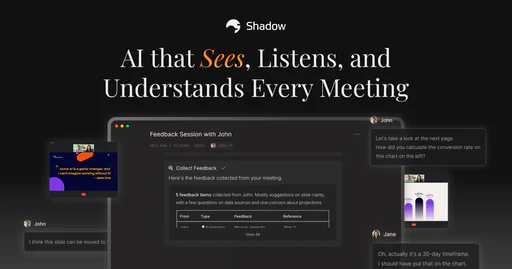
Shadow is an innovative AI meeting assistant[1] designed to enhance your meeting experience by capturing everything that is said and shown. Unlike traditional note-taking, Shadow remembers the complete context of meetings, ensuring that you can follow up flawlessly every time. With its ability to transcribe conversations and capture visual content, Shadow transforms the way professionals manage their meeting follow-ups and insights.

Pros

  • Comprehensive Meeting Capture: Shadow captures everything said and shown during meetings, ensuring no context is lost for follow-ups.
  • Automatic Transcription: The tool automatically transcribes discussions and captures screenshots, making it easy to reference key points later.
  • Seamless Integration: Works with popular platforms like Zoom, Microsoft Teams, and Slack, allowing for smooth operation without interruptions.

What are the main features of Shadow?

  • Automatic Transcription[2]: Shadow transcribes all spoken words during meetings, ensuring no detail is missed.
  • Visual Capture[3]: It captures screenshots of shared content, providing a complete context.
  • Action Item Extraction[4]: Automatically identifies and records action items with due dates and assignees.
  • Key Insights Extraction: Pulls critical insights from conversations for easy access and updates.
  • Speaker Identification: Detects and labels speakers in real-time for clarity on who said what.
  • Post-Meeting Tasks: Allows users to create AI tasks that Shadow runs automatically.
Wethos

Wethos is a comprehensive platform for freelancers and agencies to streamline proposals and invoicing.

4
0 views
0 saved
21.0K

Starter

0.00 USD free

Best for folks freelancing occasionally. Includes 1 active project, basic invoicing, and basic branding.

View Pricing

Professional

12.00 USD monthly

Best for independent freelancers and studios. Includes unlimited projects & proposals, advanced invoicing, flexible payment methods on invoices, customizable proposal templates, intelligent pricing recommendations, advanced business branding, and profitability insights.

View Pricing

Team

48.00 USD monthly

Best for small agencies and multi-member studios. Includes everything in Professional plus collaborative proposal & invoice management, team-wide template library, 3 team seats for multiple members ($8/mo for each additional admin), unlimited network outreach and connections, centralized pipeline and data management, and team onboarding & support.

View Pricing

For the latest pricing, please visit this link: https://www.wethos.co/pricing

Prices are subject to change. Please visit the official website for the most up-to-date pricing information.

What is Wethos?

Wethos is a trusted software platform designed specifically for freelancers, creative studios, and agencies. It streamlines the process of creating proposals, sending invoices, and facilitating collaboration among teammates. With features that cater to the unique needs of independent professionals and small teams, Wethos ai[3]ms to enhance productivity and improve workflow efficiency. The platform also introduces Wethos AI, which provides advanced tools for proposal generation and contract creation, making it easier for users to manage their projects and client interactions.

Pros

  • All-in-One Solution: Wethos offers a comprehensive platform for freelancers and agencies to manage proposals, invoices, and collaboration, all in one place.
  • Customizable Templates: Users can create and customize proposals and contracts using a unified editor, allowing for advanced branding and reuse of components.
  • Automated Payment Schedules: The platform automates deposit and payment schedules, ensuring timely invoicing and better alignment with clients.

What are the main features of Wethos?

  • Proposal Creation[1]: Build customized proposals with a unified editor and advanced branding features.
  • Invoicing[2]: Automatically convert proposals into invoices and set payment schedules for timely billing.
  • Wethos AI: Generate proposals and contracts quickly using AI, tailored to client needs.
  • Template Libraries[4]: Access a rich library of pre-written templates for various services, making proposal creation faster.
  • Collaboration Tools[5]: Work with team members seamlessly on projects, enhancing teamwork and productivity.
  • Analytics: Track important metrics and analytics for projects and overall business performance.

Enhance your sales meetings with AI-driven insights.

4
0 views
0 saved
19.1K

What is Goodmeetingsai?

Goodmeetingsai is an AI-powered[1] sales meeting insights software designed to transform sales and customer success teams. It enables users to record calls and customer meetings, providing AI-curated reels of key meeting moments, human-level summaries, and notes. This tool empowers teams to coach and collaborate effectively using valuable meeting insights, ultimately enhancing productivity and sales outcomes.

Pros

  • AI-Powered Meeting Insights: Goodmeetingsai utilizes AI to provide curated reels of key moments from meetings, enhancing the review process for sales and customer success teams.
  • Comprehensive Call Recording Features: The tool offers high-quality call recordings, transcriptions, and analytics, ensuring that all important details are captured and easily accessible.
  • Seamless CRM Integration: Goodmeetingsai integrates deeply with CRM systems, allowing for automatic action item assignments and streamlined workflows, enhancing productivity.

What are the main features of Goodmeetingsai?

  • Call Recording[2]: Capture all your meetings for future reference.
  • High-Quality Transcriptions[4]: Get accurate transcriptions of your calls in multiple languages.
  • AI-Generated Summaries[3]: Receive concise, human-level summaries of meetings.
  • Meeting Performance Insights[5]: Analyze meeting effectiveness and team performance.
  • Automated Action Items[6]: Automatically generate actionable tasks from meetings.
  • Deep CRM Integration[7]: Seamlessly integrate with your existing CRM for enhanced workflow.
Workmate

Workmate is an AI-driven meeting scheduler that enhances productivity.

5
0 views
0 saved
9.5K

Enterprise

0.00 USD free

Vet and hire Workmate to handle scheduling for multiple teams in your organization. Everything in Premium, plus security and legal reviews, more SSO options to automatically organize your organization into multiple teams, and dedicated account support.

View Pricing

Pro

45.00 USD monthly

Unlimited scheduling requests powered by AI and our team of experienced EAs. Everything in Free, plus unlimited scheduling requests, unlimited calendars and colleagues on your team for instant scheduling, faster, more personalized responses, and unlimited team members for instant scheduling, eliminating back-and-forth email threads.

View Pricing

Premium

95.00 USD monthly

Fully white-labeled with dedicated support from a Lead Assistant during business hours. Everything in Pro, plus email address on your domain, completely unbranded with customizable name, dedicated US-based Lead Assistant, and early access to the latest features.

View Pricing

For the latest pricing, please visit this link: https://www.workmate.com/plans-pricing

Prices are subject to change. Please visit the official website for the most up-to-date pricing information.

What is Workmate?

Workmate is an AI-powered[1] meeting scheduler[2] designed to enhance productivity[3] and streamline the scheduling process. It combines artificial intelligence with human oversight[8] to ensure that scheduling tasks are handled efficiently and accurately. Workmate aims to save users valuable time by automating the scheduling of meetings, managing conflicts, and following up with participants. With its proactive features, Workmate eliminates the hassle of back-and-forth emails, allowing users to focus on their core tasks.

Pros

  • AI-Powered Scheduling: Workmate utilizes AI technology to automate meeting scheduling, saving users significant time and effort.
  • Human Support: Backed by real humans, Workmate ensures reliable scheduling assistance and follow-ups, enhancing user confidence.
  • Integration with Popular Tools: Seamlessly integrates with Google, Microsoft, Slack, and SMS, allowing users to manage scheduling within their existing workflows.

What are the main features of Workmate?

  • AI-powered scheduling to automate meeting arrangements.
  • Proactive conflict management[4] with instant notifications.
  • Automatic follow-ups[5] for unresponsive participants.
  • Customizable assistant[7] name and email address for a personal touch.
  • Integration with popular calendar apps like Google and Microsoft.
  • 24/7 support from human scheduling experts.
Quilt

AI tools to enhance productivity for sales teams.

4
0 views
0 saved
4.6K

Free

0.00 USD free

Great for small teams. Features include 3 members, 20 questionnaires per month, Quilt AI Agent with Google Drive, Web, and Chrome Extension with Quilt AI.

Enterprise

0.00 USD monthly

Up-level efficiency and performance across the organization. Everything in Team plus intelligent meeting assistant, 3rd party integrations (Notion, Confluence, Slack, Zoom, Chorus, Gong), SSO + SCIM for authentication, and dedicated CSM and custom enablement.

For the latest pricing, please visit this link: https://quilt.app/

Prices are subject to change. Please visit the official website for the most up-to-date pricing information.

What is Quilt?

Quilt is an AI-powered[1] platform designed specifically for technical sales[2] teams, aimed at enhancing productivity by automating various tasks such as responding to Requests for Proposals (RFPs), preparing for product demonstrations, and addressing technical inquiries. By leveraging advanced AI technology, Quilt enables teams to streamline their workflows, thereby allowing them to focus more on strategic activities rather than repetitive tasks. This innovative tool is positioned to significantly boost the efficiency of sales teams, ensuring they can respond to client needs faster and more effectively.

Pros

  • AI-Powered Automation: Quilt automates RFP processes, allowing sales teams to answer 95% of their RFP questions within minutes, significantly enhancing productivity.
  • Centralized Knowledge Repository: The Knowledge Assistant provides a collaborative and always-up-to-date knowledge repository, making organizational information easily accessible.
  • Integration Capabilities: Quilt seamlessly integrates with existing tools, enhancing sales enablement and improving workflow efficiency.

What are the main features of Quilt?

  • Questionnaire Assistant: Automates responses to RFP questions, allowing teams to answer 95% of inquiries within minutes.
  • Knowledge Assistant: A collaborative knowledge repository that provides instant access to organizational information, ensuring everyone is on the same page.
  • Live Assistant: A forthcoming feature designed to support real-time sales meetings, enhancing the ability of sales reps to engage effectively with prospects.
Meet-ting

Meet-Ting simplifies scheduling through AI.

4
0 views
0 saved
2.8K

Free Plan

0.00 USD free

Smart, guest-friendly AI scheduling that works where you do - email and WhatsApp.

For the latest pricing, please visit this link: https://meet-ting.com/

Prices are subject to change. Please visit the official website for the most up-to-date pricing information.

What is Meet-Ting?

Meet-Ting is a free AI scheduling[1] assistant designed to streamline the process of booking meetings directly from email and text messages. By simply CC'ing Ting in your communications, it takes care of checking calendars, following up with participants, and sending out invites without the need for additional apps or links. This innovative tool simplifies the scheduling process, allowing users to focus on their work while ensuring that meetings are organized efficiently. Trusted by major teams at companies like Nike, Adidas, and Disney, Meet-Ting stands out for its human-like scheduling capabilities, making it a valuable asset for professionals looking to optimize their time management.

Pros

  • AI-Powered Scheduling Assistant: Meet-Ting automates the scheduling process by using AI to find suitable meeting times, eliminating the need for manual coordination.
  • Seamless Integration with Email and Text: The tool works directly with emails and texts, allowing users to schedule meetings without needing additional apps or links.
  • User-Friendly Experience: Meet-Ting provides a natural communication style in scheduling, making it feel more personal and less robotic.

What are the main features of Meet-Ting?

  • AI-Powered Scheduling: Automates the meeting scheduling process by handling emails and texts.
  • No Additional Apps Needed: Users can schedule meetings directly through their existing email or text platforms without needing to download any extra software.
  • Cross-Platform Compatibility[5]: Works seamlessly with popular email services like Gmail and Outlook.
  • Human-Like Interaction[4]: Sends natural, conversational emails to participants, enhancing communication and relationship-building.
  • Real-Time Calendar Checking[3]: Quickly checks the availability of all participants to suggest optimal meeting times.
Doubleoai

Easily automate complex tasks with AI agents.

4
0 views
0 saved
2.1K

Individual

99.00 USD monthly

Automate your personal workflow with a team of AI agents. 10,000 free monthly credits, up to 1,000 monthly task steps, and 5 AI agent workflows.

View Pricing

Team

499.00 USD monthly

Automate your team’s workflow, and access all integrations and tools. 50,000 free monthly credits, up to 10,000 monthly task steps, and 100 AI agent workflows.

View Pricing

Enterprise

0.00 USD free

Enterprise-grade access controls, billing, and customization. Unlimited monthly task steps, unlimited AI agent workflows, and unlimited users.

View Pricing

Consulting

5000.00 USD monthly

Not confident 'doing it yourself' yet? Let our team of specialists build, and fully-manage your workflow end-to-end.

View Pricing

For the latest pricing, please visit this link: https://www.doubleo.ai/pricing

Prices are subject to change. Please visit the official website for the most up-to-date pricing information.

What is Doubleoai?

Doubleoai is an innovative AI automation platform designed specifically for non-developers. It enables users to create powerful AI automations effortlessly, akin to collaborating with a teammate. With Doubleoai, you can easily build automations using AI agents, transforming manual processes into efficient workflows. The platform prioritizes privacy, reliability, and security, making it an ideal choice for organizations looking to streamline their operations without requiring extensive technical knowledge.

Pros

  • User-Friendly Automation: Doubleoai offers a simple interface for non-developers to create AI automations, making it accessible for users without technical skills.
  • Powerful AI Agents: Utilizes AI agents to handle complex tasks, allowing users to automate processes efficiently and effectively.
  • Customizable Workflows: Provides pre-built templates and the option to create custom workflows, catering to various team needs and processes.

What are the main features of Doubleoai?

  • AI Agent Automation: Utilize highly-trained AI agents to automate complex tasks effortlessly.
  • User-Friendly Interface: Designed for non-developers, making it accessible for all team members.
  • Custom Workflows: Create personalized workflows using pre-built templates or custom configurations.
  • Integration Capabilities: Connect with various APIs and tools to enhance automation.
  • Data Privacy and Security: Compliant with SOC 2 and GDPR standards, ensuring data safety.
Bloxgpt

A collaborative platform for transforming ideas into reality.

5
0 views
0 saved
1.9K

Pay as You Go

0.00 USD free

Credit-based pricing model designed to give you full flexibility and control. 500 coins to start testing!

For the latest pricing, please visit this link: https://bloxgpt.com/

Prices are subject to change. Please visit the official website for the most up-to-date pricing information.

What is Bloxgpt?

Bloxgpt is a collaborative platform designed to transform ideas into reality. It serves as a workspace where teams can effectively collaborate, innovate, and design together. By providing an intuitive infinite canvas, Bloxgpt eliminates the hassle of managing multiple tabs, allowing users to organize their thoughts and brainstorm efficiently. With its AI-powered tools, Bloxgpt empowers teams to structure their ideas, collaborate in real-time, and enhance productivity, making it an essential tool for any innovative project.

Pros

  • Intuitive Drag-and-Drop Interface: BloxGPT offers an intuitive drag-and-drop interface that simplifies brainstorming and organization, allowing users to focus on their ideas without the clutter of multiple tabs.
  • Real-Time Collaboration: The platform enables real-time collaboration, allowing team members to work together seamlessly on a shared canvas, enhancing productivity and communication.
  • Flexible Usage Model: With a pay-as-you-go pricing model, users can start with 500 coins and have the flexibility to use the platform without a subscription, making it accessible for various needs.

What are the main features of Bloxgpt?

  • Instant Start: Begin working immediately with a user-friendly setup.
  • Flexible Canvas: Customize layouts, add blocks, and create tailored workflows to suit your project needs.
  • Organized and Searchable: Keep your ideas and annotations easily accessible and well-organized.
  • Real-Time Adaptability: Enjoy a responsive design that works seamlessly on any device.
  • Collaborate Instantly: Engage with team members in real-time on a unified platform, enhancing collective creativity.
  • Data Safety First: Trust in a secure infrastructure that prioritizes the protection of your work.
Timeticsai

Timetics.ai simplifies scheduling with AI-driven tools for seamless meetings.

4
0 views
0 saved
1.8K

Free

0.00 USD free

1 user, Number of meetings 2 (1-1), One-to-One Meeting Type, Meeting-wise Time Zone, Time Zone Auto Detection, Minimum Notice Time For Booking, Customer List, Sales Analytics & Report, Team’s Availability, Reschedule Booking, Cancel Booking, Manual Booking, Google Calendar Integration, Google Meet Integration.

View Pricing

Starter

69.00 USD monthly

15 users, Branding Removal, Unlimited Meetings, Unlimited Bookings, 2 Types of Meeting (1 to 1 and 1 to many), 4 Meeting Location Type, 5 (max) - Recurring Booking.

View Pricing

Standard

129.00 USD monthly

Up to 30 users, Branding Removal, Unlimited Meetings, Unlimited Bookings, All Types of Meeting, 5 Meeting Location Type, Multiple Host, 20 (max) - Recurring Booking, 3 Ticket Tiers, Customized Email, WhatsApp Notification, Paypal Gateway, Zoom Integration, iCal/Apple Calendar, 5 CName, 5 Agency accounts.

View Pricing

Professional

209.00 USD monthly

Up to 75 users, Branding Removal, Unlimited Meetings, Unlimited Bookings, All Types of Meeting, 5 Meeting Location Type, Multiple Host, Unlimited Recurring Booking, Unlimited Ticket Tiers, Customized Email, WhatsApp Notification, Paypal Gateway, Zoom Integration, iCal/Apple Calendar, 15 CName, 15 Agency accounts.

View Pricing

For the latest pricing, please visit this link: https://timetics.ai/pricing/

Prices are subject to change. Please visit the official website for the most up-to-date pricing information.

What is Timetics.ai?

Timetics.ai is an innovative booking platform[1] designed to facilitate meaningful meetings and streamline appointment management. It features a visual seat plan[2] and an AI-powered experience[3], making it easier for businesses to organize and manage their appointments effectively. With Timetics.ai, users can leverage a comprehensive set of tools tailored for their business needs, ensuring a smooth and efficient booking process.

Pros

  • AI-Powered Experience: Timetics.ai offers an AI-powered booking experience that enhances user interaction and streamlines scheduling.
  • Visual Seat Plan: The platform features a visual seat plan, making it easier for users to manage and visualize their bookings.
  • Comprehensive Management Tools: Timetics.ai integrates various tools for managing appointments, payments, and team coordination, all in one system.

What are the main features of Timetics.ai?

  • Visual Seat Plan: A clear layout for organizing meetings and appointments.
  • AI-Powered Experience: Intelligent features that enhance the booking process.
  • Flexible Availability Rules: Customize your availability based on your schedule.
  • Payment Integration: Secure payment options for upfront transactions.
  • Team Management: Coordinate team members' availability and manage client bookings efficiently.
  • Automated Reminders: Email confirmations and reminders to reduce no-shows.
Ontezo

Ontezo is a comprehensive platform for team collaboration and project management.

5
0 views
0 saved
1.5K

Free Plan

0.00 USD free

Best for first experience. Access core project management features at no cost.

Standard Plan

5.00 USD monthly

Most Popular - Best for small companies. 50 Projects, Up to 200 Leads, 200 AI User Stories Per Month, 10.0 GB Storage, Employee Performance Report, Projects Detailed Analytics, Dynamic board with access control, No of lists 15, Priority Support, Timeline view, Code snippets, Tams (User Groups), Project Financials Reporting (Profit & Loss Insights), Unlimited Dashboards, Unlimited Custom Fields, Resource Management, Gantt Charts, Timesheets, Time Estimates, Email Integration, Activity Log (6 months).

Premium Plan

8.00 USD monthly

Up to Unlimited Leads, Unlimited Projects, 50.0 GB Storage, 500 AI User Stories Per Month, Employee Performance Reports, Projects Detailed Analytics, Dynamic board with access control, No of lists Unlimited, Priority Support, Employee Performance Report, Timeline view, Code snippets, AI Scrum Master, Custom Roles and Permissions, Autonomous Meetings (Flowra AI), Unlimited Teams, Unlimited Timeline views, Advanced Flowra AI, Sales Process Automation, Remove Email Branding, Activity Log (1 year).

For the latest pricing, please visit this link: https://ontezo.com/

Prices are subject to change. Please visit the official website for the most up-to-date pricing information.

What is Ontezo?

Ontezo is a comprehensive business solution designed to unify teams, streamline collaboration, and manage projects effectively—all within a single platform. It aims to enhance productivity by providing tools for project management, task tracking, and team collaboration, making it suitable for businesses of all sizes. Ontezo integrates various functionalities, enabling users to automate workflows, manage resources, and gain insights through advanced analytics, thus simplifying the complexities of business operations.

Pros

  • All-in-One Solution: ONtezo offers a comprehensive platform that integrates project management, collaboration, and team communication, making it easier for businesses to manage their operations in one place.
  • AI-Powered Features: The tool includes AI-driven functionalities such as automated task generation, sprint planning, and code generation, enhancing productivity and efficiency.
  • User-Friendly Interface: Designed for easy adoption, ONtezo features an intuitive interface that simplifies navigation and reduces the learning curve for new users.

What are the main features of Ontezo?

  • Project Management: Manage multiple projects with structured workflows and financial tracking.
  • Task Automation: Automate repetitive tasks to save time and increase efficiency.
  • Collaboration Tools: Facilitate team communication and document sharing.
  • Analytics & Reporting: Gain insights through advanced reporting and performance metrics.
  • Resource Management: Optimize resource allocation and monitor team performance.
Findnlink

Collaborate and bring your ideas to life with Findnlink.

5
0 views
0 saved
1.4K

What is Findnlink?

Findnlink is an innovative virtual space designed to help individuals transform their ideas into reality. It serves as a collaborative platform where users can connect with like-minded people to work together on various projects. By facilitating teamwork and collaboration, Findnlink empowers users to bring their concepts to life and achieve their goals more effectively.
Pros

  • Collaborative Platform: Findnlink provides a virtual space for users to collaborate on ideas, making teamwork easier and more effective.
  • Idea Development Support: The tool helps users turn their ideas into reality by connecting them with like-minded individuals.
  • User-Friendly Interface: Findnlink offers an intuitive interface that simplifies the process of finding collaborators and managing projects.

What are the main features of Findnlink?

  • Collaborative project management tools to streamline teamwork.
  • User-friendly interface for easy navigation and engagement.
  • Networking opportunities to connect with individuals who share similar interests.
  • Resource sharing capabilities to enhance project development.
  • Secure communication channels for effective collaboration.
Chaturjiai

Chaturji is an AI collaboration platform designed for teams to enhance productivity and streamline workflows.

4
0 views
0 saved
1.3K

Team Lite

40.00 INR monthly

Best Value plan for 10 Users with 10,000 shared credits, 1 GB storage, and access to all premium AI models, spreadsheet analysis agent, & image generation.

Standard

130.00 INR monthly

Best Value plan for 20 Users with 40,000 shared credits, 4 GB storage, and access to all premium AI models, spreadsheet analysis agent, & image generation.

Pro

300.00 INR monthly

Best Value plan for 25 Users with 100,000 shared credits, 25 GB storage, and access to all premium AI models, spreadsheet analysis agent, & image generation.

Individual Pro

25.00 INR monthly

Best Value plan for 1 User with 7,500 shared credits, 4 GB storage, and access to all premium AI models, spreadsheet analysis agent, & image generation.

Free Trial

0.00 INR free

Free trial for 14 days for 5 Users with 1,000 shared credits, 4 GB storage, and access to all premium AI models, spreadsheet analysis agent, research mode & image generation.

For the latest pricing, please visit this link: https://www.chaturji.ai/

Prices are subject to change. Please visit the official website for the most up-to-date pricing information.

What is Chaturji?

Chaturji is a collaborative AI[1] platform designed specifically for teams and organizations. Unlike standalone AI chatbots, Chaturji enables entire teams—across sales, marketing, finance, and operations—to work together in shared workspaces[3] known as Rooms. This unique structure allows every team member to access the same context, files, and insights, while the AI learns from the organization’s data to provide tailored responses that fit specific projects. Essentially, Chaturji acts as a centralized command center for AI collaboration, enhancing productivity and ensuring that knowledge is shared effectively across the team.

Pros

  • Collaborative AI Workspaces: Chaturji allows teams to collaborate in shared workspaces called Rooms, enabling real-time editing and feedback on projects.
  • Cost-Effective Solution: Chaturji offers a pricing model that is up to 10X lower than ChatGPT, making it affordable for organizations of all sizes.
  • Multi-AI Access: The platform integrates multiple AI models like ChatGPT, Claude, and Gemini, providing flexibility and access to the best tools for various tasks.

What are the main features of Chaturji?

  • Multiple AI Access[4]: Chaturji integrates various AI models including ChatGPT[5], Claude, Gemini, and Grok, allowing users to choose the best AI for their tasks.
  • Collaborative Rooms: These are shared workspaces where teams can collaborate, ensuring that all members have access to the same information and can contribute to projects in real-time.
  • Business-Ready Templates: Chaturji provides templates for common business tasks such as sales proposals and project planning, enabling teams to utilize AI effectively right from the start.
  • Canvases: This feature transforms AI conversations into editable documents that teams can refine and share, enhancing collaborative efforts.
  • Secure and Private: Chaturji ensures that all data is encrypted and private, with no AI training on user content, providing a secure environment for sensitive information.
Ledgerteams

A unified project management tool enhancing collaboration.

5
0 views
0 saved
1.1K

Light

49.00 USD monthly

All-in-one for small teams. Includes 3 users, additional users $15/month. Up to 5 members, 100 GB storage, 1 workspace, 3 guest invites, chat and threads, task management, calendar and events, direct messages, real-time whiteboard, screen/video record, shared folders, documents, e-signatures, dashboards, milestones, AI Assist.

View Pricing

Growth

87.00 USD monthly

Powerful tools to help you scale. Includes 5 users, additional users $12/month. Up to 10 members, 500 GB storage, 5 workspaces, 5 guest invites, chat and threads, task management, calendar and events, direct messages, real-time whiteboard, screen/video record, shared folders, documents, e-signatures, dashboards, milestones, AI Assist.

View Pricing

Pro

162.00 USD monthly

Our best tools plus AI Assist. Includes 10 users, additional users $10/month. Up to 20 members, 1 TB storage, unlimited workspaces, 10 guest invites, chat and threads, task management, calendar and events, direct messages, real-time whiteboard, screen/video record, shared folders, documents, e-signatures, dashboards, milestones, AI Assist.

View Pricing

Pro+

375.00 USD monthly

Additional value at scale. Includes 20 users, additional users $8/month. Up to 100 members, 3 TB storage, unlimited workspaces, unlimited guest invites, chat and threads, task management, calendar and events, direct messages, real-time whiteboard, screen/video record, shared folders, documents, e-signatures, dashboards, milestones, AI Assist.

View Pricing

For the latest pricing, please visit this link: https://www.ledgerteams.com/pricing

Prices are subject to change. Please visit the official website for the most up-to-date pricing information.

What is Ledgerteams?

Ledgerteams is a modern project management tool designed to unify and simplify team collaboration. It replaces multiple applications such as Slack, Asana, and Dropbox, providing a comprehensive platform for managing tasks, discussions, documents, and more. With its user-friendly interface and integrated features, Ledgerteams enhances productivity and streamlines workflows, making it an ideal solution for teams looking to consolidate their tools into one efficient platform.

Pros

  • Unified Project Management Tool: Ledgerteams combines multiple functionalities like chat, task management, and file sharing into one platform, reducing the need for multiple apps.
  • AI-Powered Features: The AI Assist feature helps users create tasks, generate documents, and provide quick replies, enhancing productivity.
  • Free Trial Available: Ledgerteams offers a 14-day free trial with no credit card required, allowing users to explore its features before committing.

What are the main features of Ledgerteams?

  • Unified Communication: Combines chat and messaging functionalities to replace Slack and email.
  • Task Management: Offers kanban-style task boards to organize and track work.
  • Document Collaboration: Allows users to create, share, and manage documents seamlessly.
  • Whiteboards: Provides virtual whiteboards for brainstorming and real-time collaboration.
  • Integrated Calendars: Keeps track of deadlines and important meetings.
  • AI Assist: Enhances productivity with smart task creation, auto summaries, and intelligent search capabilities.
Scrumbuiss

Optimize project workflows with AI-driven tools.

4
0 views
0 saved
451

Hobby

0.00 USD free

For starters and hobbyists that want to try out. Lifetime access with 1 project, unlimited tickets per project, up to 1 team member per project, notification updates from your team, free updates, and the option to upgrade as you grow.

View Pricing

Pro

19.99 USD one-time

For Teams and small businesses who want to get more out of their projects. Lifetime access with unlimited projects, unlimited tickets per project, up to 25 team members, notification updates from your team, free features and updates, and file storage up to 5GB.

View Pricing

Pro+

54.99 USD one-time

For Teams and businesses who want to get the most out of their projects. Lifetime access with unlimited projects, unlimited tickets per project, unlimited team members, notification updates from your team, free features and updates, and file storage up to 15GB.

View Pricing

For the latest pricing, please visit this link: https://www.scrumbuiss.com/pricing/

Prices are subject to change. Please visit the official website for the most up-to-date pricing information.

What is Scrumbuiss?

Scrumbuiss is an AI-powered[1] project management[2] platform designed to streamline project workflows for teams. It offers a suite of agile tools for task management[3], team collaboration[4], and time tracking[5], making it ideal for freelance developers and small agencies. With Scrumbuiss, users can quickly set up agile projects, automate workflows, and enhance productivity through its user-friendly interface and smart AI features.

Pros

  • AI-Powered Automation: Scrumbuiss utilizes AI tools to automate workflows, boards, and sprints, enhancing efficiency and reducing manual effort.
  • User-Friendly Interface: The platform offers an intuitive interface that simplifies task management and team collaboration, making it accessible for all users.
  • Comprehensive Project Management Features: Scrumbuiss provides a range of features including Kanban boards, time tracking, and built-in storage, allowing teams to manage projects effectively.

What are the main features of Scrumbuiss?

  • AI-powered project management tools for enhanced productivity.
  • Kanban boards for visualizing and managing tasks.
  • Built-in storage for easy file management and sharing.
  • Time tracking features to monitor project hours and efficiency.
  • Real-time collaboration tools for team communication and updates.
Qikmeeting

Qikmeeting enhances business collaboration with AI-driven features.

4
0 views
0 saved
330

Free User

0.00 USD free

For anyone free forever. All essential features and apps.

View Pricing

Prime User

50.00 USD yearly

For professionals, consultants & smart business owners. Prime user membership with AI.

View Pricing

Business

120.00 USD yearly

For startups, small & medium businesses.

View Pricing

For the latest pricing, please visit this link: https://qikoffice.com/pricing

Prices are subject to change. Please visit the official website for the most up-to-date pricing information.

What is Qikmeeting?

Qikmeeting is an innovative AI office app[1]lication designed to streamline business communication[2] and collaboration[3]. Positioned as the leading AI office app, Qikmeeting automates the generation of meeting minutes and organizes all work-related data in a centralized platform. This tool is particularly valuable for teams looking to enhance productivity and efficiency by integrating various communication functionalities into one cohesive application.

Pros

  • AI-Powered Meeting Minutes: Automatically generates meeting minutes and action items, enhancing productivity and ensuring nothing is missed during discussions.
  • Unified Communication Platform: Combines various communication tools into one app, reducing the need for multiple applications and streamlining workflows.
  • Flexible Meeting Options: Supports both online and in-person meetings, allowing teams to collaborate effectively regardless of their location.

What are the main features of Qikmeeting?

  • AI Minutes Generation[4]: Automatically creates minutes of meetings, including action items and key discussion points.
  • Integrated Project Management: Offers tools to manage projects seamlessly within the app.
  • Collaboration Tools: Provides features for team communication, including chat, file sharing, and whiteboards.
  • Meeting Scheduling: Includes an advanced scheduling tool for both online and in-person meetings.
  • Data Organization[5]: Centralizes all work-related data for easy access and management.
Logicform

Create unlimited surveys with advanced logic features.

4
0 views
0 saved
248

Basic

0.00 USD free

Perfect for individuals and small teams

View Pricing

Advanced

9.99 USD monthly

For organizations needing advanced features

View Pricing

For the latest pricing, please visit this link: https://www.logicform.io/pricing

Prices are subject to change. Please visit the official website for the most up-to-date pricing information.

What is Logicform?

Logicform is an innovative online tool designed to help users create forms with powerful logic for free. It allows for the creation of in-app surveys or surveys that can be shared via direct links. Logicform stands out with its AI-powered analysis[1] feature, enabling users to gain insights from survey responses without the hassle of manual data processing. The tool supports live collaboration[2], allowing teams to work together in real-time, and offers comprehensive question types, including multiple choice, short answer, and more. With no response limits, Logicform provides a cost-effective solution for gathering valuable feedback.

Pros

  • Unlimited Responses: Logicform allows users to collect unlimited responses for free, making it a cost-effective solution for surveys.
  • AI-Powered Analysis: The tool features AI-driven insights that automatically analyze survey data, saving users time and effort.
  • Live Collaboration: Logicform enables real-time collaboration among team members, allowing multiple users to edit surveys simultaneously.

What are the main features of Logicform?

  • Unlimited Responses[4]: Collect as many responses as needed without any restrictions.
  • AI-Powered Analysis: Automatically generate insights from survey data, simplifying the analysis process.
  • Live Collaboration: Work with team members in real-time to edit and refine surveys.
  • Skip Logic: Create dynamic surveys that adapt based on user responses, enhancing engagement.
  • Comprehensive Question Types: Utilize a wide range of question formats, including multiple choice, ranking, and file uploads.
  • In-App Surveys: Embed surveys directly within your application for seamless user feedback collection.
  • Advanced Features: Conduct A/B testing and utilize click map analysis for detailed feedback on visual elements.
Getskedai

Sked is an AI assistant that simplifies scheduling in Slack.

4
0 views
0 saved
196

Free forever

0.00 USD free

15 commands every month.

Pro Recommended

5.00 USD monthly

Unlimited commands for one.

For the latest pricing, please visit this link: https://getsked.ai/

Prices are subject to change. Please visit the official website for the most up-to-date pricing information.

What is Getskedai?

Getskedai, also known as Sked, is an AI scheduling[1] assistant specifically designed for Slack. It aims to simplify the often tedious process of scheduling meetings by automatically finding the best times for all participants. With Sked, users can effortlessly coordinate meeting times, book appointments, and manage their schedules directly within Slack, reducing the back-and-forth communication typically involved in scheduling.

Pros

  • AI-Powered Scheduling: Sked uses AI to automatically find the best meeting times for all participants, reducing the hassle of manual scheduling.
  • Seamless Integration with Slack: The tool integrates directly with Slack, allowing users to schedule and manage meetings without leaving the platform.
  • Easy Setup and Use: Users can quickly set up Sked by signing up with Gmail and adding it to Slack, making it accessible for anyone.

What are the main features of Getskedai?

  • Automatic Scheduling[2]: Sked finds open slots for meetings based on participants' availability.
  • Meeting Booking[3]: Users can book meetings with simple commands directly in Slack.
  • Rescheduling[5] Made Easy: Quickly reschedule meetings with a single command.
  • Calendar Integration[4]: Syncs with Google Calendar for seamless scheduling.
  • Private Commands: All commands are visible only to the user, ensuring privacy.
Khorus

Khorus enhances team workflows with AI-driven task management and collaboration.

4
0 views
0 saved
74

Team Plan

15.00 USD monthly

Most Popular. For teams building workflows, creating offices, and selling in the marketplace. Everything in Pro, plus: Up to 10 Al Agents, Marketplace: Buy & Sell, Collaboration Tools + Task Tree, Role-based Permissions, Advanced Agent Reports, 4 million usage tokens, Marketplace Boost (if paid in $KHO), Priority support.

View Pricing

Enterprise Plan

0.00 USD free

For infrastructure-scale operations, creators at scale, and Saas Al founders. Everything in Team, plus: Unlimited Al Agents, Private Workspace Templates, API Access, Custom Usage Tokens, SLA & Dedicated Support, Custom Integrations.

View Pricing

For the latest pricing, please visit this link: https://khorus.io/en/pricing

Prices are subject to change. Please visit the official website for the most up-to-date pricing information.

What is Khorus?

Khorus is an innovative platform designed to streamline workflows through AI-powered agents, task management, and collaborative insights. By leveraging intelligent automation, Khorus helps teams enhance productivity and achieve more efficient outcomes. With features that enable the creation and management of agent workforces, Khorus supports seamless integration with various APIs and tools, making it a robust solution for businesses aiming to optimize their operational efficiency.

Pros

  • AI-Powered Workflow Automation: Khorus streamlines workflows using AI-powered agents, enhancing task management and collaboration.
  • On-Chain Identity for Agents: Each agent in Khorus is verified on-chain through ERC-8004, ensuring secure and interoperable communication.
  • Extensive Integration Capabilities: Khorus integrates with over 1000 agent APIs and data tools, facilitating automated signals and trustless on-chain settlements.

What are the main features of Khorus?

  • AI-Powered Agents: Automate tasks with intelligent agents that can operate across various environments.
  • Task Management: Easily assign and track tasks among agents to streamline workflows.
  • Collaborative Insights: Gain insights from agent interactions to enhance team collaboration.
  • API Integrations: Access a wide range of APIs for data and functionality, ensuring comprehensive support for various applications.
  • On-Chain Identity: Utilize ERC-8004 for secure, verifiable agent identities that enable cross-chain communication.
Workel

Workel is the all-in-one workspace platform with real-time collaboration, projects, tasks, chat, calendar, files, and AI.

5
0 views
0 saved

What is Workel?

Workel is an all-in-one workspace platform designed to enhance productivity through real-time collaboration. It combines essential work tools such as project management, task tracking, chat, calendar, file sharing, and AI capabilities into a single application. By replacing multiple applications like Asana, Slack, Notion, and Zoom, Workel simplifies the workflow for teams, allowing them to stay organized and focused without the hassle of switching between different tools.

Pros

  • All-in-One Workspace: Workel integrates multiple tools into one platform, allowing teams to manage tasks, chat, files, and calendars without switching apps.
  • Lightning Fast Performance: The platform is designed for speed with instant search, real-time updates, and keyboard shortcuts, enhancing user efficiency.
  • Real-Time Collaboration: Real-time collaboration features such as chat channels, direct messages, and file sharing streamline communication within teams.
  • High Security Standards: Workel offers enterprise-grade security with features like end-to-end encryption, two-factor authentication, and compliance with SOC 2 and GDPR.

Cons

  • Learning Curve Required: The platform may require users to adapt to a new interface and workflow, which could involve a learning curve.
  • Limited Third-Party Integrations: Workel may have limitations in integration with certain third-party applications, which could restrict functionality.

What are the main features of Workel?

  • All-in-One Workspace: Combines tasks, chat, files, and calendar in a single platform.
  • Real-Time Collaboration: Enables teams to communicate and collaborate instantly through chat and video calls.
  • Task Management: Offers Kanban boards, lists, and calendars for tracking tasks with priorities and due dates.
  • File Sharing: Allows uploading, sharing, and organizing files with privacy controls.
  • Calendar Integration: Features event scheduling, reminders, and a clear overview of team availability.
  • AI Capabilities: Provides tools for content generation, task automation, and document summarization.
  • Customizable Interface: Users can tailor the workspace layout, colors, and fonts to fit their preferences.
Kanshareban

Collaborate and share projects effortlessly with Kanban boards.

5
0 views
0 saved

What is KanShareBan?

KanShareBan is an innovative project management tool that allows users to easily share their ongoing projects and receive feedback from the community in a Kanban-style format. It enables users to create public Kanban boards, gather suggestions, and explore the work of others. With its AI-powered task generation feature, users can streamline their project planning by automatically generating tasks based on their project descriptions. This platform is designed to foster collaboration and creativity among users, making project management more interactive and engaging.

Pros

  • User-Friendly Kanban Boards: Kanshareban offers an intuitive Kanban board interface that makes it easy for users to organize and manage their projects visually.
  • Community Engagement: Users can share their projects and receive feedback from the community, fostering collaboration and idea exchange.
  • AI-Powered Task Generation: The tool features AI capabilities that help users generate tailored tasks based on project descriptions, enhancing productivity.

What are the main features of KanShareBan?

  • Public Kanban Boards: Create and share your projects in a Kanban format to engage with the community.
  • AI Task Generation: Automatically generate tasks based on your project descriptions to streamline planning.
  • Community Feedback: Receive suggestions and feedback from other users on your projects.
  • Intuitive Task Management: Easily add, organize, and track tasks across your Kanban board.
  • Explore Projects: Discover and engage with a variety of projects created by other users.
Ask-olivia

Ask Olivia helps enhance communication by tailoring messages to personalities.

5
0 views
0 saved

Starter

0.00 USD free

Ideal for individuals seeking an introductory level of coaching from Olivia, with the option to transition into unlimited use later.

View Pricing

Pro

139.00 USD yearly

For Individuals who want unlimited coaching and email assistance modules or as separate modules.

View Pricing

Business

0.00 USD one-time

For Managers or Leaders seeking unlimited, 24/7 online coaching for teams of any size—with valuable workforce insights to drive performance.

View Pricing

For the latest pricing, please visit this link: https://ask-olivia.com/pricing

Prices are subject to change. Please visit the official website for the most up-to-date pricing information.

What is Ask Olivia?

Ask Olivia is an innovative AI communication coach designed to enhance workplace interactions by tailoring communication strategies[2] to individual personality types[3]. By understanding and adapting to the unique styles of team members, Ask Olivia helps users achieve better results, avoid conflicts, and foster improved collaboration. This tool is particularly beneficial for managers, team leaders, and individuals seeking to enhance their communication effectiveness in various professional settings.

Pros

  • Real-Time Personality Coaching: Ask Olivia provides real-time coaching tailored to individual personalities, enhancing communication and collaboration within teams.
  • Seamless Integration: The tool integrates smoothly into existing workflows, allowing users to tailor messages without disrupting their current communication processes.
  • Improved Conflict Resolution: Olivia helps users give feedback and resolve conflicts effectively by providing personalized guidance based on personality insights.

What are the main features of Ask Olivia?

  • Real-time personality-aware coaching for effective communication.
  • Tailored guidance on giving feedback and resolving conflicts.
  • Instant coaching accessible before important meetings or collaborations.
  • Seamless integration into existing workflows to personalize messages based on individual personalities.
  • Insights for managers and team leaders to improve team dynamics[5] and performance.
Complete

Collaborative AI workspace for teams.

5
3 views
0 saved

Free

0.00 USD free

For anyone curious about working alongside AI agents.

View Pricing

Starter

25.00 USD monthly

For individuals and small teams getting started with AI-powered collaboration.

View Pricing

Plus

50.00 USD monthly

For individuals and small teams ready to put AI agents to work on their first projects.

View Pricing

Pro

100.00 USD monthly

For individual builders who need full AI execution power to ship real software.

View Pricing

Builder team

300.00 USD monthly

Everything in Pro, scaled for a team of five.

View Pricing

Enterprise

0.00 USD monthly

For organizations that need expert-backed AI execution, advanced controls, and full outcome accountability.

View Pricing

For the latest pricing, please visit this link: https://complete.dev/pricing

Prices are subject to change. Please visit the official website for the most up-to-date pricing information.

What is Complete?

Complete is a collaborative AI workspace designed for teams to work alongside AI agents[2] seamlessly. This innovative platform allows teams to enhance their productivity by integrating AI into their workflows, enabling real-time collaboration[3] and execution of tasks. With Complete, users can manage projects efficiently, automate repetitive tasks, and leverage AI capabilities to achieve better outcomes. The core value of Complete lies in its ability to combine human intelligence with AI, allowing teams to focus on strategic activities while AI agents handle execution and delivery.

Pros

  • Collaborative AI Workspace: Complete provides a collaborative workspace where teams and AI agents work side by side, enhancing teamwork and productivity.
  • Multiple AI Model Integration: Users can run multiple AI models in parallel, allowing for diverse functionalities such as coding, testing, and reasoning.
  • Single Source of Truth: All conversations, context, and outputs are centralized, ensuring that team members have access to the same information and can maintain continuity.

What are the main features of Complete?

  • Collaborative Workspace[1]: A unified platform where teams and AI agents work together in real-time.
  • Execution Threads[4]: Structured threads that help in running tasks with agents, ensuring clarity and focus.
  • File Management[5]: Efficient organization and access to documents across various projects without losing context.
  • Multiple AI Models: Capability to run various AI models in parallel, enhancing coding, testing, and reasoning tasks.
  • Integration Tools: Connect seamlessly with project management tools to streamline workflows.

Prepify helps streamline your preparation process efficiently.

5
0 views
0 saved

What is Prepify?

Prepify is an innovative tool designed to streamline the preparation process for various tasks, making it easier for users to organize and manage their workflows efficiently. By leveraging advanced features, Prepify aims to enhance productivity and ensure that users can focus on what truly matters. Whether it's for academic projects, business presentations, or personal tasks, Prepify serves as a comprehensive platform to facilitate preparation and planning.


Pros

  • User-Friendly Interface: Prepify is designed with a user-friendly interface that simplifies the preparation process, making it accessible for users of all skill levels.
  • Comprehensive Features: The tool offers a wide range of features that cater to various preparation needs, ensuring users have all necessary tools at their disposal.
  • Integration Capabilities: Prepify supports integration with various platforms, enhancing its functionality and allowing users to streamline their workflows.

What are the main features of Prepify?

  • User-friendly interface for easy navigation.
  • Project templates[1] for various types of preparations.
  • Task management tools to organize workflows effectively.
  • Collaboration features[3] for team projects.
  • Progress tracking[4] to monitor completion status.



