

Zoom


What is Zoom?
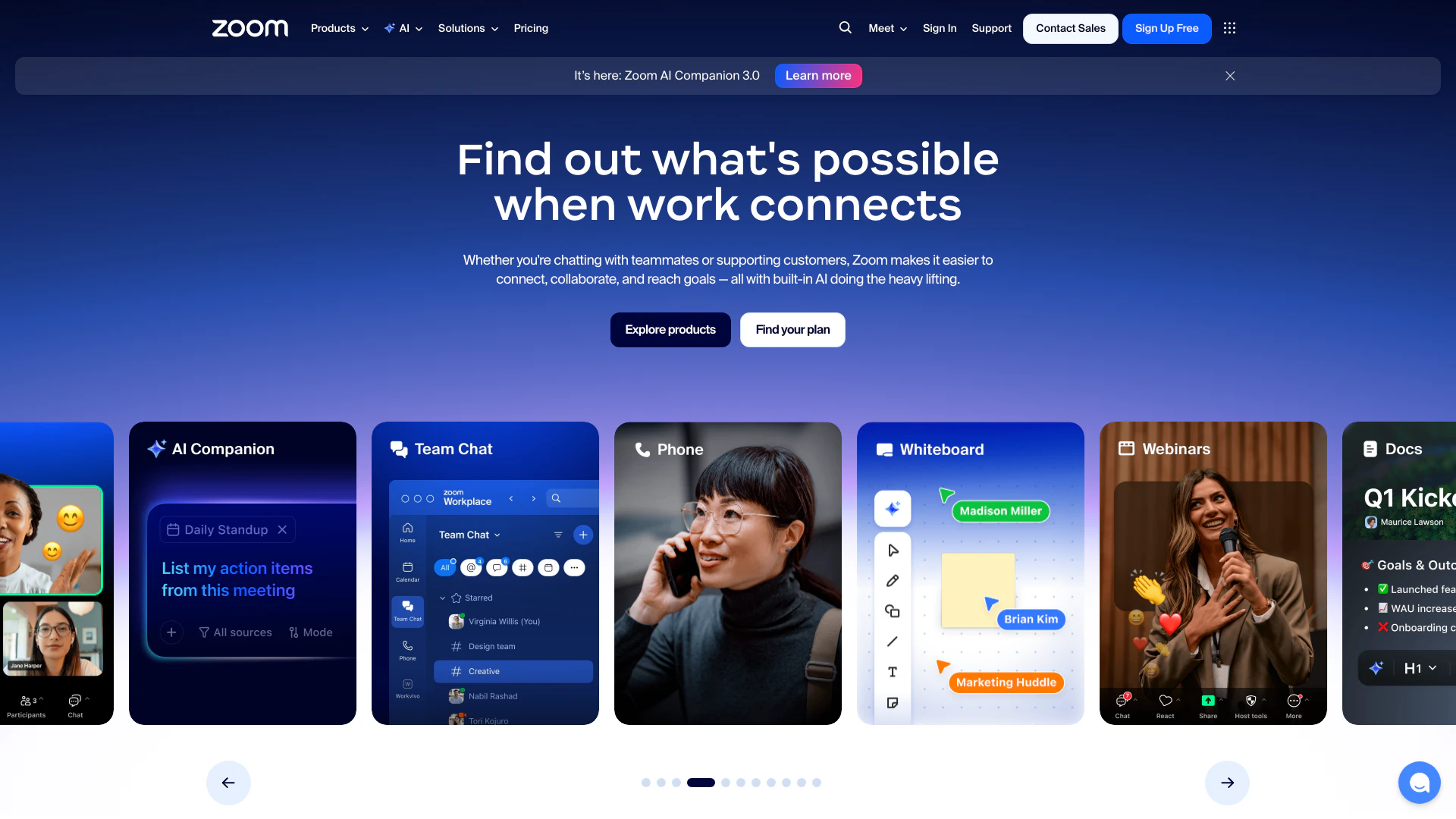
Zoom is a comprehensive communication platform that modernizes workflows through its suite of collaboration tools. These tools include video meetings[1], team chat[2], VoIP phone[3] services, webinars[4], whiteboard[5] functionalities, contact center[6] solutions, and event management capabilities. With its user-friendly interface and robust features, Zoom aims to enhance productivity and connectivity for individuals and organizations alike, making it a trusted choice for seamless collaboration.
How to use Zoom?
- Sign Up or Log In: Create an account on the Zoom website or log in if you already have one.
- Download the App: Install the Zoom application on your desktop or mobile device from the [Zoom Download Center](https://zoom.us/download).
- Schedule or Start a Meeting: Use the app to schedule a meeting or start an instant meeting by selecting the 'New Meeting' option.
- Invite Participants: Share the meeting link or invite participants directly through the app.
- Utilize Features: During the meeting, utilize features like screen sharing, chat, and recording to enhance collaboration.
What are the main features of Zoom?
- Video Conferencing: High-quality video meetings for individuals and groups.
- Team Chat: Instant messaging for seamless communication among team members.
- VoIP Phone Services: Cloud-based phone system for making calls over the internet.
- Webinars: Hosting virtual events and webinars for large audiences.
- Whiteboard: Collaborative online whiteboard for brainstorming and visual collaboration.
- Contact Center Solutions: Tools for managing customer interactions efficiently.
- AI Companion: Integrated AI tools that assist in summarizing meetings and automating tasks.
Who is Zoom for?
Zoom is designed for a wide range of users, including businesses of all sizes, educational institutions, healthcare providers, and remote teams. Its features cater to professionals seeking effective communication and collaboration tools, such as project managers, educators conducting online classes, customer service representatives managing client interactions, and marketing teams hosting webinars. Zoom's versatility makes it suitable for anyone needing reliable video conferencing and collaboration solutions.
What are the use cases of Zoom?
- Remote Work: Facilitating virtual meetings and collaboration among remote teams.
- Online Education: Conducting live classes and webinars for students and educators.
- Customer Support: Managing customer interactions through video calls and chat in contact centers.
- Virtual Events: Hosting large-scale events and webinars to engage audiences.
- Team Collaboration: Utilizing team chat and whiteboard features for brainstorming sessions.
Product Images





Zoom Pros and Cons
Pros
- Comprehensive Collaboration Tools: Zoom offers a wide range of collaboration tools including video meetings, team chat, VoIP phone, and webinars, making it a versatile platform for various communication needs.
- AI Integration: The built-in AI features, such as the AI Companion, enhance productivity by automating tasks like meeting summaries and follow-ups.
- User-Friendly Interface: Zoom's interface is designed to be intuitive and easy to navigate, facilitating seamless user experiences for both beginners and advanced users.
Cons
No cons data detected for this tool
Zoom Pricing
Basic
Free plan with 40 minutes per meeting, 100 participants per meeting, limited AI Companion features, instant messaging, 3 editable whiteboards, share up to 10 docs, 5 two-minute clips, and calendar sync.
Pro
Best for personal use or small teams. Includes all features of Basic, with 30 hours per meeting, unlimited in-meeting AI Companion use, unlimited docs, unlimited clips, Zoom Mail, and 10 GB cloud storage.
Business
Best for larger teams. Includes all features of Pro, with 300 participants per meeting, unlimited whiteboards, and additional features like SSO and multi-region storage.
Enterprise
Contact sales for pricing. Includes all features of Business, with 1000 participants per meeting and advanced security features.
For the latest pricing, please visit this link: https://zoom.us/pricing
Prices are subject to change. Please visit the official website for the most up-to-date pricing information.
Analytics of Zoom
Zoom Website Traffic Analysis
Visits Over Time
Traffic Sources
Nov 2025 - Jan 2026 Worldwide Desktop Only
- Direct: 71.68%
- Search: 17.91%
- Referrals: 9.12%
- Paid Referrals: 0.66%
- Social: 0.50%
- Mail: 0.13%
Top Keywords
| Keyword | Volume | CPC | Estimated Value |
|---|---|---|---|
| zoom | 7.01M | $0.54 | $1000000.00 |
| zoom meeting | 629.74K | $0.36 | $758630.00 |
| zoom login | 600.92K | $0.92 | $748760.00 |
| zoom download | 483.45K | $0.35 | $477970.00 |
| zoom ログイン | 121.32K | $0.48 | $184110.00 |
Zoom Reviews
It always comes down to 'I want to work on my business, not in my business.' Zoom AI Companion allows me to have that time back to do the work that only I can do. - Nancy Koziol, Founder, couch + cork
Zoom Workplace turns my brainwaves into polished gems. From meetings, I can create Clips, Notes, Docs, or even whiteboards faster than you can say, ‘transcript.’ - Marquesa Pettway, Founder
Zoom has allowed us to continue a tradition of really being a technology-focused company and making sure that we're using cutting-edge technology not only to advance our business but also for our fans. - Noah Garden, Chief Revenue Officer, Major League Baseball
For more reviews, visit this link: https://zoom.us/#customer-stories





Zoom Social Listening
How to Use Zoom - Free Video C...
Video conferencing, virtual me...
ZOOM TUTORIAL | How To Use Zoo...
#zoom #videoconferencing #tuto...
Joining a Zoom Call for the Fi...
Using Zoom is a great way to r...
Unlock to view 76 social media results.