

Adobe




What is Adobe?
Adobe is a leading software company that is transforming the world through innovative digital experiences. It provides tools and solutions that empower users to create, deliver, and optimize a wide range of content and applications. With a focus on creativity and productivity, Adobe enables individuals and businesses to enhance their digital workflows and engage audiences more effectively.
How to use Adobe?
- Visit the Adobe website at https://adobe.com/.
- Choose the Adobe product you want to use (e.g., Acrobat, Photoshop[6], Illustrator).
- Create an Adobe account or log in if you already have one.
- Download and install the software on your device or access the online version.
- Follow the on-screen instructions to start creating, editing, or optimizing your digital content.
What are the main features of Adobe?
- Comprehensive suite of creative tools[1] including Photoshop, Illustrator, and Acrobat.
- AI-powered features[2] for enhanced editing, insights, and content creation.
- Cloud-based solutions[3] for easy access and collaboration across devices.
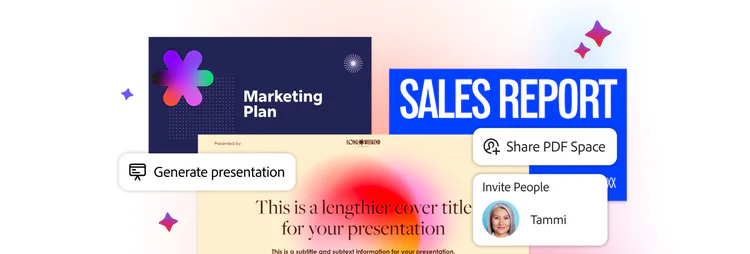
- Robust PDF tools[4] for creating, editing, and managing documents.
- User-friendly interface[5] designed for both beginners and professionals.
Who is Adobe for?
Adobe is designed for a diverse range of users including graphic designers, marketers, content creators, and businesses of all sizes. It caters to professionals seeking advanced creative solutions as well as individuals looking to enhance their digital skills. Whether you are a student, a freelancer, or part of a large organization, Adobe provides tools that meet various creative and productivity needs.
What are the use cases of Adobe?
- Graphic design projects using Adobe Photoshop for image editing and manipulation.
- Document management and PDF editing with Adobe Acrobat for businesses.
- Creating engaging presentations and marketing materials with Adobe InDesign.
- Video editing and production using Adobe Premiere Pro for filmmakers.
- Developing web and mobile applications with Adobe XD for UI/UX designers.
Product Images


Adobe Pros and Cons
Pros
- Advanced PDF Tools: Adobe offers trusted PDF tools that allow users to create, edit, and optimize PDF documents efficiently.
- AI Integration: The integration of AI features enhances editing, insights, and content creation, making workflows smarter.
- Comprehensive Digital Solutions: Adobe provides a wide range of digital experience solutions, catering to various content and application needs.
Cons
No cons data detected for this tool
Analytics of Adobe
Adobe Website Traffic Analysis
Visits Over Time
Traffic Sources
Oct 2025 - Dec 2025 Worldwide Desktop Only
- Direct: 58.42%
- Search: 33.67%
- Referrals: 6.19%
- Paid Referrals: 1.03%
- Social: 0.57%
- Mail: 0.11%
Top Keywords
| Keyword | Volume | CPC | Estimated Value |
|---|---|---|---|
| adobe | 3.33M | $3.36 | $1000000.00 |
| adobe stock | 1.71M | $0.81 | $1000000.00 |
| adobe express | 1.19M | $3.34 | $1000000.00 |
| adobe acrobat | 960.39K | $0.97 | $816270.00 |
| adobe podcast | 835.24K | $0.56 | $807820.00 |




Adobe Social Listening
Adobe Illustrator for Beginner...
Learn how to use Adobe Illustr...
Adobe Illustrator 2025 Tips - ...
Adobe illustrator tutorial for...
Adobe illustrator, graphic des...
Unlock to view 86 social media results.