

Krock



What is Krock?
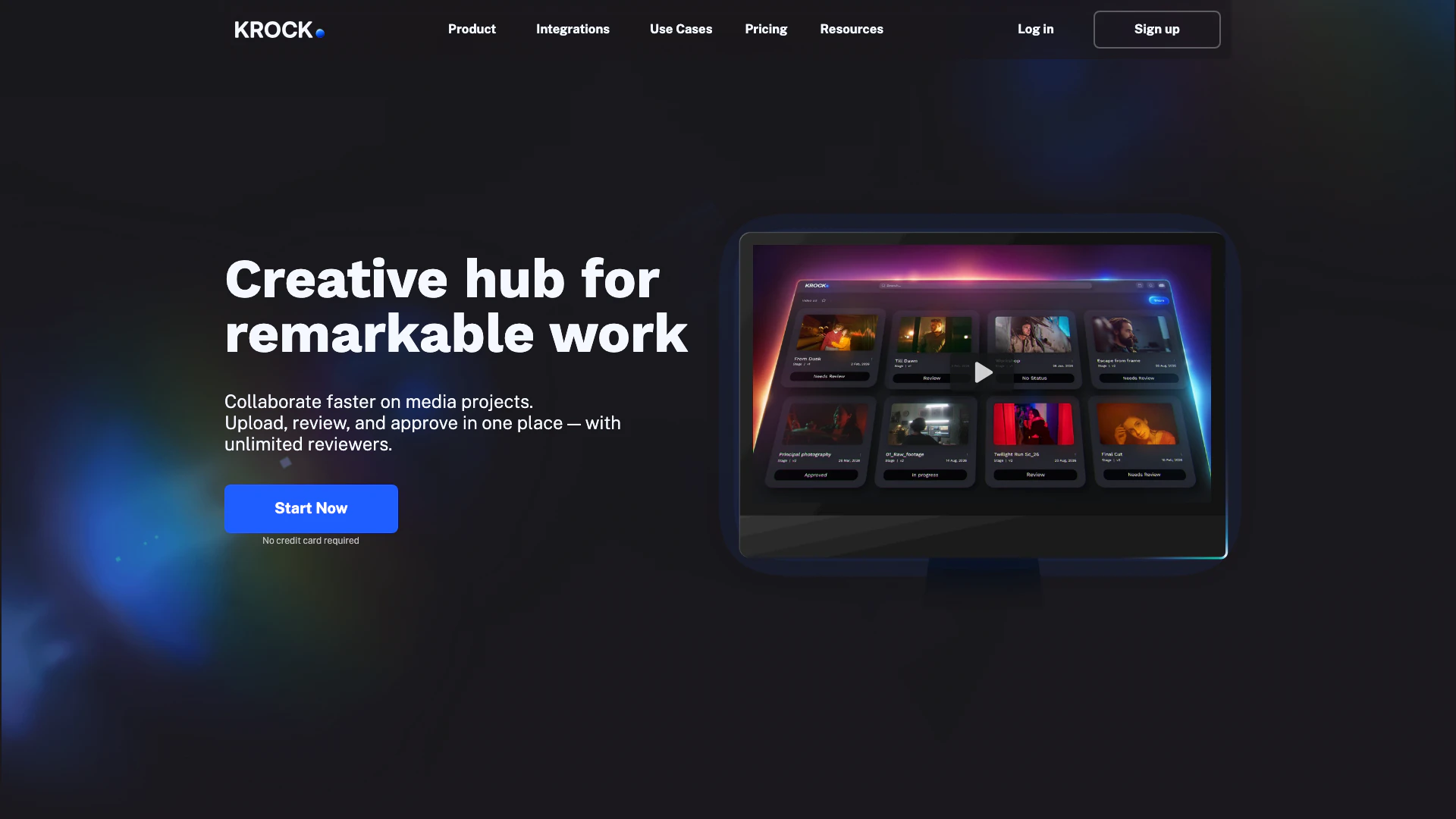
Krock is a media review[1] and collaboration software[2] designed to streamline the process of sharing, reviewing, and approving media files. It eliminates the need for endless email threads by providing a centralized platform where teams can collaborate on various media projects efficiently. Krock caters to video production companies, advertising agencies, animation studios, and content creators, enhancing their workflow and reducing the time spent on managing reviews and approvals.
How to use Krock?
- Sign up for a Krock account on their website.
- Upload your media files (videos, audio, images) to the platform.
- Invite team members or clients to review the uploaded media by sharing access.
- Use the commenting tools to provide feedback directly on the media files.
- Review and manage comments in real-time to streamline the approval process.
- Finalize and approve the media files once all feedback has been addressed.
What are the main features of Krock?
Krock offers a variety of features designed to enhance media collaboration and review processes, including: - Video feedback[3] tools with time-coded comments - Role-based access[4] control for team members - Dedicated workspaces for different projects - Extensive storage capabilities and advanced security measures - Seamless integration with popular software like Adobe Creative Cloud and DaVinci Resolve - Auto-compare mode for visual differences in media files - Interactive board tool for project management[5] and storyboarding.
Who is Krock for?
Krock is designed for creative teams, including video production companies, advertising agencies, digital agencies, animation studios, and individual content creators. It is suitable for anyone involved in media production who needs an efficient way to collaborate on projects, gather feedback, and manage revisions. Whether you are a solo creator or part of a large team, Krock provides the tools necessary to enhance your workflow and ensure timely project completion.
What are the use cases of Krock?
- Video production teams can use Krock to gather feedback on video edits in real-time, streamlining the review process.
- Advertising agencies can collaborate on creative campaigns, sharing media files and receiving approvals from clients efficiently.
- Animation studios can manage revisions and approvals of animated content, ensuring all team members are aligned throughout the production process.
Krock Pros and Cons
Pros
- Streamlined Collaboration: Krock simplifies media collaboration by allowing users to share, review, and approve media files in one centralized platform, reducing the need for endless email threads.
- Comprehensive Feedback Tools: The platform offers video feedback tools, comments, and time-coded annotations, enhancing the clarity and efficiency of the review process.
- Integration Capabilities: Krock integrates seamlessly with popular software like Adobe Creative Cloud and DaVinci Resolve, allowing users to incorporate it into their existing workflows easily.
Cons
No cons data detected for this tool
Krock Pricing
Free
1 user, 2 GB storage, Unlimited reviewers, 1 Workspace, 2 Projects, 50 AI Tokens, Media review, Storyboard tool.
Pro
Unlimited Team size, From 2TB Storage, Everything in Free, plus Unlimited reviewers, Unlimited Projects, 4K Playback, Custom branding, Storage add-ons.
Enterprise
Unlimited Collaborators & Reviewers, Unlimited Projects, Unlimited Workspaces, Unlimited Team (flat rate), Everything in Pro, plus.
For the latest pricing, please visit this link: https://krock.io/pricing/
Prices are subject to change. Please visit the official website for the most up-to-date pricing information.
Analytics of Krock
Krock Website Traffic Analysis
Visits Over Time
Traffic Sources
Nov 2025 - Jan 2026 Worldwide Desktop Only
- Search: 48.77%
- Direct: 36.07%
- Referrals: 9.77%
- Social: 4.08%
- Paid Referrals: 0.99%
- Mail: 0.14%
Top Keywords
| Keyword | Volume | CPC | Estimated Value |
|---|---|---|---|
| frame io | 84.71K | $2.22 | $730.00 |
| frameio | 18.99K | $3.06 | $320.00 |
| krock | 2.08K | $0.12 | $400.00 |
| government projects in the realm of project management | 160 | $0.00 | $150.00 |
| krock price | 150 | $0.00 | $140.00 |



Krock Social Listening
Video Collaboration Platform f...
Get feedback on images, audio,...
Storyboard AI. Generate storyb...
Welcome to our latest YouTube ...
The BEST Video Review Platform...
Try Now: https://krock.io/?ref...
Unlock to view 28 social media results.