

Workel





What is Workel?
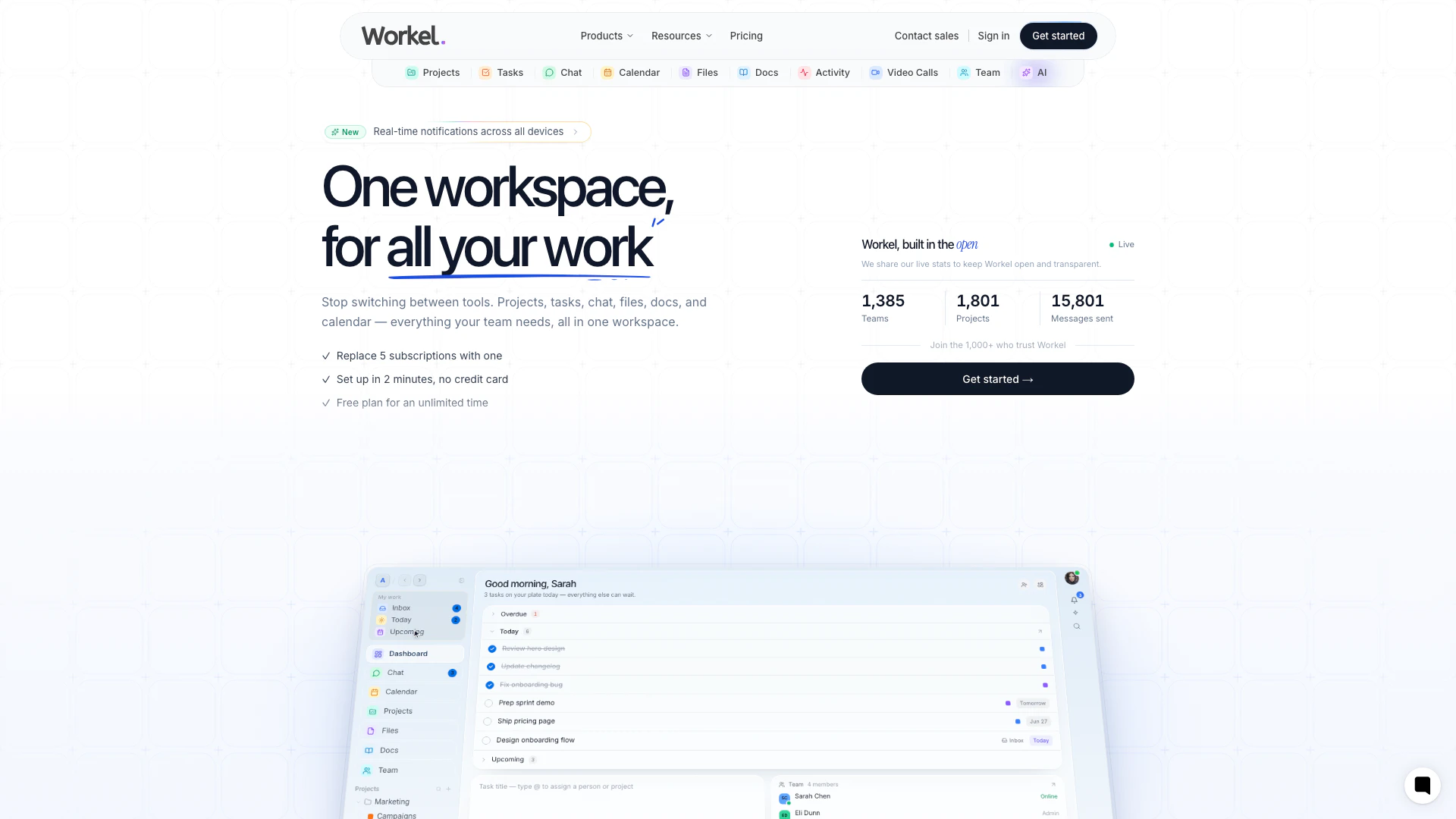
Workel is an all-in-one workspace platform designed to enhance productivity through real-time collaboration. It combines essential work tools such as project management, task tracking, chat, calendar, file sharing, and AI capabilities into a single application. By replacing multiple applications like Asana, Slack, Notion, and Zoom, Workel simplifies the workflow for teams, allowing them to stay organized and focused without the hassle of switching between different tools.
How to use Workel?
- Sign Up: Visit the Workel website and create an account to get started. You can choose to start for free.
- Set Up Your Workspace: Customize your workspace by adding team members, adjusting settings, and choosing the modules you want to use, such as tasks, chat, or calendar.
- Create Projects: Organize your work by creating projects where you can manage tasks, share files, and communicate with your team.
- Manage Tasks: Use Kanban boards, lists, or calendars to track tasks from inception to completion, assigning priorities and due dates as needed.
- Collaborate in Real-Time: Utilize the chat feature for instant communication, and share files directly within your workspace to keep everything organized.
- Utilize AI Features: Leverage the built-in AI to automate tasks, generate content, or summarize documents, making your workflow even more efficient.
What are the main features of Workel?
- All-in-One Workspace: Combines tasks, chat, files, and calendar in a single platform.
- Real-Time Collaboration: Enables teams to communicate and collaborate instantly through chat and video calls.
- Task Management: Offers Kanban boards, lists, and calendars for tracking tasks with priorities and due dates.
- File Sharing: Allows uploading, sharing, and organizing files with privacy controls.
- Calendar Integration: Features event scheduling, reminders, and a clear overview of team availability.
- AI Capabilities: Provides tools for content generation, task automation, and document summarization.
- Customizable Interface: Users can tailor the workspace layout, colors, and fonts to fit their preferences.
Who is Workel for?
Workel is designed for teams of all sizes, from small startups to large enterprises, who seek a streamlined approach to project management and collaboration. It caters to project managers, team leaders, and any team member involved in collaborative work, especially those who are currently using multiple tools to manage tasks, communication, and files. Whether for remote teams or in-office collaboration, Workel provides a comprehensive solution that simplifies workflows and enhances productivity.
What are the use cases of Workel?
- Project Management: Teams can use Workel to create and manage projects, assign tasks, and track progress in real-time, ensuring everyone is aligned and on schedule.
- Team Collaboration: With integrated chat and video features, teams can communicate effectively without switching between different applications, making remote work seamless.
- Document Management: Workel allows teams to store, share, and collaborate on documents within the workspace, reducing the risk of lost files and ensuring everyone has access to the latest information.
- Task Automation: Utilizing the AI features, teams can automate repetitive tasks, generate summaries, and streamline workflows, saving time and effort.
- Event Scheduling: The calendar feature helps teams schedule meetings and events, manage reminders, and view availability, facilitating better planning and coordination.
Workel Pros and Cons
Pros
- All-in-One Workspace: Workel integrates multiple tools into one platform, allowing teams to manage tasks, chat, files, and calendars without switching apps.
- Lightning Fast Performance: The platform is designed for speed with instant search, real-time updates, and keyboard shortcuts, enhancing user efficiency.
- Real-Time Collaboration: Real-time collaboration features such as chat channels, direct messages, and file sharing streamline communication within teams.
- High Security Standards: Workel offers enterprise-grade security with features like end-to-end encryption, two-factor authentication, and compliance with SOC 2 and GDPR.
Cons
- Learning Curve Required: The platform may require users to adapt to a new interface and workflow, which could involve a learning curve.
- Limited Third-Party Integrations: Workel may have limitations in integration with certain third-party applications, which could restrict functionality.




