Best 31 Content Management Tools Tools in 2026

Zoom, Notion 1771246560178, Jotform, Myninjaai, Krock, Appflowy, Shadow, Workflow, Goodmeetingsai, Docalysis are the best paid / free Content Management Tools tools.

Content Management Tools are essential software solutions designed to help individuals and organizations efficiently create, manage, and distribute digital content. These tools leverage artificial intelligence, natural language processing, and machine learning to enhance various aspects of content management, such as automating content tagging, optimizing workflows, and providing analytics for user engagement. By streamlining processes and improving collaboration among teams, these tools empower marketers, content creators, and businesses to maintain a consistent online presence while ensuring that their content is relevant, engaging, and tailored to their target audience.

Zoom

Connect and collaborate seamlessly with Zoom's all-in-one platform.

4
0 views
0 saved
563.4M

Basic

0.00 USD free

Free plan with 40 minutes per meeting, 100 participants per meeting, limited AI Companion features, instant messaging, 3 editable whiteboards, share up to 10 docs, 5 two-minute clips, and calendar sync.

View Pricing

Pro

13.33 USD monthly

Best for personal use or small teams. Includes all features of Basic, with 30 hours per meeting, unlimited in-meeting AI Companion use, unlimited docs, unlimited clips, Zoom Mail, and 10 GB cloud storage.

View Pricing

Business

18.33 USD monthly

Best for larger teams. Includes all features of Pro, with 300 participants per meeting, unlimited whiteboards, and additional features like SSO and multi-region storage.

View Pricing

Enterprise

0.00 USD monthly

Contact sales for pricing. Includes all features of Business, with 1000 participants per meeting and advanced security features.

View Pricing

For the latest pricing, please visit this link: https://zoom.us/pricing

Prices are subject to change. Please visit the official website for the most up-to-date pricing information.

What is Zoom?

Zoom is a comprehensive communication platform that modernizes workflows through its suite of collaboration tools. These tools include video meetings[1], team chat[2], VoIP phone[3] services, webinars[4], whiteboard[5] functionalities, contact center[6] solutions, and event management capabilities. With its user-friendly interface and robust features, Zoom aims to enhance productivity and connectivity for individuals and organizations alike, making it a trusted choice for seamless collaboration.

Pros

  • Comprehensive Collaboration Tools: Zoom offers a wide range of collaboration tools including video meetings, team chat, VoIP phone, and webinars, making it a versatile platform for various communication needs.
  • AI Integration: The built-in AI features, such as the AI Companion, enhance productivity by automating tasks like meeting summaries and follow-ups.
  • User-Friendly Interface: Zoom's interface is designed to be intuitive and easy to navigate, facilitating seamless user experiences for both beginners and advanced users.

What are the main features of Zoom?

  • Video Conferencing: High-quality video meetings for individuals and groups.
  • Team Chat: Instant messaging for seamless communication among team members.
  • VoIP Phone Services: Cloud-based phone system for making calls over the internet.
  • Webinars: Hosting virtual events and webinars for large audiences.
  • Whiteboard: Collaborative online whiteboard for brainstorming and visual collaboration.
  • Contact Center Solutions: Tools for managing customer interactions efficiently.
  • AI Companion: Integrated AI tools that assist in summarizing meetings and automating tasks.
Notion 1771246560178

Notion AI enhances productivity by integrating AI tools directly into your workspace.

4
0 views
0 saved
178.3M

Enterprise

0.00 USD monthly

Custom pricing for organizations to operate with scalability, control, and security. Everything in Business, and includes zero data retention with LLM providers, user provisioning (SCIM), advanced security & controls, audit log, customer success manager, and advanced integrations.

Plus

10.00 USD monthly

For small teams and professionals to work together. Everything in Free, and includes trial AI capabilities, remove Notion branding from public forms, customize your top header, choose a light or dark theme, add a custom favicon, and integrate with Google Analytics, visualize data from databases in different ways, unlimited collaborative blocks, and basic integrations.

Business

20.00 USD monthly

For growing businesses to streamline teamwork. Everything in Plus, and includes Notion Agent, AI Meeting Notes, Enterprise Search, SAML SSO, granular database permissions, verify any page, private teamspaces, domain verification, and premium integrations.

For the latest pricing, please visit this link: https://www.notion.so/product/ai

Prices are subject to change. Please visit the official website for the most up-to-date pricing information.

What is Notion AI?

Notion AI is an all-in-one tool designed to enhance productivity by integrating AI capabilities directly within the Notion workspace. It allows users to search, generate, analyze, and communicate seamlessly, serving as a built-in teammate that works alongside you. With features like Custom Agents, AI Meeting Notes, and Enterprise Search, Notion AI automates repetitive tasks, captures important meeting details, and enables quick access to information across connected applications, all within the Notion environment.

Pros

  • Comprehensive AI Features: Notion AI offers a wide range of features including document generation, meeting notes automation, and enterprise search, all integrated within the Notion workspace.
  • Custom Agents for Automation: Custom Agents can automate repetitive tasks, allowing teams to focus on more strategic work while the AI handles routine processes.
  • Seamless Integration with Other Tools: Notion AI integrates with various applications like Slack and Google Drive, enabling users to search and manage information across platforms effortlessly.

What are the main features of Notion AI?

  • Custom Agents: Automate repetitive tasks and workflows tailored to your team's needs.
  • AI Meeting Notes: Automatically transcribe and summarize meetings for easy reference.
  • Enterprise Search: Quickly find information across Notion and connected apps like Slack and Google Drive.
  • Research Mode: Generate detailed reports and summaries on various topics.
  • Writing Assistance: Improve your writing or create drafts directly within Notion pages using AI.
Jotform

Automate customer service with Jotform AI Agents.

5
0 views
0 saved
41.2M

Starter

0.00 USD free

FREE* All Features Included. 5 Agents, 100 Monthly Conversations, 10,000 Monthly Sessions, 50 Minutes Monthly Voice Call, 250 Monthly SMS, 10M Characters Knowledge Base, Phone Number Add-On.

Bronze

34.00 USD monthly

$34/month Billed annually. 25 Agents, 1,000 Monthly Conversations, 100,000 Monthly Sessions, 100 Minutes Monthly Voice Call, 300 Monthly SMS, 20M Characters Knowledge Base, Phone Number Add-On.

Silver

39.00 USD monthly

$39/month Billed annually. 50 Agents, 2,500 Monthly Conversations, 1,000,000 Monthly Sessions, 200 Minutes Monthly Voice Call, 500 Monthly SMS, 50M Characters Knowledge Base, Phone Number Add-On.

Gold

99.00 USD monthly

$99/month Billed annually. 100 Agents, 10,000 Monthly Conversations, 2,000,000 Monthly Sessions, 300 Minutes Monthly Voice Call, 750 Monthly SMS, 100M Characters Knowledge Base, Phone Number Add-On.

Enterprise

0.00 USD monthly

Custom Price. Unlimited Agents, Unlimited Monthly Conversations, Unlimited Monthly Sessions, 1,000 Minutes Monthly Voice Call, 1,000 Monthly SMS, Unlimited Knowledge Base, Phone Number Add-On.

For the latest pricing, please visit this link: https://www.jotform.com/ai/agents/

Prices are subject to change. Please visit the official website for the most up-to-date pricing information.

What is Jotform?

Jotform is an innovative platform that revolutionizes customer service[2] through its AI Agents[1], enabling businesses to provide instant responses[3] to customer inquiries anytime and anywhere. This cutting-edge tool leverages advanced artificial intelligence technology to streamline customer interactions, automate responses, and enhance user satisfaction across multiple channels, including chat, phone, and social media. By offering a user-friendly interface and over 7,000 customizable agent templates, Jotform empowers organizations to create tailored solutions that meet their specific customer service needs, making it an essential tool for businesses seeking to improve efficiency and engagement.

Pros

  • Instant Customer Support: Jotform AI Agents provide real-time assistance, allowing businesses to respond instantly to customer inquiries anytime, anywhere.
  • Multichannel Integration: The tool supports various channels including phone, chat, WhatsApp, and social media, enhancing customer engagement across platforms.
  • Customizable AI Agents: Users can fully customize their AI Agents, including behavior and appearance, to align with their brand identity.

What are the main features of Jotform?

  • Multi-Channel Support[4]: Jotform AI Agents can operate across various platforms, including WhatsApp, Messenger, SMS, and more, ensuring comprehensive customer engagement.
  • Customization Options: Users can fully customize their AI Agents, including behavior, appearance, and interaction styles, to fit their brand identity.
  • 24/7 Availability: AI Agents provide round-the-clock assistance, allowing businesses to respond to customer inquiries instantly, regardless of the time.
  • Pre-Built Templates: Access over 7,000 pre-designed templates tailored for different industries and use cases, streamlining the setup process.
  • Real-Time Data Validation[5]: AI Agents enhance data accuracy by validating inputs in real-time, reducing manual errors and ensuring consistency.
Myninjaai

Unlock your potential with powerful AI tools.

4
0 views
0 saved
428.6K

What is Myninjaai?

Myninjaai is an advanced AI tool designed to enhance productivity across various tasks such as research, writing, coding, image generation, and file analysis. It provides users with an intuitive platform to leverage the power of artificial intelligence, enabling them to accomplish more every day. With a user-friendly interface and a suite of powerful features, Myninjaai aims to streamline workflows and improve efficiency for individuals and teams alike.

Pros

  • Versatile AI Tools: Myninjaai offers a wide range of AI tools for various tasks including research, writing, coding, image generation, and file analysis, making it suitable for diverse user needs.
  • User-Friendly Interface: The platform is designed to be intuitive and easy to navigate, allowing users to accomplish tasks efficiently without a steep learning curve.
  • Free Trial Available: Users can try Myninjaai for free, allowing them to explore its features and capabilities before committing to a paid plan.

What are the main features of Myninjaai?

  • Research Assistance: Quickly gather information and insights on various topics.
  • Writing Support: Generate content, edit text, and improve writing quality.
  • Coding Help: Get coding suggestions and troubleshoot programming issues.
  • Image Generation: Create unique images based on user specifications.
  • File Analysis: Analyze and process files to extract useful data.
Krock

Streamline media collaboration and reviews in one platform.

4
0 views
0 saved
65.2K

Free

0.00 USD free

1 user, 2 GB storage, Unlimited reviewers, 1 Workspace, 2 Projects, 50 AI Tokens, Media review, Storyboard tool.

View Pricing

Pro

10.00 USD monthly

Unlimited Team size, From 2TB Storage, Everything in Free, plus Unlimited reviewers, Unlimited Projects, 4K Playback, Custom branding, Storage add-ons.

View Pricing

Enterprise

0.00 USD monthly

Unlimited Collaborators & Reviewers, Unlimited Projects, Unlimited Workspaces, Unlimited Team (flat rate), Everything in Pro, plus.

View Pricing

For the latest pricing, please visit this link: https://krock.io/pricing/

Prices are subject to change. Please visit the official website for the most up-to-date pricing information.
What is Krock?

Krock is a media review[1] and collaboration software[2] designed to streamline the process of sharing, reviewing, and approving media files. It eliminates the need for endless email threads by providing a centralized platform where teams can collaborate on various media projects efficiently. Krock caters to video production companies, advertising agencies, animation studios, and content creators, enhancing their workflow and reducing the time spent on managing reviews and approvals.

Pros

  • Streamlined Collaboration: Krock simplifies media collaboration by allowing users to share, review, and approve media files in one centralized platform, reducing the need for endless email threads.
  • Comprehensive Feedback Tools: The platform offers video feedback tools, comments, and time-coded annotations, enhancing the clarity and efficiency of the review process.
  • Integration Capabilities: Krock integrates seamlessly with popular software like Adobe Creative Cloud and DaVinci Resolve, allowing users to incorporate it into their existing workflows easily.

What are the main features of Krock?

Krock offers a variety of features designed to enhance media collaboration and review processes, including: - Video feedback[3] tools with time-coded comments - Role-based access[4] control for team members - Dedicated workspaces for different projects - Extensive storage capabilities and advanced security measures - Seamless integration with popular software like Adobe Creative Cloud and DaVinci Resolve - Auto-compare mode for visual differences in media files - Interactive board tool for project management[5] and storyboarding.

Appflowy

Achieve more with AppFlowy, the AI workspace that prioritizes your data privacy.

5
0 views
0 saved
44.0K

Free

0.00 USD free

For individuals and small groups to organize everything. 1 collaborative workspace up to 2 members, Unlimited pages & blocks, 5 GB storage, Intelligent search, 10 AI responses, 2 AI images, Mobile app, Real-time collaboration.

View Pricing

Pro

10.00 USD monthly

For small teams to manage projects and team knowledge. Everything in Free, and Unlimited storage, Up to 50 workspace members, Up to 100 guest editors, Unlimited AI responses, 50 AI images per month, Unlimited file uploads, Custom namespace.

View Pricing

AppFlowy AI MAX

8.00 USD monthly

Access the most advanced AI models including GPT-5, Gemini 2.5 Pro, and Claude 3.7 Sonnet. Unlimited AI responses, Unlimited file uploads, 50 AI images per month.

View Pricing

Vault Workspace

6.00 USD yearly

Private and offline — AI runs locally, no data transfer. Local AI on your own hardware for ultimate privacy. Unlimited AI responses & file size for AI Chat.

View Pricing

For the latest pricing, please visit this link: https://www.appflowy.io/pricing

Prices are subject to change. Please visit the official website for the most up-to-date pricing information.
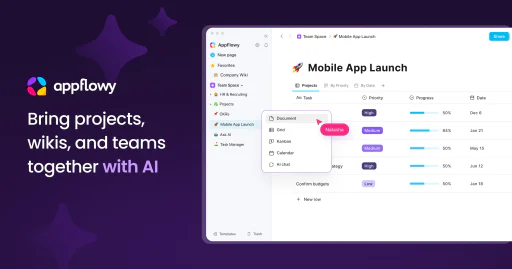
What is AppFlowy?

AppFlowy is an AI-powered[1] collaborative workspace[2] designed to help teams and individuals achieve their goals while maintaining control over their data. With its intuitive interface and powerful features, AppFlowy integrates projects, wikis, and team collaboration into one seamless platform. Users can leverage AI capabilities to enhance productivity, streamline communication, and manage tasks effectively without compromising data privacy[3].

Pros

  • AI-Powered Collaboration: AppFlowy enhances teamwork with AI capabilities, allowing users to get answers, brainstorm ideas, and improve writing without switching tools.
  • Data Privacy Control: Users can run AI models locally and self-host AppFlowy, ensuring complete control over their data and avoiding vendor lock-in.
  • Customizable Workspace: AppFlowy offers extensive customization options for themes, fonts, and page styles, allowing users to organize and visualize data as they prefer.

What are the main features of AppFlowy?

  • AI Integration[4]: Access AI tools for writing assistance, brainstorming, and data management.
  • Custom Views[5]: Organize and visualize data in various formats to suit your needs.
  • Collaborative Workspace: Work with team members in real-time, enhancing communication and productivity.
  • Privacy-Focused: Run AI models locally and maintain full control over your data without vendor lock-in.
  • Offline Mode[6]: Utilize the platform offline and sync your data when needed.
Shadow

Shadow enhances meeting efficiency by capturing all spoken and visual content for seamless follow-ups.

5
0 views
0 saved
22.2K

Free

0.00 USD free

Unlimited recording & transcription. AI features *(Skills & Chat)* for your first 25 meetings.

Plus

8.00 USD monthly

Unlock everything. For power users who want unlimited AI features, and more. All Free Features + Unlimited AI Meeting Notes, Unlimited AI Skills, Unlimited AI Chat.

For the latest pricing, please visit this link: https://www.shadow.do/

Prices are subject to change. Please visit the official website for the most up-to-date pricing information.

What is Shadow?

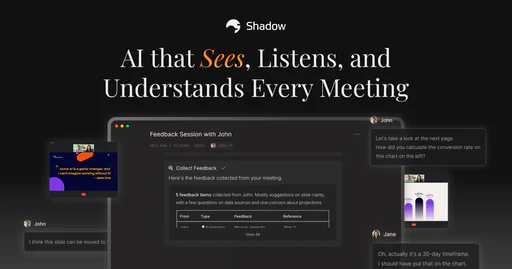
Shadow is an innovative AI meeting assistant[1] designed to enhance your meeting experience by capturing everything that is said and shown. Unlike traditional note-taking, Shadow remembers the complete context of meetings, ensuring that you can follow up flawlessly every time. With its ability to transcribe conversations and capture visual content, Shadow transforms the way professionals manage their meeting follow-ups and insights.

Pros

  • Comprehensive Meeting Capture: Shadow captures everything said and shown during meetings, ensuring no context is lost for follow-ups.
  • Automatic Transcription: The tool automatically transcribes discussions and captures screenshots, making it easy to reference key points later.
  • Seamless Integration: Works with popular platforms like Zoom, Microsoft Teams, and Slack, allowing for smooth operation without interruptions.

What are the main features of Shadow?

  • Automatic Transcription[2]: Shadow transcribes all spoken words during meetings, ensuring no detail is missed.
  • Visual Capture[3]: It captures screenshots of shared content, providing a complete context.
  • Action Item Extraction[4]: Automatically identifies and records action items with due dates and assignees.
  • Key Insights Extraction: Pulls critical insights from conversations for easy access and updates.
  • Speaker Identification: Detects and labels speakers in real-time for clarity on who said what.
  • Post-Meeting Tasks: Allows users to create AI tasks that Shadow runs automatically.
Workflow

Streamline design feedback with Workflow.

4
0 views
0 saved
22.0K

Standard Plan

16.00 USD monthly

Perfect for solo designers and small agencies. Unlimited uploads, unlimited comment-only users & reviewers, record video feedback, Kanban board view, client portals.

For the latest pricing, please visit this link: https://www.workflow.design/

Prices are subject to change. Please visit the official website for the most up-to-date pricing information.

What is Workflow?

Workflow is a powerful design feedback[1] tool that allows designers to share their work with clients and team members seamlessly. It supports a variety of formats including websites, Figma images, videos, and PDFs, enabling effective collaboration[2] and feedback collection without the chaos of traditional communication methods. By using Workflow, designers can streamline their revision processes, gather actionable feedback, and ensure that all comments and revisions are organized in one place, enhancing overall productivity.

Pros

  • Efficient Feedback Collection: Workflow allows designers to collect and organize feedback seamlessly, minimizing back-and-forth communication.
  • User-Friendly Interface: The tool features a guided tour that helps users understand how to leave feedback without prior training.
  • Zero Signup Requirement: Reviewers can leave feedback without creating an account, making the process quick and easy.

What are the main features of Workflow?

  • Design Feedback Collection: Easily gather feedback on various design formats including websites, Figma images, and PDFs.
  • Version Control[3]: Keep track of all past comments and design versions, ensuring that nothing gets lost in communication.
  • Zero Signup[4] for Reviewers: Clients can leave feedback without needing to create an account, simplifying the review process.
  • Video Walkthroughs[5]: Introduce your work with built-in video capabilities, making it easier for clients to understand your designs.
  • Guided Tours: New users can benefit from guided tours that help them navigate the platform effortlessly.

Enhance your sales meetings with AI-driven insights.

4
0 views
0 saved
19.1K

What is Goodmeetingsai?

Goodmeetingsai is an AI-powered[1] sales meeting insights software designed to transform sales and customer success teams. It enables users to record calls and customer meetings, providing AI-curated reels of key meeting moments, human-level summaries, and notes. This tool empowers teams to coach and collaborate effectively using valuable meeting insights, ultimately enhancing productivity and sales outcomes.

Pros

  • AI-Powered Meeting Insights: Goodmeetingsai utilizes AI to provide curated reels of key moments from meetings, enhancing the review process for sales and customer success teams.
  • Comprehensive Call Recording Features: The tool offers high-quality call recordings, transcriptions, and analytics, ensuring that all important details are captured and easily accessible.
  • Seamless CRM Integration: Goodmeetingsai integrates deeply with CRM systems, allowing for automatic action item assignments and streamlined workflows, enhancing productivity.

What are the main features of Goodmeetingsai?

  • Call Recording[2]: Capture all your meetings for future reference.
  • High-Quality Transcriptions[4]: Get accurate transcriptions of your calls in multiple languages.
  • AI-Generated Summaries[3]: Receive concise, human-level summaries of meetings.
  • Meeting Performance Insights[5]: Analyze meeting effectiveness and team performance.
  • Automated Action Items[6]: Automatically generate actionable tasks from meetings.
  • Deep CRM Integration[7]: Seamlessly integrate with your existing CRM for enhanced workflow.
Docalysis

AI-powered tool for quick PDF answers.

4
0 views
0 saved
7.8K

What is Docalysis?

Docalysis is an innovative AI-powered tool designed to help users interact with their PDF documents more efficiently. It enables users to ask questions about their files and receive instant answers, significantly reducing the time spent reading and analyzing lengthy documents. By leveraging advanced artificial intelligence, Docalysis transforms the way individuals and businesses handle information, making document management faster and more intuitive.

What are the main features of Docalysis?

  • AI-Powered Responses: Get accurate answers to your queries about PDF documents in seconds.
  • Time-Saving: Drastically reduce the time spent reading and extracting information from files.
  • Secure File Handling: Ensure the safety of your documents with options to delete files at any time.
  • User-Friendly Interface: An intuitive chat interface that makes interaction with documents seamless.
Weaverse

Effortlessly create and manage Shopify Hydrogen themes.

4
0 views
0 saved
5.9K

Pay as You Go

0.00 USD monthly

Ideal for small shops or solopreneurs. Includes 10,000 view credits and $2 per additional 10,000 views. Features global APIs CDN & Cache, visual editor, AI generation & support, and community support.

Growth

59.00 USD monthly

Recommended for growing businesses. Includes 500,000 view credits and $2 per additional 10,000 views. Features priority support, multilingual/localization, 2.5x more capacity, history revision, and everything in Pay as You Go.

Scale

299.00 USD monthly

Best value for high-volume brands. Includes 3,000,000 view credits and $2 per additional 10,000 views. Features 24/7 premium support, content scheduled publishing, 2x more capacity, custom integrations, and everything in Growth.

For the latest pricing, please visit this link: https://www.weaverse.io/

Prices are subject to change. Please visit the official website for the most up-to-date pricing information.

What is Weaverse?

Weaverse is a powerful visual SDK[1] designed specifically for Shopify Hydrogen[2], enabling users to create and manage their content effortlessly. This innovative tool simplifies the development process by providing production-ready themes and a visual editor that allows merchants to control their storefronts without compromising their Git workflows. With Weaverse, developers can bridge the gap between Shopify's robust e-commerce backend and a flexible React frontend, making it an essential tool for building high-performance, customizable storefronts.

Pros

  • Visual Page Builder: Weaverse offers a user-friendly visual page builder that allows merchants to update content directly without coding, enhancing user experience.
  • AI Automation: The AI Assistant feature generates page layouts and section configurations instantly, speeding up the development process.
  • Type-Safe SDKs: Weaverse provides TypeScript SDKs that ensure full type safety and intellisense, making development more efficient and reducing errors.
  • Edge Caching: Content is cached at the edge, ensuring fast loading times for headless stores regardless of user location.

What are the main features of Weaverse?

Weaverse offers several core features that enhance the Shopify Hydrogen development experience: - Visual Page Builder[3]: A user-friendly interface that allows merchants to update content without needing to write code. - Type-Safe SDKs[4]: Enables developers to create custom Hydrogen components with full type safety and intellisense support. - Shopify Native Integration: Seamless integration with Shopify's Storefront API for instant access to products, collections, and metadata. - Edge Caching[5]: Ensures fast loading times by caching content at the edge, improving performance for users worldwide. - Asset Optimization: Automatically optimizes images and serves them via Shopify CDN, boosting Core Web Vitals. - AI Assistant: An AI tool that generates page layouts and configurations, helping users build faster without altering product data.

Beeyondai

Unlock your potential with Beeyond AI's versatile tools.

4
0 views
0 saved
4.3K

Free during beta

0.00 USD free

Get everything. Unlimited access, unlimited requests, and priority support. Unlimited Content and Design Creation, Image Generation, Modifications, Chats and more. All Beeyond AI Features & Tools. Priority support.

For the latest pricing, please visit this link: https://www.beeyondai.com/

Prices are subject to change. Please visit the official website for the most up-to-date pricing information.

What is Beeyondai?

Beeyondai is an innovative AI-driven[1] platform designed to enhance workflows across various domains including content creation[2], art, marketing[4], education[5], fitness, and music. Its core value lies in simplifying complex tasks, making advanced AI tools accessible to everyone, regardless of their technical expertise. With over 50 versatile AI tools available under a single subscription, Beeyondai empowers users to boost creativity and efficiency while reducing task durations significantly.

Pros

  • Extensive Range of AI Tools: Beeyond AI offers over 50 versatile AI tools, catering to various needs such as content creation, marketing, and education.
  • User-Friendly Interface: The platform is designed for ease of use, making it accessible to users with any level of technical skills.
  • Significant Time Savings: Users can reduce task durations by up to 70%, allowing them to focus on more important aspects of their work.
  • Flexible Subscription Options: Beeyond AI provides affordable monthly and discounted annual plans, making it accessible for various budgets.

What are the main features of Beeyondai?

  • Extensive range of over 50 AI tools for diverse applications including content creation, art design[3], and virtual assistance.
  • Intuitive interface designed for ease of use, accommodating users of all technical skill levels.
  • Significant time savings, allowing users to complete tasks up to 70% faster.
  • Flexible subscription options providing unlimited access to all features during the beta phase.
Sendnow

Create trackable sales microsites effortlessly.

4
0 views
0 saved
1.7K

Free Plan

0.00 USD free

Get 3 tracked files monthly, forever. No credit card needed.

View Pricing

For the latest pricing, please visit this link: https://www.sendnow.live/pricing

Prices are subject to change. Please visit the official website for the most up-to-date pricing information.
What is Sendnow?

Sendnow is an innovative tool designed to create trackable microsites[1] for bundling sales proposals[2], pitch decks[3], and files. It allows users to see who viewed each page and when, enabling effective follow-ups. As a cost-effective alternative to DocSend, Sendnow offers a free forever plan, allowing users to manage their sales materials efficiently. With a focus on user engagement, Sendnow provides analytics to track interactions, ensuring users can follow up with prospects effectively.

Pros

  • Trackable Microsites: Create professional microsites that bundle sales proposals and files, allowing tracking of every view and engagement.
  • Real-Time Notifications: Get instant alerts when your files are opened, enabling timely follow-ups while the content is fresh.
  • Free Forever Plan: Offers a free plan with 3 tracked files monthly, making it accessible for users without upfront costs.

What are the main features of Sendnow?

  • Create trackable microsites for sales proposals and pitch decks.
  • Real-time notifications[4] when files are opened or viewed.
  • Detailed analytics[5] on page views, file downloads, and engagement signals.
  • Smart lead capture forms to convert anonymous viewers into leads.
  • AI engagement scoring to assess document performance.
  • Security features including password protection and link expiration.
Chaturjiai

Chaturji is an AI collaboration platform designed for teams to enhance productivity and streamline workflows.

4
0 views
0 saved
1.3K

Team Lite

40.00 INR monthly

Best Value plan for 10 Users with 10,000 shared credits, 1 GB storage, and access to all premium AI models, spreadsheet analysis agent, & image generation.

Standard

130.00 INR monthly

Best Value plan for 20 Users with 40,000 shared credits, 4 GB storage, and access to all premium AI models, spreadsheet analysis agent, & image generation.

Pro

300.00 INR monthly

Best Value plan for 25 Users with 100,000 shared credits, 25 GB storage, and access to all premium AI models, spreadsheet analysis agent, & image generation.

Individual Pro

25.00 INR monthly

Best Value plan for 1 User with 7,500 shared credits, 4 GB storage, and access to all premium AI models, spreadsheet analysis agent, & image generation.

Free Trial

0.00 INR free

Free trial for 14 days for 5 Users with 1,000 shared credits, 4 GB storage, and access to all premium AI models, spreadsheet analysis agent, research mode & image generation.

For the latest pricing, please visit this link: https://www.chaturji.ai/

Prices are subject to change. Please visit the official website for the most up-to-date pricing information.

What is Chaturji?

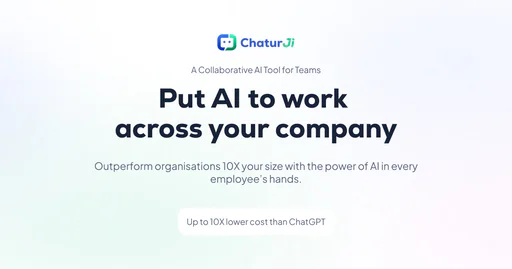
Chaturji is a collaborative AI[1] platform designed specifically for teams and organizations. Unlike standalone AI chatbots, Chaturji enables entire teams—across sales, marketing, finance, and operations—to work together in shared workspaces[3] known as Rooms. This unique structure allows every team member to access the same context, files, and insights, while the AI learns from the organization’s data to provide tailored responses that fit specific projects. Essentially, Chaturji acts as a centralized command center for AI collaboration, enhancing productivity and ensuring that knowledge is shared effectively across the team.

Pros

  • Collaborative AI Workspaces: Chaturji allows teams to collaborate in shared workspaces called Rooms, enabling real-time editing and feedback on projects.
  • Cost-Effective Solution: Chaturji offers a pricing model that is up to 10X lower than ChatGPT, making it affordable for organizations of all sizes.
  • Multi-AI Access: The platform integrates multiple AI models like ChatGPT, Claude, and Gemini, providing flexibility and access to the best tools for various tasks.

What are the main features of Chaturji?

  • Multiple AI Access[4]: Chaturji integrates various AI models including ChatGPT[5], Claude, Gemini, and Grok, allowing users to choose the best AI for their tasks.
  • Collaborative Rooms: These are shared workspaces where teams can collaborate, ensuring that all members have access to the same information and can contribute to projects in real-time.
  • Business-Ready Templates: Chaturji provides templates for common business tasks such as sales proposals and project planning, enabling teams to utilize AI effectively right from the start.
  • Canvases: This feature transforms AI conversations into editable documents that teams can refine and share, enhancing collaborative efforts.
  • Secure and Private: Chaturji ensures that all data is encrypted and private, with no AI training on user content, providing a secure environment for sensitive information.
Tryairy

Boost your productivity with Airy, the efficient side browser tool.

4
0 views
0 saved
1.3K

Monthly Plan

5.00 USD monthly

Billed Monthly. Renew all Airy features for only $5/month.

View Pricing

One-time Purchase

29.00 USD one-time

Lifetime access to current features and all updates in the next 12 months. 30-day money back guarantee.

View Pricing

For the latest pricing, please visit this link: https://tryairy.com/premium/prices

Prices are subject to change. Please visit the official website for the most up-to-date pricing information.

What is Tryairy?

Tryairy is an innovative efficiency tool designed as a side browser that integrates frequently used web pages, ChatGPT, and various AI functionalities to enhance productivity. It allows users to access their most utilized online resources and tools quickly, facilitating tasks such as quick lookups, translations, and note-taking. With Tryairy, users can summon their essential AI and web applications in just 0.1 seconds, making it an indispensable companion for anyone looking to streamline their online activities.

Pros

  • Quick Access to AI and Web: Airy allows users to summon frequently used AI tools and web pages in just 0.1 seconds, enhancing efficiency.
  • Multitasking Capabilities: The side browser facilitates effortless multitasking by integrating various functionalities like search, translation, and note-taking.
  • Cross-Platform Availability: Airy is available for both Mac and Windows, making it accessible to a wide range of users.

What are the main features of Tryairy?

  • Quick Summon: Access your most used AI and web pages in just 0.1 seconds.
  • Integrated Search: Search for files, applications, web content, and ChatGPT directly from the side browser.
  • Screenshot Functionality: Take screenshots, perform OCR, and ask AI questions based on your captured content.
  • Translation Capabilities: Easily translate text by copying twice, streamlining communication across languages.
  • Note-taking: Keep your notes organized and accessible while browsing.
Qikmeeting

Qikmeeting enhances business collaboration with AI-driven features.

4
0 views
0 saved
330

Free User

0.00 USD free

For anyone free forever. All essential features and apps.

View Pricing

Prime User

50.00 USD yearly

For professionals, consultants & smart business owners. Prime user membership with AI.

View Pricing

Business

120.00 USD yearly

For startups, small & medium businesses.

View Pricing

For the latest pricing, please visit this link: https://qikoffice.com/pricing

Prices are subject to change. Please visit the official website for the most up-to-date pricing information.

What is Qikmeeting?

Qikmeeting is an innovative AI office app[1]lication designed to streamline business communication[2] and collaboration[3]. Positioned as the leading AI office app, Qikmeeting automates the generation of meeting minutes and organizes all work-related data in a centralized platform. This tool is particularly valuable for teams looking to enhance productivity and efficiency by integrating various communication functionalities into one cohesive application.

Pros

  • AI-Powered Meeting Minutes: Automatically generates meeting minutes and action items, enhancing productivity and ensuring nothing is missed during discussions.
  • Unified Communication Platform: Combines various communication tools into one app, reducing the need for multiple applications and streamlining workflows.
  • Flexible Meeting Options: Supports both online and in-person meetings, allowing teams to collaborate effectively regardless of their location.

What are the main features of Qikmeeting?

  • AI Minutes Generation[4]: Automatically creates minutes of meetings, including action items and key discussion points.
  • Integrated Project Management: Offers tools to manage projects seamlessly within the app.
  • Collaboration Tools: Provides features for team communication, including chat, file sharing, and whiteboards.
  • Meeting Scheduling: Includes an advanced scheduling tool for both online and in-person meetings.
  • Data Organization[5]: Centralizes all work-related data for easy access and management.
Everfindai

A secure AI workspace for efficient document and email management.

4
0 views
0 saved
296

Free

0.00 EUR free

Find all your information, free for individuals. 2,500 Documents, 100 Text Detections, 5,000 AI Credits, 2 Integrations, 1 GB Storage, Simple AI, Basic Support, Single User.

View Pricing

Basic

16.00 EUR monthly

For power users and small teams with heavy info loads. 25,000 Documents, 500 Text Detections, 50,000 AI Credits, 10 Integrations, 10 GB Storage, Premium AI, Advanced Support, Up to 5 Users (soon).

View Pricing

Business

40.00 EUR monthly

For SMBs managing large-scale data efficiently. 100,000 Documents, 1,500 Text Detections, 150,000 AI Credits, Unlimited Integrations, 50 GB Storage, Premium AI, Premium Support, Up to 100 Users (soon).

View Pricing

Enterprise

0.00 EUR one-time

For enterprises needing full privacy and control. Everything plus Private Cloud or On-Premise Hosting, Premium + Custom AI, Dedicated Support, Unlimited Users.

View Pricing

For the latest pricing, please visit this link: https://everfind.ai/pricing

Prices are subject to change. Please visit the official website for the most up-to-date pricing information.

What is Everfindai?

Everfindai is a secure and GDPR-compliant AI workspace[2] designed to streamline business operations by integrating all your documents, emails, and files into one accessible platform. With Everfindai, users can effortlessly search through their entire workspace using AI-powered chat functionalities, similar to ChatGPT, and find information quickly, much like using Google. This tool is tailored to enhance productivity and collaboration within teams by allowing instant access to essential documents and facilitating efficient communication.

Pros

  • Centralized Document Access: Everfindai allows users to access all documents and emails in one AI workspace, making it easy to find information quickly across multiple applications.
  • AI-Powered Search: The AI assistant provides clear answers and citations, eliminating the need for endless searching through files.
  • GDPR Compliance: Everfindai is designed with security in mind, ensuring that all data is encrypted and complies with GDPR regulations.

What are the main features of Everfindai?

  • Unified AI Workspace: All documents, emails, and files are integrated into one platform for easy access.
  • AI-Powered Search[3]: Quickly find documents using a powerful search function or by asking questions in natural language.
  • Document Categorization[5]: Automatic categorization of various document types such as invoices, reports, and contracts.
  • Multi-Application Support[4]: Integrates with popular applications like Google Drive, Gmail, Outlook, and more.
  • GDPR Compliance[1]: Ensures data security and compliance with GDPR regulations, providing peace of mind for users.
Falconer

Falconer enhances team productivity with a self-updating knowledge platform.

5
0 views
0 saved
250

Starter

0.00 USD free

Best for those who want to understand and document their codebase. * Code as context with GitHub integration * Ask questions in Slack * Linear integration * Answer engine connected to your code * 1-click doc organization * AI-powered writing editor * Basic usage limits

View Pricing

Pro

20.00 USD monthly

Best for those with existing content sources who want better accuracy and tooling. * Everything in Starter tier * Write docs from Slack * Falconer MCP * API and webhooks for automations * Bring your own model provider key * Access to beta features * 5x usage limits

View Pricing

Enterprise

0.00 USD one-time

For organizations with large codebases and content sources. * Everything in Pro tier * Google Drive integration * Confluence integration * SSO * Priority support with SLA * SAML * White-glove migration * Self-hosted option * Help center integrations * Custom usage limits

View Pricing

For the latest pricing, please visit this link: https://falconer.com/pricing

Prices are subject to change. Please visit the official website for the most up-to-date pricing information.

What is Falconer?

Falconer is a self-updating[1] knowledge platform[2] designed for teams and agents to write, share, and find information efficiently. It serves as a centralized source of truth that enhances productivity by maintaining accurate internal documentation and context. By integrating with tools like GitHub and Slack, Falconer enables seamless collaboration and ensures that the knowledge remains current and accessible, thus streamlining workflows and minimizing the need for repetitive questions.

Pros

  • Self-Updating Documentation: Falconer provides a self-updating documentation system that keeps internal documents organized and accurate, reducing the need for manual updates.
  • Enhanced Team Productivity: Designed for high-speed teams, Falconer helps improve productivity by minimizing repetitive questions and streamlining information access.
  • Integration with Key Tools: Falconer seamlessly integrates with popular tools like GitHub, Slack, and Linear, allowing teams to work within their existing workflows without a learning curve.

What are the main features of Falconer?

  • Self-Updating Documentation: Falconer automatically keeps internal documents organized and current, reducing manual updates.
  • Integration Capabilities[4]: Easily connect with popular tools like GitHub and Slack for seamless workflow integration.
  • Unified Knowledge Base: Provides a central repository for all team knowledge, ensuring everyone has access to the same information.
  • Reliable Context for Agents: Enhances the effectiveness of coding agents by providing accurate and relevant context.
Mindoraai

Enhance your productivity with MindoraAI's versatile AI tools.

4
0 views
0 saved
220

Free Plan

0.00 USD one-time

Get started with essential AI tools for content, image, and chat generation — absolutely free, no credit card required!

View Pricing

MindoraAi Starter

17.00 USD one-time

Access essential AI tools for content, image, and code generation—perfect for beginners and creators getting started.

View Pricing

MindoraAi Freedom

27.00 USD one-time

Unlock unlimited access to all powerful AI tools — anytime, anywhere, with no usage limits.

View Pricing

For the latest pricing, please visit this link: https://mindoraai.com/#pricing

Prices are subject to change. Please visit the official website for the most up-to-date pricing information.
What is MindoraAI?

MindoraAI is an all-in-one AI tool platform designed to enhance productivity across various domains. This innovative tool allows users to generate content, code, images, videos, and more, all from a single platform. With its user-friendly interface and robust features, MindoraAI caters to a diverse range of needs, making it a trusted choice for individuals and businesses looking to leverage artificial intelligence to streamline their workflows and boost efficiency.

Pros

  • Comprehensive AI Tools: MindoraAI offers a wide range of AI tools for content generation, coding, image and video creation, making it a versatile platform for various needs.
  • User-Friendly Interface: The platform is designed to enhance productivity with an intuitive interface, making it easy for users to navigate and utilize its features.
  • Free Trial Available: Users can try MindoraAI for free, allowing them to explore its capabilities without any financial commitment.

What are the main features of MindoraAI?

  • Content Generation: Create articles, blogs, social media posts, and more.
  • Code Assistance: Generate, explain, and debug code snippets.
  • Image and Video Creation: Utilize AI to produce visuals and videos tailored to your needs.
  • E-commerce Tools: Generate product descriptions, names, and reviews.
  • Social Media Management: Craft engaging posts and ads for various platforms.
  • Email Automation: Generate personalized emails, newsletters, and follow-ups.
  • Academic Support: Create essays, cover letters, and other academic documents.
Docextractor

Revolutionize document management with AI-driven insights.

5
0 views
0 saved
48

What is Docextractor?

Docextractor, powered by Parchment, is an advanced Intelligent Document Management[4] System (DMS) designed to transform traditional document management into an autonomous, intelligent process. It leverages AI-powered[3] Intelligent Document Processing[1] (IDP) and Agentic Search[2] capabilities to provide organizations with enhanced document understanding, reasoning, and actionable insights[5]. Unlike conventional DMS that merely store documents, Docextractor enables enterprises to access and utilize critical information within their documents, streamlining workflows and improving operational efficiency.

Pros

  • Intelligent Document Processing: Parchment integrates Intelligent Document Processing (IDP) directly into its architecture, enabling automatic classification, extraction, validation, and enrichment of documents as they enter the system.
  • Agentic AI Search: The platform features an Agentic AI engine that understands intent and context, providing precise answers to complex queries rather than just keyword matches.
  • Enterprise-Grade Security: Parchment offers robust security features including role-based access control, end-to-end encryption, and complete audit trails, ensuring compliance for regulated industries.

What are the main features of Docextractor?

  • Agentic AI Engine: Understands intent and context, providing actionable insights from complex queries.
  • Native IDP Integration: Automatically classifies, extracts, and validates documents upon entry.
  • Answer-Based Search: Delivers direct answers with full citations, eliminating the need for manual searches.
  • Active Knowledge Assets: Maintains version awareness and context over time, ensuring documents are always up-to-date.
  • Enterprise-Grade Security: Features role-based access control, end-to-end encryption, and complete audit trails.