Best 9 AI Prompt Management Tools Tools in 2026

Gemini, Boltai, Tengrai, Promptpanda, Clippitai, Organizechatgpt, Prompt-dress, Clipboard-ai, Promptlab are the best paid / free AI Prompt Management Tools tools.

AI Prompt Management Tools are advanced solutions designed to streamline the process of generating, organizing, and optimizing prompts for various AI applications. These tools leverage artificial intelligence, natural language processing, and machine learning to help users, including content creators, marketers, and developers, craft effective prompts that enhance the performance of AI models. By analyzing user input and context, these tools can suggest tailored prompts that improve the quality of generated content, facilitate brainstorming sessions, and ensure that AI outputs align with specific goals. Ultimately, they empower users to harness the full potential of AI-driven technologies while saving time and enhancing creativity.

Gemini

Discover Gemini, Google's versatile AI assistant for writing and planning.

4
0 views
0 saved
2068.6M

What is Google Gemini?

Google Gemini is an advanced AI assistant[1] developed by Google, designed to enhance productivity by assisting users with a variety of tasks such as writing, planning, brainstorming, and more. Leveraging the capabilities of generative AI[2], Gemini aims to streamline workflows and provide intelligent solutions, making it a versatile tool for both personal and professional use.

Pros

  • Generative AI Capabilities: Gemini leverages generative AI to assist users in writing, planning, and brainstorming, enhancing productivity.
  • User-Friendly Interface: The tool is designed to be intuitive, making it accessible for users of all skill levels.
  • Versatile Assistance: Gemini provides a wide range of assistance, catering to various tasks and needs, from creative writing to project planning.

What are the main features of Google Gemini?

  • Writing Assistance[3]: Helps generate text for various formats including emails, articles, and reports.
  • Planning Tools[4]: Aids in organizing tasks, setting reminders, and creating schedules.
  • Brainstorming Support[5]: Provides creative ideas and suggestions for projects and topics.
  • Generative AI Capabilities: Uses advanced algorithms to produce relevant and context-aware content.
Boltai

BoltAI is a high-performance AI app for Mac that streamlines your workflow with over 300 AI models.

4
0 views
0 saved
116.4K

Essential

79.00 USD one-time

For students and hobbyists. Can activate on 1 Mac/Windows device (Windows coming soon). One-time payment gives you lifetime access to the software with no recurring fees. Includes bug fixes, new features, Cloud Sync, and software maintenance for macOS and mobile for 1 year. 512MB Cloud Storage.

View Pricing

Pro

99.00 USD one-time

For freelancers & professionals. Can activate on 2 Mac/Windows devices (Windows coming soon). One-time payment gives you lifetime access to the software with no recurring fees. Includes bug fixes, new features, Cloud Sync, and software maintenance for macOS and mobile for 1 year. 1GB Cloud Storage included.

View Pricing

Lifetime

400.00 USD one-time

For freelancers & professionals. Can activate on 5 Mac/Windows devices (Windows coming soon). One-time payment gives you lifetime access to the software with no recurring fees. Lifetime product updates. 5GB Cloud Storage included.

View Pricing

For the latest pricing, please visit this link: https://boltai.com/pricing

Prices are subject to change. Please visit the official website for the most up-to-date pricing information.

What is BoltAI?

BoltAI is a native, high-performance[3] AI application[1] designed specifically for Mac[2] users. This innovative tool integrates various AI models into a single, seamless workspace, allowing users to enhance their productivity by utilizing AI assistance in their daily tasks. With its native performance built on SwiftUI[4] and AppKit[5], BoltAI is optimized for speed and efficiency, making it an ideal solution for anyone looking to leverage AI technology for various applications.

Pros

  • High Performance on Mac: BoltAI is designed specifically for Mac, utilizing native performance features to ensure fast and efficient operation.
  • Multiple AI Models Integration: Users can seamlessly switch between over 300 AI models from various providers within a single app, enhancing versatility.
  • Privacy and Security Features: BoltAI stores chats locally and encrypts API keys, ensuring user data remains private and secure.

What are the main features of BoltAI?

  • Supports 300+ AI models from various providers, including OpenAI and Anthropic.
  • Local model execution for zero latency and enhanced privacy.
  • Multi-chat threads and project management for organized workflows.
  • Vision-enabled models to analyze and summarize documents and images.
  • Customizable settings for fine-tuning AI responses, such as temperature and token limits.
  • Secure local storage of chats and encrypted API keys to ensure user privacy.
Tengrai

Tengr.ai is your AI partner for generating stunning visuals.

5
0 views
0 saved
79.9K

Free

0.00 USD free

No credit card needed, 150 refresh credits/day, Artwork saved for 2 weeks, All features included, Ownership of generated artworks, Longest queue time.

Basic

6.00 USD monthly

Billed yearly, 70,000 refresh credits/month, Artwork saved for 1 year, All features included, Ownership of generated artworks, Standard queue time.

Economic

10.00 USD monthly

Billed yearly, 180,000 refresh credits/month, Artwork saved for 1 year, All features included, Ownership of generated artworks, Shorter queue time.

Pro

30.00 USD monthly

Billed yearly, 550,000 refresh credits/month, Artwork saved for 1 year, All features included, Ownership of generated artworks, Shortest queue time.

For the latest pricing, please visit this link: https://tengr.ai/en

Prices are subject to change. Please visit the official website for the most up-to-date pricing information.

What is Tengrai?

Tengrai is an innovative AI-powered[1] tool designed to assist users in creating and editing images effortlessly. Positioned as a professional partner for both business and creative projects, Tengrai enables users to generate high-quality visuals tailored to their specific needs. With its advanced features and intuitive interface, it empowers users to unleash their creativity while ensuring ownership and commercial use of the generated content.

Pros

  • High-Resolution Image Generation: Tengr.ai offers fast and high-resolution image generation, allowing users to create stunning visuals tailored to their needs.
  • Full Ownership of Generated Content: Users retain full ownership of all images generated, enabling commercial use without restrictions.
  • Advanced Customization Options: The platform provides extensive customization tools, including artistic styles and camera angles, to match user visions precisely.

What are the main features of Tengrai?

  • High-resolution[5] image generation[2] with precision.
  • Intelligent editing capabilities[3] for tailored visuals.
  • Ownership of all generated content for commercial use.
  • Uncensored prompting with advanced safety filters via Hyperalign technology.
  • Extensive customization options including artistic styles, color tones, and camera angles.
  • User-friendly interface designed for both professionals and creatives.
Promptpanda

Effortlessly manage and optimize your AI prompts with PromptPanda.

5
0 views
0 saved
14.9K

Free

0.00 USD monthly

Best option for small businesses and startups. All features included.

View Pricing

Pro

9.00 USD monthly

Best option for teams and power users who are looking to streamline their prompt engineering. Everything in Free, 10 seats included, Extra: $1/seat/month, Unlimited Prompts, Unlimited Brand Kits, Unlimited Prompt Optimizations.

View Pricing

Lifetime Deal

229.00 USD one-time

Enjoy lifetime access to all Pro Features with this limited time offer. Pay Once.

View Pricing

For the latest pricing, please visit this link: https://www.promptpanda.io/pricing/

Prices are subject to change. Please visit the official website for the most up-to-date pricing information.

What is PromptPanda?

PromptPanda is an innovative AI-powered prompt management system designed to streamline and enhance the use of AI prompts for individuals and teams. This tool allows users to efficiently create, organize, tag, and share prompts, thereby improving collaboration and productivity. By centralizing prompt management, PromptPanda helps users maintain consistency in their AI-generated content, making it an essential tool for marketing teams, freelancers, and enterprises alike.

Pros

  • Effortless Organization: PromptPanda allows users to centralize all AI prompts in one secure, searchable location, making it easy to find and manage prompts efficiently.
  • Enhanced Collaboration: The tool promotes streamlined collaboration across teams, ensuring consistent messaging and unified brand voice.
  • Flexible Prompt Management: Users can adapt prompts for multiple scenarios using placeholders and dynamic variables, saving time and enhancing scalability.

What are the main features of PromptPanda?

  • Effortless Organization: Centralize all your AI prompts in a secure, searchable location with intuitive tagging and filtering.
  • Team-Wide Consistency: Establish standardized prompts to maintain your brand voice and achieve predictable AI outputs.
  • Flexible Prompt Variables: Adapt one prompt to multiple scenarios using placeholders and dynamic variables, saving time and enhancing scalability.
  • Cross-Platform Accessibility: Use the PromptPanda extension to quickly add and retrieve prompts across different platforms without disrupting your workflows.
  • Prompt Quality Improver: Get prompt scores and fine-tuning suggestions to ensure consistent, high-quality AI outputs.

Clippit.ai streamlines email replies using advanced AI.

5
0 views
0 saved
9.1K

What is Clippit.ai[1]?

Clippit.ai is an innovative browser extension[2] designed to enhance email communication by utilizing advanced AI technologies such as ChatGPT[3], Claude[4], and Gemini[5]. This tool assists users in composing professional and polished emails efficiently, making email writing less time-consuming and more effective. By leveraging the power of AI, Clippit.ai aims to revolutionize the way individuals interact through email, enabling them to respond quickly and effectively.
Pros

  • AI-Powered Email Assistance: Clippit.ai utilizes advanced AI models like ChatGPT, Claude, and Gemini to help users compose professional emails efficiently.
  • Multiple Launch Options: Users can launch Clippit.ai from the extension icon, directly from Gmail, or by selecting text, providing flexibility in usage.
  • Enhances Email Communication: The tool helps improve the quality and professionalism of email communication, making it easier for users to convey their messages.

What are the main features of Clippit.ai?

  • AI-Powered Email Replies: Utilizes advanced AI models like ChatGPT, Claude, and Gemini to help compose responses.
  • Browser Extension: Easily accessible via a browser extension for seamless integration with your email workflow.
  • Quick Activation: Launch Clippit.ai from the extension icon, directly from Gmail, or by selecting text in emails.
Organizechatgpt

OrganizeChatGPT enhances ChatGPT by organizing chats into folders.

5
0 views
0 saved
4.1K

Free Plan

0.00 EUR free

The extension is free to use.

View Pricing

Lifetime Access Plan

29.95 EUR one-time

Use the folders on multiple computers for a one-time fee.

View Pricing

For the latest pricing, please visit this link: https://billing.stripe.com/p/login/28o6pjdSA4YB4ak6oo

Prices are subject to change. Please visit the official website for the most up-to-date pricing information.

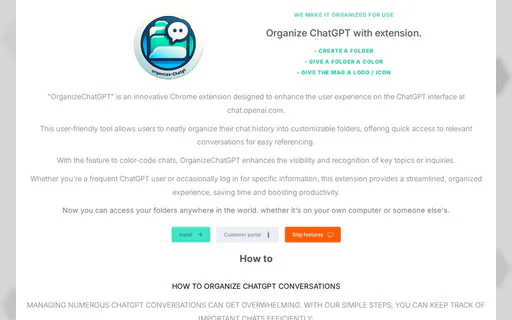
What is OrganizeChatGPT?

OrganizeChatGPT is a Chrome extension[1] designed to enhance the user experience on the ChatGPT platform at chat.openai.com. This innovative tool allows users to efficiently organize their ChatGPT conversations into customizable folders[3], making it easier to manage chat history and access important discussions. With features such as folder creation, color-coding[5] for easy recognition, and the ability to pin important chats[4], OrganizeChatGPT streamlines the process of referencing past conversations, ultimately saving time and boosting productivity.

Pros

  • Customizable Folder Organization: OrganizeChatGPT allows users to create customizable folders for their chats, enhancing organization and quick access to important conversations.
  • Color-Coding for Easy Recognition: Users can color-code their folders, making it easier to visually separate and recognize key topics or inquiries.
  • User-Friendly Interface: The extension features a user-friendly interface that simplifies the process of managing chat history, making it accessible for all users.

What are the main features of OrganizeChatGPT?

OrganizeChatGPT offers several key features that enhance the ChatGPT experience: - Folder Organization[2]: Create customizable folders to categorize your chat history. - Color-Coding: Assign different colors to folders for easy visual identification. - Pin Important Chats: Highlight crucial conversations for quick access. - Search & Filter Options: Quickly locate specific chats through efficient search functionalities. - Cross-Device Access[6]: Access your organized folders from any computer, ensuring flexibility and convenience.

Prompt-dress

Effortlessly organize and save your AI prompts with this essential tool.

5
0 views
0 saved
1.6K

What is Prompt Dress?

Prompt Dress is a browser extension designed specifically for organizing and saving AI prompts. This tool provides users with a streamlined method to manage their prompts efficiently, ensuring they are easily accessible whenever needed. By centralizing all prompts into one convenient location, Prompt Dress enhances productivity and creativity for users who rely on AI for various tasks. It is particularly valuable for individuals and businesses looking to optimize their workflow with AI-generated content.

Pros

  • Efficient Prompt Organization: Prompt Dress allows users to efficiently save and organize their AI prompts, making it easy to access and manage them directly from the browser.
  • User-Friendly Browser Extension: As a browser extension, Prompt Dress integrates seamlessly into your workflow, providing quick access to prompts without disrupting your tasks.
  • Supports Prompt Creation and Maintenance: Users can create and maintain powerful prompts for various applications, ensuring they are always ready for use when needed.

What are the main features of Prompt Dress?

  • Prompt Organization: Easily categorize and manage your AI prompts for quick access.
  • Browser Integration: Seamlessly integrates with your browser for instant prompt retrieval.
  • User-Friendly Interface: Simple and intuitive design for efficient prompt management.
  • Accessibility: Access your saved prompts from any device with the browser extension installed.
  • Collaboration Tools: Share prompts with team members to enhance collaborative projects.
Clipboard-ai

Instantly enhance text with AI shortcuts.

4
0 views
0 saved
1.2K

Free 7-Day Trial

0.00 USD free

Start with a free 7-day trial.

Lifetime Access

29.00 USD one-time

Unlock lifetime access for just $29 after the trial.

For the latest pricing, please visit this link: https://www.clipboard-ai.com/

Prices are subject to change. Please visit the official website for the most up-to-date pricing information.

What is Clipboard-ai?

Clipboard-ai is an innovative AI tool designed to enhance productivity by allowing users to run AI prompts[1] with a simple keyboard shortcut[2], eliminating the need for app-switching and copy-pasting. This tool is compatible with both Mac and Windows operating systems and works seamlessly across all applications on your computer. By selecting text anywhere and pressing a designated shortcut, users can receive instant AI-powered results, making it an essential tool for anyone looking to streamline their workflow and increase efficiency.

Pros

  • Instant AI Results Anywhere: ClipboardAI allows users to run AI prompts instantly from any application on Mac and Windows, eliminating the need for app-switching.
  • Customizable Shortcuts: Users can create their own shortcuts for specific tasks, enhancing productivity and streamlining workflows.
  • Supports Multiple AI Models: ClipboardAI works with various AI models, including OpenAI's and Claude, allowing users to switch models without changing their workflow.
  • Private and Secure: The tool does not store user data, ensuring privacy as requests go directly to the AI provider.

What are the main features of Clipboard-ai?

  • Universal Compatibility[3]: Works in any application on your Mac or PC, including Notion, Slack, and VS Code.
  • Bring Your Own API Key: Users can utilize their existing OpenAI or OpenRouter API keys without any middleman fees.
  • Support for Multiple Models: Choose from various AI models, including OpenAI's and Claude, allowing flexibility in AI capabilities.
  • Custom Prompts[4]: Users can create personalized shortcuts for specific tasks, such as grammar fixing[7], code optimization, or summarization.
  • Fast Performance[5]: Designed for minimal latency, ensuring quick responses to user prompts.
  • Private by Design[6]: Clipboard-ai does not store user data; requests go directly to the AI provider.
Promptlab

Discover thousands of expert-crafted AI prompts to enhance your productivity with Promptlab.

5
0 views
0 saved

Premium Access

9.00 USD monthly

Get full access to our entire premium prompt library. Cancel anytime, no long-term commitment.

View Pricing

For the latest pricing, please visit this link: https://promptlab.com.co/pricing

Prices are subject to change. Please visit the official website for the most up-to-date pricing information.


What is Promptlab?

Promptlab is an innovative platform designed to streamline the process of generating AI prompts for various applications. With a vast library containing over 41,000 expertly crafted prompts tailored for popular AI models like ChatGPT, Claude, Gemini, and Midjourney, Promptlab empowers users to enhance their productivity and creativity. By offering ready-to-use prompts across multiple categories, Promptlab eliminates the need for extensive prompt engineering, allowing users to focus on their core tasks and projects.

Pros

  • Extensive Prompt Library: PromptLab offers over 41,000 expert-crafted AI prompts, covering various categories such as marketing, coding, and content creation, making it a comprehensive resource for users.
  • Daily Updates: New prompts are added daily, ensuring that users have access to the latest and most relevant AI prompts for their needs.
  • Affordable Premium Access: For just $9 per month, users can unlock full access to the premium prompt library, providing great value for those looking to enhance their productivity.

What are the main features of Promptlab?

  • Extensive library of over 41,000 expert-crafted AI prompts.
  • Daily additions of new prompts to keep content fresh and relevant.
  • Categories tailored for specific needs including Marketing, Coding, Business Automation, and more.
  • User-friendly interface that allows easy browsing and searching of prompts.
  • Option for premium access at an affordable price of $9/month, providing full access to all prompts without long-term commitments.


