Best 94 AI Document Processing Tools Tools in 2026

Box, Coze, Pdfgear, Chatpdf, Lightpdf, Popai, Rayyanai, Papermark, Web2pdfconvert, Ocr are the best paid / free AI Document Processing Tools tools.

Tools designed to process and manipulate documents, including features for renaming, editing, and organizing document files.

Box

Box AI enhances enterprise productivity with intelligent content management and automation.

5
0 views
0 saved
72.1M

What is Box AI?

Box AI is an enterprise-grade AI platform designed to enhance insights, streamline content creation, and automate workflows. Powered by secure and intelligent content management, Box AI enables organizations to unlock the full potential of their unstructured data. With customizable agents and advanced data extraction capabilities, Box AI helps businesses make informed decisions, improve efficiency, and adapt to the evolving AI-first business landscape.

Pros

  • Intelligent Data Extraction: Box AI offers scalable, intelligent data extraction to automate workflows and enhance content discovery.
  • No-Code Automation: Streamline workflows with no-code automation, making it accessible for teams without technical expertise.
  • Customizable AI Agents: Box AI allows customization of AI agents to meet specific business needs, enhancing operational efficiency.

What are the main features of Box AI?

  • Intelligent Content Management: Securely manage and extract insights from unstructured data.
  • Customizable AI Agents: Tailor agents to meet specific business requirements and data extraction needs.
  • Data Extraction: Quickly extract structured data from complex documents, forms, and images.
  • No-Code Automation: Streamline workflows without needing extensive coding knowledge.
  • AI-Powered Insights: Generate contextual insights and summaries from large sets of documents.
  • Integration with Leading AI Models: Utilize best-of-breed AI models from trusted providers like AWS and Azure.
Coze

Coze is a powerful AI office assistant that enhances productivity through various automated tasks.

4
0 views
0 saved
3.9M

What is Coze?

Coze is a powerful AI office assistant designed to enhance productivity and streamline various office tasks. Utilizing advanced Agent technology, Coze integrates a multitude of functionalities, including AI writing, AI PPT generation, AI spreadsheet processing, AI design, AI podcast creation, AI image generation, and AI video capabilities. This versatile tool is tailored for automating tasks in scenarios such as financial analysis and marketing, significantly boosting work efficiency.

Pros

  • Comprehensive AI Features: Coze integrates multiple AI functionalities including writing, PPT generation, spreadsheet processing, design, podcasting, and video creation, making it a versatile office assistant.
  • Enhanced Work Efficiency: By automating tasks in financial analysis and marketing, Coze significantly boosts productivity and efficiency in various work scenarios.
  • User-Friendly Interface: Coze offers an intuitive interface that allows users to easily interact and assign tasks, enhancing the overall user experience.

What are the main features of Coze?

  • AI Writing: Generate high-quality written content quickly.
  • AI PPT Generation: Create professional presentations with ease.
  • AI Spreadsheet Processing: Automate and manage data effectively.
  • AI Design: Produce stunning visuals and graphics.
  • AI Podcast Creation: Easily develop engaging audio content.
  • AI Image Generation: Create images tailored to your specifications.
  • AI Video Capabilities: Generate videos for various applications.
Pdfgear

Powerful PDF editing made easy and free.

5
0 views
0 saved
3.2M

What is PDFgear?

PDFgear is a versatile and user-friendly PDF editing tool that allows users to edit, merge, split, convert, and organize PDF files online or offline. It offers a suite of free tools and software designed to meet all your PDF needs, making it an ideal solution for individuals and businesses looking for a powerful PDF management system. With its AI-powered capabilities, PDFgear enhances productivity and simplifies complex PDF tasks, ensuring a seamless user experience.

Pros

  • Comprehensive PDF Editing Features: PDFgear offers a wide range of editing capabilities including text, image, and form field editing, making it a versatile tool for all PDF tasks.
  • AI-Powered Tools: The integration of AI technology enhances PDFgear's functionality, allowing users to interact with PDFs more intelligently, such as summarizing content or extracting text.
  • Cross-Platform Availability: PDFgear is available on multiple platforms including Windows, macOS, iOS, and Android, enabling users to work with PDFs anytime, anywhere.

What are the main features of PDFgear?

  • Edit PDF: Freely edit text, images, shapes, signatures, and links within PDF files.
  • Annotate PDF: Highlight, underline, strikethrough text, and add comments or stamps.
  • Convert PDF: Convert PDF files to and from various formats like Word, Excel, JPG, and more.
  • Merge and Split PDF: Combine multiple PDF files into one or split a single PDF into separate files.
  • OCR PDF: Extract text from scanned documents and convert image-based PDFs into editable formats.
Chatpdf

ChatPDF combines AI technology with PDF analysis for smarter document interactions.

5
0 views
0 saved
1.9M

Free Plan

0.00 USD free

Analyze 2 documents every day.

ChatPDF Plus Plan

0.00 USD monthly

Provides unlimited document analysis and more advanced features.

For the latest pricing, please visit this link: https://www.chatpdf.com/

Prices are subject to change. Please visit the official website for the most up-to-date pricing information.
What is ChatPDF?

ChatPDF is an innovative tool that merges ChatGPT-style intelligence with advanced PDF AI technology to enhance document understanding. It allows users to summarize, chat, and analyze PDF documents effortlessly, making it ideal for students, researchers, and professionals. With its user-friendly interface, ChatPDF enables users to interact with their PDFs just like they would in a conversation, extracting essential insights and information quickly and accurately.

Pros

  • Smart Document Understanding: ChatPDF combines ChatGPT-style intelligence with PDF AI technology, enabling users to summarize, chat, and analyze documents effectively.
  • Multi-File Interaction: Users can chat with multiple PDFs in one conversation, making it easier to organize and analyze related documents.
  • Free and Accessible: ChatPDF offers a free plan allowing users to analyze two documents daily without needing an account, making it accessible for everyone.
  • Cited Sources Feature: Built-in citations link responses to PDF references, eliminating the need for manual searching through documents.

What are the main features of ChatPDF?

  • Conversational PDF Interaction: Engage with your PDFs as if you were chatting, allowing for a more intuitive understanding of the content.
  • Summarization: Quickly summarize long documents to extract key insights without needing to read everything.
  • Cited Sources: Automatically generate citations linked to the original PDF content, enhancing the reliability of your findings.
  • Multi-File Chats: Organize multiple PDFs in one conversation, making it easier to compare and analyze related documents.
  • Multilingual Support: Upload documents in any language and chat in your preferred language, facilitating international research.
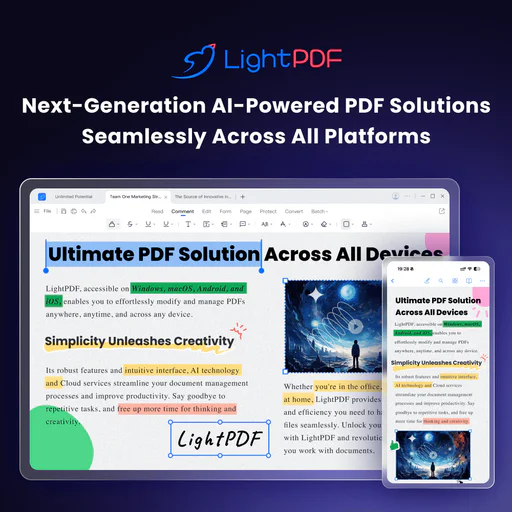
Lightpdf

Engage with your PDFs using AI for insights and summaries.

4
0 views
0 saved
1.6M

Free

0.00 USD free

Web app only. You can upload a file within 100 pages for free.

View Pricing

Premium

0.00 USD monthly

All platforms included. Start 3-Day Free Trial. 70% OFF.

View Pricing

For the latest pricing, please visit this link: https://lightpdf.com/pricing

Prices are subject to change. Please visit the official website for the most up-to-date pricing information.

What is Lightpdf?

Lightpdf is an AI-powered ChatPDF application designed to enhance your interaction with PDF documents and other file types. It allows users to ask questions, summarize content, and extract key insights from various documents, including PDFs, Word files, Excel sheets, and more. The tool is free to use and does not require sign-in, making it accessible for anyone looking to streamline their document analysis and research tasks.

Pros

  • AI-Powered Document Interaction: Lightpdf allows users to interact with documents using AI, enabling them to ask questions and receive instant answers, making document analysis efficient.
  • Multi-File Support: Users can upload and chat with multiple documents simultaneously, enhancing productivity in research and analysis.
  • Wide File Format Compatibility: Supports various file formats including PDF, Word, Excel, and more, allowing users to work with different types of documents seamlessly.

What are the main features of Lightpdf?

  • AI-powered document chat for real-time interaction with files.
  • Supports multiple document types including PDF, Word, Excel, PPT, EPUB, and scanned files.
  • Provides accurate answers with cited sources for reference.
  • Allows for multi-document chat, enabling users to analyze and extract insights from several files simultaneously.
  • Offers features for summarization, table generation, and structured outlines.
Popai

Engage with documents effortlessly using PopAi's AI.

4
0 views
0 saved
1.4M

What is PopAi?

PopAi is an innovative AI tool designed to enhance productivity by allowing users to interact with any document or PDF through chat functionality powered by GPT-4[2] and GPT-4o[3]. With just a click, users can engage in conversations with their documents, making information retrieval and comprehension effortless. Additionally, PopAi offers features for creating AI-generated PowerPoint presentations and slides using a variety of free templates, as well as the ability to quickly generate AI images, making it a versatile tool for both personal and professional use.

Pros

  • AI Document Interaction: PopAi allows users to chat with any document or PDF using advanced AI technology (GPT-4 & GPT-4o), enhancing document accessibility and interaction.
  • AI Presentation Creation: The tool enables users to create AI-powered PowerPoint presentations and slides quickly, utilizing a variety of free templates for ease of use.
  • Fast AI Image Generation: PopAi can generate AI images rapidly, providing users with quick visual content creation capabilities.

What are the main features of PopAi?

  • AI Chat with documents and PDFs using GPT-4 and GPT-4o for interactive querying.
  • AI Presentation tool to create stunning PowerPoint slides[5] with various free templates.
  • Fast AI image generation to create custom visuals quickly.
  • User-friendly interface for easy navigation and functionality.
  • Chat history feature to keep track of previous interactions.
Rayyanai

Rayyan is an AI-driven platform that transforms systematic literature reviews for researchers.

5
0 views
0 saved
833.4K

What is Rayyanai?

Rayyanai is an innovative AI-powered platform designed to transform evidence-based research and decision-making. It specializes in systematic literature review management, enhancing collaboration among research teams with advanced review automation and streamlined data management. By simplifying the systematic review process, Rayyanai enables researchers to generate comprehensive and high-quality reviews efficiently.

Pros

  • AI-Powered Screening: Rayyan's AI technology significantly reduces screening time by up to 90%, allowing researchers to focus on critical analysis instead of manual sorting.
  • Advanced Deduplication: The advanced deduplication feature automatically identifies and removes duplicate references, enhancing the accuracy and efficiency of systematic reviews.
  • Collaborative Features: Rayyan supports collaboration by allowing multiple teams to manage reviews, track progress, and streamline the review process with user-friendly tools.

What are the main features of Rayyanai?

  • AI-powered screening that reduces review time by up to 90%.
  • Advanced deduplication feature to automatically remove duplicate references.
  • Customizable filters for quick access to relevant studies.
  • Bulk actions for efficient management of multiple items.
  • PICO framework integration for structured research questions.
  • Collaboration tools for team members to work together seamlessly.
Papermark

Papermark AI is an advanced assistant for managing and interacting with documents and data rooms.

5
0 views
0 saved
382.8K

Free

0.00 EUR monthly

No credit card required. 1 team member included, 50 links, 50 documents, unlimited visitors, page-by-page analytics, document sharing controls.

View Pricing

Pro

24.00 EUR monthly

Everything in Free, plus: 1 team member included, unlimited links, 100 documents, large file uploads, custom branding, Papermark branding removed, videos and more file types, creating folders.

View Pricing

Business

59.00 EUR monthly

Everything in Pro, plus: 3 team members included, 1000 documents, custom domain for documents, multi-file sharing, unlimited folder levels, require email verification, allow/block list, screenshot protection, webhooks.

View Pricing

Data Rooms

99.00 EUR monthly

Everything in Business, plus: 3 team members included, unlimited data rooms, custom domain for data rooms, advanced dataroom branding, data room analytics, NDA agreements, dynamic watermark, granular file level permissions, data room groups, 24/7 email support.

View Pricing

For the latest pricing, please visit this link: https://www.papermark.com/pricing

Prices are subject to change. Please visit the official website for the most up-to-date pricing information.

What is Papermark AI?

Papermark AI is an advanced AI document assistant designed to facilitate interaction with data rooms and documents. It enables users to chat with their data and provides a seamless experience for managing and sharing documents securely. Papermark AI aims to enhance productivity by allowing users to create personas that can review and engage with their documents, making it a powerful tool for teams involved in deals and due diligence.

Pros

  • Advanced AI Document Assistant: Papermark AI serves as an advanced assistant for managing documents and data rooms, enabling users to interactively chat with their content.
  • Enhanced Document Review: The tool allows users to create personas for reviewing documents, streamlining the document analysis process.
  • Compliance and Security Features: Papermark is compliant with SOC2, HIPAA, GDPR, and CCPA, ensuring that user data is handled securely and in accordance with regulations.

What are the main features of Papermark AI?

  • AI-driven chat interface for interacting with documents and data rooms.
  • Custom persona creation for tailored document reviews.
  • Secure document sharing with compliance to standards like SOC2, HIPAA, and GDPR.
  • Easy setup of data rooms for fundraising and due diligence processes.
  • Integration with various platforms to streamline document management.
Web2pdfconvert

Convert web pages to PDF easily and quickly.

5
0 views
0 saved
322.8K

Monthly Plan

0.00 USD monthly

Please sign up to convert unlimited.

View Pricing

Yearly Plan

0.00 USD yearly

Please sign up to convert unlimited.

View Pricing

For the latest pricing, please visit this link: https://www.web2pdfconvert.com/#pricing

Prices are subject to change. Please visit the official website for the most up-to-date pricing information.

What is Web2pdfconvert?

Web2pdfconvert is a free online tool designed to easily convert web pages into PDF documents. This user-friendly converter allows users to enter a URL and transform the content of a website into a neatly formatted PDF file in just a few clicks. With its straightforward interface, Web2pdfconvert simplifies the process of saving and sharing web content as PDFs, making it a valuable resource for anyone needing to archive or distribute information from the web.

Pros

  • Easy Web Page Conversion: Quickly convert web pages to PDF format using a straightforward online tool.
  • Multiple Format Options: Supports conversion from web to PDF, web to image, HTML to PDF, and HTML to image.
  • Customizable Settings: Offers various settings such as page size, orientation, and margins for tailored conversions.

What are the main features of Web2pdfconvert?

  • Free online conversion from web pages to PDF.
  • User-friendly interface for easy navigation.
  • Options to customize the conversion settings, including page orientation and size.
  • Ability to save converted files directly to Dropbox or Google Drive.
  • Support for converting HTML to PDF and images as well.
Ocr

OCR.best is a free online tool for converting images and PDFs into editable text.

5
0 views
0 saved
288.2K

Free Plan

0.00 USD free

Limited access to OCR features, can process 3 images per request with a maximum file size of 5MB.

View Pricing

Weekly Plan

2.49 USD monthly

The easiest way to try other features with 3000 upload credits, 50 images per submission, image size up to 10 MB, 3x faster conversion, and no ads or captcha.

View Pricing

Monthly Plan

4.99 USD monthly

Better collaboration for small teams with 12000 upload credits, 50 images per submission, image size up to 10 MB, 3x faster conversion, and no ads or captcha.

View Pricing

Yearly Plan

49.88 USD yearly

Greater productivity for teams with 72000 upload credits, 50 images per submission, image size up to 10 MB, 3x faster conversion, and no ads or captcha.

View Pricing

JPG to Excel Weekly

4.90 USD monthly

Suitable for beginners or small projects with 1000 upload credits, 10 images per submission, image size up to 10 MB, 3x faster conversion, and no ads or captcha.

View Pricing

JPG to Excel Monthly

7.90 USD monthly

Ideal for professionals or consistent use with 2000 upload credits, 10 images per submission, image size up to 10 MB, 3x faster conversion, and no ads or captcha.

View Pricing

For the latest pricing, please visit this link: https://www.ocr.best/pricing-plans

Prices are subject to change. Please visit the official website for the most up-to-date pricing information.
What is OCR.best?

OCR.best is an online tool designed to convert images, PDFs, and scanned documents into editable text accurately. This free OCR converter allows users to extract text from images and PDFs, making it a valuable resource for anyone needing to digitize handwritten notes, screenshots, infographics, business reports, or scanned PDF documents. Utilizing advanced Optical Character Recognition (OCR) technology, OCR.best ensures fast and accurate text conversion, enabling users to easily access and edit their content.

Pros

  • Free to Use: The OCR tool is completely free, allowing users to convert images and PDFs to text without any cost.
  • Supports Multiple Formats: It supports a wide range of image formats including PNG, JPG, GIF, and PDF, making it versatile for different user needs.
  • AI-Powered Accuracy: Utilizes advanced AI and machine learning technologies to ensure high accuracy in text recognition from images.

What are the main features of OCR.best?

  • User-friendly drag and drop interface for easy file uploads.
  • Supports a wide range of file formats including PNG, JPG, PDF, and more.
  • Converts images and PDFs into editable text with high accuracy.
  • Allows users to download the converted text in .txt or .docx formats.
  • No daily conversion limits for premium users, enabling bulk conversions.
  • Utilizes advanced AI techniques for improved text recognition accuracy.
Getcoralai

Effortlessly summarize and transcribe documents with AI.

5
0 views
0 saved
198.5K

Free

0.00 USD monthly

2 file uploads, Chat with 2 files, Upload files up to 50MB each, Upload 20+ file types, Transcribe audio files.

View Pricing

Executive

12.00 USD monthly

Billed yearly, Unlimited document uploads, Unlimited chats, No page limit, Chat with all files at once, Add tags to chat with groups of files, Search and manage your files, Choose between cutting-edge AI models, More detailed summaries and responses, Bulk upload multiple files at once, Upload files up to 500MB each, Upload 20+ file types, Transcribe 150 audio or video files per month, Early access to new features, Priority customer support.

View Pricing

For the latest pricing, please visit this link: https://www.ivorymind.com/pricing

Prices are subject to change. Please visit the official website for the most up-to-date pricing information.
What is Getcoralai?

Getcoralai is an advanced AI-powered tool designed to streamline the process of summarizing, querying, and transcribing files and meetings within seconds. This innovative solution enables users to extract key insights and generate content from multiple documents effortlessly. With its capability to provide citations for every response, Getcoralai enhances the reliability and accuracy of the information it delivers, making it an essential tool for researchers, academics, and professionals.

Pros

  • AI-Powered Summarization: Getcoralai uses AI to summarize long documents in seconds, significantly reducing the time spent on reading and comprehension.
  • Multi-File Interaction: Users can upload and interact with over 100 files simultaneously, allowing for efficient information retrieval across multiple documents.
  • Citation Support: Every response includes clickable citations, ensuring users can verify information and reference sources accurately.

What are the main features of Getcoralai?

  • Summarization: Quickly summarize lengthy documents, research papers, and reports, saving valuable time.
  • Highlighted Citations: Each response includes clickable citations, allowing users to reference the exact location of information in the source material.
  • Multi-file Interaction: Users can upload and chat with over 100 files simultaneously, making it easy to extract information across various documents.
  • Transcription: Upload audio and video files to receive accurate transcriptions, which can also be queried for specific information.
Pdf

Effortlessly automate PDF tasks with PDF.co's API.

4
0 views
0 saved
178.7K

Basic

8.99 USD monthly

16,500 Credits/Month 60 Mins Link Expiry Full API Access Unlimited Output Secured Data Advanced Security

View Pricing

Personal

22.49 USD monthly

37,000 Credits/Month 60 Mins Link Expiry Full API Access Unlimited Output Secured Data Advanced Security

View Pricing

Business 1

44.99 USD monthly

80,500 Credits/Month 60 Mins Link Expiry Full API Access Unlimited Output Secured Data Advanced Security

View Pricing

Business 2

89.99 USD monthly

159,850 Credits/Month 1,440 Mins Link Expiry Full API Access Unlimited Output Secured Data Advanced Security

View Pricing

Business 3

270.00 USD monthly

483,000 Credits/Month 1,440 Mins Link Expiry Full API Access Unlimited Output Secured Data Advanced Security

View Pricing

Enterprise

0.00 USD free

Need more than 500,000 credits per month? Contact us, and we'll tailor a plan that perfectly fits your needs. Everything in Business 3 Plan Customized Advanced Features High Priority Support

View Pricing

For the latest pricing, please visit this link: https://app.pdf.co/subscriptions

Prices are subject to change. Please visit the official website for the most up-to-date pricing information.

What is PDF.co?

PDF.co is a powerful Web API designed for extracting, editing, converting, merging, and splitting PDF documents. It aims to eliminate PDF processing problems by automating various tasks associated with PDF files, thus saving users time and reducing manual work. The platform is suitable for developers and businesses looking to integrate PDF functionalities into their applications with ease, leveraging its low-code REST API for seamless integration.

Pros

  • Comprehensive PDF Management Tools: PDF.co offers a wide range of tools for extracting, editing, converting, merging, and splitting PDF documents, making it a versatile solution for various PDF management needs.
  • Low-Code Integration: The platform provides a low-code REST API, allowing users to automate PDF tasks with minimal coding, which is ideal for developers and non-developers alike.
  • AI-Powered Features: With features like AI-Powered Invoice Parsing, users can easily extract data from invoices without needing templates, enhancing efficiency and accuracy.

What are the main features of PDF.co?

  • PDF Extraction: Extract data from PDF documents effortlessly.
  • PDF Editing: Modify existing PDF files, including adding or removing content.
  • PDF Conversion: Convert PDFs to various formats such as Excel, CSV, JSON, and more.
  • Merging and Splitting PDFs: Combine multiple PDF files into one or split a single PDF into multiple documents.
  • AI-Powered Invoice Parsing: Automatically extract information from invoices without templates.
  • Integration with 3,000+ apps: Connect PDF.co with various platforms like Zapier and Make for enhanced automation.
Lido

Effortlessly convert documents to spreadsheets with Lido.

5
0 views
0 saved
112.4K

Standard

29.00 USD monthly

Best for fast, accurate extraction from PDFs and other documents. Includes 100 pages per month, 1 user, convert any file type, export to Excel, CSV.

View Pricing

Scale

7000.00 USD yearly

Designed for teams automating multi-step document workflows, from extraction to validation to ERP. Includes 42,000 pages per year, up to 10 users, API & Workflow access, priority email & chat support.

View Pricing

Enterprise

30000.00 USD yearly

Custom workflows, validation logic, and ERP integrations for complex, high-volume operations. Custom page limits, custom ERP integrations, dedicated US-based account manager, live US-based onboarding & support.

View Pricing

For the latest pricing, please visit this link: https://www.lido.app/pricing

Prices are subject to change. Please visit the official website for the most up-to-date pricing information.

What is Lido?

Lido is an AI-powered[1] document processing[2] platform designed to extract structured data from various document types, including PDFs, invoices, receipts, and scans, and convert it into formats like Excel or Google Sheets. With an impressive accuracy rate of over 99%, Lido eliminates the need for templates or manual data entry, making it an ideal solution for businesses looking to automate their document workflows. The platform is capable of handling diverse document formats, including handwritten documents and images, making it versatile for various industries.

Pros

  • High Data Extraction Accuracy: Lido achieves over 99% accuracy in data extraction from documents, significantly outperforming traditional OCR solutions which typically range from 50-90%.
  • No Template Required: Unlike traditional OCR tools, Lido does not require any template setup, allowing for immediate data extraction from various document formats.
  • Fast Implementation: Lido can be implemented in just one hour, compared to the 4-8 weeks often required for legacy OCR systems.
  • Automated Workflow Integration: Lido automates multi-step document workflows, enabling users to extract, validate, and process data seamlessly without manual intervention.

What are the main features of Lido?

  • High Accuracy: Achieves over 99% accuracy[4] in data extraction[3] from structured documents.
  • No Templates Required: Automatically understands document structure without the need for pre-defined templates.
  • Multi-format Support: Processes various document types including PDFs, images, and handwritten notes.
  • Batch Processing: Allows for batch uploads to handle multiple documents at once, increasing efficiency.
  • AI Validation: Validates extracted data against internal systems to ensure accuracy and reliability.
Middayai

Midday simplifies business finances by automating transactions and invoicing.

4
0 views
0 saved
75.0K

Starter

29.00 USD monthly

For solo founders who want a clean starting point for their business finances. Includes financial overview and widgets, weekly summaries and insights, transactions with categorization, receipts and file storage, invoicing (up to 10 invoices per month), time tracking, up to 2 connected banks, and up to 2 team members.

View Pricing

Pro

49.00 USD monthly

For founders and small teams running weekly finance workflows end to end. Includes financial overview and widgets, weekly summaries and insights, transactions with categorization, receipts and file storage, invoicing (up to 50 invoices per month), time tracking, up to 10 connected banks, and up to 10 team members.

View Pricing

For the latest pricing, please visit this link: https://midday.ai/pricing/

Prices are subject to change. Please visit the official website for the most up-to-date pricing information.

What is Middayai?

Middayai is a comprehensive financial management[1] tool designed to streamline business finances by automating the tracking of transactions, receipts, invoices, and other financial activities. It provides a centralized platform where users can manage all aspects of their financial operations without the need for manual input, thereby reducing administrative burdens. Middayai connects with various financial accounts to automatically sync transactions, categorize expenses, and reconcile accounts, making it easier for businesses to stay organized and informed about their financial health.

Pros

  • Automated Financial Management: Middayai automates the synchronization of transactions, receipts, and invoices, reducing manual work and saving time.
  • Comprehensive Overview: Users can access a unified dashboard that provides insights into cash flow, revenue, and spending, enabling better financial decision-making.
  • Flexible Invoicing Options: The tool allows customers to pay invoices online, streamlining the payment process and improving cash flow.

What are the main features of Middayai?

  • Automated transaction syncing from connected accounts.
  • Invoice management[2] with online payment options.
  • Automatic categorization and reconciliation[3] of transactions.
  • Weekly financial summaries[4] and insights.
  • Time tracking for project management.
  • Receipt matching and storage in a centralized inbox.
  • Compatibility with various accounting software and integrations.
Maxai

Maxai offers powerful AI tools for summarizing, analyzing, and writing.

5
0 views
0 saved
73.0K

What is Maxai?

Maxai is an advanced AI-powered tool designed to enhance productivity by providing a suite of features that include summarizing, searching, explaining, analyzing, translating, and writing. It leverages cutting-edge technologies such as o1, GPT-4o, Claude-3.5, and Gemini-1.5, allowing users to save significant time—potentially hours each day—while performing various tasks. This tool is particularly beneficial for users looking to streamline their workflows and enhance their efficiency across different applications.

Pros

  • Comprehensive AI Features: Maxai offers a wide range of functionalities including summarization, translation, analysis, and writing, making it a versatile tool for various tasks.
  • Time-Saving Capabilities: Users can save hours daily by utilizing Maxai's AI-powered features, enhancing productivity significantly.
  • Multiple AI Models Integration: Powered by advanced models like GPT-4o and Claude-3.5, Maxai ensures high-quality outputs across different tasks.

What are the main features of Maxai?

  • Summarization[1]: Quickly summarize lengthy articles, reports, or videos to grasp key points.
  • Translation[2]: Instantly translate text across multiple languages to bridge communication gaps.
  • AI Writing Assistance[3]: Generate high-quality written content with AI support for various writing tasks.
  • Text Analysis[4]: Analyze and extract insights from texts for better understanding and decision-making.
  • Search Functionality[5]: Utilize advanced search capabilities to find credible information quickly.
  • Image Analysis[6]: Extract text and solve math problems from images, enhancing learning and productivity.
Jobbie

Craft tailored resumes with Jobbie to impress recruiters.

5
0 views
0 saved
70.1K

Free ATS Resume Checker and Builder

0.00 USD free

Score your resume with the world's most advanced resume scorer, validating on 20+ checkpoints to ensure it meets ATS compatibility and recruiter standards.

For the latest pricing, please visit this link: https://jobbie.io/

Prices are subject to change. Please visit the official website for the most up-to-date pricing information.

What is Jobbie?

Jobbie is a premier online platform designed to help job seekers create standout resumes that attract attention and enhance their chances of landing their dream jobs. As the best resume checker in India, Jobbie provides users with tools to craft professional, tailored resumes. The platform features an advanced ATS (Applicant Tracking System) resume checker that evaluates resumes against industry standards, ensuring that they are optimized for both human reviewers and automated systems. With a user-friendly interface and a variety of customizable templates, Jobbie empowers individuals to present their skills and experiences effectively.

Pros

  • Free ATS Resume Checker: Jobbie offers a free ATS resume checker that evaluates resumes against key hiring benchmarks, ensuring they are optimized for both Applicant Tracking Systems and human reviewers.
  • Customizable Resume Templates: The platform provides a variety of ATS-optimized resume templates that are fully customizable, allowing users to create professional resumes tailored to their industry.
  • Advanced Resume Scoring: Jobbie's advanced resume scorer analyzes resumes on over 20 checkpoints, providing detailed feedback on structure, content, and grammatical issues to enhance job readiness.

What are the main features of Jobbie?

  • Advanced ATS Resume Checker: Analyzes resumes against over 20 checkpoints to ensure they meet industry standards.
  • Customizable Resume Templates: Offers a variety of ATS-optimized templates that are easy to personalize.
  • Manual Resume Review: Provides free manual reviews by experts to give tailored feedback.
  • Resume Scoring: Evaluates resumes and provides scores based on formatting, content, and grammatical accuracy.
  • User-Friendly Interface: Designed for ease of use, allowing users to create and edit resumes effortlessly.
Useanything

Unlock productivity with a versatile AI app.

4
0 views
0 saved
65.0K

Self-Hosted & Cloud

0.00 USD free

AnythingLLM Hosted and self-hosted brings the power of AI to your entire team with multi-user access and privacy.

View Pricing

For the latest pricing, please visit this link: https://anythingllm.com/cloud

Prices are subject to change. Please visit the official website for the most up-to-date pricing information.

What is Useanything?

Useanything is an innovative AI application that allows users to interact with various language models[2] (LLMs) seamlessly. It enables you to chat with your documents, enhancing productivity and facilitating the use of state-of-the-art LLMs without the need for technical setup. This all-in-one desktop application supports a wide range of document types and operates fully offline, ensuring your data remains private. With Useanything, you can leverage powerful AI tools locally, making it a versatile solution for both personal and professional use.

Pros

  • All-in-One AI Application: AnythingLLM is a comprehensive AI tool that allows users to chat with documents, enhancing productivity without the need for technical setup.
  • Full Privacy: The application ensures that all data is stored and processed locally, providing users with complete privacy and control over their information.
  • Supports Multiple Document Types: AnythingLLM can handle various document formats including PDFs, Word documents, and CSVs, allowing users to work with diverse data sources.

What are the main features of Useanything?

  • Supports any LLM for document interaction[3].
  • Allows chatting with various document types including PDFs, Word documents, and CSV files.
  • Operates fully offline to ensure privacy.
  • One-click installation with no technical setup required.
  • Simple user interface designed for non-developers.
  • Open-source and customizable to fit specific needs.
  • Compatible with multi-modal LLMs, supporting text, images, and audio.
Pdfgpt

AI-driven PDF summarizer for quick insights.

5
0 views
0 saved
52.2K

What is Pdfgpt?

Pdfgpt is an AI-powered PDF summarizer designed to help users quickly and accurately extract key insights from various documents, reports, and research papers. This innovative tool leverages artificial intelligence to streamline the process of understanding lengthy texts, making it an essential resource for students, professionals, and anyone who frequently engages with PDF documents. With its user-friendly interface and robust summarization capabilities, Pdfgpt stands out as a free tool that enhances productivity and comprehension.
Pros

  • AI-Powered Summarization: PDFGPT utilizes advanced AI technology to quickly extract key insights from PDF documents, enhancing efficiency in information retrieval.
  • Free Access: The tool is available for free, allowing users to summarize documents without any financial commitment.
  • Speed and Accuracy: PDFGPT is designed to provide fast and accurate summaries, making it ideal for users needing quick insights from extensive reports.

What are the main features of Pdfgpt?

  • AI-powered summarization for accurate and quick insights.
  • User-friendly interface for easy document uploads.
  • Free access to the tool without any hidden charges.
  • Capability to handle various types of documents including reports and research papers.
Docanalyzerai

Transform your document interactions with AI.

5
0 views
0 saved
52.2K

Enterprise

20.00 USD yearly

Tailor your workflow automation. Everything in Team, plus: 5 seats minimum, Tailored AI Agents & Automation, We build custom workflows tailored to your use cases, Designated Support manager, Priority support, SAML Sign-on, Single Sign-On integration with enterprise IdPs, 600 free credits per month.

View Pricing

Team

15.00 USD yearly

Work on projects together. All Pro features, plus: Unlimited labels, Unlimited workspaces, Share chat links, Notes, Chatbot, OCR, BYOK, Expert Mode, API Access, Higher allowance than Pro, No daily upload limit, Maximum size for each document: 300 MB and no page limit, Maximum total storage 50 GB per seat, Add and manage team members, 3 seats minimum, Real-time collaboration, Create team workspace to allow collaborative note editing and chat, 600 free credits per month.

View Pricing

Pro

10.00 USD yearly

Professional-Grade performance. Generous upload allowance: No daily upload limit, Maximum size for each document: 100 MB and no page limit, Maximum total storage 10 GB, Unlimited usage allowance, Unlimited workspaces, unlimited labels, unlimited chat, no page limit to chat across multiple documents dataset, Share, Notes, Chatbot and OCR, 200 free credits per month.

View Pricing

Basic

5.00 USD yearly

Unlock all features and AI models. Baseline upload allowance: No daily upload limit, Maximum size for each document: 50 MB and no page limit, Maximum total storage 5GB, Baseline usage allowance: 3 workspaces, 50 labels per workspace, 10000 prompts per month, chat across multiple documents dataset (up to 500 pages combined), 100 free credits per month.

View Pricing

Community

0.00 USD free

Starter features — free forever. 20 documents per month, Upload or import up to 20 new documents every month, 120 pages per document, Max 20 MB and 120 pages document (total storage 100 MB; 7 day retention if inactive), Multi document chat, Chat across multiple documents dataset (up to 100 pages combined), 2 workspaces.

View Pricing

For the latest pricing, please visit this link: https://docanalyzer.ai/pricing

Prices are subject to change. Please visit the official website for the most up-to-date pricing information.

What is Docanalyzerai?

Docanalyzerai is an advanced AI tool designed for intelligent document analysis[1] and automation. It allows users to interact with various document formats such as Word, PDF, PowerPoint, and Excel through intelligent chat-based interfaces. Utilizing state-of-the-art AI models like GPT-5[2] and Gemini 3[3], Docanalyzerai provides users with the ability to conduct complex queries, automate repetitive tasks, and extract meaningful insights from large datasets. This tool serves as a next-level alternative to traditional document analysis tools, making it easier to handle extensive document collections efficiently.

Pros

  • Advanced Document Interaction: docAnalyzer allows intelligent conversations with various document formats, enabling users to interact seamlessly with single or multiple documents for effective data retrieval.
  • Custom AI Agents: The tool offers customizable AI agents tailored to specific professional needs, enhancing the relevance and efficiency of document analysis.
  • Multi-Format Support: Supports a wide range of document formats including PDF, DOCX, XLSX, and more, allowing users to upload and analyze diverse content effortlessly.
  • Efficient Workflow Automation: docAnalyzer automates repetitive tasks and document handling processes, significantly reducing work time and increasing productivity.
  • Privacy and Data Control: The platform prioritizes user privacy, ensuring that document data is not shared or used for any other purposes, providing peace of mind.

What are the main features of Docanalyzerai?

  • Intelligent chat-based document interactions for querying and extracting information.
  • Support for multiple document formats including PDF, DOCX, XLSX, and more.
  • Customizable AI agents for automating tasks like data extraction and document sorting.
  • OCR capabilities for reading and interpreting scanned documents.
  • Multi-document conversations that allow users to engage with several documents at once.
  • Seamless integration with existing workflows through an advanced API.
Tailride

Automate your invoice processing with AI.

5
0 views
0 saved
47.6K

Starter

13.00 USD monthly

600 annual invoices, 600 credits per year, 2 connected emails, web portals extraction, bank statements conciliations, unlimited users, priority support (24-hour)

View Pricing

Growth

34.00 USD monthly

3,000 annual invoices, 3,000 credits per year, 8 connected emails, priority support (12-hour), all features in Starter plan

View Pricing

Scale

69.00 USD monthly

6,000 annual invoices, 6,000 credits per year, 20 connected emails, priority support (8-hour), all features in Growth plan

View Pricing

Premium

138.00 USD monthly

12,000 annual invoices, 12,000 credits per year, unlimited connected emails, live chat on Slack, email routing add-on included, all features in Scale plan

View Pricing

Email Routing

20.00 USD monthly

Automatically forward invoices to any email address

View Pricing

Done-For-You Portal Extraction

500.00 USD monthly

Human-powered manual retrieval from all your portals

View Pricing

For the latest pricing, please visit this link: https://tailride.so/pricing

Prices are subject to change. Please visit the official website for the most up-to-date pricing information.

What is Tailride?

Tailride is an innovative AI-driven tool designed for invoice processing automation. It enables users to swiftly extract invoices and receipts from various sources, including email and web portals. By leveraging advanced artificial intelligence, Tailride streamlines the entire invoicing process, significantly reducing the time and effort traditionally associated with manual invoice management. This tool is particularly beneficial for businesses and accounting professionals looking to enhance productivity and accuracy in their financial workflows.

Pros

  • Fast Invoice Extraction: Tailride automates the extraction of invoices and receipts from emails and web portals quickly, saving users significant time.
  • AI-Powered Processing: Utilizes AI to automatically populate invoice fields, reducing manual data entry and increasing accuracy.
  • Seamless Integrations: Integrates with various platforms like Google Drive and QuickBooks, allowing for efficient organization and management of invoices.

What are the main features of Tailride?

  • Inbox Scanning: Automatically scans your email inbox for invoices and receipts.
  • Online Portals Integration: Extracts invoices from various online platforms like Amazon and Meta Ads using a Chrome extension.
  • AI Processing: Utilizes AI to automate invoice data extraction and categorization.
  • Reconciliation: Matches invoices with bank statements to identify discrepancies.
  • Custom Rules: Allows users to set specific rules for invoice handling and processing.