




Twitter-color Created with Sketch. Amazon-color Created with Sketch. Facebook-color Created with Sketch. github [#142] Created with Sketch. meta_fill Pinterest-color Created with Sketch. ProductHunt-color Created with Sketch. Spotify-color Created with Sketch. Threads Logo Streamline Icon: https://streamlinehq.com Yelp-color Created with Sketch. Youtube-color Created with Sketch.
TopAIToolsTopAITools
  • Free Tools
  • Category
  • Leaderboard
  • Submit
EN
TopAIToolsTopAITools
TopAI

TopAITools

TopAITools, The Best Top AI Tools

AI Glossary|English简体中文繁體中文한국어日本語PortuguêsEspañolDeutschFrançaisTiếng Việt|Map

© 2026 TopAITools. All rights reserved.

About

  • Privacy Policy
  • Terms of use

Contact Us

business@topaitoolsreview.com
Home
AI Productivity Tools
Flashslides
Last updated: March 3, 2026
Flashslides logo

Flashslides

Get deal
5.0|0 Comments|0 Saved
Introduction:
Create stunning AI-generated presentations in seconds.
Launch Date:
August 17, 2025
Monthly Visits:
--
Inputs:
Text
Outputs:
ImageText
Supported Languages:
EN
Website
Free
💼Work🎨Creativity
AI Productivity Tools310AI Business Planning Tools58AI Pitch Deck Generators37
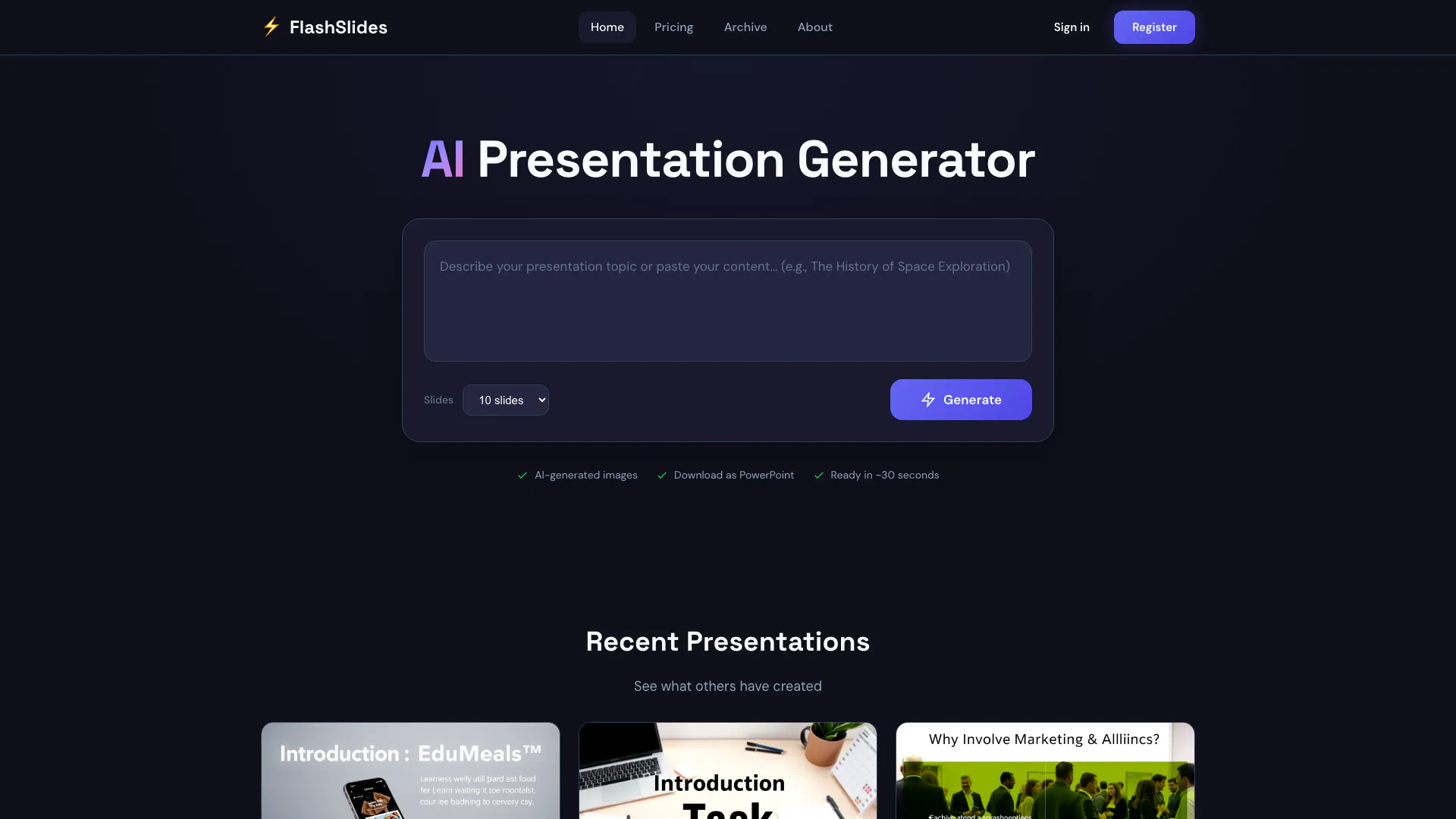
Flashslides website screenshot showing Create stunning AI-generated presentatio... interface and features
Use tool
Update this tool
Ecommerce Prompt Generator logo

Ecommerce Prompt Generator

2Mn+ readymade ChatGPT prompt ideas built by prompt engineers, using insights from eCommerce experts - that really work!

Quillbot Paraphraser logo

Quillbot Paraphraser

Paraphrasing Tool (Ad-Free and No Sign-up Required) - QuillBot AI

Bright Eye logo

Bright Eye

Bright Eye is a multipurpose AI app that allows users to create chatbot characters for any type of use case - from entertainment bots like movie characters, pol…

Ai Pencil logo

Ai Pencil

Connecting to Apple Music.

Education Copilot logo

Education Copilot

Generate AI lesson plans, PowerPoints, and more with Copilot! Use Copilot to breeze through your unit planning and material creation!

Flashslides Overview

What is FlashSlides?

FlashSlides is an innovative AI-powered[1] presentation generator[2] that allows users to create stunning presentations in seconds. With just a few clicks, you can generate professional slides complete with images on any topic. FlashSlides is designed to simplify the presentation creation process, making it accessible for everyone from students to business professionals. The tool provides one free daily generation, enabling users to produce high-quality presentations without the need for extensive design skills or time-consuming efforts.


How to use FlashSlides?

To use FlashSlides, follow these simple steps: 1. Enter Your Topic: Type any topic you want to create a presentation about, such as "Climate Change" or "History of Rome." 2. AI Generates Content: The AI will automatically generate a complete presentation with 10 slides, including text and matching images relevant to your topic. 3. Download & Share: Once your presentation is generated, you can download it as a PowerPoint or PDF file, or share it via a unique link.


What are the main features of FlashSlides?

FlashSlides offers a variety of powerful features that enhance the presentation creation experience: - AI-Powered Generation: Automatically creates slides with relevant content and images based on the topic entered. - Multiple Formats: Presentations can be downloaded in PowerPoint (.pptx) or PDF formats. - Daily Free Generation[3]: Users receive one free presentation generation each day. - Easy Sharing: Presentations can be shared via a unique link, making collaboration easy. - User-Friendly Interface[4]: Designed for ease of use, allowing anyone to create professional presentations quickly.


Who is FlashSlides for?

FlashSlides is tailored for a diverse audience, including: - Students: Perfect for creating impressive class presentations and project reports in a fraction of the time. - Business Professionals: Ideal for preparing meeting decks, proposals, and quarterly reports with a professional touch. - Teachers & Educators: Helps in generating engaging lesson plans and educational content that captivates students. - Startups & Founders: Useful for building compelling pitch decks and investor presentations that leave a lasting impact.


What are the use cases of FlashSlides?

FlashSlides can be utilized in various scenarios, such as: 1. Academic Presentations: Students can quickly generate presentations for class assignments, saving time and enhancing quality. 2. Corporate Meetings: Business professionals can create polished presentations for meetings, ensuring they communicate effectively. 3. Educational Content Creation: Teachers can generate lesson plans and educational materials that are visually appealing and informative.

Product Images

FlashSlides AI presentation generation process screenshot
FlashSlides main features demonstration
FlashSlides use case example for business presentations
FlashSlides product overview with presentation example
FlashSlides user scenario for students and professionals
1 / 5

Flashslides Pros and Cons

Pros

  • Quick Slide Generation: FlashSlides allows users to create professional presentations in under a minute, significantly reducing preparation time.
  • AI-Generated Content: The tool utilizes AI to generate relevant text and images for slides, enhancing the quality and engagement of presentations.
  • Free Daily Use: Users can create one free presentation per day without needing to provide credit card information, making it accessible for casual users.

Cons

No cons data detected for this tool

Flashslides Pricing

Free Plan

Contact Us

1 free presentation per day with 10 slides and AI-generated images. No credit card required.

100 Slides Pack

$9

Pay as you go. 100 slides for $9.99, which is $0.10 per slide. Up to 30 slides per presentation, AI-generated images included, and slides never expire.

600 Slides Pack

$49

600 slides for $49.99, which is $0.08 per slide. Save 37%.

1600 Slides Pack

$99

1600 slides for $99.99, which is $0.06 per slide. Save 37%.

For the latest pricing, please visit this link: https://flashslides.com/pricing

Prices are subject to change. Please visit the official website for the most up-to-date pricing information.

Flashslides Reviews

I used to spend 3-4 hours on presentations. Now I get a professional deck in under a minute. This is a game-changer for my workflow.

As a student, this tool has saved me countless hours. The AI-generated images are surprisingly relevant and make my presentations stand out.

The quality of the slides is impressive. I've used it for client presentations and received great feedback. Highly recommend!

For more reviews, visit this link: https://flashslides.com/#reviews

Flashslides Compare

Tool NameIntroductionPricing
Type
RatingLaunch DateLearn more
Tutorai logo
Tutorai
Tutor AI - Your personal AI tutor to learn anything
Free
🙋‍♂️Personal💼Work
September 23, 2007
Get deal
Quillbot Paraphraser logo
Quillbot Paraph...
Paraphrasing Tool (Ad-Free and No Sign-up Required) - QuillBot AI
Free
💼Work🎨Creativity
December 31, 1984
Get deal
Ai Lawyer logo
Ai Lawyer
Explore AI Lawyer for easy, quick, and budget-friendly legal help. Empowering consumers and lawyers with AI-driven solutions for all your legal needs.
Free
💼Work
February 11, 2023
Get deal

Info current as of post date. Offers and availability may vary by location and are subject to change.

Flashslides Q&A

Simply enter your topic, and our AI will generate a complete presentation with slides, each containing relevant content and a custom AI-generated image. The whole process takes less than a minute.

Flashslides Launch embeds

Use website badges to drive support from your community for your TopAITools Review. They're easy to embed on your homepage or footer.

FEATURED ONTopaitoolsreview.com

Flashslides Alternatives

Free Trial
Box screenshot

Box

Box AI enhances enterprise productivity with intelligent content management and automation.

Website
Free
💼Work🎨Creativity
Operations & ManagementAI Workflow AutomationAI Productivity ToolsAI Information Management Tools
  • Operations & Management
  • AI Workflow Automation
  • AI Productivity Tools
  • AI Information Management Tools
Use tool
72.1M
Direct78.81%
Search12.88%
Referrals6.47%
Notion screenshot

Notion

Notion is an AI-powered workspace that automates tasks and enhances team collaboration.

Website
Free
💼Work🎨Creativity
Productivity & OfficeAI Productivity ToolsAI Information Management ToolsAI Task Management Tools
  • Productivity & Office
  • AI Productivity Tools
  • AI Information Management Tools
  • AI Task Management Tools
Use tool
159.0M
Direct81.12%
Search11.13%
Referrals7.29%
Free Trial
Gemini screenshot

Gemini

Discover Gemini, Google's versatile AI assistant for writing and planning.

Website
Free
💼Work
Productivity & OfficeAI Productivity ToolsAI Business Planning ToolsAI Prompt Management Tools
  • Productivity & Office
  • AI Productivity Tools
  • AI Business Planning Tools
  • AI Prompt Management Tools
Use tool
2068.6M
Direct77.40%
Search17.27%
Referrals4.45%

Flashslides Tags

Slide CreationImage GenerationPresentation SharingFree Daily GenerationProfessional SlidesUser-Friendly Interface

Also used for

AI Productivity Tools310AI Business Planning Tools58AI Pitch Deck Generators37AI Identity Protection5AI Security Tools2AI Keyboard Tools6AI Information Management Tools157AI Spreadsheet Tools27AI Spreadsheet Automation Tools29AI File Management Tools22AI Document Processing Tools88AI Branding Tools6AI Knowledge Base Organizers16Visual Coding Tools2AI PDF Interaction Tools27

Sources (4)

Flashslides logo
FlashslidesFree
Get deal

Flashslides Comments (0)

Your rating

?
0/2000

No comments yet

Be the first to share your thoughts!

🚀0
🚀0

Flashslides Prompts (0)

Prompts And Results

Add your own prompts and outputs to help others understand how to use this AI.