Best 170 AI Information Management Tools Tools in 2026

Notion 1771246560178, Notion, Box, Notebooklm, Theresanaiforthat, Chatpdf, Lightpdf, Usemotion, Rayyanai, Iweaverai are the best paid / free AI Information Management Tools tools.

Tools designed to assist users in capturing, organizing, and utilizing information effectively to boost productivity.

Notion 1771246560178

Notion AI enhances productivity by integrating AI tools directly into your workspace.

4
0 views
0 saved
178.3M

Enterprise

0.00 USD monthly

Custom pricing for organizations to operate with scalability, control, and security. Everything in Business, and includes zero data retention with LLM providers, user provisioning (SCIM), advanced security & controls, audit log, customer success manager, and advanced integrations.

Plus

10.00 USD monthly

For small teams and professionals to work together. Everything in Free, and includes trial AI capabilities, remove Notion branding from public forms, customize your top header, choose a light or dark theme, add a custom favicon, and integrate with Google Analytics, visualize data from databases in different ways, unlimited collaborative blocks, and basic integrations.

Business

20.00 USD monthly

For growing businesses to streamline teamwork. Everything in Plus, and includes Notion Agent, AI Meeting Notes, Enterprise Search, SAML SSO, granular database permissions, verify any page, private teamspaces, domain verification, and premium integrations.

For the latest pricing, please visit this link: https://www.notion.so/product/ai

Prices are subject to change. Please visit the official website for the most up-to-date pricing information.

What is Notion AI?

Notion AI is an all-in-one tool designed to enhance productivity by integrating AI capabilities directly within the Notion workspace. It allows users to search, generate, analyze, and communicate seamlessly, serving as a built-in teammate that works alongside you. With features like Custom Agents, AI Meeting Notes, and Enterprise Search, Notion AI automates repetitive tasks, captures important meeting details, and enables quick access to information across connected applications, all within the Notion environment.

Pros

  • Comprehensive AI Features: Notion AI offers a wide range of features including document generation, meeting notes automation, and enterprise search, all integrated within the Notion workspace.
  • Custom Agents for Automation: Custom Agents can automate repetitive tasks, allowing teams to focus on more strategic work while the AI handles routine processes.
  • Seamless Integration with Other Tools: Notion AI integrates with various applications like Slack and Google Drive, enabling users to search and manage information across platforms effortlessly.

What are the main features of Notion AI?

  • Custom Agents: Automate repetitive tasks and workflows tailored to your team's needs.
  • AI Meeting Notes: Automatically transcribe and summarize meetings for easy reference.
  • Enterprise Search: Quickly find information across Notion and connected apps like Slack and Google Drive.
  • Research Mode: Generate detailed reports and summaries on various topics.
  • Writing Assistance: Improve your writing or create drafts directly within Notion pages using AI.
Notion

Notion is an AI-powered workspace that automates tasks and enhances team collaboration.

5
0 views
0 saved
159.0M

Enterprise

0.00 USD monthly

For organizations to operate with scalability, control, and security. Custom pricing available.

View Pricing

Plus

10.00 USD monthly

For small teams and professionals to work together. Includes everything in Free, unlimited collaborative blocks, unlimited file uploads, unlimited charts, custom forms, and basic integrations.

View Pricing

Business

20.00 USD monthly

For growing businesses to streamline teamwork. Includes everything in Plus, SAML SSO, granular database permissions, and private teamspaces.

View Pricing

For the latest pricing, please visit this link: https://www.notion.com/pricing

Prices are subject to change. Please visit the official website for the most up-to-date pricing information.

What is Notion?

Notion is a versatile AI-powered workspace designed to enhance productivity and streamline collaboration for teams. It allows users to build custom agents, automate repetitive tasks, and search across various applications, making it an essential tool for teams looking to get more done efficiently. With Notion, teams can centralize their knowledge, manage projects, and automate busywork, transforming how they work together.

Pros

  • Customizable AI Agents: Notion allows users to build custom AI agents that automate repetitive tasks, enhancing productivity and efficiency.
  • Comprehensive Integration: The platform integrates seamlessly with various applications, enabling users to manage all their tools in one place.
  • Powerful Search Functionality: Notion's enterprise search feature allows users to find information quickly across all pages, messages, and files.

What are the main features of Notion?

  • Custom AI agents to automate tasks and improve productivity.
  • Comprehensive search functionality across all integrated apps.
  • AI meeting notes that summarize discussions accurately.
  • Project management tools to handle tasks of any size.
  • Integration capabilities with various applications to enhance workflow.
  • Centralized knowledge base for easy access to information.
Box

Box AI enhances enterprise productivity with intelligent content management and automation.

5
0 views
0 saved
72.1M

What is Box AI?

Box AI is an enterprise-grade AI platform designed to enhance insights, streamline content creation, and automate workflows. Powered by secure and intelligent content management, Box AI enables organizations to unlock the full potential of their unstructured data. With customizable agents and advanced data extraction capabilities, Box AI helps businesses make informed decisions, improve efficiency, and adapt to the evolving AI-first business landscape.
Pros

  • Intelligent Data Extraction: Box AI offers scalable, intelligent data extraction to automate workflows and enhance content discovery.
  • No-Code Automation: Streamline workflows with no-code automation, making it accessible for teams without technical expertise.
  • Customizable AI Agents: Box AI allows customization of AI agents to meet specific business needs, enhancing operational efficiency.

What are the main features of Box AI?

  • Intelligent Content Management: Securely manage and extract insights from unstructured data.
  • Customizable AI Agents: Tailor agents to meet specific business requirements and data extraction needs.
  • Data Extraction: Quickly extract structured data from complex documents, forms, and images.
  • No-Code Automation: Streamline workflows without needing extensive coding knowledge.
  • AI-Powered Insights: Generate contextual insights and summaries from large sets of documents.
  • Integration with Leading AI Models: Utilize best-of-breed AI models from trusted providers like AWS and Azure.
Notebooklm

NotebookLM simplifies research with AI-driven insights.

4
0 views
0 saved
29.2M

NotebookLM in Ultra

0.00 USD free

For the most complex projects and power users. 50X more generations vs. standard plan. Highest access to Google's Gemini models. Priority access and no watermarks on generations. Up to 600 sources per notebook.

For the latest pricing, please visit this link: https://notebooklm.google/

Prices are subject to change. Please visit the official website for the most up-to-date pricing information.

What is NotebookLM?

NotebookLM is an advanced AI research tool[1] developed by Google, designed to serve as a thinking partner for users looking to enhance their research capabilities. This innovative tool leverages the latest Gemini models[2] to analyze various sources of information, including PDFs, websites, and audio files. NotebookLM transforms complex content into clear, actionable insights, allowing users to navigate through their research materials with ease. Its core value lies in its ability to provide personalized, source-grounded responses[3], making it a reliable assistant for students, professionals, and anyone engaged in research activities.

Pros

  • Source-Grounded Insights: NotebookLM delivers accurate answers by referencing user-uploaded sources, minimizing AI errors and hallucinations.
  • Personalized Learning Experience: The tool tailors research and learning to individual needs, creating a customized environment based on specific content.
  • Efficient Information Synthesis: NotebookLM speeds up the process of understanding and extracting insights from large volumes of text, enhancing productivity.

What are the main features of NotebookLM?

  • Multimodal Source Support: Upload various formats including PDFs, websites, and audio files.
  • Personalized AI Insights: Receive tailored insights based on your specific sources.
  • Clear Citations[4]: Each response includes citations, allowing you to verify the information.
  • Audio Overview[5] Feature: Convert your research into engaging audio discussions.
  • Organizational Tools[6]: Create polished presentation outlines and study aids.
Theresanaiforthat

AI-driven project management tool to optimize workflows.

5
0 views
0 saved
5.1M

Team Plan

14.00 USD monthly

Ideal for organizations with multiple users. Offers extensive support for collaboration and project management.

View Pricing

For the latest pricing, please visit this link: https://theresanaiforthat.com/ai/projectassistant/#pricing-options

Prices are subject to change. Please visit the official website for the most up-to-date pricing information.

What is ProjectAssistant?

ProjectAssistant is an AI-powered[1] project management[2] tool developed by Marver Tech, designed to streamline and enhance project handling through a comprehensive suite of integrated features. This innovative tool leverages advanced artificial intelligence to improve communication and efficiency within project teams. A key feature is the AI Chat Assistant[3], which provides context-aware responses after analyzing project documents and historical data, facilitating real-time communication. ProjectAssistant also includes tools for smart document analysis[4], audio transcription[5] of meetings, and usage analytics, making it a versatile solution for project management needs.

Pros

  • Context-aware AI Chat Assistant: The AI Chat Assistant provides context-aware responses by analyzing project documents and historical data, facilitating efficient communication.
  • Smart Document Analysis: Users can upload various file types like PDFs and Excels for the AI to analyze and extract relevant insights instantly.
  • Audio Transcription with Summaries: The tool transcribes meeting recordings into text with speaker detection and generates summaries, enhancing note-taking efficiency.

What are the main features of ProjectAssistant?

  • AI Chat Assistant: Provides context-aware responses to enhance communication and decision-making.
  • Smart Document Analysis: Analyzes uploaded documents (PDFs, Excels, Docs) to extract key insights.
  • Audio Transcription: Converts meeting recordings into text with speaker detection and summaries.
  • Usage Analytics: Tracks resource consumption to optimize workflow efficiency.
  • Instant Insights: Generates automated summaries and action items from project data.
  • Project Organization: Centralizes all project assets, chats, and transcripts for easy access and collaboration.
Chatpdf

ChatPDF combines AI technology with PDF analysis for smarter document interactions.

5
0 views
0 saved
1.9M

Free Plan

0.00 USD free

Analyze 2 documents every day.

ChatPDF Plus Plan

0.00 USD monthly

Provides unlimited document analysis and more advanced features.

For the latest pricing, please visit this link: https://www.chatpdf.com/

Prices are subject to change. Please visit the official website for the most up-to-date pricing information.
What is ChatPDF?

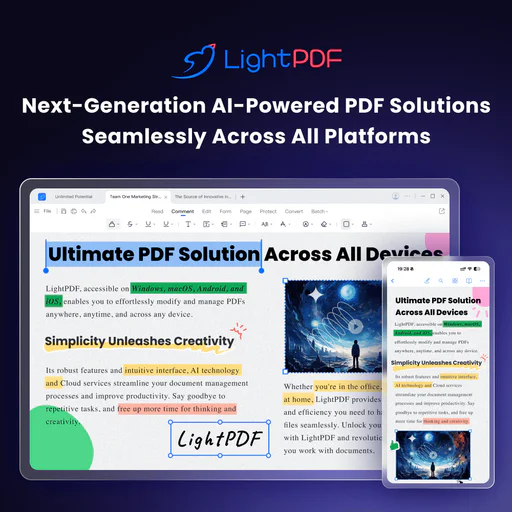
ChatPDF is an innovative tool that merges ChatGPT-style intelligence with advanced PDF AI technology to enhance document understanding. It allows users to summarize, chat, and analyze PDF documents effortlessly, making it ideal for students, researchers, and professionals. With its user-friendly interface, ChatPDF enables users to interact with their PDFs just like they would in a conversation, extracting essential insights and information quickly and accurately.

Pros

  • Smart Document Understanding: ChatPDF combines ChatGPT-style intelligence with PDF AI technology, enabling users to summarize, chat, and analyze documents effectively.
  • Multi-File Interaction: Users can chat with multiple PDFs in one conversation, making it easier to organize and analyze related documents.
  • Free and Accessible: ChatPDF offers a free plan allowing users to analyze two documents daily without needing an account, making it accessible for everyone.
  • Cited Sources Feature: Built-in citations link responses to PDF references, eliminating the need for manual searching through documents.

What are the main features of ChatPDF?

  • Conversational PDF Interaction: Engage with your PDFs as if you were chatting, allowing for a more intuitive understanding of the content.
  • Summarization: Quickly summarize long documents to extract key insights without needing to read everything.
  • Cited Sources: Automatically generate citations linked to the original PDF content, enhancing the reliability of your findings.
  • Multi-File Chats: Organize multiple PDFs in one conversation, making it easier to compare and analyze related documents.
  • Multilingual Support: Upload documents in any language and chat in your preferred language, facilitating international research.
Lightpdf

Engage with your PDFs using AI for insights and summaries.

4
0 views
0 saved
1.6M

Free

0.00 USD free

Web app only. You can upload a file within 100 pages for free.

View Pricing

Premium

0.00 USD monthly

All platforms included. Start 3-Day Free Trial. 70% OFF.

View Pricing

For the latest pricing, please visit this link: https://lightpdf.com/pricing

Prices are subject to change. Please visit the official website for the most up-to-date pricing information.

What is Lightpdf?

Lightpdf is an AI-powered ChatPDF application designed to enhance your interaction with PDF documents and other file types. It allows users to ask questions, summarize content, and extract key insights from various documents, including PDFs, Word files, Excel sheets, and more. The tool is free to use and does not require sign-in, making it accessible for anyone looking to streamline their document analysis and research tasks.

Pros

  • AI-Powered Document Interaction: Lightpdf allows users to interact with documents using AI, enabling them to ask questions and receive instant answers, making document analysis efficient.
  • Multi-File Support: Users can upload and chat with multiple documents simultaneously, enhancing productivity in research and analysis.
  • Wide File Format Compatibility: Supports various file formats including PDF, Word, Excel, and more, allowing users to work with different types of documents seamlessly.

What are the main features of Lightpdf?

  • AI-powered document chat for real-time interaction with files.
  • Supports multiple document types including PDF, Word, Excel, PPT, EPUB, and scanned files.
  • Provides accurate answers with cited sources for reference.
  • Allows for multi-document chat, enabling users to analyze and extract insights from several files simultaneously.
  • Offers features for summarization, table generation, and structured outlines.
Usemotion

Usemotion is a leading AI-powered productivity platform that automates project management and task organization.

5
0 views
0 saved
1.2M

Pro AI

19.00 USD monthly

For professionals and small teams. Includes AI Chat, AI Projects & Tasks, AI Calendar & Meetings, AI Docs, Wiki, & Notes, AI Sheets & Databases, AI Task Planner, AI Writer & Editor, Unlimited Storage, iOS, Android, Desktop apps, Integrations, and 7,500 credits/seat/month.

View Pricing

Business AI

29.00 USD monthly

For power users and businesses with complex needs. Everything in Pro AI, plus Team Capacity Planning, Advanced Dashboards & Reports, Timeline & Gantt Charts, Time Tracking, Permissions & Access Control, Central Billing, Priority Support, and 15,000 credits/seat/month.

View Pricing

For the latest pricing, please visit this link: https://www.usemotion.com/pricing

Prices are subject to change. Please visit the official website for the most up-to-date pricing information.

What is Usemotion?

Usemotion is the #1 Rated Productivity Platform designed for the AI Era. It integrates various AI-driven tools such as AI Projects, AI Tasks, AI Calendar, AI Meetings, AI Docs, AI Notes, AI Reports, and AI Workflows to enhance productivity and streamline workflows for individuals and teams. By leveraging advanced AI technologies, Usemotion automates repetitive tasks, manages projects seamlessly, and optimizes scheduling, allowing users to focus on what truly matters.

Pros

  • AI-Powered Task Management: Motion's AI Task Planner automatically creates and prioritizes tasks based on urgency and importance, optimizing your workflow.
  • Comprehensive Project Management: The AI Project Manager generates entire projects in seconds, saving time and reducing manual effort in project setup.
  • Integrated Productivity Tools: Motion combines multiple tools like task management, calendar, and document creation into a single platform, enhancing efficiency and reducing context switching.

What are the main features of Usemotion?

  • AI Task Planner: Automatically creates and prioritizes tasks based on user preferences.
  • AI Project Manager: Generates projects quickly and manages statuses without manual input.
  • AI Docs Assistant: Drafts, organizes, and proofreads documents efficiently.
  • AI Calendar Assistant: Schedules tasks and meetings automatically, optimizing the user’s daily agenda.
  • AI Meeting Notetaker: Captures notes and action items during meetings, providing summaries afterward.
  • AI Workflows Builder: Automates the creation of workflows from Standard Operating Procedures (SOPs).
  • AI Search Assistant: Quickly finds documents, notes, tasks, and communications across the platform.
Rayyanai

Rayyan is an AI-driven platform that transforms systematic literature reviews for researchers.

5
0 views
0 saved
833.4K

What is Rayyanai?

Rayyanai is an innovative AI-powered platform designed to transform evidence-based research and decision-making. It specializes in systematic literature review management, enhancing collaboration among research teams with advanced review automation and streamlined data management. By simplifying the systematic review process, Rayyanai enables researchers to generate comprehensive and high-quality reviews efficiently.

Pros

  • AI-Powered Screening: Rayyan's AI technology significantly reduces screening time by up to 90%, allowing researchers to focus on critical analysis instead of manual sorting.
  • Advanced Deduplication: The advanced deduplication feature automatically identifies and removes duplicate references, enhancing the accuracy and efficiency of systematic reviews.
  • Collaborative Features: Rayyan supports collaboration by allowing multiple teams to manage reviews, track progress, and streamline the review process with user-friendly tools.

What are the main features of Rayyanai?

  • AI-powered screening that reduces review time by up to 90%.
  • Advanced deduplication feature to automatically remove duplicate references.
  • Customizable filters for quick access to relevant studies.
  • Bulk actions for efficient management of multiple items.
  • PICO framework integration for structured research questions.
  • Collaboration tools for team members to work together seamlessly.
Iweaverai

IWeaver is an AI-driven platform that automates workflows and manages knowledge efficiently.

4
0 views
0 saved
453.9K

Pro

0.00 USD free

For individuals and small teams. 500 AI Queries Per Month. Advanced Features: Multi-File Summary, Unlimited Document Uploads.

View Pricing

Unlimited

29.90 USD monthly

Full access. No limits. Unlimited AI Queries, Maximum Efficiency. Advanced Features: Multi-File Summary, Unlimited Document Uploads.

View Pricing

For the latest pricing, please visit this link: https://www.iweaver.ai/pricing/

Prices are subject to change. Please visit the official website for the most up-to-date pricing information.

What is iWeaver.ai?

iWeaver is an AI-powered platform designed for workflow automation and knowledge management. It enables users to automate over 70% of their tasks, significantly boosting productivity. By utilizing specialized AI agents, iWeaver helps users efficiently manage their knowledge and streamline various workflows. This tool is ideal for professionals looking to enhance their productivity and organization through intelligent automation.

Pros

  • Automates Over 70% of Tasks: Iweaverai significantly boosts productivity by automating more than 70% of routine tasks, allowing users to focus on more complex activities.
  • Multi-Format Support: The platform supports various content formats including text, images, audio, and video, making it versatile for different types of knowledge management.
  • Unlimited Storage Capacity: Iweaverai offers unlimited storage for user data, ensuring that all knowledge is securely stored and easily accessible without concerns about space limitations.

What are the main features of iWeaver?

  • Workflow automation that reduces repetitive tasks by over 70%.
  • Multi-agent system capable of handling various file types and formats.
  • AI-powered summarization tools for documents, videos, and images.
  • Comprehensive knowledge management capabilities to organize and retrieve information efficiently.
  • Mind map generation to visualize complex data and ideas.
Papermark

Papermark AI is an advanced assistant for managing and interacting with documents and data rooms.

5
0 views
0 saved
382.8K

Free

0.00 EUR monthly

No credit card required. 1 team member included, 50 links, 50 documents, unlimited visitors, page-by-page analytics, document sharing controls.

View Pricing

Pro

24.00 EUR monthly

Everything in Free, plus: 1 team member included, unlimited links, 100 documents, large file uploads, custom branding, Papermark branding removed, videos and more file types, creating folders.

View Pricing

Business

59.00 EUR monthly

Everything in Pro, plus: 3 team members included, 1000 documents, custom domain for documents, multi-file sharing, unlimited folder levels, require email verification, allow/block list, screenshot protection, webhooks.

View Pricing

Data Rooms

99.00 EUR monthly

Everything in Business, plus: 3 team members included, unlimited data rooms, custom domain for data rooms, advanced dataroom branding, data room analytics, NDA agreements, dynamic watermark, granular file level permissions, data room groups, 24/7 email support.

View Pricing

For the latest pricing, please visit this link: https://www.papermark.com/pricing

Prices are subject to change. Please visit the official website for the most up-to-date pricing information.

What is Papermark AI?

Papermark AI is an advanced AI document assistant designed to facilitate interaction with data rooms and documents. It enables users to chat with their data and provides a seamless experience for managing and sharing documents securely. Papermark AI aims to enhance productivity by allowing users to create personas that can review and engage with their documents, making it a powerful tool for teams involved in deals and due diligence.

Pros

  • Advanced AI Document Assistant: Papermark AI serves as an advanced assistant for managing documents and data rooms, enabling users to interactively chat with their content.
  • Enhanced Document Review: The tool allows users to create personas for reviewing documents, streamlining the document analysis process.
  • Compliance and Security Features: Papermark is compliant with SOC2, HIPAA, GDPR, and CCPA, ensuring that user data is handled securely and in accordance with regulations.

What are the main features of Papermark AI?

  • AI-driven chat interface for interacting with documents and data rooms.
  • Custom persona creation for tailored document reviews.
  • Secure document sharing with compliance to standards like SOC2, HIPAA, and GDPR.
  • Easy setup of data rooms for fundraising and due diligence processes.
  • Integration with various platforms to streamline document management.
Memoraeai

Memoraeai helps you manage reminders and tasks effortlessly.

5
0 views
0 saved
371.6K

Origin

5.00 USD monthly

6 MONTHS FREE. Unlimited reminders: never forget anything. Memory Everywhere: capture and retrieve anything from any channel. WhatsApp, Telegram, Email, iMessage, own app COMING SOON. Multi-calendar integration: sync with every calendar you use. Memory Trunk: capture and retrieve important documents (5GB). Create & manage lists: organize anything, anywhere. Friend-to-friend reminders: up to 100 sends/month · max 20 friends.

Supernova

10.00 USD monthly

6 MONTHS FREE. Everything in Origin plan, plus... Long Term Memory: Memorae never forgets what matters. Daily Briefing: automatic reminders based on your context. Memory Trunk: (50GB). Image to Action: capture tasks and memories from any photo. Full Control Dashboard: manage everything from the web. Friend-to-friend reminders: up to 500 sends/month · max 100 friends. Google Workspace integration: connects with your entire Google ecosystem.

Big Bang

30.00 USD monthly

6 MONTHS FREE. Everything in Supernova plan, plus... Memory Trunk: (200GB). Friend-to-friend reminders: up to 1000 sends/month · max 200 friends. Automatic Inbox Organizer: Organizes your email so you know exactly what needs attention. Automatic Email Drafting: Prepares reply drafts in your tone for emails you must respond to. Priority support: first in line, always.

For the latest pricing, please visit this link: https://memorae.ai/

Prices are subject to change. Please visit the official website for the most up-to-date pricing information.

What is Memoraeai?

Memoraeai is an innovative memory management[1] tool designed to help users overcome cognitive overload by consolidating reminders[2], lists, briefings, and contextual information[3] into a single, organized memory layer. This tool integrates seamlessly with various applications, allowing users to capture and manage their thoughts and tasks effortlessly. By providing a reliable system for memory management, Memoraeai empowers individuals to focus on what truly matters without the burden of remembering every detail.

Pros

  • Unified Memory Layer: Memorae acts as a memory layer that integrates reminders, lists, and briefings across all your tools, simplifying task management.
  • Multiple Integration Options: The tool supports integration with popular platforms like WhatsApp, Telegram, and Google Workspace, enhancing usability and accessibility.
  • User-Friendly Features: Features like friend-to-friend reminders, daily briefings, and automatic inbox organization make it easy to manage tasks and reduce mental overload.

What are the main features of Memoraeai?

  • Unlimited Reminders: Set as many reminders as you need without restrictions.
  • Memory Trunk: Store and organize important information in a dedicated space.
  • Memory Everywhere: Access your reminders and lists across all devices and platforms.
  • Create & Manage Lists: Effortlessly create to-do lists and manage them efficiently.
  • Friend-to-Friend Reminders: Send reminders to friends to help them remember important tasks.
  • Daily Briefing[5]: Receive daily summaries of your tasks and reminders.
  • Action from Image: Add tasks directly from images, like event flyers.
  • Google Workspace Integration[4]: Seamlessly integrate with Google services for enhanced productivity.
Coefficient

Transform your Google Sheets with AI-powered insights and automation.

5
0 views
0 saved
330.0K

Free

0.00 USD free

For individuals looking to explore the possibilities of live data in sheets. Includes 3 Data Sources, 1 Account / Source, 5,000 Row Import Size, 50 Import Refreshes/Mo, Manual Refresh, 100 Row Export Size, 50 Export Runs/Mo, Manual Exports, 30 Alerts/Mo, On Sheet AI Functions, 10K/Lifetime OpenAI API Calls, Help Center Access, Email Support.

View Pricing

Starter

49.00 USD monthly

For solo builders ready to operationalize their manual workflows. Includes everything in Free, 5 Accounts / Source, 500 Import Refreshes/Mo, Daily Auto Data Refresh, Data Snapshots, 500 Row Export Size, 500 Export Refreshes/Mo, Daily Auto Data Exports, 100 Alerts/Mo, SQL, Chart, & Pivot Builders, 50K/Mo OpenAI API Calls, Chat, Email Support.

View Pricing

Pro

99.00 USD monthly

For small teams that need automation, larger data pulls, and instant answers. Includes everything in Starter, 6 Data Sources, 10 Accounts / Source, Unlimited Row Import Size, 5,000 Import Refreshes/Mo, Hourly Auto Data Refresh, Unlimited Row Export Size, 5,000 Export Refreshes/Mo, Hourly Auto Data Exports, 300 Alerts/Mo, Dynamic Recipients, 100K/Mo OpenAI API Calls, Multi-User Support (10 users max), Shared Connections, Shared Import Templates, Priority Chat, Email Support.

View Pricing

Enterprise

0.00 USD monthly

For large teams that need advanced control, security, and dedicated support. Includes everything in Pro, Unlimited Import Refreshes, Unlimited Export Refreshes, Unlimited Alerts, Admin Controls, Custom SSO, Consolidated Billing, Security Review & MSA, Dedicated Chat, Email Support.

View Pricing

For the latest pricing, please visit this link: https://coefficient.io/pricing

Prices are subject to change. Please visit the official website for the most up-to-date pricing information.

What is Coefficient?

Coefficient is a powerful AI extension for Google Sheets known as GPT Copilot. It enhances the capabilities of Google Sheets by allowing users to connect live business data, automate report generation, and facilitate data analysis. With Coefficient, users can leverage AI to streamline their workflow, enabling them to build reports, visualize trends, and gain insights from their data more efficiently. This innovative tool integrates seamlessly with various business systems, making it an essential asset for those looking to supercharge their spreadsheet productivity.

Pros

  • AI-Powered Data Integration: Coefficient seamlessly integrates live data from various business systems like Salesforce and Shopify, enhancing data connectivity and usability.
  • Automated Reporting and Analysis: The tool allows users to automatically generate reports, pivot tables, and visualizations using simple text commands, saving time and effort.
  • Enhanced Spreadsheet Functionality: With GPT Copilot, users can utilize advanced AI functions directly in Google Sheets, improving productivity and data analysis capabilities.

What are the main features of Coefficient?

  • Live Data Integration: Connects Google Sheets with live data from various business systems like Salesforce and Shopify.
  • AI-Powered Analysis: Utilizes AI to analyze data, generate reports, and visualize trends automatically.
  • Natural Language Processing: Users can input commands in plain English to create formulas, pivot tables, and charts.
  • Real-Time Insights: Combines historical and real-time data for comprehensive analysis.
  • Ease of Use: Designed to enhance productivity with minimal setup, allowing users to focus on data analysis rather than data entry.
Mymind

A private space for saving notes and ideas.

4
0 views
0 saved
278.4K

What is Mymind?

Mymind is a revolutionary digital tool designed to serve as a private repository for your most valuable notes, images, quotes, and highlights. This innovative platform leverages artificial intelligence to streamline the process of remembering information, allowing users to focus on capturing their thoughts without the hassle of categorizing or organizing them. With Mymind, everything you care about is stored in one secure place, ensuring that your memories and inspirations are easily accessible whenever you need them.
Pros

  • AI-Enhanced Organization: Mymind uses AI to automatically organize and visualize your notes, images, and quotes, eliminating the need for manual categorization.
  • Privacy Focused: Mymind prioritizes user privacy, providing a secure space for storing personal information without the interference of ads or corporate agendas.
  • Instant Access Across Devices: All your saved content is synced across devices, ensuring you have immediate access to your notes and inspirations wherever you are.

What are the main features of Mymind?

  • Smart Bookmarking: Mymind intelligently categorizes and visualizes your saved content, recognizing whether it is an article, product, or recipe.
  • AI Summaries: The tool enhances your saved content by summarizing and providing additional context, making it easier to retrieve important information later.
  • Instant Collections: Users can create Smart Spaces that automatically sort saved items based on their preferences, ensuring that everything is organized according to your needs.
Getcoralai

Effortlessly summarize and transcribe documents with AI.

5
0 views
0 saved
198.5K

Free

0.00 USD monthly

2 file uploads, Chat with 2 files, Upload files up to 50MB each, Upload 20+ file types, Transcribe audio files.

View Pricing

Executive

12.00 USD monthly

Billed yearly, Unlimited document uploads, Unlimited chats, No page limit, Chat with all files at once, Add tags to chat with groups of files, Search and manage your files, Choose between cutting-edge AI models, More detailed summaries and responses, Bulk upload multiple files at once, Upload files up to 500MB each, Upload 20+ file types, Transcribe 150 audio or video files per month, Early access to new features, Priority customer support.

View Pricing

For the latest pricing, please visit this link: https://www.ivorymind.com/pricing

Prices are subject to change. Please visit the official website for the most up-to-date pricing information.

What is Getcoralai?

Getcoralai is an advanced AI-powered tool designed to streamline the process of summarizing, querying, and transcribing files and meetings within seconds. This innovative solution enables users to extract key insights and generate content from multiple documents effortlessly. With its capability to provide citations for every response, Getcoralai enhances the reliability and accuracy of the information it delivers, making it an essential tool for researchers, academics, and professionals.

Pros

  • AI-Powered Summarization: Getcoralai uses AI to summarize long documents in seconds, significantly reducing the time spent on reading and comprehension.
  • Multi-File Interaction: Users can upload and interact with over 100 files simultaneously, allowing for efficient information retrieval across multiple documents.
  • Citation Support: Every response includes clickable citations, ensuring users can verify information and reference sources accurately.

What are the main features of Getcoralai?

  • Summarization: Quickly summarize lengthy documents, research papers, and reports, saving valuable time.
  • Highlighted Citations: Each response includes clickable citations, allowing users to reference the exact location of information in the source material.
  • Multi-file Interaction: Users can upload and chat with over 100 files simultaneously, making it easy to extract information across various documents.
  • Transcription: Upload audio and video files to receive accurate transcriptions, which can also be queried for specific information.
Thebrain

Enhance creativity with AI-driven insights.

4
0 views
0 saved
119.6K

What is TheBrain?

TheBrain is an innovative mind mapping[1] and knowledge management[2] tool that integrates artificial intelligence to enhance creativity and productivity. With its AI-powered[3] features, TheBrain allows users to capture ideas, visualize thoughts, and generate insights seamlessly. The integration of ChatGPT empowers users to refine their ideas and create structured thoughts instantly, making it a valuable asset for individuals and teams looking to boost their cognitive processes.

Pros

  • AI-Powered Creativity Boost: TheBrain's AI features enhance creativity by helping users capture ideas and visualize thoughts, making it easier to overcome mental blocks.
  • Seamless ChatGPT Integration: The integration with ChatGPT allows for instant refinement of ideas and generation of new thought structures, improving productivity.
  • Quick Note Generation: Users can create detailed notes on virtually any topic in seconds, significantly speeding up the note-taking process.

What are the main features of TheBrain?

  • AI-Powered Thought Generation[4]: Automatically generate thought structures using integrated ChatGPT queries.
  • Quick Note Creation: Create detailed notes on virtually any topic in seconds.
  • Refinement Settings: Powerful settings to refine prompts for more targeted results.
  • Visual Mind Mapping: Create a visual representation of your thoughts and ideas.
  • One-Click Reviews: Easily redo, save, or discard branches of thoughts.
Boltai

BoltAI is a high-performance AI app for Mac that streamlines your workflow with over 300 AI models.

4
0 views
0 saved
116.4K

Essential

79.00 USD one-time

For students and hobbyists. Can activate on 1 Mac/Windows device (Windows coming soon). One-time payment gives you lifetime access to the software with no recurring fees. Includes bug fixes, new features, Cloud Sync, and software maintenance for macOS and mobile for 1 year. 512MB Cloud Storage.

View Pricing

Pro

99.00 USD one-time

For freelancers & professionals. Can activate on 2 Mac/Windows devices (Windows coming soon). One-time payment gives you lifetime access to the software with no recurring fees. Includes bug fixes, new features, Cloud Sync, and software maintenance for macOS and mobile for 1 year. 1GB Cloud Storage included.

View Pricing

Lifetime

400.00 USD one-time

For freelancers & professionals. Can activate on 5 Mac/Windows devices (Windows coming soon). One-time payment gives you lifetime access to the software with no recurring fees. Lifetime product updates. 5GB Cloud Storage included.

View Pricing

For the latest pricing, please visit this link: https://boltai.com/pricing

Prices are subject to change. Please visit the official website for the most up-to-date pricing information.

What is BoltAI?

BoltAI is a native, high-performance[3] AI application[1] designed specifically for Mac[2] users. This innovative tool integrates various AI models into a single, seamless workspace, allowing users to enhance their productivity by utilizing AI assistance in their daily tasks. With its native performance built on SwiftUI[4] and AppKit[5], BoltAI is optimized for speed and efficiency, making it an ideal solution for anyone looking to leverage AI technology for various applications.

Pros

  • High Performance on Mac: BoltAI is designed specifically for Mac, utilizing native performance features to ensure fast and efficient operation.
  • Multiple AI Models Integration: Users can seamlessly switch between over 300 AI models from various providers within a single app, enhancing versatility.
  • Privacy and Security Features: BoltAI stores chats locally and encrypts API keys, ensuring user data remains private and secure.

What are the main features of BoltAI?

  • Supports 300+ AI models from various providers, including OpenAI and Anthropic.
  • Local model execution for zero latency and enhanced privacy.
  • Multi-chat threads and project management for organized workflows.
  • Vision-enabled models to analyze and summarize documents and images.
  • Customizable settings for fine-tuning AI responses, such as temperature and token limits.
  • Secure local storage of chats and encrypted API keys to ensure user privacy.
Remio

remio is an AI productivity assistant that streamlines how you capture and manage information.

4
0 views
0 saved
110.6K

Free

0.00 USD free

Free for all, includes basic knowledge management & AI features trial.

View Pricing

BYOK

6.20 USD monthly

Everything in Free, plus full AI features with your own LLM key.

View Pricing

Pro

8.30 USD monthly

Everything in Free, plus professional-grade AI experience.

View Pricing

For the latest pricing, please visit this link: https://www.remio.ai/pricing

Prices are subject to change. Please visit the official website for the most up-to-date pricing information.

Pros

  • Automatic Information Capture: remio runs silently in the background, capturing webpages, recordings, emails, and more without any manual effort.
  • Personalized AI Responses: By learning from your past interactions, remio provides tailored responses that reflect your unique style and expertise.
  • Integration with Workflows: remio seamlessly integrates into your existing applications, enhancing your productivity without disrupting your workflow.
Save

A smart tool for capturing and organizing knowledge.

5
0 views
0 saved
102.4K

Basic

0.00 USD free

100 saved items per month, fewer than 5 key point credits per month, fewer than 5 Q&A credits per month, 1 image template for key points, 1 integration, unlimited auto-tags, unlimited collections (private and public), unlimited search, unlimited highlights, unlimited notes.

View Pricing

Standard

5.59 USD monthly

Everything from Basic, and 1,000 saved items per month, unlimited integrations, no-questions-asked refunds.

View Pricing

Essential

12.99 USD monthly

Everything from Standard, and 10,000 saved items per month, unlimited key point credits, more image templates for key points without SaveDay logo and name, early access to all upcoming features.

View Pricing

Elite

29.99 USD monthly

Everything from Essential, and unlimited saved items, unlimited Q&A credits, priority support.

View Pricing

For the latest pricing, please visit this link: https://www.save.day/pricing

Prices are subject to change. Please visit the official website for the most up-to-date pricing information.

What is SaveDay?

SaveDay is a smart tool designed to capture, organize, and utilize your knowledge efficiently. It acts as a powerful bookmark manager that allows users to save and manage information from the internet seamlessly. With just a click, users can capture everything they find useful online, eliminating the hassle of manually organizing content. SaveDay's core value lies in its ability to streamline knowledge management, making it easier for users to access and utilize their saved information whenever needed.

Pros

  • Easy Capture of Information: SaveDay allows users to capture everything on the Internet quickly with just one click, making information gathering effortless.
  • Smart Organization: The tool automatically organizes saved information, eliminating the need for manual labeling and saving users time.
  • Effective Knowledge Utilization: Users can search for saved content effectively and receive answers based on their saved information, enhancing knowledge application.

What are the main features of SaveDay?

  • Instant Capture: SaveDay allows users to capture content from the internet with a single click.
  • Smart Organization: The tool automatically organizes saved content, reducing the need for manual management.
  • Effective Search: Users can search through their saved items efficiently and retrieve answers based on their saved knowledge.
  • Multi-Platform Access: Available as a web app, Chrome extension, and mobile apps for iOS and Android, making it convenient to use across devices.
Maxai

Maxai offers powerful AI tools for summarizing, analyzing, and writing.

5
0 views
0 saved
73.0K

What is Maxai?

Maxai is an advanced AI-powered tool designed to enhance productivity by providing a suite of features that include summarizing, searching, explaining, analyzing, translating, and writing. It leverages cutting-edge technologies such as o1, GPT-4o, Claude-3.5, and Gemini-1.5, allowing users to save significant time—potentially hours each day—while performing various tasks. This tool is particularly beneficial for users looking to streamline their workflows and enhance their efficiency across different applications.

Pros

  • Comprehensive AI Features: Maxai offers a wide range of functionalities including summarization, translation, analysis, and writing, making it a versatile tool for various tasks.
  • Time-Saving Capabilities: Users can save hours daily by utilizing Maxai's AI-powered features, enhancing productivity significantly.
  • Multiple AI Models Integration: Powered by advanced models like GPT-4o and Claude-3.5, Maxai ensures high-quality outputs across different tasks.

What are the main features of Maxai?

  • Summarization[1]: Quickly summarize lengthy articles, reports, or videos to grasp key points.
  • Translation[2]: Instantly translate text across multiple languages to bridge communication gaps.
  • AI Writing Assistance[3]: Generate high-quality written content with AI support for various writing tasks.
  • Text Analysis[4]: Analyze and extract insights from texts for better understanding and decision-making.
  • Search Functionality[5]: Utilize advanced search capabilities to find credible information quickly.
  • Image Analysis[6]: Extract text and solve math problems from images, enhancing learning and productivity.
Useanything

Unlock productivity with a versatile AI app.

4
0 views
0 saved
65.0K

Self-Hosted & Cloud

0.00 USD free

AnythingLLM Hosted and self-hosted brings the power of AI to your entire team with multi-user access and privacy.

View Pricing

For the latest pricing, please visit this link: https://anythingllm.com/cloud

Prices are subject to change. Please visit the official website for the most up-to-date pricing information.

What is Useanything?

Useanything is an innovative AI application that allows users to interact with various language models[2] (LLMs) seamlessly. It enables you to chat with your documents, enhancing productivity and facilitating the use of state-of-the-art LLMs without the need for technical setup. This all-in-one desktop application supports a wide range of document types and operates fully offline, ensuring your data remains private. With Useanything, you can leverage powerful AI tools locally, making it a versatile solution for both personal and professional use.

Pros

  • All-in-One AI Application: AnythingLLM is a comprehensive AI tool that allows users to chat with documents, enhancing productivity without the need for technical setup.
  • Full Privacy: The application ensures that all data is stored and processed locally, providing users with complete privacy and control over their information.
  • Supports Multiple Document Types: AnythingLLM can handle various document formats including PDFs, Word documents, and CSVs, allowing users to work with diverse data sources.

What are the main features of Useanything?

  • Supports any LLM for document interaction[3].
  • Allows chatting with various document types including PDFs, Word documents, and CSV files.
  • Operates fully offline to ensure privacy.
  • One-click installation with no technical setup required.
  • Simple user interface designed for non-developers.
  • Open-source and customizable to fit specific needs.
  • Compatible with multi-modal LLMs, supporting text, images, and audio.
Noteai

NoteAI is your comprehensive knowledge assistant for summarizing and translating various content types.

4
0 views
0 saved
64.5K

Max

23.94 USD monthly

More premium credits than Unlimited. 10,000 credits/month, Unlimited text summaries, Unlimited YouTube transcription, PDF translation & download (Max 100MB), Unlimited words/summary, Max 1GB video / 100MB audio, All Insight Card templates, Advanced AI models, Priority response, faster generation, Priority customer support.

View Pricing

Unlimited

11.94 USD monthly

3,000 credits/month, Unlimited text summaries, Up to 3 hours YouTube transcription, PDF translation & download (Max 100MB), Max 100,000 words/summary, Max 500MB video / 50MB audio, More Insight Card templates, Priority response, faster generation, Advanced AI models.

View Pricing

Pro

5.94 USD monthly

1000 credits/month, Unlimited text summaries, Up to 1 hour YouTube transcription, PDF translation & download (Max 50MB), Max 50,000 words/summary, Max 500MB video / 50MB audio, More Insight Card templates, Advanced AI models, Priority response speed.

View Pricing

For the latest pricing, please visit this link: https://www.noteai.io/

Prices are subject to change. Please visit the official website for the most up-to-date pricing information.

What is NoteAI?

NoteAI is an advanced AI-powered knowledge assistant designed to enhance learning and information management. It allows users to summarize, translate, and interact with various content types, including YouTube videos, PDFs, and PowerPoint presentations. With features like data extraction, mind map generation, and analysis of Excel sheets, NoteAI streamlines the process of converting complex information into easily digestible formats, making it an invaluable tool for students, researchers, and professionals.

Pros

  • Comprehensive Summarization Features: NoteAI offers advanced summarization tools for various content types including YouTube videos, PDFs, and audio files, enabling users to quickly extract key insights.
  • Multilingual Support: The tool supports translation into over 60 languages, allowing users to work with diverse content and reach a global audience.
  • Interactive Mind Maps: NoteAI generates interactive mind maps, helping users visualize information and enhance their learning experience.

What are the main features of NoteAI?

  • YouTube Video Summarizer: Quickly generate summaries of YouTube videos.
  • AI PDF Summarizer: Summarize long PDF documents into concise summaries.
  • Mind Map Generation: Create interactive mind maps from your documents.
  • Audio Summarization: Transform audio recordings and podcasts into structured summaries.
  • Insight Card Generation: Convert documents and videos into visually appealing insight cards for easy sharing.
Bikaai

Bika.ai revolutionizes workflow automation with AI-driven tools.

4
0 views
0 saved
61.4K

What is Bikaai?

Bikaai is an innovative AI organizer[1] designed to enhance vibe working by building your own agentic AI team[2]. It integrates multiple AI agents, automation tools[3], databases, dashboards[5], and documents into a cohesive workflow. With Bikaai, users can streamline their operations and improve productivity by leveraging the power of AI to automate repetitive tasks and manage complex projects efficiently. This tool is positioned as a solution for individuals and teams looking to optimize their workflows, making it a unique offering in the realm of AI-driven productivity tools.

Pros

  • Comprehensive AI Team Management: Bika.ai allows users to build and manage their own AI teams, integrating various AI agents and automation tools to streamline workflows.
  • Customizable Templates: The platform offers a variety of customizable templates for different tasks, enabling users to tailor solutions to their specific needs without coding.
  • Automation Capabilities: Bika.ai features extensive automation options, allowing users to automate repetitive tasks, manage workflows, and enhance productivity.

What are the main features of Bikaai?

  • AI Team Creation: Build a customized team of AI agents tailored to your specific workflow needs.
  • Automation Templates: Access a variety of pre-built templates for tasks like project management, email marketing, and content creation.
  • Database Integration[4]: Seamlessly integrate with various databases to manage your data efficiently.
  • Dashboards: Utilize interactive dashboards for real-time project tracking and insights.
  • Document Management: Create and manage documents directly within the platform, enhancing collaboration and organization.
Surfsense

AI research assistant for efficient collaboration.

4
0 views
0 saved
55.9K

Enterprise

0.00 USD free

Everything in Pro, On-prem or VPC deployment, Audit logs and compliance, SSO, OIDC & SAML, White-glove setup and deployment, Monthly managed updates and maintenance, SLA commitments, Dedicated support.

View Pricing

For the latest pricing, please visit this link: https://www.surfsense.com/pricing

Prices are subject to change. Please visit the official website for the most up-to-date pricing information.


What is SurfSense?

SurfSense is an AI-powered research assistant designed to enhance productivity and collaboration by integrating seamlessly with popular tools like Notion, GitHub, and Slack. It allows users to efficiently manage, search, and interact with their documents. With capabilities such as hybrid search and podcast generation, SurfSense helps unlock insights from your knowledge base, making it an invaluable resource for teams looking to streamline their workflows and enhance decision-making.

Pros

  • AI-Powered Research Assistant: SurfSense leverages AI technology to assist users in managing and searching through documents efficiently, enhancing productivity.
  • Seamless Integration: Integrates with popular tools like Notion, GitHub, and Slack, allowing users to streamline their workflow and enhance collaboration.
  • Real-Time Collaboration: Offers real-time collaboration features, enabling teams to work together on documents with live edits and synced content.

What are the main features of SurfSense?

  • AI-Powered Search: Utilize hybrid search capabilities to find information quickly across integrated platforms.
  • Real-Time Collaboration: Work with team members in real-time, allowing for live edits and synced content.
  • Integration with Popular Tools: Seamlessly connect with tools like Notion, GitHub, Slack, and more for streamlined workflows.
  • Content Generation: Create podcasts and multimedia directly from your documents, facilitating innovative ways to share knowledge.
  • Customizable AI Models: Choose from over 100 leading LLMs, enabling tailored AI interactions based on your needs.



