Best 320 AI Productivity Tools Tools in 2026

Gemini, Notion 1771246560178, Notion, Slack, Box, Monday, Kimi, Clickup, Notebooklm, Manus are the best paid / free AI Productivity Tools tools.

This subcategory encompasses tools that enhance productivity through the organization, management, and utilization of information using AI technology.

Gemini

Discover Gemini, Google's versatile AI assistant for writing and planning.

4
0 views
0 saved
2068.6M

What is Google Gemini?

Google Gemini is an advanced AI assistant[1] developed by Google, designed to enhance productivity by assisting users with a variety of tasks such as writing, planning, brainstorming, and more. Leveraging the capabilities of generative AI[2], Gemini aims to streamline workflows and provide intelligent solutions, making it a versatile tool for both personal and professional use.

Pros

  • Generative AI Capabilities: Gemini leverages generative AI to assist users in writing, planning, and brainstorming, enhancing productivity.
  • User-Friendly Interface: The tool is designed to be intuitive, making it accessible for users of all skill levels.
  • Versatile Assistance: Gemini provides a wide range of assistance, catering to various tasks and needs, from creative writing to project planning.

What are the main features of Google Gemini?

  • Writing Assistance[3]: Helps generate text for various formats including emails, articles, and reports.
  • Planning Tools[4]: Aids in organizing tasks, setting reminders, and creating schedules.
  • Brainstorming Support[5]: Provides creative ideas and suggestions for projects and topics.
  • Generative AI Capabilities: Uses advanced algorithms to produce relevant and context-aware content.
Notion 1771246560178

Notion AI enhances productivity by integrating AI tools directly into your workspace.

4
0 views
0 saved
178.3M

Enterprise

0.00 USD monthly

Custom pricing for organizations to operate with scalability, control, and security. Everything in Business, and includes zero data retention with LLM providers, user provisioning (SCIM), advanced security & controls, audit log, customer success manager, and advanced integrations.

Plus

10.00 USD monthly

For small teams and professionals to work together. Everything in Free, and includes trial AI capabilities, remove Notion branding from public forms, customize your top header, choose a light or dark theme, add a custom favicon, and integrate with Google Analytics, visualize data from databases in different ways, unlimited collaborative blocks, and basic integrations.

Business

20.00 USD monthly

For growing businesses to streamline teamwork. Everything in Plus, and includes Notion Agent, AI Meeting Notes, Enterprise Search, SAML SSO, granular database permissions, verify any page, private teamspaces, domain verification, and premium integrations.

For the latest pricing, please visit this link: https://www.notion.so/product/ai

Prices are subject to change. Please visit the official website for the most up-to-date pricing information.

What is Notion AI?

Notion AI is an all-in-one tool designed to enhance productivity by integrating AI capabilities directly within the Notion workspace. It allows users to search, generate, analyze, and communicate seamlessly, serving as a built-in teammate that works alongside you. With features like Custom Agents, AI Meeting Notes, and Enterprise Search, Notion AI automates repetitive tasks, captures important meeting details, and enables quick access to information across connected applications, all within the Notion environment.

Pros

  • Comprehensive AI Features: Notion AI offers a wide range of features including document generation, meeting notes automation, and enterprise search, all integrated within the Notion workspace.
  • Custom Agents for Automation: Custom Agents can automate repetitive tasks, allowing teams to focus on more strategic work while the AI handles routine processes.
  • Seamless Integration with Other Tools: Notion AI integrates with various applications like Slack and Google Drive, enabling users to search and manage information across platforms effortlessly.

What are the main features of Notion AI?

  • Custom Agents: Automate repetitive tasks and workflows tailored to your team's needs.
  • AI Meeting Notes: Automatically transcribe and summarize meetings for easy reference.
  • Enterprise Search: Quickly find information across Notion and connected apps like Slack and Google Drive.
  • Research Mode: Generate detailed reports and summaries on various topics.
  • Writing Assistance: Improve your writing or create drafts directly within Notion pages using AI.
Notion

Notion is an AI-powered workspace that automates tasks and enhances team collaboration.

5
0 views
0 saved
159.0M

Enterprise

0.00 USD monthly

For organizations to operate with scalability, control, and security. Custom pricing available.

View Pricing

Plus

10.00 USD monthly

For small teams and professionals to work together. Includes everything in Free, unlimited collaborative blocks, unlimited file uploads, unlimited charts, custom forms, and basic integrations.

View Pricing

Business

20.00 USD monthly

For growing businesses to streamline teamwork. Includes everything in Plus, SAML SSO, granular database permissions, and private teamspaces.

View Pricing

For the latest pricing, please visit this link: https://www.notion.com/pricing

Prices are subject to change. Please visit the official website for the most up-to-date pricing information.

What is Notion?

Notion is a versatile AI-powered workspace designed to enhance productivity and streamline collaboration for teams. It allows users to build custom agents, automate repetitive tasks, and search across various applications, making it an essential tool for teams looking to get more done efficiently. With Notion, teams can centralize their knowledge, manage projects, and automate busywork, transforming how they work together.

Pros

  • Customizable AI Agents: Notion allows users to build custom AI agents that automate repetitive tasks, enhancing productivity and efficiency.
  • Comprehensive Integration: The platform integrates seamlessly with various applications, enabling users to manage all their tools in one place.
  • Powerful Search Functionality: Notion's enterprise search feature allows users to find information quickly across all pages, messages, and files.

What are the main features of Notion?

  • Custom AI agents to automate tasks and improve productivity.
  • Comprehensive search functionality across all integrated apps.
  • AI meeting notes that summarize discussions accurately.
  • Project management tools to handle tasks of any size.
  • Integration capabilities with various applications to enhance workflow.
  • Centralized knowledge base for easy access to information.
Slack

Enhance collaboration and productivity with Slack's AI features.

5
0 views
0 saved
127.0M

Free Plan

0.00 USD free

A basic plan that allows users to access Slack's core features without any cost.

View Pricing

Pro Plan

7.25 USD monthly

The Pro Plan includes advanced features for teams, such as unlimited integrations and message search.

View Pricing

Business+ Plan

12.50 USD monthly

Business+ Plan offers enhanced security and compliance features, along with advanced analytics.

View Pricing

Enterprise Grid Plan

0.00 USD monthly

Enterprise Grid is designed for large organizations with advanced security, compliance, and administration features.

View Pricing

For the latest pricing, please visit this link: https://slack.com/pricing

Prices are subject to change. Please visit the official website for the most up-to-date pricing information.

What is Slack?

Slack is a powerful AI-driven[1] collaboration[2] tool designed to boost productivity[3] and enhance communication within teams. It offers a seamless platform for messaging, file sharing, and workflow automation, making it easier for teams to collaborate effectively. With features like chat summarization[4], automated meeting notes, and translation[6] capabilities, Slack's AI tools empower users to work smarter and more efficiently, ensuring that important information is always at their fingertips.

Pros

  • AI-Powered Productivity Tools: Slack's AI features enhance productivity by summarizing chats, automating workflows, and translating conversations, making work more efficient.
  • Seamless Integration: Slack integrates with various apps and tools, allowing users to connect their tech stack and streamline workflows directly within the platform.
  • User-Friendly Experience: The AI in Slack is designed to be intuitive, helping users without requiring complex prompts, thus improving user experience and engagement.

What are the main features of Slack?

  • AI Chat Summarization: Quickly get summaries of long conversations to stay informed.
  • Automated Meeting Notes: Let Slack take notes during meetings, ensuring you never miss important details.
  • File Search[5] and Management: Easily search and access shared files, including documents from integrated apps.
  • Translation Capabilities: Translate messages into multiple languages for seamless communication across global teams.
  • Workflow Automation: Automate repetitive tasks to enhance productivity and reduce manual work.
Box

Box AI enhances enterprise productivity with intelligent content management and automation.

5
0 views
0 saved
72.1M

What is Box AI?

Box AI is an enterprise-grade AI platform designed to enhance insights, streamline content creation, and automate workflows. Powered by secure and intelligent content management, Box AI enables organizations to unlock the full potential of their unstructured data. With customizable agents and advanced data extraction capabilities, Box AI helps businesses make informed decisions, improve efficiency, and adapt to the evolving AI-first business landscape.

Pros

  • Intelligent Data Extraction: Box AI offers scalable, intelligent data extraction to automate workflows and enhance content discovery.
  • No-Code Automation: Streamline workflows with no-code automation, making it accessible for teams without technical expertise.
  • Customizable AI Agents: Box AI allows customization of AI agents to meet specific business needs, enhancing operational efficiency.

What are the main features of Box AI?

  • Intelligent Content Management: Securely manage and extract insights from unstructured data.
  • Customizable AI Agents: Tailor agents to meet specific business requirements and data extraction needs.
  • Data Extraction: Quickly extract structured data from complex documents, forms, and images.
  • No-Code Automation: Streamline workflows without needing extensive coding knowledge.
  • AI-Powered Insights: Generate contextual insights and summaries from large sets of documents.
  • Integration with Leading AI Models: Utilize best-of-breed AI models from trusted providers like AWS and Azure.
Monday

Monday is an AI-powered work platform that enhances team productivity.

5
0 views
0 saved
39.0M

Free

0.00 USD free

For individuals looking to keep track of their work. Free includes: Up to 3 boards, Up to 3 Docs, 200+ templates, 8 column types, iOS and Android apps.

View Pricing

Basic

9.00 USD monthly

Manage all your team’s work in one place. Includes free, plus: AI credits, Unlimited free viewers, Unlimited items, 5GB file storage, Prioritized customer support, Create a dashboard based on 1 board.

View Pricing

Standard

12.00 USD monthly

Collaborate & optimize your work across teams. Includes basic, plus: AI credits, AI Sidekick (lite), Timeline & Gantt views, Calendar View, Guest access, Automations (250 actions per month), Integrations (250 actions per month), Create a dashboard that combines 5 boards.

View Pricing

Pro

19.00 USD monthly

Streamline complex workflows at scale. Includes standard, plus: AI credits, AI Sidekick (lite), Private boards, Chart View, Time tracking, Formula Column, Automations (25K actions per month), Integrations (25K actions per month), Create a dashboard that combines 20 boards.

View Pricing

Enterprise

0.00 USD monthly

Get exclusive features for your organization. Includes pro, plus: AI credits, AI Sidekick (plus), Portfolio management, Resource management, Enterprise-scale automations & integrations, Multi-level permissions, Enterprise-grade security & governance, Advanced reporting & analytics, Create a dashboard that combines 50 boards, Enterprise support.

View Pricing

For the latest pricing, please visit this link: https://monday.com/pricing

Prices are subject to change. Please visit the official website for the most up-to-date pricing information.

What is Monday?

Monday is an advanced AI work platform designed to enhance productivity and streamline workflows for teams across various industries. With its AI-powered product suite, including AI agents, workflows, and an app builder, Monday empowers teams to execute tasks more efficiently and achieve greater outcomes. It is tailored to meet the unique needs of different teams, allowing users to automate processes, manage projects, and facilitate communication all within a single, unified platform.

Pros

  • AI-Powered Workflows: monday.com offers AI-driven workflows that automate tasks, enhancing productivity and efficiency across teams.
  • Custom App Development: Users can create custom applications tailored to their specific business needs, allowing for greater flexibility and control.
  • Integration Capabilities: The platform supports over 200 integrations, enabling seamless connectivity with various tools and services.

What are the main features of Monday?

  • AI-powered workflows that automate repetitive tasks.
  • Customizable dashboards for real-time project tracking.
  • Integration capabilities with over 200 apps to enhance functionality.
  • Built-in AI agents that assist in various tasks like data analysis and project management.
  • Collaboration tools that allow team members to communicate and share updates seamlessly.
Kimi

Kimi K2.5 offers powerful visual coding and agent swarm capabilities for efficient task management.

4
0 views
0 saved
38.2M

What is Kimi?

Kimi is an advanced open-source visual coding tool designed for simplifying complex tasks, particularly in Office environments. With its latest version, K2.5, Kimi leverages powerful agent swarm technology to handle massive tasks efficiently. The tool is aimed at users looking to streamline their workflow, enhance productivity, and manage intricate projects with precision.

Pros

  • Powerful Open-Source Model: Kimi K2.5 is a robust open-source model designed for visual coding, providing flexibility and customization for users.
  • Efficient for Large Tasks: The agent swarm preview feature allows users to handle massive tasks efficiently, enhancing productivity.
  • Simplifies Office Work: Kimi simplifies complex Office tasks, enabling users to work with precision and ease.

What are the main features of Kimi?

  • Visual Coding: Intuitive interface for creating and managing code visually.
  • Agent Swarm Technology: Efficiently handles large tasks by distributing them across multiple agents.
  • Office Task Automation: Simplifies and automates complex Office tasks with precision.
  • Open-Source Model: Allows customization and community contributions to enhance functionality.
Clickup

ClickUp is an all-in-one productivity platform designed to streamline tasks, documents, and collaboration.

5
0 views
0 saved
34.4M

Free Forever

0.00 USD free

60MB Storage, Unlimited Tasks, Unlimited Free Plan Members, Two-Factor Authentication, Collaborative Docs, Kanban Boards, Sprint Management, Calendar View, Custom Field Manager Basic, In-App Video Recording, 24/7 Support, 1 Form

View Pricing

Unlimited

7.00 USD monthly

Everything in Free + Unlimited Storage, Unlimited Folders and Spaces, Unlimited Integrations, Unlimited Gantt Charts, Unlimited Custom Fields, Unlimited Chat Messages, Unlimited Forms, Guests with Permissions, Email in ClickUp, 3 Teams (User Group), Native Time Tracking, Goals & Portfolios, Resource Management, AI Compatible

View Pricing

Business

12.00 USD monthly

Everything in Unlimited + Google SSO, Unlimited Message History, Unlimited Mind Maps, Unlimited Activity views, Unlimited Timeline views, Unlimited Dashboards, Unlimited Whiteboards, Sprint Points & Reporting, Automation Integrations, Custom Exporting, Private Whiteboards, Workload Management, SMS 2-Factor Authentication, More Automations

View Pricing

Brain AI

9.00 USD monthly

Unlimited Brain Assistant, Unlimited @Brain Agent, Unlimited AI chat (ChatGPT, Gemini, Claude), Unlimited Premium AI models, Unlimited AI writing, Enterprise Search, +1,500 AI Super Credits per user monthly for Agents, Automations, & more

View Pricing

Everything AI

28.00 USD monthly

Everything in Brain AI + Unlimited Ambient Answers, Unlimited Talk-to-Text, Unlimited AI Notetaker, Unlimited Image Generation (Fair use), Unlimited AI Fields, Unlimited AI Automations & Dashboards, Unlimited AI Assign & Prioritize, Enterprise Search (Private & Workspace), +5,000 AI Super Credits per user monthly for Super Agents

View Pricing

For the latest pricing, please visit this link: https://clickup.com/pricing

Prices are subject to change. Please visit the official website for the most up-to-date pricing information.
What is ClickUp?

ClickUp is an all-in-one productivity[1] platform designed to enhance human productivity by integrating various work applications into a single workspace[2]. It combines tasks[3], documents[4], goals[5], and chat[6] functionalities, enabling teams to manage their projects seamlessly. ClickUp's mission is to replace the multitude of software tools that often lead to inefficiency, providing a unified solution that supports collaboration and organization. This everything app empowers users to customize their workflows and maximize their productivity, making it an essential tool for individuals and teams alike.

Pros

  • Comprehensive Productivity Features: ClickUp offers a wide range of productivity tools including tasks, docs, goals, and chat, all integrated into one platform, enhancing team collaboration.
  • Free Forever Plan: ClickUp provides a free forever plan with no credit card required, making it accessible for individuals and small teams.
  • AI Super Agents: The platform includes AI Super Agents that automate tasks and assist users 24/7, significantly improving efficiency and productivity.

What are the main features of ClickUp?

  • Tasks: Create, assign, and manage tasks with customizable statuses.
  • Docs: Collaborate on documents directly within the platform.
  • Goals: Set and track goals to measure team performance.
  • Chat: Communicate with team members in real-time.
  • Time Tracking: Monitor time spent on tasks and projects.
  • Automations: Automate repetitive tasks to save time.
  • Dashboards: Visualize project data and performance metrics in customizable dashboards.
  • Sprints: Plan and execute agile sprints efficiently.
Notebooklm

NotebookLM simplifies research with AI-driven insights.

4
0 views
0 saved
29.2M

NotebookLM in Ultra

0.00 USD free

For the most complex projects and power users. 50X more generations vs. standard plan. Highest access to Google's Gemini models. Priority access and no watermarks on generations. Up to 600 sources per notebook.

For the latest pricing, please visit this link: https://notebooklm.google/

Prices are subject to change. Please visit the official website for the most up-to-date pricing information.

What is NotebookLM?

NotebookLM is an advanced AI research tool[1] developed by Google, designed to serve as a thinking partner for users looking to enhance their research capabilities. This innovative tool leverages the latest Gemini models[2] to analyze various sources of information, including PDFs, websites, and audio files. NotebookLM transforms complex content into clear, actionable insights, allowing users to navigate through their research materials with ease. Its core value lies in its ability to provide personalized, source-grounded responses[3], making it a reliable assistant for students, professionals, and anyone engaged in research activities.

Pros

  • Source-Grounded Insights: NotebookLM delivers accurate answers by referencing user-uploaded sources, minimizing AI errors and hallucinations.
  • Personalized Learning Experience: The tool tailors research and learning to individual needs, creating a customized environment based on specific content.
  • Efficient Information Synthesis: NotebookLM speeds up the process of understanding and extracting insights from large volumes of text, enhancing productivity.

What are the main features of NotebookLM?

  • Multimodal Source Support: Upload various formats including PDFs, websites, and audio files.
  • Personalized AI Insights: Receive tailored insights based on your specific sources.
  • Clear Citations[4]: Each response includes citations, allowing you to verify the information.
  • Audio Overview[5] Feature: Convert your research into engaging audio discussions.
  • Organizational Tools[6]: Create polished presentation outlines and study aids.
Manus

Manus automates workflows and executes tasks to enhance productivity.

5
0 views
0 saved
14.4M

Pros

  • Task Automation Capabilities: Manus excels in automating workflows, allowing users to execute tasks efficiently without manual intervention.
  • Versatile Tool Creation: Users can create a variety of tools, such as custom web tools, presentations, and professional documents, catering to diverse needs.
  • Integration with Google Calendar: Manus offers seamless integration with Google Calendar for setting up automated reminders and managing events.
Make

Make simplifies automation with a no-code platform for AI workflows.

4
0 views
0 saved
5.2M

What is Make?

Make is a powerful no-code automation platform that allows users to visually build, scale, and automate workflows. It combines AI capabilities with user-friendly features, enabling businesses to streamline their operations and enhance productivity without the need for extensive coding knowledge. With Make, users can create complex automations and integrate over 3,000 pre-built apps to adapt to their specific business needs, making it an ideal solution for organizations looking to improve efficiency and innovate.

Pros

  • User-Friendly No-Code Automation: Make offers a visually intuitive platform that allows users to build and automate workflows without any coding skills, making it accessible for everyone.
  • Extensive App Integrations: With over 3,000 pre-built apps, Make provides extensive integration capabilities, allowing users to connect various tools and services seamlessly.
  • AI-Powered Automation: Make incorporates AI agents that adapt in real-time, enhancing automation efficiency and enabling smarter workflows.

What are the main features of Make?

  • Visual workflow builder for no-code automation.
  • Integration with over 3,000 pre-built applications.
  • AI-driven automation capabilities for smarter workflows.
  • Real-time visual mapping for managing automations.
  • Customizable triggers and actions for tailored solutions.
  • Support for enterprise-level automation with enhanced security features.
Theresanaiforthat

AI-driven project management tool to optimize workflows.

5
0 views
0 saved
5.1M

Team Plan

14.00 USD monthly

Ideal for organizations with multiple users. Offers extensive support for collaboration and project management.

View Pricing

For the latest pricing, please visit this link: https://theresanaiforthat.com/ai/projectassistant/#pricing-options

Prices are subject to change. Please visit the official website for the most up-to-date pricing information.

What is ProjectAssistant?

ProjectAssistant is an AI-powered[1] project management[2] tool developed by Marver Tech, designed to streamline and enhance project handling through a comprehensive suite of integrated features. This innovative tool leverages advanced artificial intelligence to improve communication and efficiency within project teams. A key feature is the AI Chat Assistant[3], which provides context-aware responses after analyzing project documents and historical data, facilitating real-time communication. ProjectAssistant also includes tools for smart document analysis[4], audio transcription[5] of meetings, and usage analytics, making it a versatile solution for project management needs.

Pros

  • Context-aware AI Chat Assistant: The AI Chat Assistant provides context-aware responses by analyzing project documents and historical data, facilitating efficient communication.
  • Smart Document Analysis: Users can upload various file types like PDFs and Excels for the AI to analyze and extract relevant insights instantly.
  • Audio Transcription with Summaries: The tool transcribes meeting recordings into text with speaker detection and generates summaries, enhancing note-taking efficiency.

What are the main features of ProjectAssistant?

  • AI Chat Assistant: Provides context-aware responses to enhance communication and decision-making.
  • Smart Document Analysis: Analyzes uploaded documents (PDFs, Excels, Docs) to extract key insights.
  • Audio Transcription: Converts meeting recordings into text with speaker detection and summaries.
  • Usage Analytics: Tracks resource consumption to optimize workflow efficiency.
  • Instant Insights: Generates automated summaries and action items from project data.
  • Project Organization: Centralizes all project assets, chats, and transcripts for easy access and collaboration.
Wrike

Wrike offers a powerful platform for seamless workflow management and collaboration.

5
0 views
0 saved
4.0M

Free

0.00 USD free

Essential task management with web, desktop, and mobile apps. Project & task management, board view, table view, and active task limitations apply.

View Pricing

Team

10.00 USD monthly

Intelligent project management for 2-15 users. Includes AI Essentials, shareable dashboards, and interactive Gantt charts.

View Pricing

Business

25.00 USD monthly

Customizable platform to manage your workflows for 5-200 users. Includes AI Elite features, resource and capacity planning, and standard integrations.

View Pricing

Apex

0.00 USD one-time

Powering human and AI-led enterprise workflows for 5 to unlimited users. Includes AI Elite features, unlimited whiteboards, and Wrike Datahub.

View Pricing

For the latest pricing, please visit this link: https://www.wrike.com/price/

Prices are subject to change. Please visit the official website for the most up-to-date pricing information.

What is Wrike?

Wrike is a powerful work management[1] platform designed to help teams build, connect, and scale their workflows seamlessly. With a focus on providing 360° visibility[2] and facilitating collaboration[3], Wrike empowers organizations to streamline their operations, enhance productivity, and adapt to changing demands. By integrating various tools and features, Wrike allows teams to manage projects, allocate resources, and track progress efficiently, making it an ideal solution for businesses looking to optimize their workflows.

Pros

  • Comprehensive Workflow Management: Wrike offers a robust platform for building, connecting, and scaling workflows, providing 360° visibility and seamless collaboration across teams.
  • Advanced Analytics and Reporting: The platform features AI-driven analytics and customizable dashboards that empower users to make data-driven decisions and track project progress effectively.
  • Flexible Integration Options: Wrike supports a wide range of integrations with popular tools like Slack, Google Workspace, and Microsoft Teams, allowing for streamlined workflows and enhanced productivity.

What are the main features of Wrike?

  • Task Management: Create, assign, and track tasks with ease.
  • Dashboards: Visualize project data for informed decision-making.
  • Gantt Charts: Plan and schedule projects interactively.
  • Automation: Set up automated workflows to streamline processes.
  • Proofing: Collaborate on creative assets with built-in proofing tools.
  • Integrations: Connect with various apps to centralize your work.
Coze

Coze is a powerful AI office assistant that enhances productivity through various automated tasks.

4
0 views
0 saved
3.9M

What is Coze?

Coze is a powerful AI office assistant designed to enhance productivity and streamline various office tasks. Utilizing advanced Agent technology, Coze integrates a multitude of functionalities, including AI writing, AI PPT generation, AI spreadsheet processing, AI design, AI podcast creation, AI image generation, and AI video capabilities. This versatile tool is tailored for automating tasks in scenarios such as financial analysis and marketing, significantly boosting work efficiency.

Pros

  • Comprehensive AI Features: Coze integrates multiple AI functionalities including writing, PPT generation, spreadsheet processing, design, podcasting, and video creation, making it a versatile office assistant.
  • Enhanced Work Efficiency: By automating tasks in financial analysis and marketing, Coze significantly boosts productivity and efficiency in various work scenarios.
  • User-Friendly Interface: Coze offers an intuitive interface that allows users to easily interact and assign tasks, enhancing the overall user experience.

What are the main features of Coze?

  • AI Writing: Generate high-quality written content quickly.
  • AI PPT Generation: Create professional presentations with ease.
  • AI Spreadsheet Processing: Automate and manage data effectively.
  • AI Design: Produce stunning visuals and graphics.
  • AI Podcast Creation: Easily develop engaging audio content.
  • AI Image Generation: Create images tailored to your specifications.
  • AI Video Capabilities: Generate videos for various applications.
Skyworkai

Skyworkai transforms simple inputs into diverse content.

4
0 views
0 saved
2.9M

Pro Mode

0.00 USD free

Advanced reasoning with multi-tool collaboration, designed for complex tasks and delivering multi-format results.

View Pricing

For the latest pricing, please visit this link: https://skywork.ai/sku

Prices are subject to change. Please visit the official website for the most up-to-date pricing information.
What is Skyworkai?

Skyworkai is an innovative AI tool designed to transform simple input into a variety of multimodal content[1] types, including documents, slides, spreadsheets, podcasts, and webpages. This all-in-one AI agent leverages deep research[2] capabilities, making it an ideal solution for analysts crafting reports, educators developing presentations, and parents creating audiobooks. With Skyworkai, users can easily realize their creative visions, turning ideas into structured and informative outputs.

Pros

  • Multimodal Content Creation: Skyworkai enables users to create various types of content including documents, slides, and podcasts from simple inputs, making it versatile for different needs.
  • Deep Research Integration: The tool is powered by deep research capabilities, ensuring that the content generated is well-informed and comprehensive.
  • User-Friendly for Diverse Users: Skyworkai is designed for a wide range of users, including analysts, educators, and parents, making it accessible for anyone looking to create content.

What are the main features of Skyworkai?

  • Multimodal Content Creation[3]: Generate documents, slides, spreadsheets, podcasts, and webpages from simple inputs.
  • Deep Research Integration: Access deep research capabilities to enhance the quality and depth of your content.
  • User-Friendly Interface[5]: Intuitive design that simplifies the content creation process.
  • Customizable Outputs[4]: Tailor your content according to specific needs and preferences.
  • Collaboration Tools[6]: Work seamlessly with teams on shared projects and tasks.
Flowcv

Create a professional resume effortlessly and for free.

5
0 views
0 saved
2.2M

Free

0.00 EUR free

Create, edit, and save one resume for free for life. No trial period. No credit card. No auto-upgrade. Unlimited PDF downloads. 50+ customizable templates. Privacy compliant.

View Pricing

Basic

9.99 EUR monthly

For active job hunting. Save up to three resumes and twenty cover letters. Use the Job Application Tracker.

View Pricing

Pro

19.99 EUR monthly

For serious job hunting. Unlimited resumes and cover letters. Access to AI assistance tools.

View Pricing

For the latest pricing, please visit this link: https://app.flowcv.com/pricing

Prices are subject to change. Please visit the official website for the most up-to-date pricing information.

What is FlowCV?

FlowCV is a free online resume builder designed to help users create professional, ATS-ready resumes quickly and effortlessly. With an intuitive interface, FlowCV allows users to choose from over 50 customizable templates, ensuring that each resume stands out. The platform is completely free for the first resume, offering unlimited downloads without any watermarks or hidden fees. Trusted by millions, FlowCV is highly rated for its user-friendly experience and effective results.

Pros

  • Free Forever for First Resume: FlowCV allows users to create and edit their first resume for free without any trial period or hidden fees.
  • Unlimited Downloads: Users can download their resume as many times as they want without any restrictions or watermarks.
  • Customizable Templates: With over 50 professional templates, users can fully customize their resume's layout and design to match their style.
  • ATS-Friendly Resumes: FlowCV creates resumes that are compatible with Applicant Tracking Systems, ensuring better visibility to employers.

What are the main features of FlowCV?

  • Free Forever: Create your first resume at no cost, with unlimited downloads and no hidden fees.
  • ATS-Friendly Templates: Choose from over 50 customizable templates that are designed to pass Applicant Tracking Systems (ATS).
  • User-Friendly Interface: An easy-to-navigate platform that guides you through the resume creation process.
  • Privacy Compliant: FlowCV respects user privacy and is GDPR compliant, ensuring your data is secure.
  • No Watermarks: Download your resume without any branding or watermarks, allowing your qualifications to shine.
Chatpdf

ChatPDF combines AI technology with PDF analysis for smarter document interactions.

5
0 views
0 saved
1.9M

Free Plan

0.00 USD free

Analyze 2 documents every day.

ChatPDF Plus Plan

0.00 USD monthly

Provides unlimited document analysis and more advanced features.

For the latest pricing, please visit this link: https://www.chatpdf.com/

Prices are subject to change. Please visit the official website for the most up-to-date pricing information.
What is ChatPDF?

ChatPDF is an innovative tool that merges ChatGPT-style intelligence with advanced PDF AI technology to enhance document understanding. It allows users to summarize, chat, and analyze PDF documents effortlessly, making it ideal for students, researchers, and professionals. With its user-friendly interface, ChatPDF enables users to interact with their PDFs just like they would in a conversation, extracting essential insights and information quickly and accurately.

Pros

  • Smart Document Understanding: ChatPDF combines ChatGPT-style intelligence with PDF AI technology, enabling users to summarize, chat, and analyze documents effectively.
  • Multi-File Interaction: Users can chat with multiple PDFs in one conversation, making it easier to organize and analyze related documents.
  • Free and Accessible: ChatPDF offers a free plan allowing users to analyze two documents daily without needing an account, making it accessible for everyone.
  • Cited Sources Feature: Built-in citations link responses to PDF references, eliminating the need for manual searching through documents.

What are the main features of ChatPDF?

  • Conversational PDF Interaction: Engage with your PDFs as if you were chatting, allowing for a more intuitive understanding of the content.
  • Summarization: Quickly summarize long documents to extract key insights without needing to read everything.
  • Cited Sources: Automatically generate citations linked to the original PDF content, enhancing the reliability of your findings.
  • Multi-File Chats: Organize multiple PDFs in one conversation, making it easier to compare and analyze related documents.
  • Multilingual Support: Upload documents in any language and chat in your preferred language, facilitating international research.
Lightpdf

Engage with your PDFs using AI for insights and summaries.

4
0 views
0 saved
1.6M

Free

0.00 USD free

Web app only. You can upload a file within 100 pages for free.

View Pricing

Premium

0.00 USD monthly

All platforms included. Start 3-Day Free Trial. 70% OFF.

View Pricing

For the latest pricing, please visit this link: https://lightpdf.com/pricing

Prices are subject to change. Please visit the official website for the most up-to-date pricing information.

What is Lightpdf?

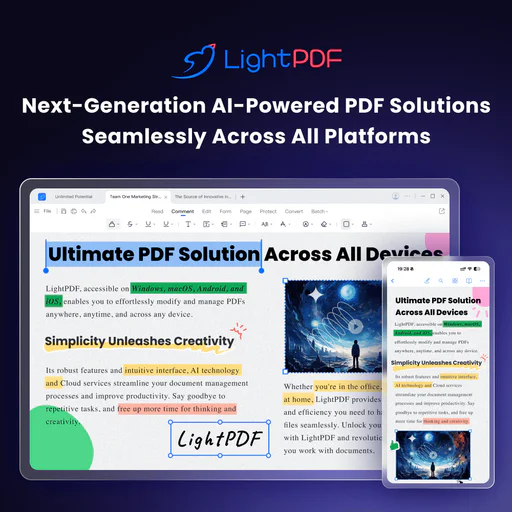
Lightpdf is an AI-powered ChatPDF application designed to enhance your interaction with PDF documents and other file types. It allows users to ask questions, summarize content, and extract key insights from various documents, including PDFs, Word files, Excel sheets, and more. The tool is free to use and does not require sign-in, making it accessible for anyone looking to streamline their document analysis and research tasks.

Pros

  • AI-Powered Document Interaction: Lightpdf allows users to interact with documents using AI, enabling them to ask questions and receive instant answers, making document analysis efficient.
  • Multi-File Support: Users can upload and chat with multiple documents simultaneously, enhancing productivity in research and analysis.
  • Wide File Format Compatibility: Supports various file formats including PDF, Word, Excel, and more, allowing users to work with different types of documents seamlessly.

What are the main features of Lightpdf?

  • AI-powered document chat for real-time interaction with files.
  • Supports multiple document types including PDF, Word, Excel, PPT, EPUB, and scanned files.
  • Provides accurate answers with cited sources for reference.
  • Allows for multi-document chat, enabling users to analyze and extract insights from several files simultaneously.
  • Offers features for summarization, table generation, and structured outlines.
Pitch

Pitch is a powerful platform for creating impactful presentations.

4
0 views
0 saved
1.4M

Pros

  • AI-Powered Presentation Creation: Pitch utilizes AI actions to enhance text and visuals, allowing users to create professional presentations quickly.
  • Customizable Templates: Offers over 100 customizable templates designed by experts, enabling users to create visually appealing presentations.
  • Collaboration Features: Facilitates team collaboration with features like slide sharing, comments, and analytics to track engagement.
Reclaimai

Reclaimai optimizes your calendar to create more time for work and life.

5
0 views
0 saved
1.2M

Lite

0.00 USD free

For calendar basics. Free forever. Features include: 1 user team, 1 week scheduling range, 1 Scheduling Link, 1 Habit, limited integrations, unlimited Tasks, and unlimited Buffer Time.

Starter

10.00 USD monthly

For small teams. $10 per seat/month. Features include: Up to 10 seats, 8 week scheduling range, unlimited Focus Time, 3 Scheduling Links, 3 Smart Meetings, unlimited Habits, unlimited Calendar Sync, unlimited integrations, People Analytics & Time Tracking, unlimited Tasks, and unlimited Buffer Time.

Business

15.00 USD monthly

For large teams. $15 per seat/month. Features include: Up to 100 seats, 12 week scheduling range, unlimited Focus Time, unlimited Scheduling Links, unlimited Smart Meetings, unlimited Habits, unlimited Calendar Sync, unlimited integrations, People Analytics & Time Tracking, unlimited Tasks, unlimited Buffer Time, delegated access, and webhooks support.

Enterprise

22.00 USD monthly

For enterprise-grade support. $22 per seat/month. Features include: Over 100 seats, 12 week scheduling range, unlimited Focus Time, unlimited Scheduling Links, unlimited Smart Meetings, unlimited Habits, unlimited Calendar Sync, unlimited integrations, People Analytics & Time Tracking, unlimited Tasks, unlimited Buffer Time, delegated access, SSO & SCIM user provisioning, and webhooks support.

For the latest pricing, please visit this link: https://reclaim.ai/

Prices are subject to change. Please visit the official website for the most up-to-date pricing information.

What is Reclaimai?

Reclaimai is an AI-powered[1] calendar application[2] designed to enhance productivity by automatically scheduling tasks, meetings, habits, and breaks. This innovative tool integrates seamlessly with Google Calendar[4] and Outlook Calendar[5], allowing users to reclaim up to 40% more time for their essential tasks and focus areas. By intelligently managing schedules and preventing interruptions, Reclaimai helps individuals and teams improve their work-life balance and overall productivity.

Pros

  • AI-Powered Scheduling: Reclaim utilizes AI to automatically schedule tasks, meetings, and breaks, optimizing your calendar for better time management.
  • Increased Productivity: Users can reclaim an average of 7.6 hours per week by reducing meeting load and improving focus time through automated scheduling.
  • Integration with Popular Calendars: Reclaim seamlessly integrates with Google Calendar and Outlook Calendar, allowing users to manage all their schedules in one place.

What are the main features of Reclaimai?

  • AI Focus Time: Automatically defends time for deep work.
  • Smart Meetings: Finds the best meeting times across all attendees' schedules.
  • Task Scheduling[3]: Flexibly schedules tasks in your calendar based on priority.
  • Calendar Sync: Integrates with Google Calendar and Outlook Calendar to eliminate conflicts.
  • Buffer Time: Automatically schedules breaks and travel time around meetings.
Usemotion

Usemotion is a leading AI-powered productivity platform that automates project management and task organization.

5
0 views
0 saved
1.2M

Pro AI

19.00 USD monthly

For professionals and small teams. Includes AI Chat, AI Projects & Tasks, AI Calendar & Meetings, AI Docs, Wiki, & Notes, AI Sheets & Databases, AI Task Planner, AI Writer & Editor, Unlimited Storage, iOS, Android, Desktop apps, Integrations, and 7,500 credits/seat/month.

View Pricing

Business AI

29.00 USD monthly

For power users and businesses with complex needs. Everything in Pro AI, plus Team Capacity Planning, Advanced Dashboards & Reports, Timeline & Gantt Charts, Time Tracking, Permissions & Access Control, Central Billing, Priority Support, and 15,000 credits/seat/month.

View Pricing

For the latest pricing, please visit this link: https://www.usemotion.com/pricing

Prices are subject to change. Please visit the official website for the most up-to-date pricing information.

What is Usemotion?

Usemotion is the #1 Rated Productivity Platform designed for the AI Era. It integrates various AI-driven tools such as AI Projects, AI Tasks, AI Calendar, AI Meetings, AI Docs, AI Notes, AI Reports, and AI Workflows to enhance productivity and streamline workflows for individuals and teams. By leveraging advanced AI technologies, Usemotion automates repetitive tasks, manages projects seamlessly, and optimizes scheduling, allowing users to focus on what truly matters.

Pros

  • AI-Powered Task Management: Motion's AI Task Planner automatically creates and prioritizes tasks based on urgency and importance, optimizing your workflow.
  • Comprehensive Project Management: The AI Project Manager generates entire projects in seconds, saving time and reducing manual effort in project setup.
  • Integrated Productivity Tools: Motion combines multiple tools like task management, calendar, and document creation into a single platform, enhancing efficiency and reducing context switching.

What are the main features of Usemotion?

  • AI Task Planner: Automatically creates and prioritizes tasks based on user preferences.
  • AI Project Manager: Generates projects quickly and manages statuses without manual input.
  • AI Docs Assistant: Drafts, organizes, and proofreads documents efficiently.
  • AI Calendar Assistant: Schedules tasks and meetings automatically, optimizing the user’s daily agenda.
  • AI Meeting Notetaker: Captures notes and action items during meetings, providing summaries afterward.
  • AI Workflows Builder: Automates the creation of workflows from Standard Operating Procedures (SOPs).
  • AI Search Assistant: Quickly finds documents, notes, tasks, and communications across the platform.
Krispai

Krisp enhances meetings by transcribing notes and recording tasks seamlessly.

5
0 views
0 saved
953.0K

Free Trial

0.00 USD free

Free for 7 days with unlimited transcription, noise cancellation, audio & video recording, AI notes & action items, and limited AI accent conversion.

View Pricing

Core

8.00 USD monthly

$16/month or $8/month per user, billed annually. Includes unlimited transcription, noise cancellation, AI chat, in-person meeting support, and 5 GB storage.

View Pricing

Advanced

15.00 USD monthly

$30/month or $15/month per user, billed annually. Includes everything in Core, plus advanced security features, manager view, and 30 GB storage.

View Pricing

CC Advanced

0.00 USD monthly

Custom pricing for advanced agent productivity solutions designed for enterprises.

View Pricing

CC Core

10.00 USD monthly

Starts at $10 per agent/month, billed annually. Includes agent noise cancellation, customer noise cancellation, and after-call summary.

View Pricing

For the latest pricing, please visit this link: https://krisp.ai/pricing/

Prices are subject to change. Please visit the official website for the most up-to-date pricing information.

What is Krispai?

Krispai is an innovative AI Meeting Assistant[1] designed to enhance collaboration and efficiency during meetings. It transcribes notes, records tasks, and provides summaries, allowing users to focus on the conversation rather than manual note-taking. By leveraging advanced AI technology, Krispai offers features like real-time transcription[2], noise cancellation[4], and accent conversion[5], making it an essential tool for individuals and teams seeking to improve their meeting productivity.

What are the main features of Krispai?

  • AI-powered meeting transcription in real-time with 96% accuracy.
  • Automated note-taking[3] that generates summaries and action items.
  • Noise cancellation technology to eliminate background distractions.
  • Accent conversion for clearer communication.
  • Seamless integration with popular conferencing apps like Zoom, Microsoft Teams, and Google Meet.
Minimax

MiniMax Agent enhances productivity with AI tools for various tasks.

5
0 views
0 saved
870.3K

What is MiniMax?

MiniMax is an advanced AI supercompanion[1] designed to enhance creativity and productivity across various domains. It offers tools for meditation[2], podcasting[3], coding, analysis, and much more, making it a versatile assistant for both personal and professional use. With MiniMax, users can minimize effort while maximizing intelligence, effectively streamlining tasks and improving workflow.

Pros

  • Versatile AI Tools: MiniMax Agent offers a wide range of tools for various tasks including meditation, coding, analysis, and more, enhancing creativity and productivity.
  • Customizable Experts: Users can create and configure their own Experts for repetitive tasks, allowing for tailored solutions that improve efficiency.
  • Multi-Agent Collaboration: The platform supports multi-agent collaboration, enabling complex development and deep research capabilities.

What are the main features of MiniMax?

  • AI-Driven Tools: Offers capabilities for meditation, podcast creation, coding, and analysis.
  • Custom Experts: Users can create reusable configurations for repetitive tasks, enhancing efficiency.
  • Multi-Agent Collaboration: Supports complex development and deep research through a multi-agent system.
  • Smart Interaction: Engages users through voice commands and natural language processing for seamless communication.
Rayyanai

Rayyan is an AI-driven platform that transforms systematic literature reviews for researchers.

5
0 views
0 saved
833.4K

What is Rayyanai?

Rayyanai is an innovative AI-powered platform designed to transform evidence-based research and decision-making. It specializes in systematic literature review management, enhancing collaboration among research teams with advanced review automation and streamlined data management. By simplifying the systematic review process, Rayyanai enables researchers to generate comprehensive and high-quality reviews efficiently.


Pros

  • AI-Powered Screening: Rayyan's AI technology significantly reduces screening time by up to 90%, allowing researchers to focus on critical analysis instead of manual sorting.
  • Advanced Deduplication: The advanced deduplication feature automatically identifies and removes duplicate references, enhancing the accuracy and efficiency of systematic reviews.
  • Collaborative Features: Rayyan supports collaboration by allowing multiple teams to manage reviews, track progress, and streamline the review process with user-friendly tools.

What are the main features of Rayyanai?

  • AI-powered screening that reduces review time by up to 90%.
  • Advanced deduplication feature to automatically remove duplicate references.
  • Customizable filters for quick access to relevant studies.
  • Bulk actions for efficient management of multiple items.
  • PICO framework integration for structured research questions.
  • Collaboration tools for team members to work together seamlessly.


