

Uaitecai




What is UaiTec?
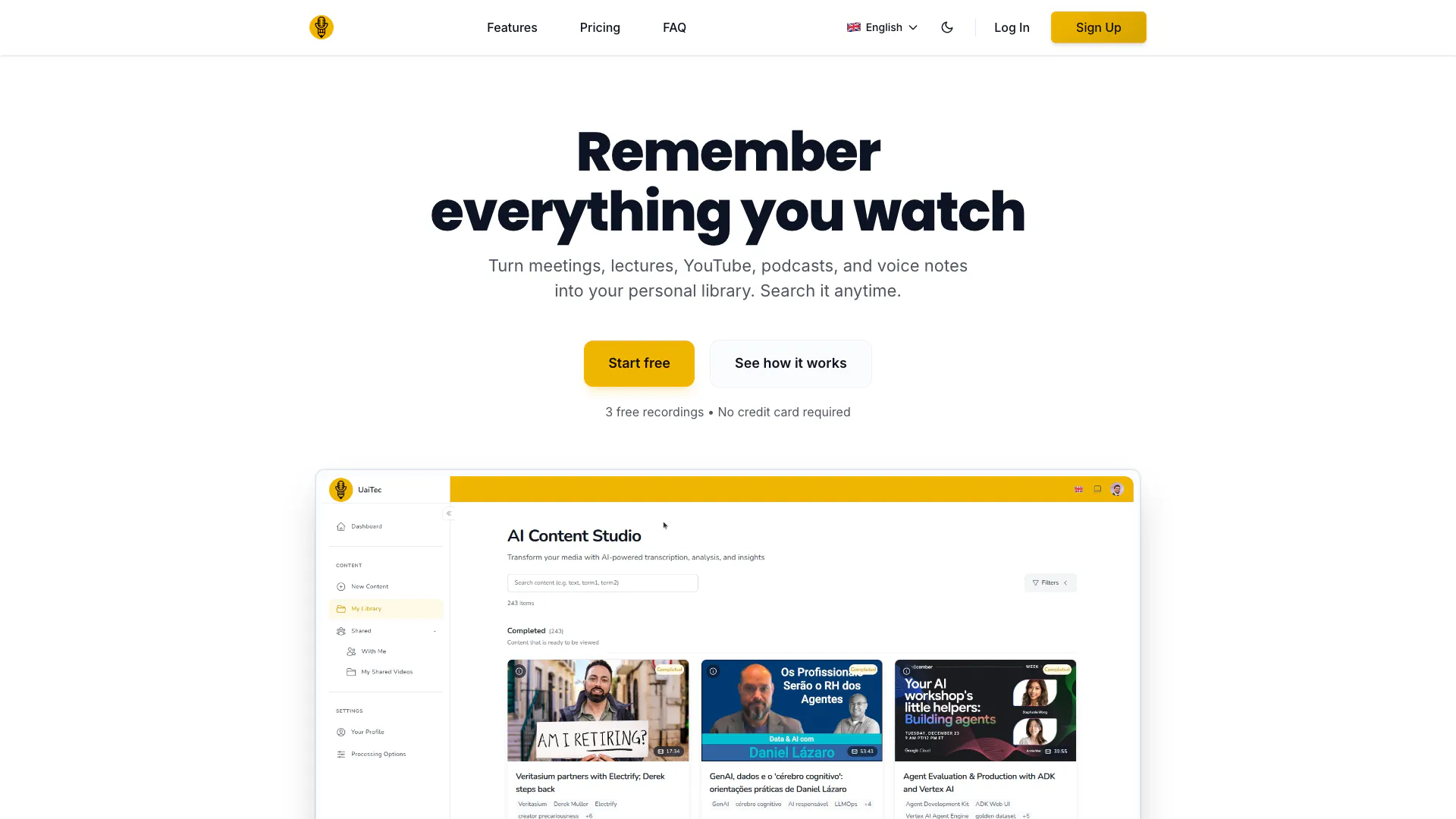
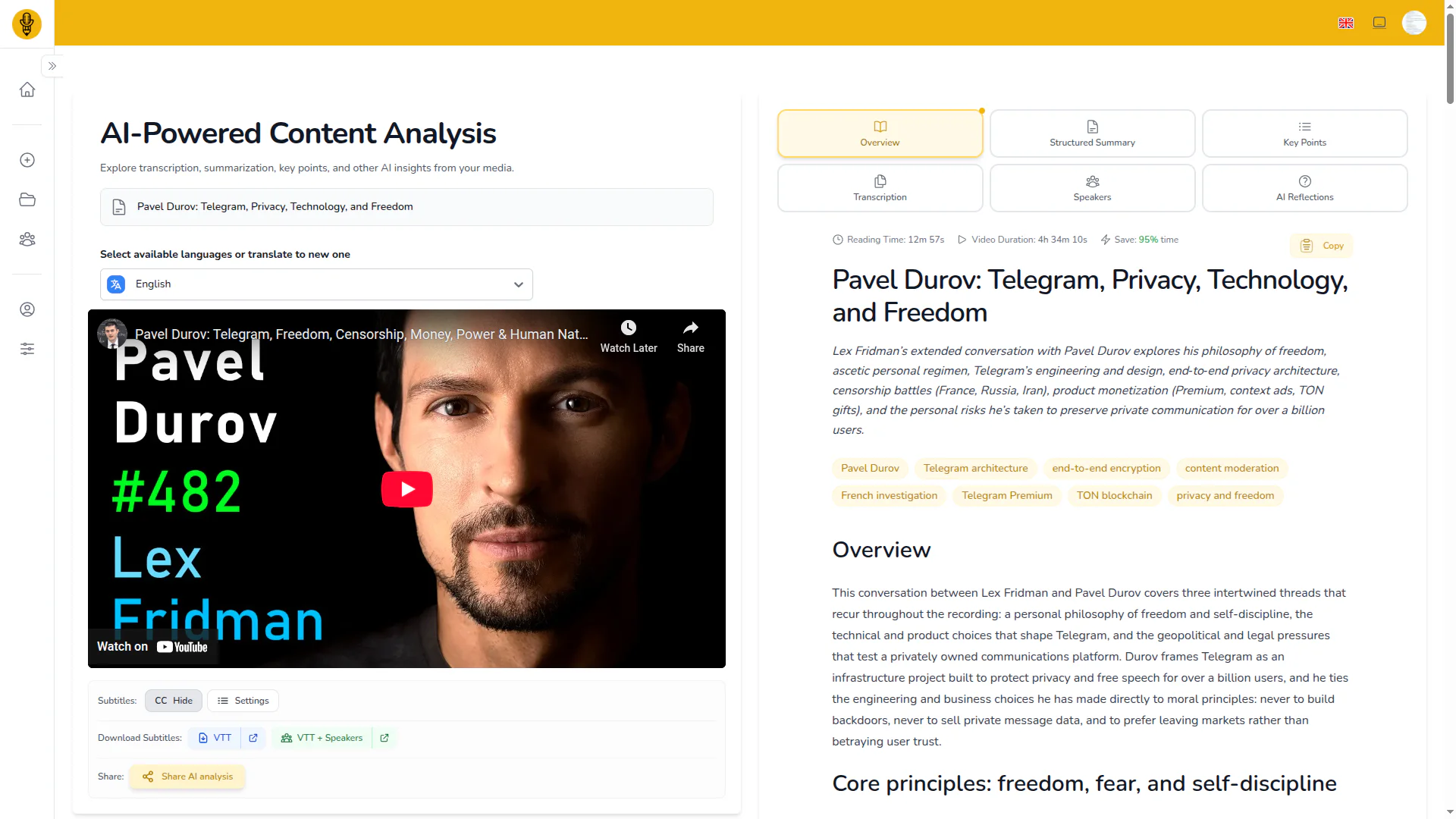
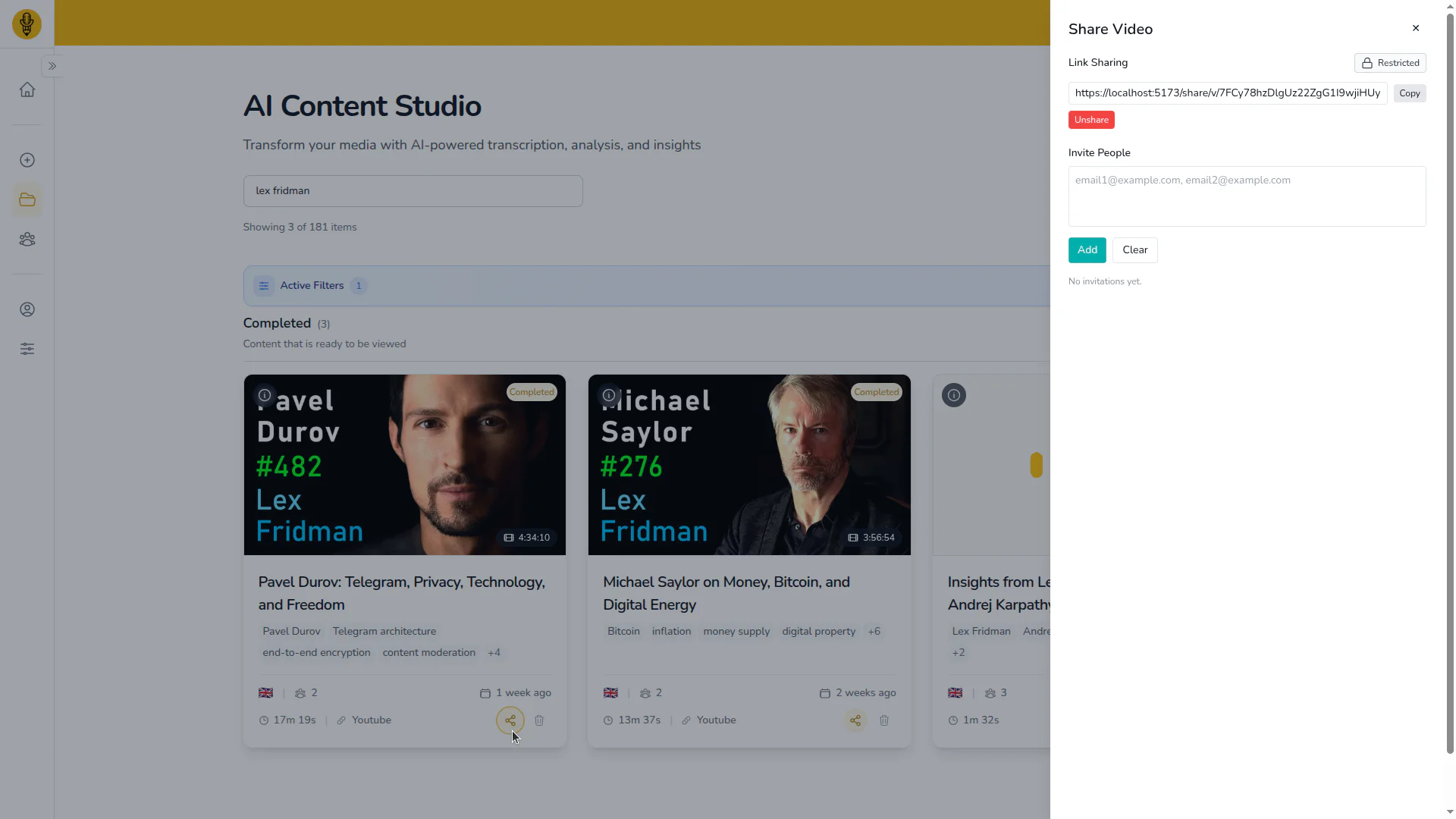
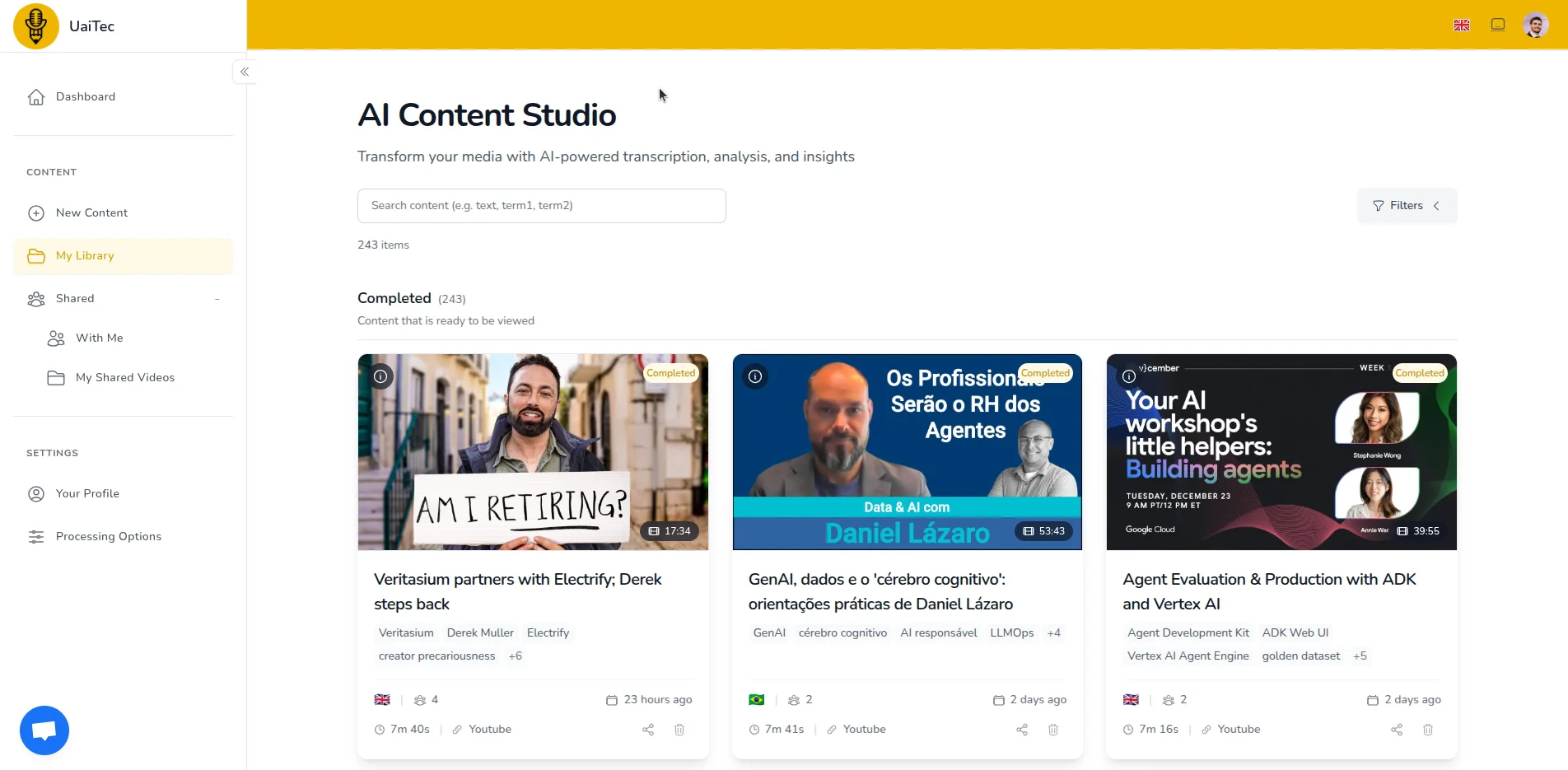
UaiTec is an AI-powered platform designed to transform any audio or video recording into a searchable knowledge asset. This innovative tool allows users to convert meetings, lectures, podcasts, YouTube videos, and voice notes into a personal library of information that can be accessed and searched at any time. With features such as AI-generated summaries, timestamped key points, and speaker-labeled transcripts, UaiTec ensures that users can find specific content quickly and efficiently across their entire archive.
How to use UaiTec?
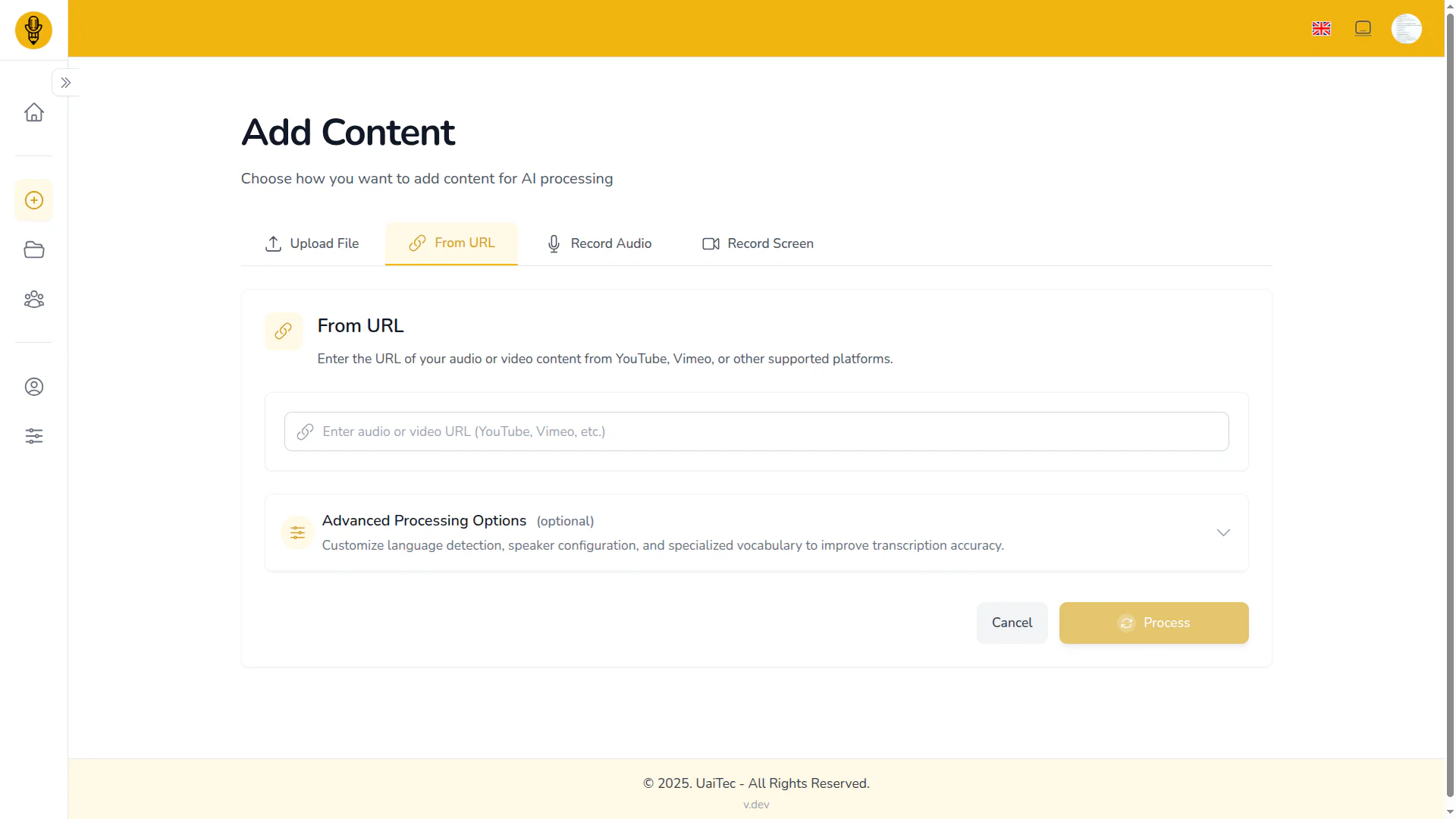
- Capture Content: Start by capturing your audio or video. You can do this by screen recording meetings, pasting links from over 1,000 supported sites, uploading files directly, or recording voice notes. There are no limitations on the format or length of the content.
- AI Processing: Once the content is captured, UaiTec automatically processes it. This includes transcription, speaker identification, key points extraction, summary generation, and creating timestamped chapters. This step is typically completed in minutes.
- Search and Access: Finally, access your searchable knowledge library. You can find any topic, decision, or quote across your entire archive instantly, making it easy to retrieve the information you need.
What are the main features of UaiTec?
- Instant Searchability: Quickly find any topic, decision, or quote across your recordings, including meetings, lectures, and videos.
- Speaker Identification: Automatically label speakers to distinguish between different voices, improving clarity in transcripts.
- Timestamped Summaries: Generate summaries linked to specific moments in the audio or video, allowing users to verify insights easily.
- Long File Processing: Handle recordings longer than 10 hours with a robust multi-stage processing pipeline, ensuring high-quality outputs.
- Multi-Source Capture: Upload content from over 1,000 platforms, including YouTube, podcasts, and more, without intrusive bots.
- Global Language Support: Translate content into over 100 languages, making it suitable for international teams and diverse learning environments.
Who is UaiTec for?
UaiTec is designed for a diverse range of users, including students, content creators, consultants, researchers, and teams. Students can utilize UaiTec to record and summarize lengthy lectures, making study sessions more efficient. Content creators can streamline their workflow by summarizing meetings and generating show notes for videos. Consultants benefit from instant summaries and speaker identification, saving time on documentation. Researchers and teams can capture interviews and discussions, ensuring that valuable insights are not lost. Essentially, anyone who engages with audio or video content can find immense value in UaiTec.
What are the use cases of UaiTec?
- Online Classes: Students can record and summarize their lectures, creating a searchable archive of study materials.
- Content Creation: Creators can efficiently manage meeting notes and produce summaries for YouTube tutorials and other content.
- Consulting Sessions: Consultants can record client meetings, receive instant summaries, and document action items with speaker labels for clarity.
Product Images


Uaitecai Pros and Cons
Pros
- Comprehensive Content Capture: UaiTecai allows users to capture content from over 1,000 platforms, including YouTube, podcasts, and local recordings, ensuring no limits on the source.
- AI-Powered Summaries: The tool generates smart, timestamped summaries and key points, linking insights directly to the corresponding moments in the audio or video.
- Speaker Identification: UaiTecai accurately identifies speakers in recordings, distinguishing between different voices even in noisy environments, enhancing clarity in transcripts.
Cons
No cons data detected for this tool
Uaitecai Pricing
Free
For Occasional Use. 3 media files/month, all features included.
Pro
For Professionals & Creators. 20 media files/month included. Everything in Free plus cross-media search.
Premium
For Teams & Heavy Users. 100 media files/month included. Everything in Pro plus early access to new features and priority processing.
For the latest pricing, please visit this link: https://uaitec.ai/pricing
Prices are subject to change. Please visit the official website for the most up-to-date pricing information.
Uaitecai Reviews
I needed something to record my 4-hour online classes and summarize them. UaiTec handles unlimited length, gives me timestamped notes, and now I can actually find topics across all my lectures. Game-changer for studying.
I use UaiTec for everything: team meetings, client calls, and creating tutorial show notes for YouTube. One tool replaced three subscriptions.
As a consultant, I record client sessions and get instant summaries with action items. The speaker identification is perfect for meeting notes. Saves me hours every week.
For more reviews, visit this link: https://uaitec.ai#testimonials




