
Best 28 AI PDF Interaction Tools Tools in 2026
Chatpdf, Lightpdf, Popai, Papermark, Pdf, Bestpdf, Gopdf, Pdfgpt, Docanalyzerai, Filepowerai are the best paid / free AI PDF Interaction Tools tools.
AI PDF Interaction Tools are innovative solutions designed to enhance the way users engage with PDF documents through the power of artificial intelligence. These tools leverage natural language processing and machine learning to enable functionalities such as text extraction, summarization, and automated question-answering from PDF files. They cater to professionals, researchers, and students who need to quickly access and analyze large volumes of information contained in PDFs. By automating tedious tasks like data retrieval and content summarization, these tools significantly improve productivity and facilitate better decision-making.

ChatPDF combines AI technology with PDF analysis for smarter document interactions.
Free Plan
Analyze 2 documents every day.
ChatPDF Plus Plan
Provides unlimited document analysis and more advanced features.
For the latest pricing, please visit this link: https://www.chatpdf.com/
Prices are subject to change. Please visit the official website for the most up-to-date pricing information.
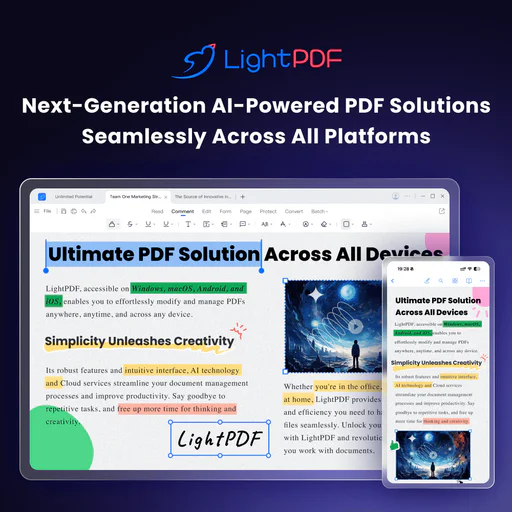
For the latest pricing, please visit this link: https://lightpdf.com/pricing
Prices are subject to change. Please visit the official website for the most up-to-date pricing information.

What is PopAi?
PopAi is an innovative AI tool designed to enhance productivity by allowing users to interact with any document or PDF through chat functionality powered by GPT-4[2] and GPT-4o[3]. With just a click, users can engage in conversations with their documents, making information retrieval and comprehension effortless. Additionally, PopAi offers features for creating AI-generated PowerPoint presentations and slides using a variety of free templates, as well as the ability to quickly generate AI images, making it a versatile tool for both personal and professional use.

Papermark AI is an advanced assistant for managing and interacting with documents and data rooms.
Free
No credit card required. 1 team member included, 50 links, 50 documents, unlimited visitors, page-by-page analytics, document sharing controls.
Pro
Everything in Free, plus: 1 team member included, unlimited links, 100 documents, large file uploads, custom branding, Papermark branding removed, videos and more file types, creating folders.
Business
Everything in Pro, plus: 3 team members included, 1000 documents, custom domain for documents, multi-file sharing, unlimited folder levels, require email verification, allow/block list, screenshot protection, webhooks.
Data Rooms
Everything in Business, plus: 3 team members included, unlimited data rooms, custom domain for data rooms, advanced dataroom branding, data room analytics, NDA agreements, dynamic watermark, granular file level permissions, data room groups, 24/7 email support.
For the latest pricing, please visit this link: https://www.papermark.com/pricing
Prices are subject to change. Please visit the official website for the most up-to-date pricing information.
Basic
16,500 Credits/Month 60 Mins Link Expiry Full API Access Unlimited Output Secured Data Advanced Security
Personal
37,000 Credits/Month 60 Mins Link Expiry Full API Access Unlimited Output Secured Data Advanced Security
Business 1
80,500 Credits/Month 60 Mins Link Expiry Full API Access Unlimited Output Secured Data Advanced Security
Business 2
159,850 Credits/Month 1,440 Mins Link Expiry Full API Access Unlimited Output Secured Data Advanced Security
Business 3
483,000 Credits/Month 1,440 Mins Link Expiry Full API Access Unlimited Output Secured Data Advanced Security
Enterprise
Need more than 500,000 credits per month? Contact us, and we'll tailor a plan that perfectly fits your needs. Everything in Business 3 Plan Customized Advanced Features High Priority Support
For the latest pricing, please visit this link: https://app.pdf.co/subscriptions
Prices are subject to change. Please visit the official website for the most up-to-date pricing information.

Bestpdf simplifies PDF editing and management tasks efficiently.

Free
Enjoy 10 PDF conversions, 10 PDF edits, 1 AI project, and 2 GB cloud storage. Features include compressing and protecting PDFs, converting and merging PDFs, cropping PDFs, editing and adding text and images, filling and signing PDFs, searching and replacing, and using AI chat with PDF.
Pro
Better result with 500 PDF conversions, 300 PDF edits, 30 AI projects, and 500 GB cloud storage. Includes all features from the Free plan plus priority support, premium features, and faster processing speed.
Business
Go all in with 5000 PDF conversions, 2000 PDF edits, 500 AI projects, and 2000 GB cloud storage. Includes all features from the Pro plan plus extensive technical support, 24/7 customer support, and faster processing speed.
For the latest pricing, please visit this link: https://gopdf.io/
Prices are subject to change. Please visit the official website for the most up-to-date pricing information.

What is Pdfgpt?
Pdfgpt is an AI-powered PDF summarizer designed to help users quickly and accurately extract key insights from various documents, reports, and research papers. This innovative tool leverages artificial intelligence to streamline the process of understanding lengthy texts, making it an essential resource for students, professionals, and anyone who frequently engages with PDF documents. With its user-friendly interface and robust summarization capabilities, Pdfgpt stands out as a free tool that enhances productivity and comprehension.
Enterprise
Tailor your workflow automation. Everything in Team, plus: 5 seats minimum, Tailored AI Agents & Automation, We build custom workflows tailored to your use cases, Designated Support manager, Priority support, SAML Sign-on, Single Sign-On integration with enterprise IdPs, 600 free credits per month.
Team
Work on projects together. All Pro features, plus: Unlimited labels, Unlimited workspaces, Share chat links, Notes, Chatbot, OCR, BYOK, Expert Mode, API Access, Higher allowance than Pro, No daily upload limit, Maximum size for each document: 300 MB and no page limit, Maximum total storage 50 GB per seat, Add and manage team members, 3 seats minimum, Real-time collaboration, Create team workspace to allow collaborative note editing and chat, 600 free credits per month.
Pro
Professional-Grade performance. Generous upload allowance: No daily upload limit, Maximum size for each document: 100 MB and no page limit, Maximum total storage 10 GB, Unlimited usage allowance, Unlimited workspaces, unlimited labels, unlimited chat, no page limit to chat across multiple documents dataset, Share, Notes, Chatbot and OCR, 200 free credits per month.
Basic
Unlock all features and AI models. Baseline upload allowance: No daily upload limit, Maximum size for each document: 50 MB and no page limit, Maximum total storage 5GB, Baseline usage allowance: 3 workspaces, 50 labels per workspace, 10000 prompts per month, chat across multiple documents dataset (up to 500 pages combined), 100 free credits per month.
Community
Starter features — free forever. 20 documents per month, Upload or import up to 20 new documents every month, 120 pages per document, Max 20 MB and 120 pages document (total storage 100 MB; 7 day retention if inactive), Multi document chat, Chat across multiple documents dataset (up to 100 pages combined), 2 workspaces.
For the latest pricing, please visit this link: https://docanalyzer.ai/pricing
Prices are subject to change. Please visit the official website for the most up-to-date pricing information.

What is Filepowerai?
Filepowerai is an advanced AI chat[1] tool specifically designed for handling documents such as PDFs, PPTs, and Word documents. This innovative tool enables users to efficiently summarize content, translate text, and answer questions related to various document formats. By leveraging AI technology, Filepowerai assists users in generating any work-related content they need, streamlining document management[5] and enhancing productivity.

Free
2 file / day, Unlimited pages, 20 questions / day, 24-Hour Chat History
Pro
Unlimited files, Unlimited pages, Unlimited questions, Lifetime Chat History Storage, Access to GPT-4
For the latest pricing, please visit this link: https://www.chatize.com/pricing
Prices are subject to change. Please visit the official website for the most up-to-date pricing information.

CambioML's AnyParser API enhances document retrieval accuracy and integrates seamlessly into enterprise systems.
What is Cambioml?
CambioML is a cutting-edge API tool designed for document parsing, known as AnyParser. This innovative solution leverages advanced vision language models to enhance the accuracy of document retrieval, achieving up to 2x improved precision. AnyParser excels at extracting various elements from documents, including text, tables, charts, and layout information from formats like PDFs, PowerPoints, and images. With a strong emphasis on client privacy and seamless integration into enterprise systems, Cambioml positions itself as a reliable choice for organizations seeking efficient document processing solutions.

Honeybearai is an AI document assistant that enhances research efficiency through analysis and summarization.
Pro
Unlimited chats, Unlimited file uploads, Up to 200 pages for scanned files, Access to future Pro features.
For the latest pricing, please visit this link: https://www.honeybear.ai/pricing
Prices are subject to change. Please visit the official website for the most up-to-date pricing information.

What is PDF[1] Edit[2]ify?
PDF Editify is an online service design[4]ed for working with PDF files efficiently and effortlessly. It allows users to fill[3], edit, sign, and redact[5] PDFs, making it a versatile tool for anyone who frequently interacts with PDF documents. With its user-friendly interface and quick processing capabilities, PDF Editify stands out as a reliable solution for managing PDF files, whether for personal or professional use.

What is Collate?
Collate is a powerful Mac application designed to facilitate interaction with PDF documents. It allows users to chat with their PDFs, generate summaries, and extract key insights, all while ensuring complete privacy by operating entirely offline. This means that users can access and utilize the tool without needing an internet connection, making it a convenient and secure option for handling sensitive documents. Collate is free to download and use, making it accessible for anyone looking to enhance their document processing capabilities.

AskDocs is an AI-powered tool for instant document analysis and summaries.
Plus
Everything you need to get started with AI-powered research including generous features. 5,000 questions per month, Max 50MB file size, Unlimited files upload, Chat with multiple documents, Support different file formats (PDF/DOCX/TXT/CSV), Support images (png, jpeg, jpg), OCR Support, Share your chatbot, Embed your chatbot on your website, Access to GPT3.5, GPT4, GPT4o Mini, GPT4o.
Pro
For professionals and small business who needs advanced features. Unlimited questions per month, Max 150MB file size, Unlimited files upload, Chat with multiple documents, Support different file formats (PDF/DOCX/TXT/CSV), Upload image files (png, jpeg, jpg), OCR support, Share your chatbot, Embed your chatbot on your website, Access to GPT3.5, GPT4, GPT4o Mini, GPT4o.
For the latest pricing, please visit this link: https://www.askdocs.com/#pricing
Prices are subject to change. Please visit the official website for the most up-to-date pricing information.

What is PDF GPT?
PDF GPT is an advanced chat application designed specifically for interacting with PDF documents. It allows users to summarize, search, and engage in conversations about their PDFs, leveraging artificial intelligence to streamline the process of extracting information. With support for over 90 languages, PDF GPT is ideal for researchers, students, and professionals who need to manage and comprehend large volumes of text efficiently.

Starter
Perfect for freelancers 300 Credits Use across all tools No expiry, valid forever Instant top-up Email support Priority issue resolution Access to basic analytics
Pro
Best value for professionals 1000 Credits Use across all tools No expiry, valid forever Instant top-up Email support Priority issue resolution Access to advanced analytics
Power
For agencies & teams 2500 Credits Use across all tools No expiry, valid forever Instant top-up Priority email support Early access to new tools Access to advanced analytics
For the latest pricing, please visit this link: https://tryscribe.in/pricing
Prices are subject to change. Please visit the official website for the most up-to-date pricing information.

Free plan
Everything you need to get started. Includes 1 AI AutoFill/month, 2 Digital Forms, Smart Document Scanning, 10 Source Documents per Form, Digital Signatures, 25MB File Support, and Cloud Sync.
Standard plan
Ideal and perfect plan for individuals. Includes 10 AI AutoFills/month, 20 Digital Forms, Smart Document Scanning, 10 Source Documents per Form, Digital Signatures, 2 GB File Support, Cloud Sync, Smart Formatting, 50+ Languages Supported, and 24/7 Email & Chat Support.
Pro plan
Designed for powerful users. Includes 30 AI Auto-Fills/month, 50 Digital Forms, Smart Document Scanning, 30 Source Documents per Form, Digital Signatures, 5 GB File Support, 300 Document Storage, Priority Processing, Smart Formatting, 50+ Languages Supported, and 24/7 Email & Chat Support.
Enterprise plan
Engineered for large organisations. Custom pricing based on needs. Includes Custom AI Auto-Fills/month, Custom Digital Forms, Smart Document Scanning, Custom Source Documents per Form, Digital Signatures, Custom File Support, Custom Document Storage, Priority Processing, Smart Formatting, 50+ Languages Supported, and Dedicated Support.
For the latest pricing, please visit this link: https://simplicity.ai/pricing
Prices are subject to change. Please visit the official website for the most up-to-date pricing information.

PDFChat enables interactive conversations with your PDFs, offering insights and summaries effortlessly.
Free
Start for free, with a limit of 10 questions per day, 100 questions in total, and support for PDF files.
Pro
Upgrade to Pro for unlimited questions, file upload, and support for multiple file types including PDF, DOC, DOCX, SCAN, WEBSITE, EPUB, MD, TXT.
For the latest pricing, please visit this link: https://pdfchat.com/
Prices are subject to change. Please visit the official website for the most up-to-date pricing information.

Basic
Limited credits for images/videos, 0 Token per day, includes GPT-5, Grok 4, GPT-4o mini, Gemini 3 Pro, Kimi K2, Claude 3 Haiku.
Lite
1200 credits per month, up to 120 images per month, 0 Token per day, includes Nano Banana, Wan 2.5, GPT-4o, Flux Kontxt, Midjourney, up to 60 videos per month.
Pro
3000 credits per month, up to 300 images per month, 0 Token per day, includes Nano Banana, Wan 2.5, GPT-4o, Flux Kontxt, Midjourney, up to 150 videos per month.
For the latest pricing, please visit this link: https://www.easemate.ai/pricing
Prices are subject to change. Please visit the official website for the most up-to-date pricing information.

Free
Upto maximum of 50 pages or 2 files. 50 credits per month, 50 page limit per upload, Unlimited AI chats, Limited information extract from documents, Email support, Message history, Once off per account.
Lite
Upto maximum of 700 pages or 100 files. 700 credits per month, 100 page limit per upload, Unlimited AI chats, Access to our premium information extractor service, Email support, Get beta features first, Message history.
Pro
Upto maximum of 2000 pages or 500 files. 2000 credits per month, 500 page limit per upload, Unlimited AI chats, Access to our premium information extractor service, Premium customer support, Get beta features first, Message history.
Premium
For organization embracing AI for their internal processes. Unlimited credits per month, Unlimited AI chats, Unlimited page limit per upload, Access to our premium information extractor service, Premium customer support, Get beta features first, Message history.
For the latest pricing, please visit this link: https://docudiveai.com/#pricing
Prices are subject to change. Please visit the official website for the most up-to-date pricing information.

What is Bard PDF?
Bard PDF is an innovative tool that revolutionizes how you interact with PDF documents. This free interactive platform harnesses the power of artificial intelligence to enable users to engage with their PDF files in a conversational manner. With Bard PDF, you can ask questions, request summaries, and extract specific information from your documents, making it an invaluable resource for anyone who frequently works with PDFs. The platform is designed to enhance productivity, comprehension, and collaboration[5], allowing users to save time and streamline their workflow.

Upload a PDF, share a browser reader, and embed it on your website with one snippet.
White-label
Upload a PDF, share a browser reader and embed it on your website with one snippet. Includes PDF upload up to 25 MB, persistent document library, team workspaces and roles, custom domains, and priority support.
Publisher
Upload a PDF, share a browser reader and embed it on your website with one snippet. Includes PDF upload up to 25 MB, persistent document library, team workspaces and roles, two custom publisher identities, remove EmbedFox attribution, versioned embed snippet, publishing API, custom domains, and priority support.
Team
Upload a PDF, share a browser reader and embed it on your website with one snippet. Includes PDF upload up to 25 MB, persistent document library, team workspaces and roles, one custom publisher identity, remove EmbedFox attribution, versioned embed snippet, publishing API, custom domains, and priority support.
For the latest pricing, please visit this link: https://embedfox.com/pricing
Prices are subject to change. Please visit the official website for the most up-to-date pricing information.

Free
Perfect for getting started. Improve your workflow at no cost, upgrade at any time. 5 file uploads per month, 10 chats per month, 150 questions per month, 500 pages per document, 50MB max upload size, Inactive content deleted after 30 days.
Pro
Most Popular. The best plan for most users. A complete set of features for your day-to-day tasks. 100 file uploads per month, 100 chats per month, 1500 questions per month, 500 pages per document, 50MB max upload size, Support by email, Early access to new features.
Premium
On a tight deadline? Go all-in, and get everything you need to boost your productivity. Unlimited file uploads, Unlimited chats, 15000 questions per month, 1000 pages per document, 150MB max upload size, Support by email, Early access to new features, Priority customer support.
For the latest pricing, please visit this link: https://www.pdfbff.ai/#pricing
Prices are subject to change. Please visit the official website for the most up-to-date pricing information.
Free Access
Get free access to your first summary and three chat questions — just upload your PDF, let AI summarize the text, and see how easy it is.
For the latest pricing, please visit this link: https://pdfflex.com/ai-chat-with-pdf
Prices are subject to change. Please visit the official website for the most up-to-date pricing information.

Lite
2,000 questions monthly, Process up to 200 PDFs monthly, Advanced model for more accurate insights, Advanced Data Security and Privacy Protection, Priority access to new features and dedicated support.
Classic
5,000 questions monthly, Process up to 300 PDFs monthly, Advanced model for more accurate insights, Advanced Data Security and Privacy Protection, Priority access to new features and dedicated support.
Elite
16,000 questions monthly, Process up to 400 PDFs monthly, Advanced model for more accurate insights, Advanced Data Security and Privacy Protection, Priority access to new features and dedicated support.
For the latest pricing, please visit this link: https://pdfaionline.com/#pricing
Prices are subject to change. Please visit the official website for the most up-to-date pricing information.

API - Free
Integrate document AI into your own system and processes. Endpoints for uploads. Endpoint for questions. Prices do not include credits. Developer support. Clear documentation.
Credits
Buy in packs starting at $10. Pay as you go. Upload documents up to 20 mbs. Valid for 1 year. Ask across multiple PDFs. PDF upload = 1 credit. 1 question = 1 credit. More features coming soon!
For the latest pricing, please visit this link: https://bunni.ai/pricing
Prices are subject to change. Please visit the official website for the most up-to-date pricing information.







