

Petal





What is Petal?
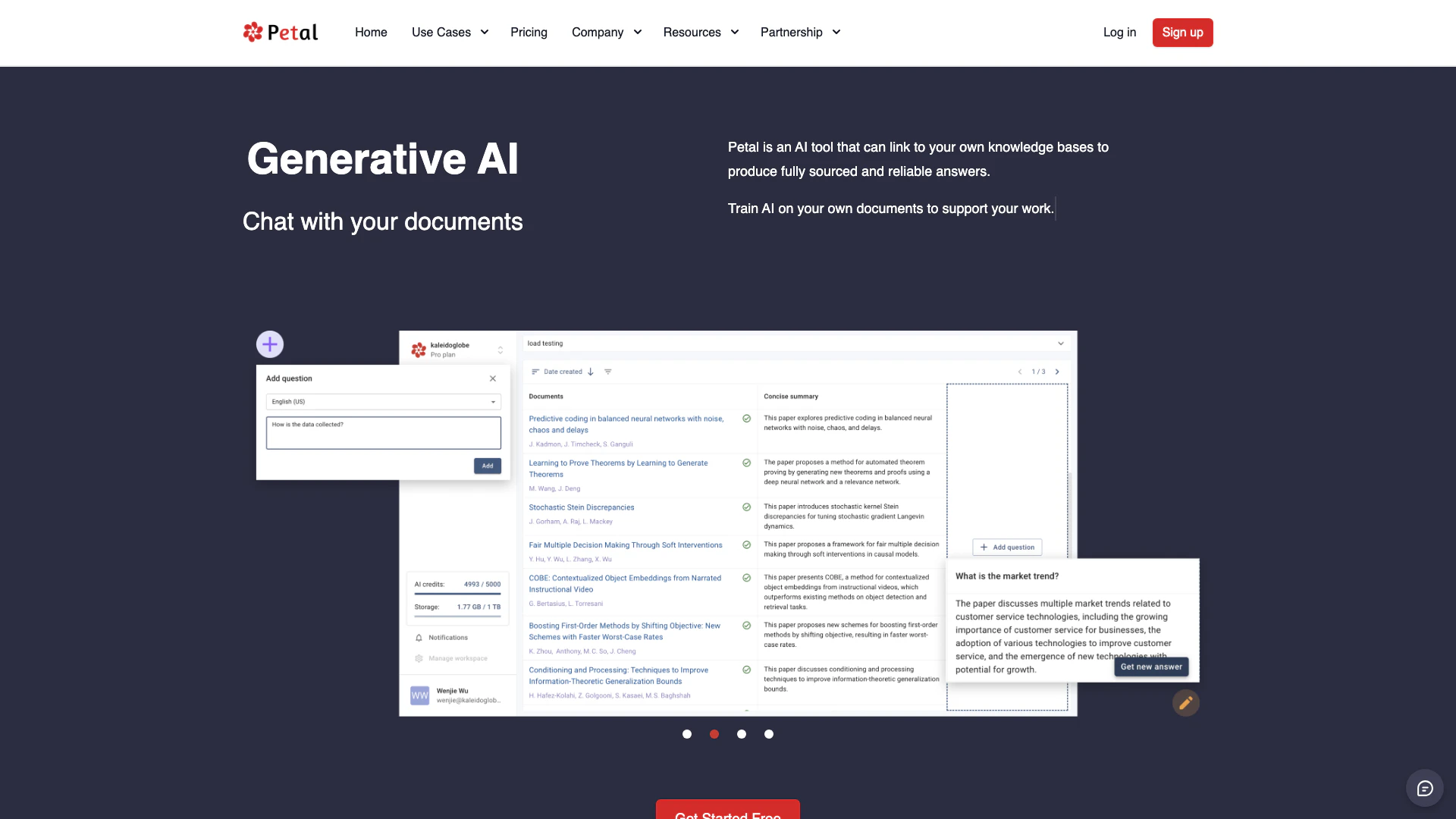
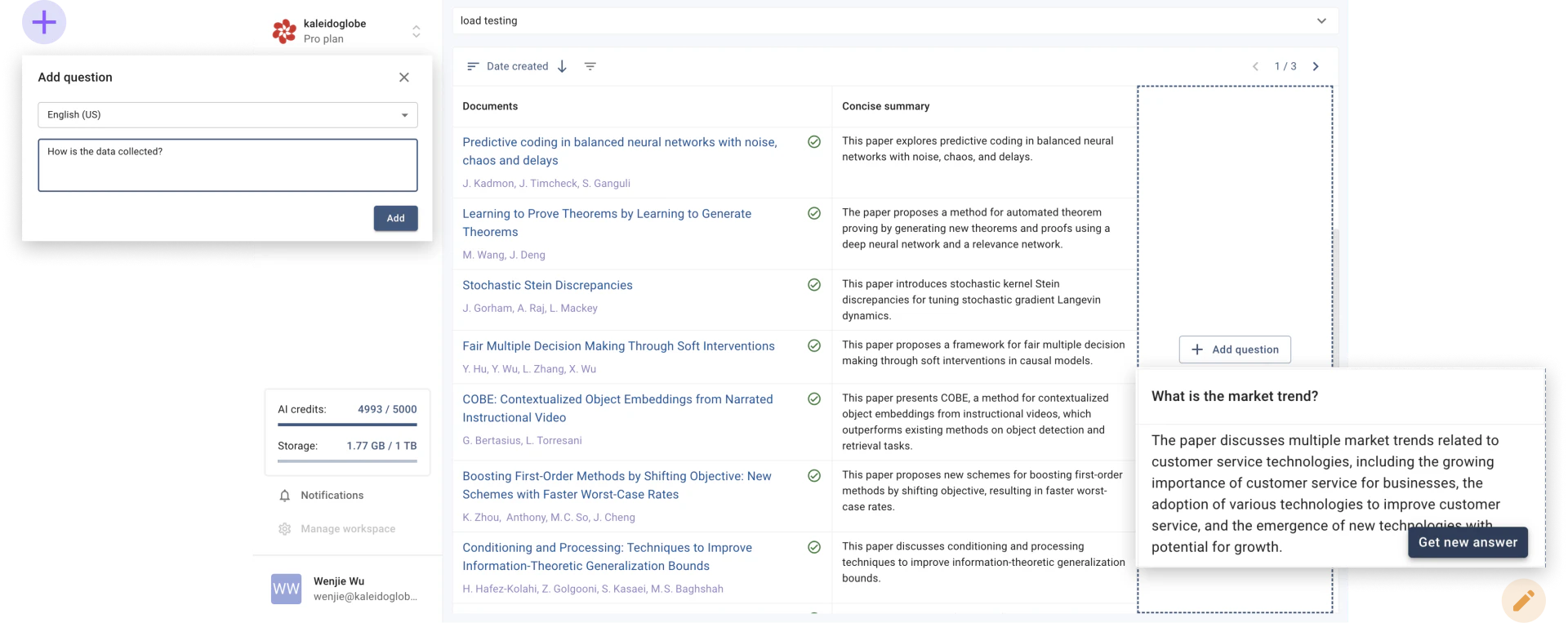
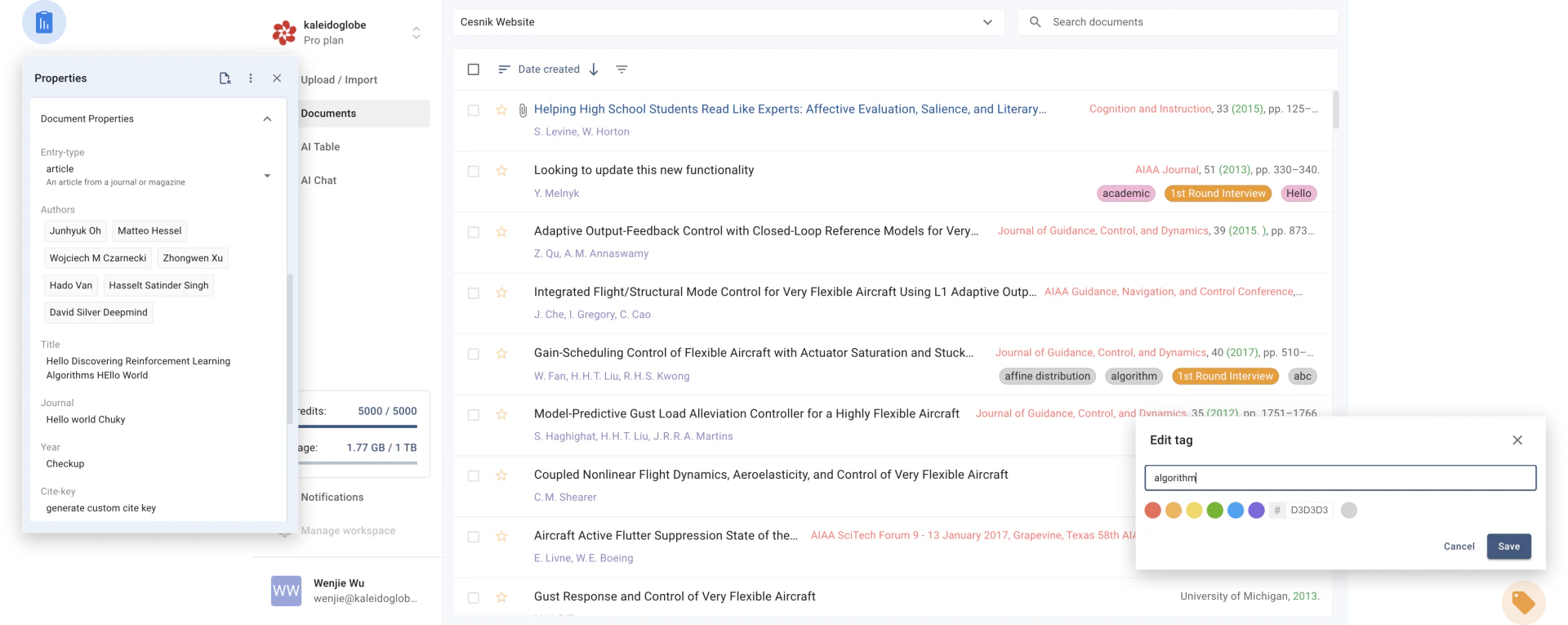
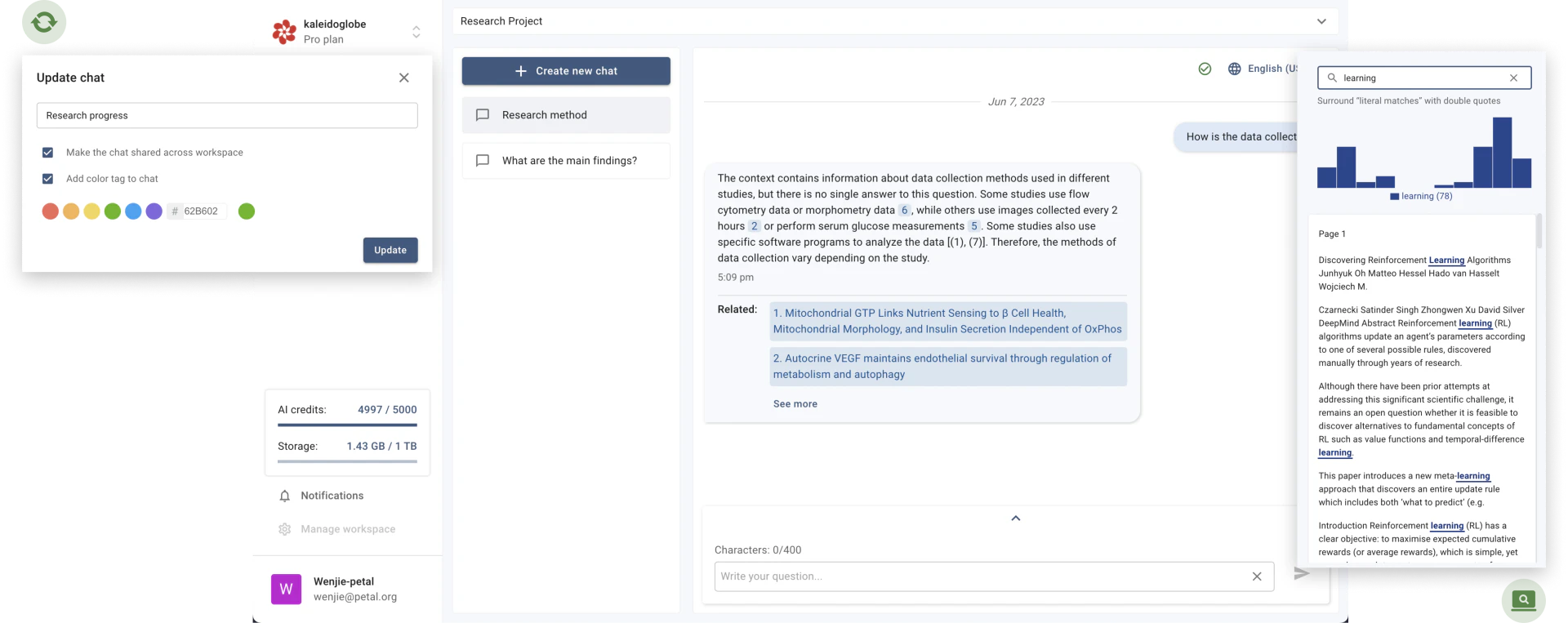
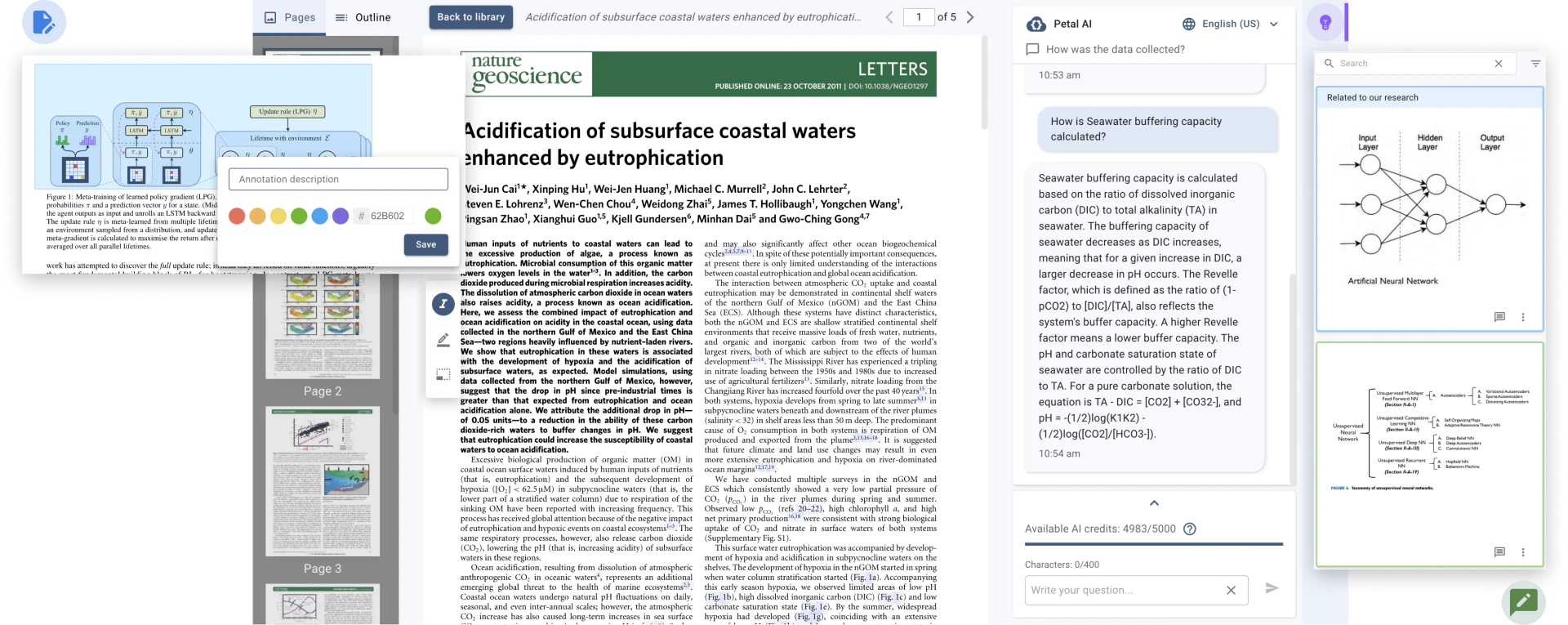
Petal is an innovative AI-powered document analysis platform designed to enhance the way users interact with their documents. By leveraging context-aware generative AI, Petal allows users to engage in conversations with their documents, providing accurate and reliable answers sourced directly from trusted materials. This tool simplifies the process of understanding complex and technical topics, enabling users to quickly grasp essential information without the hassle of sifting through extensive documents. With features such as summarization, translation, and content drafting through its built-in Notebook, Petal empowers users to work more efficiently. Additionally, it fosters collaboration by allowing team members to share documents, annotations, and comments seamlessly. By utilizing a multi-document AI table, users can compare documents and set filtering criteria using natural language, ensuring a smarter and more productive workflow.
How to use Petal?
To use Petal, follow these steps: 1. Sign Up: Create an account on the Petal website to access the platform. 2. Upload Documents: Import your documents into Petal's cloud drive, where they will be securely stored and automatically organized. 3. Engage with Documents: Start chatting with your documents by asking questions or requesting summaries, translations, or new content drafts. 4. Collaborate: Share documents with your team, highlight key points, and add comments to enhance collaboration and understanding. 5. Utilize AI Features: Make use of the multi-document AI table to compare documents and apply filtering criteria using conversational language.
What are the main features of Petal?
Petal offers a range of powerful features, including: - Context-Aware AI: Provides accurate answers based on the documents you trust. - Document Summarization: Quickly condenses complex information into digestible summaries. - Translation Services: Translates content seamlessly to aid understanding across languages. - Content Drafting: Use the built-in Notebook to create new content based on your documents. - Collaboration Tools: Share documents, annotations, and comments with team members for enhanced teamwork. - Multi-Document Comparison: Analyze multiple documents simultaneously and set filtering criteria using natural language.
Who is Petal for?
Petal is designed for a diverse range of users, including researchers, students, corporate R&D teams, and industry experts. It is particularly beneficial for those who need to analyze and synthesize information from multiple documents quickly and efficiently. Academics can utilize Petal to manage their research references and collaborate with peers, while corporate teams can streamline their project documentation and enhance productivity. The tool is ideal for anyone looking to improve their document management and analysis processes, making it a valuable asset in both educational and professional settings.
What are the use cases of Petal?
Petal can be utilized in various scenarios, such as: 1. Academic Research: Researchers can analyze literature, summarize findings, and collaborate on projects effectively. 2. Corporate R&D: Teams can manage technical documents, share insights, and streamline innovation processes. 3. Industry Expert Analysis: Professionals can quickly digest complex reports and translate technical jargon into accessible language.
Product Images
Petal Pros and Cons
Pros
- AI-Powered Document Interaction: Petal allows users to interact with documents using AI, providing accurate and reliable answers sourced directly from trusted documents.
- Collaborative Features: The platform supports collaboration by allowing users to share documents, annotations, and comments, enhancing teamwork and understanding.
- Multi-Document Comparison: Petal offers a multi-document AI table that enables users to compare documents and apply filtering criteria using conversational natural language.
Cons
No cons data detected for this tool
Petal Pricing
Free
Try out our products free of charge.
Plus
Early bird + annual discount. $2.99 with .edu account, $4.99 otherwise.
Advanced
Early bird + annual discount. $9.99 with .edu account, $13.99 otherwise.
Premium
Early bird + annual discount. For users who intend to fully utilize Petal.
For the latest pricing, please visit this link: https://www.petal.org/resources/pricing
Prices are subject to change. Please visit the official website for the most up-to-date pricing information.
Analytics of Petal
Petal Website Traffic Analysis
Visits Over Time
Traffic Sources
Nov 2025 - Jan 2026 Worldwide Desktop Only
- Search: 46.73%
- Direct: 38.19%
- Referrals: 8.91%
- Social: 4.33%
- Paid Referrals: 0.97%
- Mail: 0.17%
Top Keywords
| Keyword | Volume | CPC | Estimated Value |
|---|---|---|---|
| free microsoft word add-ins citaiton styling | 0 | $0.00 | $90.00 |
| chatpdf | 125.79K | $0.25 | $60.00 |
| petal | 22.35K | $1.58 | $140.00 |
| reference manager with ai | 160 | $0.00 | $130.00 |
| citepetal | 100 | $0.00 | $80.00 |
Petal Reviews
Petal is an invaluable tool for individual researchers or teams sharing references with each other. Our group of 10, comprised of students and faculty members, uses it daily. The browser plugin and the automatic population of document properties with metadata makes adding references easy. The search capabilities and the recent AI additions are fantastic. Petal has truly simplified our workflow and enhanced our productivity.
For more reviews, visit this link: https://petal.org/#what-our-clients-say






Petal Social Listening
用了HUAWEI Petal Maps 这下就能去到小姐姐...
华为客服小姐姐第二季来了!!!你要去哪里?到我❤️里 ?!用...
An Honest Review Of Petal & We...
Ariana Grande's new album peta...
Petal 1 Credit Card Review: Be...
Petal 1 is the brand-new credi...
Unlock to view 10 social media results.