Mbox-meet





What is Mbox-meet?
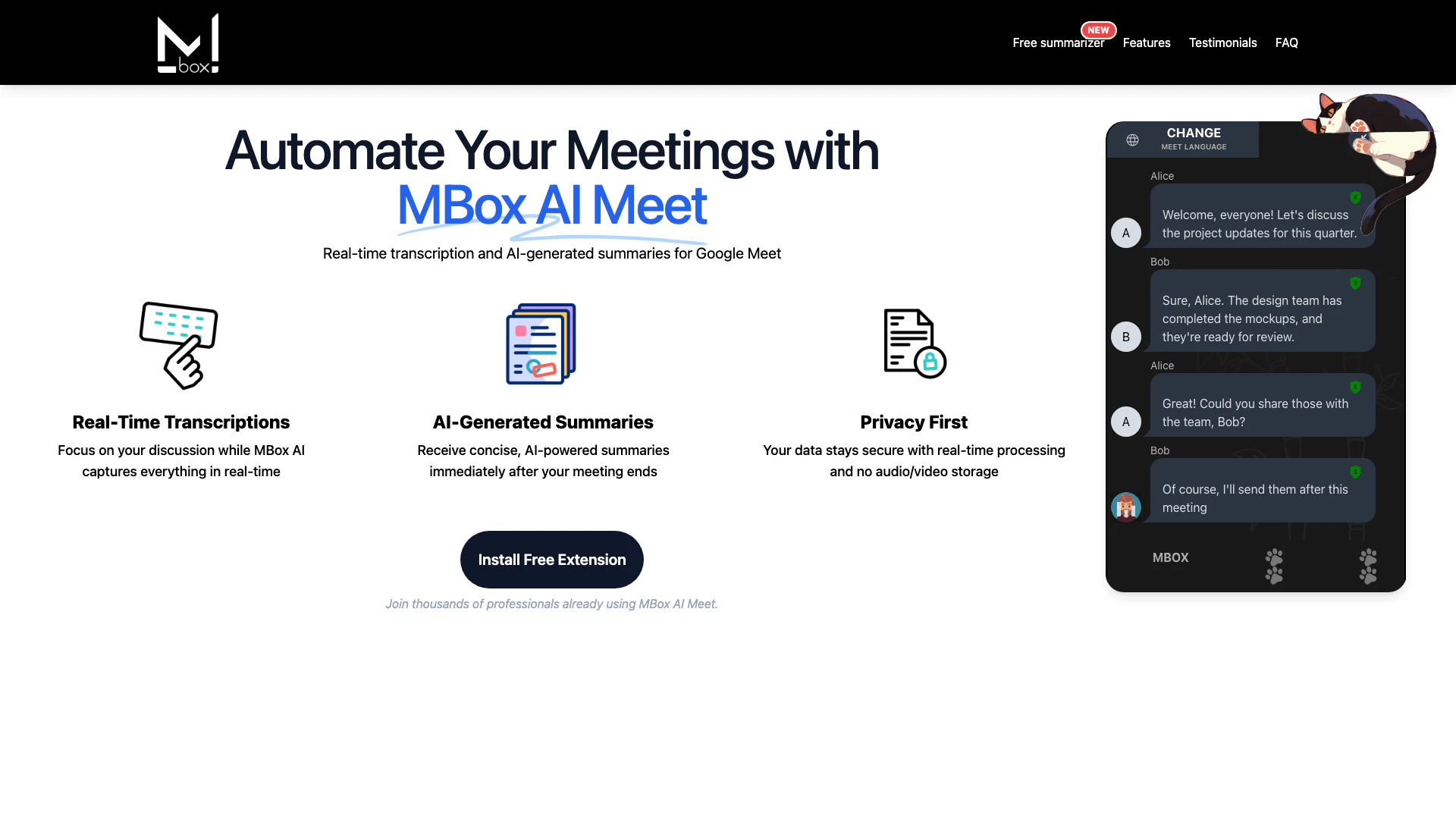
Mbox-meet is an innovative tool designed to enhance your Google Meet experience by providing real-time transcription[1] and automatic meeting summaries. This AI-powered extension allows users to focus on their discussions while capturing everything that is said during the meeting. Mbox-meet ensures that your data remains secure, processing information in real-time without storing audio or video. It is free to use, making it accessible for individuals and teams looking to streamline their meeting processes.
How to use Mbox-meet?
- Install the Mbox-meet Chrome extension from the Chrome Web Store.
- Start or join a Google Meet session as usual.
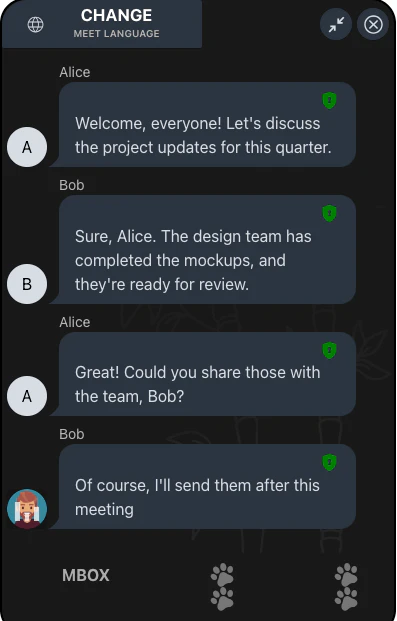
- During the meeting, Mbox-meet will automatically transcribe the conversation in real-time.
- After the meeting ends, receive an AI-generated summary directly to your email.
What are the main features of Mbox-meet?
- Real-time transcription: Captures conversations as they happen.
- AI-generated summaries[2]: Provides concise summaries immediately after meetings.
- Smart action tracking[3]: Identifies and highlights key action items.
- Customizable summaries[4]: Allows users to adjust the depth of summaries to their needs.
- Multi-language support[5]: Transcribes and summarizes meetings in various languages.
- End-to-end encryption: Ensures data security and privacy during meetings.
- Speaker identification: Tracks who said what, making it easier to reference comments.
Who is Mbox-meet for?
Mbox-meet is ideal for professionals, teams, and organizations that rely on Google Meet for their meetings. It caters to a wide range of users, including startup founders, project managers, IT specialists, and global strategists. Whether you are part of a remote team or working in a corporate environment, Mbox-meet helps streamline meeting processes, improve productivity, and enhance collaboration through its innovative features.
What are the use cases of Mbox-meet?
- Team meetings: Use Mbox-meet to capture discussions and decisions during team meetings, ensuring everyone is on the same page.
- Project updates: Summarize project status updates quickly, allowing for efficient follow-ups and action item tracking.
- Training sessions: Transcribe training sessions to provide participants with a reference they can review later.
- Multilingual meetings: Facilitate discussions in multiple languages, making it easier for global teams to collaborate.
Product Images





Mbox-meet Pros and Cons
Pros
- Real-Time Transcription: MBox AI Meet provides real-time transcription, allowing users to focus on discussions while capturing everything accurately.
- AI-Generated Summaries: The tool offers concise AI-generated summaries immediately after meetings, saving time and enhancing productivity.
- Privacy and Security: MBox ensures data privacy with real-time processing and no storage of audio or video, providing peace of mind for users.
- Multi-Language Support: Supports transcription and summarization in multiple languages, making it ideal for global teams.
Cons
No cons data detected for this tool
Mbox-meet Pricing
Free
Perfect for personal use. Includes real-time transcription and basic AI summaries.
Pro
For professionals and small teams. Includes everything in Free, advanced summaries, end-to-end encryption, and priority support.
Enterprise
Custom solutions for large teams. Includes everything in Pro, API access, custom analysis, and dedicated support.
For the latest pricing, please visit this link: https://mbox-meet.com/policy
Prices are subject to change. Please visit the official website for the most up-to-date pricing information.
Mbox-meet Reviews
Finally, a tool that simplifies meeting management. Highly recommended!
Secure and reliable — privacy features give me peace of mind.
The AI-generated summaries save me hours every week!
For more reviews, visit this link: https://mbox-meet.com#testimonials