Best 25 AI Meeting Optimization Tools Tools in 2026

Zoom, Slack, Otterai, Tldv, Reclaimai, Boardmix, Usebubbles, Grain, Getclockwise, Twinmind are the best paid / free AI Meeting Optimization Tools tools.

AI Meeting Optimization Tools are advanced applications designed to enhance the efficiency and productivity of meetings through the use of artificial intelligence and natural language processing. These tools assist professionals by automating tasks such as scheduling, agenda creation, and minute-taking, while also analyzing conversation patterns to provide insights for better decision-making. By employing machine learning algorithms, these tools can adapt to user preferences and improve over time, making them invaluable for teams looking to streamline their meeting processes and ensure that discussions are focused and actionable.

Zoom

Connect and collaborate seamlessly with Zoom's all-in-one platform.

4
0 views
0 saved
563.4M

Basic

0.00 USD free

Free plan with 40 minutes per meeting, 100 participants per meeting, limited AI Companion features, instant messaging, 3 editable whiteboards, share up to 10 docs, 5 two-minute clips, and calendar sync.

View Pricing

Pro

13.33 USD monthly

Best for personal use or small teams. Includes all features of Basic, with 30 hours per meeting, unlimited in-meeting AI Companion use, unlimited docs, unlimited clips, Zoom Mail, and 10 GB cloud storage.

View Pricing

Business

18.33 USD monthly

Best for larger teams. Includes all features of Pro, with 300 participants per meeting, unlimited whiteboards, and additional features like SSO and multi-region storage.

View Pricing

Enterprise

0.00 USD monthly

Contact sales for pricing. Includes all features of Business, with 1000 participants per meeting and advanced security features.

View Pricing

For the latest pricing, please visit this link: https://zoom.us/pricing

Prices are subject to change. Please visit the official website for the most up-to-date pricing information.

What is Zoom?

Zoom is a comprehensive communication platform that modernizes workflows through its suite of collaboration tools. These tools include video meetings[1], team chat[2], VoIP phone[3] services, webinars[4], whiteboard[5] functionalities, contact center[6] solutions, and event management capabilities. With its user-friendly interface and robust features, Zoom aims to enhance productivity and connectivity for individuals and organizations alike, making it a trusted choice for seamless collaboration.

Pros

  • Comprehensive Collaboration Tools: Zoom offers a wide range of collaboration tools including video meetings, team chat, VoIP phone, and webinars, making it a versatile platform for various communication needs.
  • AI Integration: The built-in AI features, such as the AI Companion, enhance productivity by automating tasks like meeting summaries and follow-ups.
  • User-Friendly Interface: Zoom's interface is designed to be intuitive and easy to navigate, facilitating seamless user experiences for both beginners and advanced users.

What are the main features of Zoom?

  • Video Conferencing: High-quality video meetings for individuals and groups.
  • Team Chat: Instant messaging for seamless communication among team members.
  • VoIP Phone Services: Cloud-based phone system for making calls over the internet.
  • Webinars: Hosting virtual events and webinars for large audiences.
  • Whiteboard: Collaborative online whiteboard for brainstorming and visual collaboration.
  • Contact Center Solutions: Tools for managing customer interactions efficiently.
  • AI Companion: Integrated AI tools that assist in summarizing meetings and automating tasks.
Slack

Enhance collaboration and productivity with Slack's AI features.

5
0 views
0 saved
127.0M

Free Plan

0.00 USD free

A basic plan that allows users to access Slack's core features without any cost.

View Pricing

Pro Plan

7.25 USD monthly

The Pro Plan includes advanced features for teams, such as unlimited integrations and message search.

View Pricing

Business+ Plan

12.50 USD monthly

Business+ Plan offers enhanced security and compliance features, along with advanced analytics.

View Pricing

Enterprise Grid Plan

0.00 USD monthly

Enterprise Grid is designed for large organizations with advanced security, compliance, and administration features.

View Pricing

For the latest pricing, please visit this link: https://slack.com/pricing

Prices are subject to change. Please visit the official website for the most up-to-date pricing information.

What is Slack?

Slack is a powerful AI-driven[1] collaboration[2] tool designed to boost productivity[3] and enhance communication within teams. It offers a seamless platform for messaging, file sharing, and workflow automation, making it easier for teams to collaborate effectively. With features like chat summarization[4], automated meeting notes, and translation[6] capabilities, Slack's AI tools empower users to work smarter and more efficiently, ensuring that important information is always at their fingertips.

Pros

  • AI-Powered Productivity Tools: Slack's AI features enhance productivity by summarizing chats, automating workflows, and translating conversations, making work more efficient.
  • Seamless Integration: Slack integrates with various apps and tools, allowing users to connect their tech stack and streamline workflows directly within the platform.
  • User-Friendly Experience: The AI in Slack is designed to be intuitive, helping users without requiring complex prompts, thus improving user experience and engagement.

What are the main features of Slack?

  • AI Chat Summarization: Quickly get summaries of long conversations to stay informed.
  • Automated Meeting Notes: Let Slack take notes during meetings, ensuring you never miss important details.
  • File Search[5] and Management: Easily search and access shared files, including documents from integrated apps.
  • Translation Capabilities: Translate messages into multiple languages for seamless communication across global teams.
  • Workflow Automation: Automate repetitive tasks to enhance productivity and reduce manual work.
Otterai

Otter AI enhances productivity with real-time transcription and automated insights.

4
0 views
0 saved
7.2M

Enterprise

0.00 USD free

Need a custom solution? Contact our sales team to learn more about Otter’s advanced capabilities.

Business

19.99 USD monthly

From $19.99/month per user. Ideal for teams that want to collaborate seamlessly and turn meetings into actionable outcomes. Features include everything in Basic, plus 6000 monthly transcription minutes (4 hours per conversation), collaborative note editing, import and transcribe unlimited audio or video files, and more powerful workspace and admin features.

For the latest pricing, please visit this link: https://otter.ai/

Prices are subject to change. Please visit the official website for the most up-to-date pricing information.

What is Otterai?

Otterai is an AI-powered meeting assistant designed to enhance productivity through real-time transcription[1], automated summaries[2], insights, and action item tracking[4]. It acts as a virtual notetaker[5] that captures conversations during meetings, making it easier for users to focus on discussions rather than note-taking. With its ability to provide live chat[6] and insights, Otterai streamlines workflows and improves collaboration among teams.

Pros

  • Real-Time Transcription: Otter AI provides real-time transcription of meetings, ensuring accurate capture of conversations as they happen.
  • Automated Summaries: The tool automatically generates concise summaries of meetings, highlighting key decisions and action items for easy reference.
  • Integration Capabilities: Otter AI seamlessly integrates with popular tools like Zoom, Google Meet, and Salesforce, enhancing workflow efficiency.
  • AI Chat Functionality: The AI Chat feature allows users to ask questions and retrieve information from past meetings, improving accessibility to meeting data.

What are the main features of Otterai?

  • Real-Time Transcription: Captures conversations as they happen, providing instant access to notes.
  • Automated Summaries: Generates concise summaries highlighting key points, decisions, and action items from meetings.
  • Insights Extraction[3]: Automatically pulls important insights and details from discussions for easy reference.
  • Action Item Tracking: Identifies and assigns action items during meetings to ensure follow-ups are managed efficiently.
  • Integration with Other Tools: Connects with popular platforms like Zoom, Google Meet, and Salesforce to enhance workflow.
Tldv

Transform meetings into actionable insights with AI.

5
0 views
0 saved
1.5M

Free

0.00 USD free

Start with tl;dv instantly. Unlimited video recordings, Unlimited transcription in 30+ languages, Slack, email & calendar integrations, Mobile app (iOS, Android), AI features usage limits: 10x meetings with AI notes included, 10x Ask AI queries included.

View Pricing

Pro

18.00 USD monthly

For individuals & small teams who want fast, accurate AI reporting. Everything in Free, plus: Unlimited meetings with AI notes, Custom AI notes templates, AI action item assignment, Unlimited single-meeting Ask AI, Email follow-up drafter, 5000+ integrations, Global transcript search, Custom bot appearance, Unlimited uploads & storage, Priority support & faster processing.

View Pricing

Business

29.00 USD monthly

For teams looking for meeting insights automation at scale. Everything in Pro, plus: Premium transcription, Unlimited multi-meeting AI insights, Team management & orchestration.

View Pricing

Enterprise

0.00 USD monthly

For organizations who need advanced security, control, and support. Everything in Business, plus: Organization management & orchestration, SCIM provisioning, Custom SSO, Privately hosted AI, Organization activity logs, Optional usage-based pricing, Dedicated account manager.

View Pricing

For the latest pricing, please visit this link: https://tldv.io/app/pricing/

Prices are subject to change. Please visit the official website for the most up-to-date pricing information.

What is tl;dv?

tl;dv is an AI-powered meeting notetaker designed to enhance productivity by automatically recording, transcribing, and summarizing meetings held on platforms like Zoom, Google Meet, and Microsoft Teams. The tool transforms discussions into actionable insights[7], allowing users to focus on important tasks rather than manual note-taking. With its ability to generate concise summaries and manage follow-up actions, tl;dv helps teams streamline their workflow and improve collaboration.

Pros

  • AI-Powered Meeting Summaries: tl;dv automatically generates concise summaries of meetings, allowing users to quickly grasp key insights without manual note-taking.
  • Integration with Major Platforms: The tool seamlessly integrates with Zoom, Google Meet, and Microsoft Teams, ensuring compatibility with popular video conferencing tools.
  • Multilingual Support: tl;dv supports transcription and translation in over 30 languages, making it ideal for global teams and diverse work environments.
  • Free Forever Plan: The tool offers a free plan with no time limits, providing access to AI-powered features without upfront costs.

What are the main features of tl;dv?

  • Automatic Recording[1]: Captures meetings seamlessly across various platforms.
  • Transcription[2]: Converts spoken dialogue into accurate text in real-time.
  • AI Summaries[3]: Generates concise meeting summaries, highlighting key points and action items.
  • Multilingual Support[4]: Offers transcription and summaries in over 30 languages.
  • Integration Capabilities[5]: Connects with CRMs and other productivity tools to streamline workflows.
  • Data Security[6]: Ensures end-to-end encryption and compliance with GDPR and SOC2.
Reclaimai

Reclaimai optimizes your calendar to create more time for work and life.

5
0 views
0 saved
1.2M

Lite

0.00 USD free

For calendar basics. Free forever. Features include: 1 user team, 1 week scheduling range, 1 Scheduling Link, 1 Habit, limited integrations, unlimited Tasks, and unlimited Buffer Time.

Starter

10.00 USD monthly

For small teams. $10 per seat/month. Features include: Up to 10 seats, 8 week scheduling range, unlimited Focus Time, 3 Scheduling Links, 3 Smart Meetings, unlimited Habits, unlimited Calendar Sync, unlimited integrations, People Analytics & Time Tracking, unlimited Tasks, and unlimited Buffer Time.

Business

15.00 USD monthly

For large teams. $15 per seat/month. Features include: Up to 100 seats, 12 week scheduling range, unlimited Focus Time, unlimited Scheduling Links, unlimited Smart Meetings, unlimited Habits, unlimited Calendar Sync, unlimited integrations, People Analytics & Time Tracking, unlimited Tasks, unlimited Buffer Time, delegated access, and webhooks support.

Enterprise

22.00 USD monthly

For enterprise-grade support. $22 per seat/month. Features include: Over 100 seats, 12 week scheduling range, unlimited Focus Time, unlimited Scheduling Links, unlimited Smart Meetings, unlimited Habits, unlimited Calendar Sync, unlimited integrations, People Analytics & Time Tracking, unlimited Tasks, unlimited Buffer Time, delegated access, SSO & SCIM user provisioning, and webhooks support.

For the latest pricing, please visit this link: https://reclaim.ai/

Prices are subject to change. Please visit the official website for the most up-to-date pricing information.

What is Reclaimai?

Reclaimai is an AI-powered[1] calendar application[2] designed to enhance productivity by automatically scheduling tasks, meetings, habits, and breaks. This innovative tool integrates seamlessly with Google Calendar[4] and Outlook Calendar[5], allowing users to reclaim up to 40% more time for their essential tasks and focus areas. By intelligently managing schedules and preventing interruptions, Reclaimai helps individuals and teams improve their work-life balance and overall productivity.

Pros

  • AI-Powered Scheduling: Reclaim utilizes AI to automatically schedule tasks, meetings, and breaks, optimizing your calendar for better time management.
  • Increased Productivity: Users can reclaim an average of 7.6 hours per week by reducing meeting load and improving focus time through automated scheduling.
  • Integration with Popular Calendars: Reclaim seamlessly integrates with Google Calendar and Outlook Calendar, allowing users to manage all their schedules in one place.

What are the main features of Reclaimai?

  • AI Focus Time: Automatically defends time for deep work.
  • Smart Meetings: Finds the best meeting times across all attendees' schedules.
  • Task Scheduling[3]: Flexibly schedules tasks in your calendar based on priority.
  • Calendar Sync: Integrates with Google Calendar and Outlook Calendar to eliminate conflicts.
  • Buffer Time: Automatically schedules breaks and travel time around meetings.
Boardmix

Boardmix enhances teamwork with its versatile online whiteboard features.

4
0 views
0 saved
571.1K

Free

0.00 USD free

Try before making decision. Includes 1 team workspace, 3 editable boards, 200 objects per board, 1 GB of storage, 10 version history record, and all basic features.

View Pricing

Starter

5.00 USD monthly

Best for personal use. Includes all free features, 1 Professional team workspace, unlimited boards, objects, and projects, unlimited visitors with editing rights, 10 GB of storage per seat, 30 days revision history, and 20,000 AI credits per seat.

View Pricing

Business

8.00 USD monthly

Best for small teams. Includes all Starter features, 20 GB of storage per seat, advanced export options, advanced revision history, access to all AI tools, and 50,000 AI credits per seat.

View Pricing

Enterprise

0.00 USD monthly

Best for many large teams. Contact sales for pricing. Includes all Business features, unlimited Professional team workspace, 50 GB of storage per seat, unlimited AI credits, advanced setting, activity log, digital asset security, and priority support.

View Pricing

Lifetime

99.00 USD one-time

Lifetime plans start at just $99/seat, upgrade today and save big for your team.

View Pricing

For the latest pricing, please visit this link: https://boardmix.com/pricing/

Prices are subject to change. Please visit the official website for the most up-to-date pricing information.
What is Boardmix?

Boardmix is an innovative online collaborative whiteboard that integrates various digital tools such as mind maps, flowcharts, and more to enhance teamwork efficiency. Designed for a range of business scenarios, Boardmix facilitates seamless collaboration among team members, allowing them to brainstorm, organize, and visualize ideas in real time. With its AI-powered features, Boardmix transforms traditional whiteboarding into a dynamic and interactive experience, making it an essential tool for teams looking to boost productivity and creativity.

Pros

  • Comprehensive Collaboration Features: Boardmix integrates various tools like whiteboards, mind maps, and flowcharts, enhancing team collaboration and efficiency.
  • AI-Powered Tools: The platform includes AI features for brainstorming, diagramming, and presentations, streamlining the creative process.
  • Real-Time Collaboration: Supports up to 500 users collaborating simultaneously, making it ideal for large teams and brainstorming sessions.

What are the main features of Boardmix?

  • Collaborative Whiteboard: A flexible space for teams to visualize ideas and work together in real time.
  • Mind Mapping Tool: Organize thoughts and brainstorm ideas using various layouts and themes.
  • Flowchart Maker: Create and customize flowcharts to illustrate processes and workflows.
  • Templates: Access a library of pre-made templates for quick setup of common diagrams and charts.
  • AI-Powered Features: Utilize AI tools for generating mind maps, flowcharts, and presentations, enhancing creativity and efficiency.
Usebubbles

Automate meeting notes and action items effortlessly.

4
0 views
0 saved
330.5K

Basic

0.00 USD free

Record & Share Includes: - 30 mins per recording length - 5 meeting recordings per week - Unlimited screen recordings - Bubbles lock after 2 weeks - AI summaries and action items - Notetaker joins all meetings - All invitees receive recordings - 2 channels

View Pricing

Pro Teams

12.00 USD monthly

Collaboration & Access Control Everything in Basic, plus: - Unlimited recording length - Unlimited meeting recordings - Bubbles never get locked - AI transcripts - Choose which meetings Notetaker joins - Choose who receives recordings - Customize Notetaker name and branding - Unlimited channels - Discounted pricing for teams of 3+

View Pricing

Pro Personal

18.00 USD monthly

Ideal for Freelancers Everything in Pro Teams: - Get started as an individual or duo - Automatically transition to discounted Pro Teams pricing for all members if your team grows to 3+

View Pricing

For the latest pricing, please visit this link: https://www.usebubbles.com/pricing

Prices are subject to change. Please visit the official website for the most up-to-date pricing information.

What is Usebubbles?

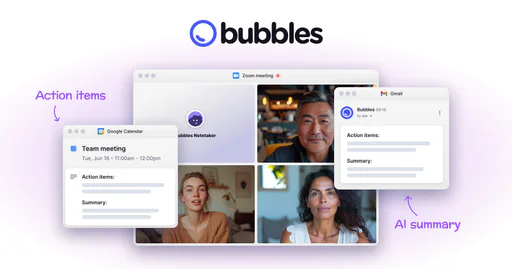
Usebubbles is an innovative AI-driven meeting tool designed to enhance productivity by automating note-taking and summarizing meetings. It allows users to record meetings seamlessly, generate actionable items, and create concise summaries, enabling teams to focus on discussions rather than manual note-taking. The platform also supports video conversations[5] and screen recording[3], making it a versatile solution for modern workplaces. By integrating with popular meeting platforms, Usebubbles aims to transform how teams communicate and collaborate, ensuring that every meeting is purposeful and productive.

Pros

  • Automated Note-Taking: Usebubbles offers automated note-taking, allowing users to focus on discussions while the tool captures important points and action items.
  • AI-Powered Summaries: The tool provides AI-generated summaries and action items after meetings, ensuring that participants have clear next steps.
  • Seamless Integration: Usebubbles integrates easily with popular meeting platforms like Zoom, Microsoft Teams, and Google Meet, enhancing workflow efficiency.

What are the main features of Usebubbles?

  • Automated Note-Taking[1]: Capture meeting notes automatically without manual input.
  • AI-Generated Action Items[2]: Receive instant summaries and actionable tasks after each meeting.
  • Screen Recording: Record your screen alongside video conversations for comprehensive documentation.
  • Integration with Meeting Platforms: Seamlessly connects with tools like Zoom, Google Meet, and Microsoft Teams.
  • Rich Commenting: Allow participants to provide feedback on recorded meetings asynchronously.
Grain

Transform customer meetings with AI-driven insights.

5
0 views
0 saved
231.9K

Enterprise

0.00 USD monthly

Advanced support and security. Everything in Business + SAML-based SSO, Priority API support, Custom invoices, Dedicated CS manager.

View Pricing

Starter

15.00 USD monthly

For product, design, and research. Everything in Free + Advanced AI notes, Custom AI prompts, Admin controls, 1 team, Slack integration, Productboard integration, Zapier integration, Unlimited meeting duration, Unlimited meeting storage, Import audio & video files.

View Pricing

Business

29.00 USD monthly

For sales and customer success. Everything in Starter + HubSpot integration, Salesforce integration, Unlimited teams, Custom AI follow-up email, AI coaching, Trackers, Deal status dashboard, Team performance insights, Unlimited uploads, Aircall integration, API access.

View Pricing

For the latest pricing, please visit this link: https://grain.com/pricing

Prices are subject to change. Please visit the official website for the most up-to-date pricing information.

What is Grain?

Grain is an innovative AI tool designed to unlock the value of customer meetings by automating note-taking and documentation processes. By leveraging advanced AI technology, Grain joins your calls to capture essential information and seamlessly integrates with popular platforms like Slack, HubSpot, and Salesforce. This tool is currently in beta and aims to enhance productivity by allowing users to focus on conversations while it handles the administrative tasks.

Pros

  • Automated Note-Taking: Grain AI automates note-taking during meetings, allowing users to focus on conversations instead of manual documentation.
  • Customizable Notes: Users can customize their notes using templates, ensuring that the information captured meets their specific needs.
  • Integration with Popular Tools: Grain integrates seamlessly with platforms like Slack, HubSpot, and Salesforce, streamlining workflow and data management.

What are the main features of Grain?

  • Automated Note-Taking[1]: Grain captures notes during meetings, reducing the need for manual documentation.
  • Custom Notes Templates[5]: Users can create personalized templates to structure their notes according to their preferences.
  • Integration[3] with Tools: Grain integrates with popular platforms like Slack, HubSpot, and Salesforce for seamless workflow.
  • Key Moments Highlighting[4]: The AI can identify and summarize important moments from the meeting transcript.
  • ChatGPT-like Functionality: Users can ask questions about the meeting, and Grain provides answers based on the conversation.
Getclockwise

Optimize your team's calendar with AI for better time management.

5
0 views
0 saved
195.0K

Free

0.00 USD free

For individuals and teams that need basic calendar help. Access to intelligent calendar management: Automatically find the best time for your tasks and routines, Schedule seamlessly outside your organization with unlimited Clockwise Scheduling Links, Protect personal time for meals, travel, and appointments, Delegate calendar management to Clockwise.

View Pricing

Teams

6.75 USD monthly

For individuals and teams that want to protect focus and boost productivity. Everything in Free, plus: Optimize meeting times to free up uninterrupted time for focused work, Protect your deep work time with auto-scheduled Focus Time holds, Schedule meetings with an external invitee and multiple teammates with group Scheduling Links.

View Pricing

Business

11.50 USD monthly

For companies with IT teams that need custom contracts and invoicing. Everything in Teams, plus: Measure meeting load and focus time across your entire organization, Access advanced billing management and admin controls, Implement a company-wide no-meeting day.

View Pricing

Enterprise

0.00 USD monthly

For large organizations with security requirements like central provisioning or user exclusion lists. Everything in Business, plus: Centrally manage user provisioning and deprovisioning via SCIM, Configure custom data processing for enhanced security, Receive guaranteed preferred support and maintenance.

View Pricing

For the latest pricing, please visit this link: https://www.getclockwise.com/pricing

Prices are subject to change. Please visit the official website for the most up-to-date pricing information.

What is Getclockwise?

Getclockwise is an innovative AI-powered calendar management[2] tool designed to optimize team schedules and create more time in everyone's day. By leveraging advanced artificial intelligence, Getclockwise helps users streamline their calendar management, allowing for greater flexibility and focus in their daily tasks. This tool is ideal for individuals and teams looking to enhance productivity and reduce the stress of scheduling conflicts. With its user-friendly interface and powerful features, Getclockwise transforms the way teams collaborate and manage their time.

Pros

  • AI-Powered Scheduling: Clockwise utilizes advanced AI technology to optimize scheduling, ensuring efficient use of time and reducing conflicts.
  • Real-Time Optimization: The tool continuously analyzes and adjusts calendar arrangements in real-time, adapting to changes and improving overall scheduling efficiency.
  • Team Coordination: Clockwise balances individual preferences with team needs, facilitating better collaboration and focus across different time zones.

What are the main features of Getclockwise?

  • AI Scheduling[1]: Automatically finds optimal meeting times based on participants' availability.
  • Flexible Meetings: Allows for dynamic scheduling adjustments to accommodate changing priorities.
  • Focus Time: Protects time for deep work by minimizing interruptions and scheduling conflicts.
  • Predictive Scheduling[3]: Anticipates potential conflicts and adjusts schedules proactively.
  • Team Coordination[5]: Balances individual preferences with group needs to enhance collaboration.
Twinmind

TwinMind is an AI-powered assistant that captures and summarizes meeting notes in real time.

5
0 views
0 saved
164.6K

Free Basic Plan

0.00 USD free

Unlimited hours of transcription, Unlimited AI chats and summaries, Real-time proactive suggestions, Remembers and learns from memories.

Pro Plan

15.00 USD monthly

Premium transcription in 100+ languages, Auto-selection among the best LLMs, Larger context up to 2 million tokens, Premium email support within 24 hours.

Enterprise Plan

0.00 USD monthly

Team-wide collaboration, On-prem deployment, Fine-tune (medical, legal, etc.), Dedicated account manager.

For the latest pricing, please visit this link: https://twinmind.com/

Prices are subject to change. Please visit the official website for the most up-to-date pricing information.

What is TwinMind?

TwinMind is a real-time[1] AI Meeting Assistant[2] designed to enhance productivity by capturing meeting notes[3], generating summaries[4], and analyzing discussions instantly. It supports over 140 languages, making it accessible to a global audience. TwinMind serves as a second brain that remembers and organizes information, allowing users to focus on the conversation without the distraction of taking notes. With features like automated follow-up[5] emails and memory recall[6], TwinMind transforms how individuals manage their meetings, lectures, and daily tasks.

Pros

  • Real-Time Meeting Assistance: TwinMind provides real-time AI assistance during meetings, allowing users to create notes and summaries instantly, enhancing productivity.
  • Multilingual Support: The tool supports over 140 languages, making it accessible for a diverse range of users and facilitating communication across language barriers.
  • Privacy-Focused Design: TwinMind ensures user privacy by transcribing audio locally without storing any data on external servers, providing peace of mind.

What are the main features of TwinMind?

  • Real-time transcription and note-taking in over 140 languages.
  • Automated meeting summaries and follow-up email suggestions.
  • Memory recall feature that remembers past discussions and details.
  • AI-driven proactive suggestions during meetings.
  • Support for multiple platforms including mobile and desktop.
Attention

Automate your sales processes with AI-driven insights.

4
0 views
0 saved
41.3K

What is Attention?

Attention is an innovative AI-driven tool designed to streamline sales processes by recording and analyzing sales touchpoints across various channels such as meetings, emails, calls, and CRMs. It leverages AI agents that learn from this data to automate repetitive tasks, including follow-ups, next steps, CRM updates, and coaching scorecards. By eliminating administrative burdens, Attention empowers sales teams to focus on closing deals and improving overall sales efficiency.
Pros

  • Automates Sales Workflows: Attention's AI agents automate various sales tasks such as follow-ups, CRM updates, and coaching scorecards, allowing sales teams to focus on closing deals.
  • Comprehensive Call Recording: The tool records, transcribes, and summarizes meetings across all call platforms, providing valuable insights for sales teams.
  • Integration with Multiple Tools: Attention integrates with over 200 software tools, enhancing its functionality and allowing seamless data transfer across platforms.

What are the main features of Attention?

  • Sales Touchpoint Recording: Capture meetings, calls, and emails to build a comprehensive dataset.
  • AI Automation: Automate follow-ups, CRM updates, and coaching scorecards to reduce manual workload.
  • Customizable Scorecards: Use AI to generate coaching scorecards based on various sales frameworks like MEDDIC and BANT.
  • Integration Capabilities: Seamlessly integrate with over 200 software tools including Salesforce, HubSpot, and Slack.
  • Call Transcription and Summarization: Transcribe and summarize sales calls for easy sharing and analysis.
Vimcal

Vimcal is an ultra-fast calendar designed for busy professionals managing multiple meetings.

5
0 views
0 saved
36.7K

Free

0.00 USD free

Free forever. Everything in Vimcal iOS & Desktop and: iOS Calendar, Drag and copy availabilities, Multi-time zone conversion, Auto-merge duplicate events, Dark mode.

View Pricing

Vimcal

200.00 USD yearly

Everything in Vimcal iOS and: Unlimited Personal Booking Links, Polls for group scheduling, Vimcal Desktop App for Mac and PC, Team scheduling features, Custom Menu Bar App for Mac, Remove 'Created with Vimcal' signature in events.

View Pricing

Vimcal EA

625.00 USD yearly

All the power of Vimcal, purpose-built for EAs. Everything in Vimcal iOS & Desktop and: Support for 5 simultaneous time zones, Auto-created and auto-deleted Calendar Holds, Polls and Collaborative Spreadsheets for large meetings, History of previously offered time slots, Calendar Audits and Weekly Calendar Metrics, Customizable preferences for each exec, One-click account handoff to another EA (coming soon), 1-on-1 onboardings.

View Pricing

For the latest pricing, please visit this link: https://www.vimcal.com/pricing

Prices are subject to change. Please visit the official website for the most up-to-date pricing information.

What is Vimcal?

Vimcal is the world’s fastest calendar[1], specifically designed for individuals with busy schedules and numerous meetings. It offers a beautifully crafted interface that enables users to manage their time effectively. With features like drag-and-drop[2] availability sharing, scheduling across different time zones, and the ability to view all your Outlook and Google calendars in one unified interface, Vimcal stands out as a powerful tool for optimizing calendar management.

Pros

  • Fast Scheduling Process: Vimcal allows users to schedule meetings quickly with instant response times under 100ms, making it ideal for busy professionals.
  • Unified Calendar View: Users can see all their Outlook and Google calendars in one view, eliminating the hassle of switching between different platforms.
  • Time Zone Management: Vimcal simplifies scheduling across different time zones by showing overlapping work hours, reducing the need for mental calculations.

What are the main features of Vimcal?

  • Instant Scheduling[5]: Type your availability and schedule meetings instantly.
  • Time Zone Management[3]: Easily view overlapping work hours with anyone across different time zones.
  • Speed and Shortcuts: Experience lightning-fast response times and keyboard shortcuts for efficient navigation.
  • Unified Calendar View[4]: See all your work and personal calendars in one place to avoid confusion.
  • Do Not Disturb Mode[6]: Focus on tasks with a dedicated mode that minimizes distractions.
Dwave

Effortlessly transcribe and summarize meetings with AI.

4
0 views
0 saved
28.0K

Basic

0.00 USD free

Get started with AI meeting notes. 3 transcription hours/month. Meeting length limit: Up to 30 minutes per meeting. AI Text & Voice Processing: Up to 2 summaries/meeting, Up to 3 vocabulary, Transcript editing, Speaker identification, Edit meeting summary. Documents and Data: Up to 1 custom templates, Upload audio file, Download audio file, Download transcript & summary. Platform Integration and Sharing: Works on Web, Mobile App, Windows, and Mac, Share Meeting Notes.

View Pricing

Pro

90.00 USD yearly

For creators and freelancers. 20 transcription hours/month. Meeting length limit: Up to 2 hours per meeting. AI Text & Voice Processing: Up to 2 summaries/meeting, Up to 5 vocabulary, Transcript editing, Speaker identification, Edit meeting summary, Real-Time Subtitles, Real-Time Translation. Documents and Data: Up to 2 custom templates, Upload audio file, Download audio file, Download transcript & summary. Platform Integration and Sharing: Works on Web, Mobile App, Windows, and Mac, Share Meeting Notes.

View Pricing

Pro+

190.00 USD yearly

For Startups and SMBs. 40 transcription hours/month. Meeting length limit: Up to 3 hours per meeting. AI Text & Voice Processing: Up to 3 summaries/meeting, Up to 20 vocabulary, Transcript editing, Speaker identification, Edit meeting summary, Real-Time Subtitles, Real-Time Translation. Documents and Data: Up to 3 custom templates, Audio / Video File Upload, Download audio file, Download transcript & summary. Platform Integration and Sharing: Works on Web, Mobile App, Windows, and Mac, Share Meeting Notes.

View Pricing

Team

1200.00 USD yearly

For enterprises. 300 transcription hours/month. Meeting length limit: Up to 4 hours per meeting. AI Text & Voice Processing: Up to 5 summaries/meeting, Up to 20 vocabulary, Transcript editing, Speaker identification, Edit meeting summary, Real-Time Subtitles, Real-Time Translation. Documents and Data: Up to 5 custom templates, Audio / Video File Upload, Download audio file, Download transcript & summary. Platform Integration and Sharing: Works on Web, Mobile App, Windows, and Mac, Share Meeting Notes.

View Pricing

For the latest pricing, please visit this link: https://ink.dwave.cc/en-US/pricing

Prices are subject to change. Please visit the official website for the most up-to-date pricing information.

What is Meeting Ink?

Meeting Ink is an advanced AI-powered notetaker designed to automate the transcription and summarization of meetings across various platforms including Zoom, Google Meet, Microsoft Teams, and Webex. This innovative tool leverages generative AI technology to provide users with accurate meeting transcripts and smart summaries[2], enabling teams to focus on discussions rather than note-taking. By integrating with popular meeting platforms, Meeting Ink ensures that users can capture every detail of their meetings, ultimately enhancing productivity and collaboration.

Pros

  • Efficient Meeting Transcription: Meeting Ink provides real-time transcription for meetings across various platforms, allowing users to focus on discussions rather than note-taking.
  • Smart Summarization: The tool generates contextual summaries and allows customization, ensuring that important points are highlighted according to user needs.
  • Cross-Platform Support: Supports multiple meeting platforms including Zoom, Google Meet, and Microsoft Teams, making it versatile for different user environments.

What are the main features of Meeting Ink?

  • AI Transcription[1]: Automatically transcribe meetings in real-time, capturing every word spoken.
  • Smart Summaries: Generate concise summaries based on meeting discussions, customizable to user needs.
  • Multi-Platform Support[3]: Compatible with various meeting platforms like Zoom, Google Meet, Microsoft Teams, and Webex.
  • Real-Time Translation[4]: Provides translation services for seamless communication in multiple languages.
  • Custom Vocabulary[5]: Users can customize terminology and abbreviations for better accuracy in transcription.
Leiga

AI-driven project management for teams.

4
0 views
0 saved
27.6K

Startup Plan

0.00 USD free

Ideal for small team, offering essential project management features.

View Pricing

Standard Plan

10.00 USD monthly

Expanded capabilities for growing teams, with AI & advanced features.

View Pricing

Professional Plan

25.00 USD monthly

Comprehensive solution for businesses with more automation & customization.

View Pricing

Enterprise Plan

0.00 USD monthly

Ultimate package for large enterprises seeking AI-driven growth & productivity.

View Pricing

For the latest pricing, please visit this link: https://www.leiga.com/pricing

Prices are subject to change. Please visit the official website for the most up-to-date pricing information.

What is Leiga?

Leiga is an AI-powered project management tool designed to streamline project updates and enhance team productivity. By utilizing artificial intelligence, Leiga automatically updates project statuses, allowing teams to remain focused and keep projects on schedule. This innovative tool serves as an AI co-pilot for technical product and project management, making it easier for teams to plan, track, collaborate, and make decisions efficiently. Leiga aims to boost productivity by providing real-time insights[3] and automating repetitive tasks, which is particularly beneficial for product teams.

Pros

  • AI-Powered Project Management: Leiga utilizes AI to automate project updates, enhancing team focus and keeping projects on schedule.
  • Efficient Task Management: The tool allows for intelligent task breakdown and automates repetitive tasks, improving productivity.
  • Real-Time Insights: Leiga provides real-time data analysis and risk assessment, helping teams make informed decisions quickly.

What are the main features of Leiga?

  • AI Project Manager[1]: Analyzes projects and provides real-time insights and risk assessment[4]s.
  • Chat-Based Report Generation: Quickly generates tailored reports through an intuitive chat interface.
  • Intelligent Writing for PRD Documents: Streamlines the creation of product requirement documents, saving time and effort.
  • Automated Workflow: Customizes automations to handle repetitive tasks and reminders.
  • Sprint Tracking and Risk Assessment: Visualizes sprint progress and assesses potential risks in real-time.
Tacit

Tacit is a context management tool that captures and organizes your AI session data for easy reference and searchability.

4
0 views
0 saved
17.2K

Early Adopter Plan

29.00 USD one-time

Early adopter price. One-time purchase. Lifetime updates. Unlimited sessions indexed, search across all projects, intent, decisions, blockers captured, timeline and file change tracking, export to JSON and Markdown. Available for Windows, Linux, and macOS.

View Pricing

For the latest pricing, please visit this link: https://tacit.sh/buy

Prices are subject to change. Please visit the official website for the most up-to-date pricing information.

What is Tacit?

Tacit is a powerful context management tool designed to streamline interactions with AI tools like Claude Code. It addresses the common challenge of losing context during AI sessions by capturing every aspect of the conversation — including reasoning, arcs, and decisions — and making this information searchable. With Tacit, users can avoid the frustration of re-establishing context in each session, thus enhancing productivity and decision-making.

Pros

  • Session Context Capture: Tacit captures every session's context, including reasoning, decisions, and arcs, making it easy to reference past interactions.
  • Searchable History: The tool allows users to search through all sessions quickly, enabling efficient retrieval of information with a search speed of 0.02 seconds.
  • Cross-Platform Support: Tacit is compatible with Mac, Windows, and Linux, ensuring accessibility across different operating systems.

What are the main features of Tacit?

  • Session Capture: Automatically saves all interactions, including reasoning and decisions made during each session.
  • Search Functionality: Full-text search across all sessions, allowing users to find information instantly.
  • Session Mapping: Organizes session data into structured columns, highlighting Intent, Decisions, Context, Blockers, and Outcomes.
  • Export Options: Ability to export session data to HTML or PDF formats for easy sharing and reference.
  • Cross-Platform Support: Available as a native desktop application for Mac, Windows, and Linux.
Skej

Effortlessly manage your meetings with Skej's AI assistant.

5
0 views
0 saved
10.5K

Free Forever

0.00 USD free

1 Free Booking Link, Daily Agenda & Reminders, 7 Day Trial of Assistant.

View Pricing

Pro

15.00 USD monthly

Email Assistant, Unlimited Booking Links, Hide Skej Branding.

View Pricing

Premium

23.00 USD monthly

Custom Assistants, Unsupervised Mode, Team Admin Tools.

View Pricing

Enterprise

0.00 USD yearly

Dedicated Support, Additional Security, Custom Integrations.

View Pricing

For the latest pricing, please visit this link: https://skej.com/pricing

Prices are subject to change. Please visit the official website for the most up-to-date pricing information.
What is Skej?

Skej is an innovative AI-powered scheduling assistant designed to streamline the process of booking meetings and managing calendars. It acts as a human-like assistant that takes care of scheduling tasks, allowing users to focus on more critical aspects of their work. With features such as free booking links and seamless calendar management, Skej is tailored to enhance productivity and efficiency in both personal and professional settings.

Pros

  • AI-Powered Scheduling Assistant: Skej provides an AI assistant that automates the scheduling of meetings, saving users significant time and effort.
  • Seamless Integration: The tool integrates smoothly with various platforms like Google Calendar, Outlook, Slack, and Zoom, enhancing user productivity.
  • Customizable Assistant Options: Users can choose from different assistant personalities or create their own, allowing for a personalized scheduling experience.

What are the main features of Skej?

Skej offers a variety of powerful features to enhance your scheduling experience, including: - AI-Powered Scheduling: Automates the process of booking meetings, reducing the time spent on back-and-forth emails. - Customizable Assistants: Choose from various AI assistants, each with a unique tone, or create your own to fit your style. - Seamless Integration: Works with major calendar and communication platforms like Google Calendar, Outlook, Slack, and Microsoft Teams. - Live Chat Booking Links: Provides booking links that can converse with users in real-time to find optimal meeting times. - 24/7 Availability: The assistant operates around the clock, ensuring that scheduling can occur at any time.

Vexaai

Vexaai offers real-time meeting transcription for major platforms.

4
0 views
0 saved
9.9K

Single Bot Plan

12.00 USD monthly

Join up to 1 simultaneous meeting with unlimited transcription & real-time translation (100+ languages). Includes community support & Discord.

Enterprise Plan

0.00 USD free

For fleets of over 50 bots, fully managed service with the same open-source code. Contact the team for more details.

For the latest pricing, please visit this link: https://vexa.ai/

Prices are subject to change. Please visit the official website for the most up-to-date pricing information.

Pros

  • Real-time Transcription Support: Vexaai offers real-time transcription for Microsoft Teams and Google Meet, providing sub-second latency for live transcripts.
  • Open-source Flexibility: Vexaai is open-source, allowing users to self-host for complete control over their data and compliance with regulations.
  • Simple API Integration: The API is designed for ease of use, enabling quick integration with just two simple calls to create a bot and retrieve transcripts.
Aigenda

AiGenda automates meeting summaries and notes.

5
0 views
0 saved
7.8K

FREE

0.00 RUB monthly

150 minutes per month, transcription, summary, video loading, integration with Zoom, Google Meet, Telemost, processing priority: Low, editing the result: No, export of summary: No, ability to share a record: By link.

START

990.00 RUB monthly

540 minutes per month, transcription, summary, video loading, integration with Zoom, Google Meet, Telemost, processing priority: High, editing the result: Yes, export of summary: Yes, ability to share a record: By link.

PRO

1890.00 RUB monthly

1200 minutes per month, transcription, summary, video loading, integration with Zoom, Google Meet, Telemost, processing priority: High, editing the result: Yes, export of summary: Yes, ability to share a record: By link.

For the latest pricing, please visit this link: https://aigenda.tech/

Prices are subject to change. Please visit the official website for the most up-to-date pricing information.

What is AiGenda?

AiGenda is an advanced AI meeting agent[1] designed to streamline the process of capturing and summarizing key moments from meetings. This tool automatically generates structured notes[3] and insights, significantly reducing the time spent on manual transcription. With an impressive accuracy rate of over 98%, AiGenda translates speech into text efficiently, allowing users to focus on the content of their meetings rather than the logistics of note-taking. The tool integrates seamlessly with popular video conferencing platforms such as Zoom and Google Meet, making it an essential assistant for professionals seeking to enhance their meeting productivity.

Pros

  • Automatic Meeting Transcription: AiGenda provides automatic transcription of meetings with over 98% accuracy, ensuring high-quality notes are generated quickly.
  • Fast Processing Time: The AI assistant processes meeting recordings and delivers summaries in under 5 minutes, saving valuable time for users.
  • Integration with Popular Platforms: AiGenda seamlessly integrates with major video conferencing platforms like Zoom, Google Meet, and Telemost, enhancing user convenience.

What are the main features of AiGenda?

  • Automatic transcription[2] of meetings with over 98% accuracy[4].
  • Quick processing time of under 5 minutes for meeting summaries[5].
  • Integration with major video conferencing tools like Zoom and Google Meet.
  • Capability to determine the type of meeting and compile relevant protocols.
  • Easy sharing of summaries via PDF or links to colleagues and students.
Itsconvo

AI-powered meeting assistant for seamless note-taking.

5
0 views
0 saved
4.0K

Starter

14.99 USD monthly

For individuals who want real-time help in meetings and basic memory.

View Pricing

Professional

37.99 USD monthly

For professionals who live in meetings and want deeper context and customization.

View Pricing

Enterprise

0.00 USD free

For organizations that need broader customization and dedicated support.

View Pricing

For the latest pricing, please visit this link: https://www.itsconvo.com/pricing

Prices are subject to change. Please visit the official website for the most up-to-date pricing information.

What is Itsconvo?

Itsconvo is an AI-powered meeting assistant designed to enhance productivity during virtual meetings. It provides real-time transcription, meeting notes, and summaries for calls conducted on platforms such as Zoom, Google Meet, Microsoft Teams, Slack, and Webex. Unlike traditional recording bots, Itsconvo operates silently and processes audio locally on your device, ensuring complete privacy and security. Its core value lies in delivering instant response suggestions and maintaining a searchable history of your meetings, allowing users to focus on the conversation without the distraction of note-taking.

Pros

  • Real-time Meeting Assistance: Convo provides real-time help during meetings, offering instant response suggestions and key insights, ensuring users never miss critical moments.
  • Privacy and Security: Convo processes audio locally on the user's device, ensuring complete privacy and security with military-grade AES-256 encryption.
  • Wide Compatibility: Works seamlessly with major platforms like Zoom, Microsoft Teams, Google Meet, and Slack, making it versatile for various meeting environments.

What are the main features of Itsconvo?

  • Real-time transcription and meeting notes.
  • Instant response suggestions tailored to your conversation.
  • Searchable meeting history for easy access to past discussions.
  • Integration with popular platforms like Zoom, Google Meet, Microsoft Teams, Slack, and Webex.
  • Privacy-focused: processes audio locally without joining meetings as a bot.
  • Fully encrypted for enhanced security.
Summieai

Summieai simplifies meeting documentation with automated summaries and insights.

5
0 views
0 saved
473

On-demand

0.00 USD monthly

Your no-commitment access to purchase credits as you need them. 69 One-time minutes, 5 Free questions per meeting, 69 Minutes max recording, E-Mail support.

View Pricing

Starter

9.99 USD monthly

Extended recording for longer meetings and cost-effective additional credits (for minutes and questions). Everything in On-Demand, 624 Monthly credits, 120 Minutes max recording, Email and chat support, Meeting analytics.

View Pricing

Pro

19.99 USD monthly

More included credits for frequent usage and the lowest rates on additional time. Everything in Starter, 1,538 Monthly credits included, 120 Minutes max recording, Email, chat or call support, Fast lane – Get results even faster.

View Pricing

For the latest pricing, please visit this link: https://www.summie.ai/#pricing

Prices are subject to change. Please visit the official website for the most up-to-date pricing information.


What is Summieai?

Summieai is a mobile meeting assistant designed to streamline the process of recording meetings and generating accurate summaries, key takeaways[1], and action items[2]. With its fully automated capabilities, Summieai allows users to focus on discussions without the distraction of note-taking. The tool is GDPR compliant[3], ensuring that users' data is handled securely and responsibly. Summieai supports recording in over 90 languages, making it a versatile solution for diverse teams and organizations.

Pros

  • Automated Meeting Summaries: Summieai provides fully automated meeting summaries, key takeaways, and action items, allowing users to focus on discussions without manual note-taking.
  • Multilingual Support: The tool supports recording and transcription in over 90 languages, making it accessible for diverse user groups and international meetings.
  • Advanced Transcription Features: Summieai utilizes advanced deep learning algorithms for accurate transcriptions, ensuring that all details of the meeting are captured for later review.

What are the main features of Summieai?

  • Automated Meeting Documentation: Summieai provides highly accurate summaries and actionable insights without the need for manual note-taking.
  • Smart Transcription[5]: The tool transcribes entire meetings, allowing users to revisit discussions in detail.
  • Multi-Language Support[4]: Record meetings in over 90 languages, making it accessible for international teams.
  • Speaker Detection and Sentiment Analysis: Automatically identifies speakers and analyzes their contributions during the meeting.
  • Interactive Queries: Users can ask Summieai specific questions about their meetings to retrieve information quickly.