

Mailwizardai





What is Mailwizardai?
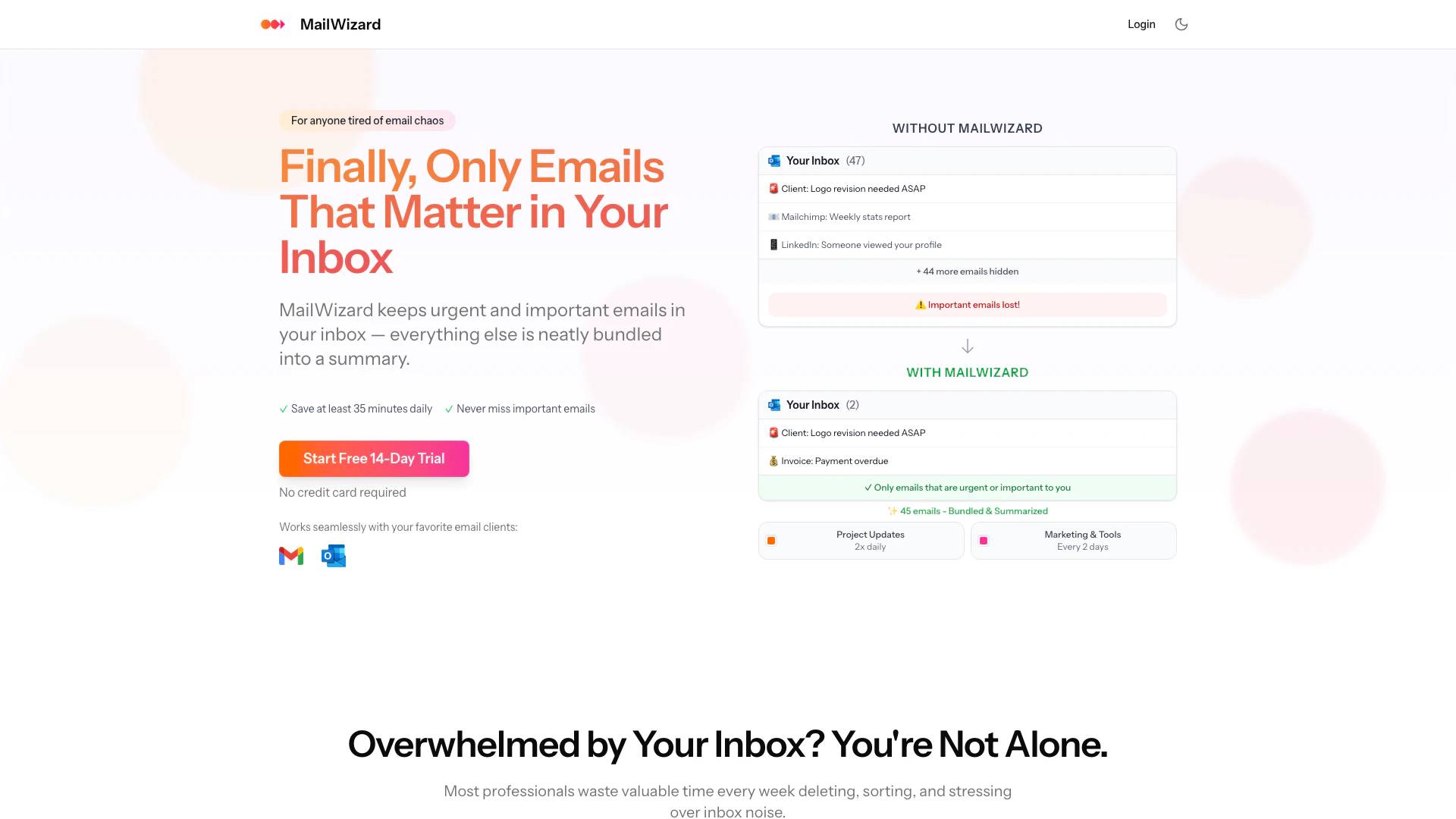
Mailwizardai is an intelligent email management[1] tool designed to filter, summarize, and automate your inbox, allowing users to focus on what truly matters. By leveraging smart workflows and AI-driven summaries, Mailwizardai helps professionals reclaim valuable time lost in email chaos. With features that prioritize urgent and important emails while neatly bundling less critical ones, Mailwizardai transforms your email experience, ensuring that you never miss significant messages while reducing the clutter in your inbox.
How to use Mailwizardai?
- Sign Up: Visit the Mailwizardai website and start your free 14-day trial without needing a credit card.
- Connect Your Email: Log in and connect your preferred email client (Gmail or Outlook) to Mailwizardai.
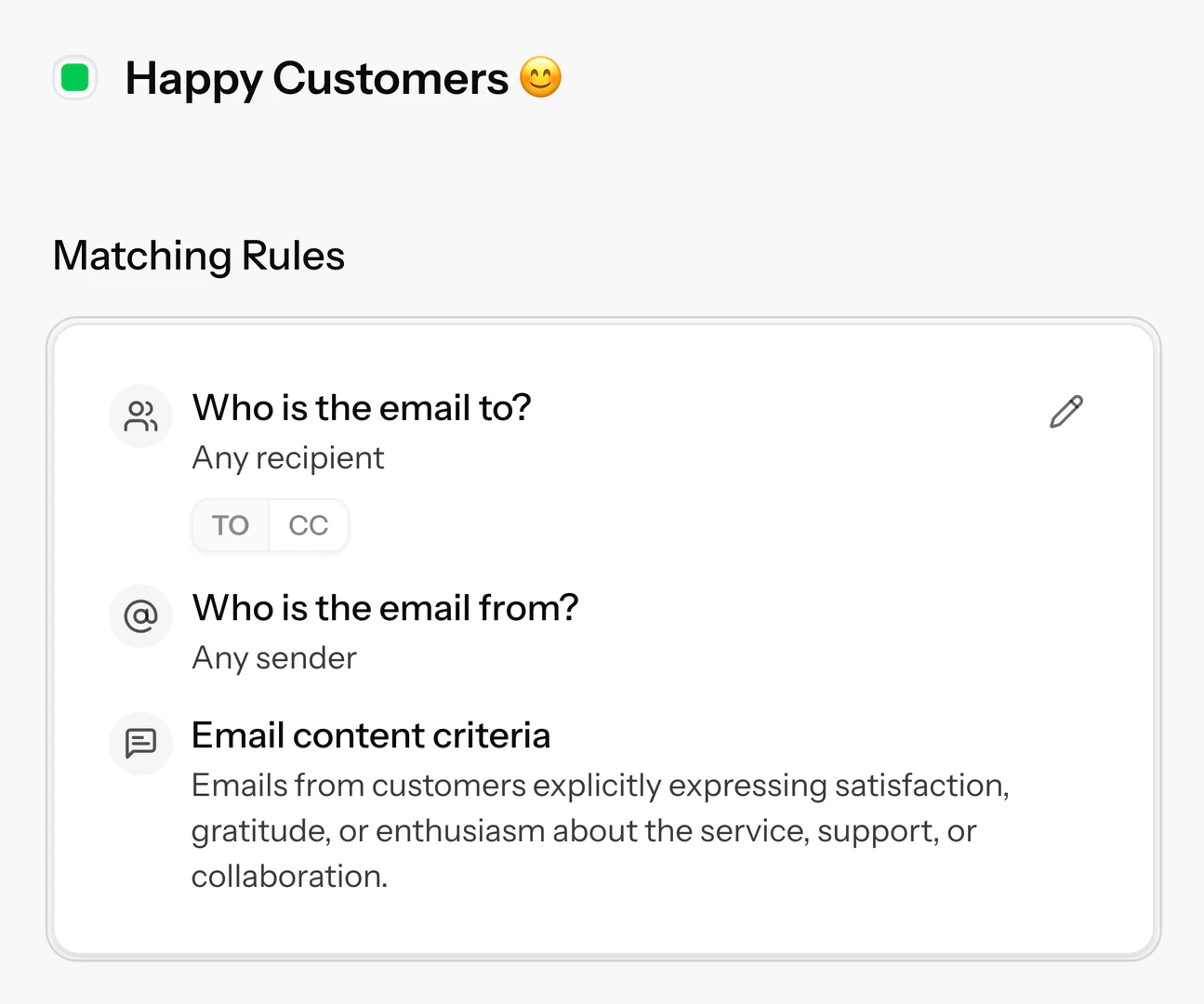
- Set Up Smart Workflows: Define what types of emails matter most to you using plain language, such as 'urgent client messages' or 'emails from my boss'.
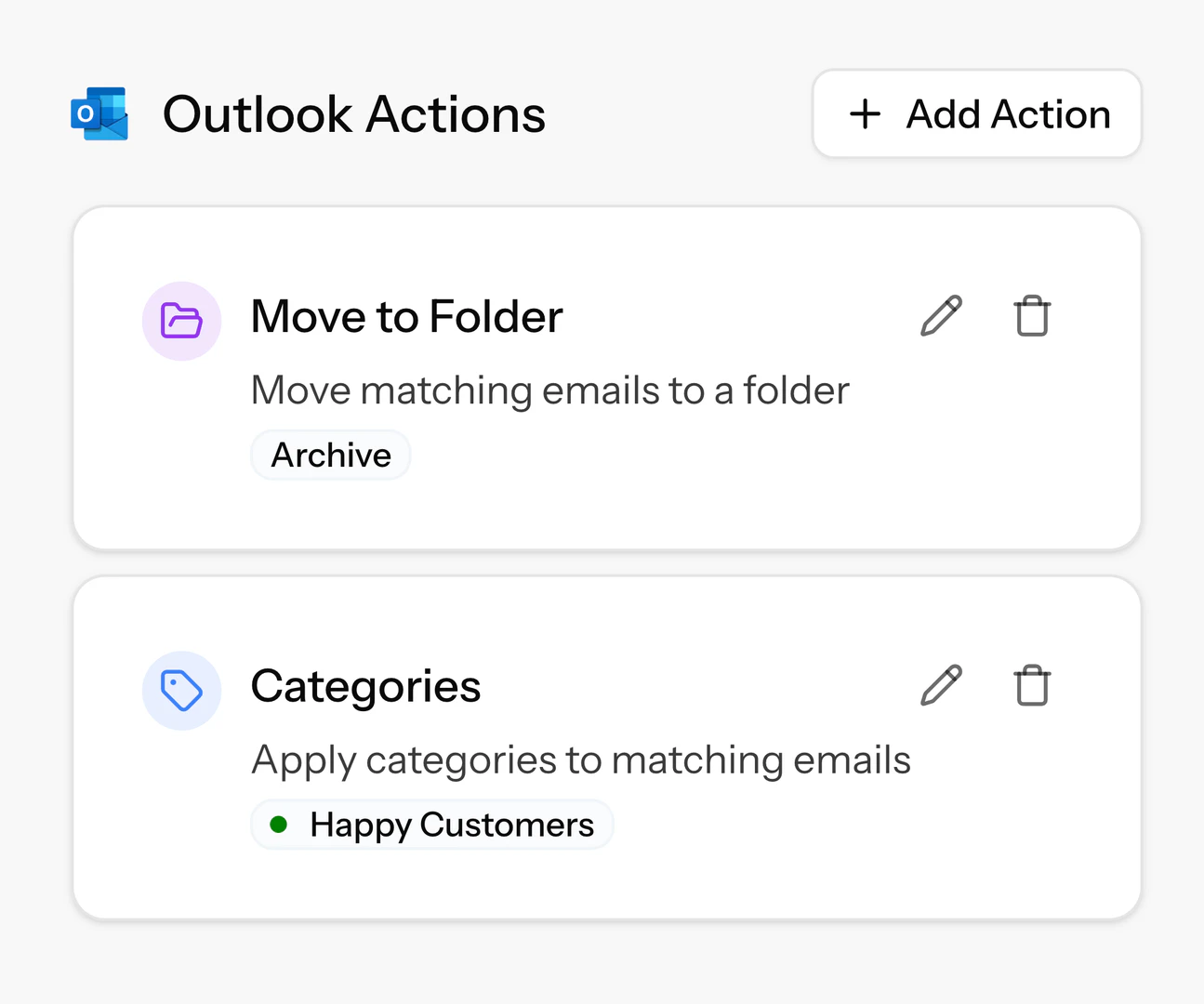
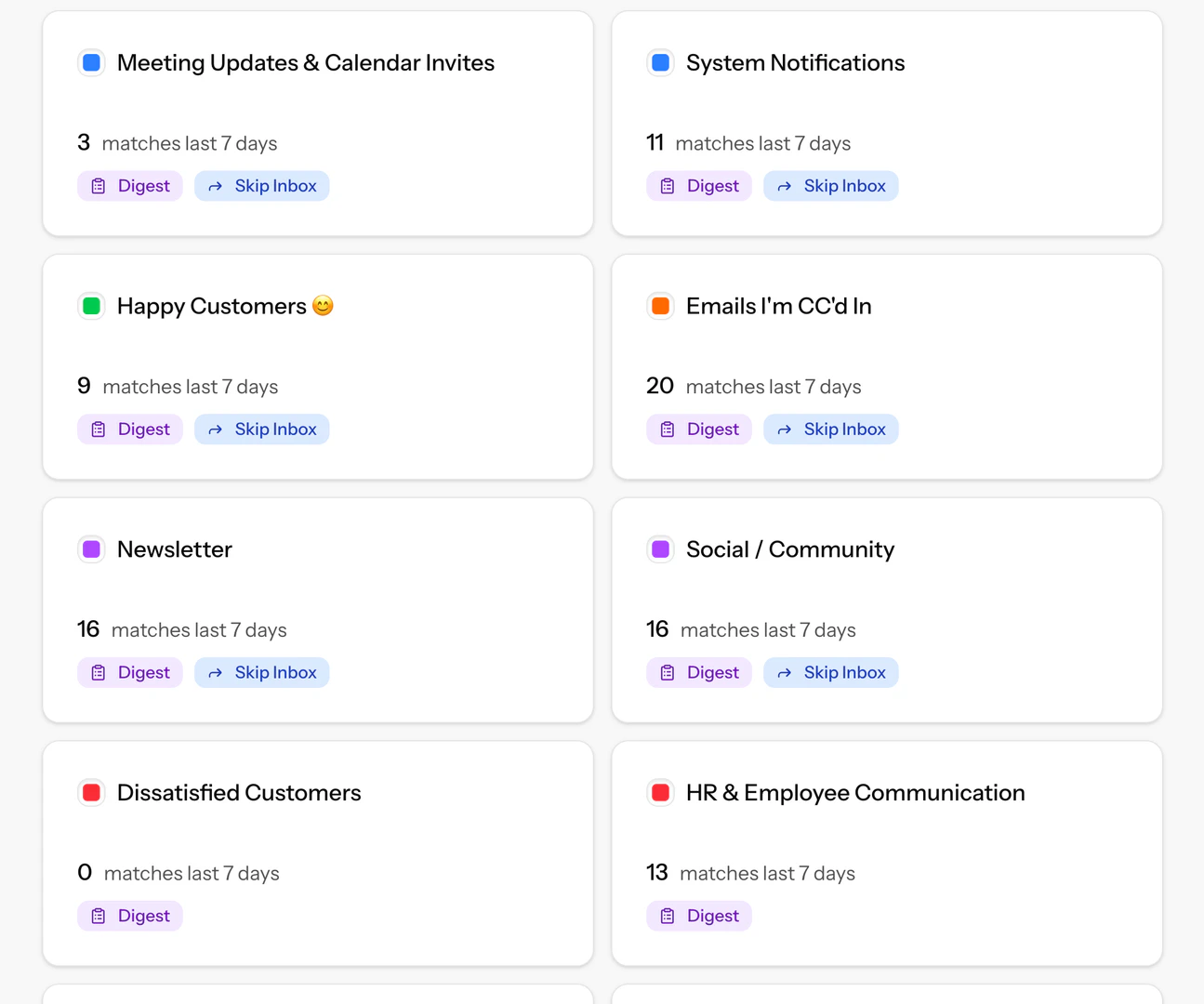
- Customize Email Actions: Choose how Mailwizardai should handle emails that don't require your immediate attention, such as archiving or labeling them.
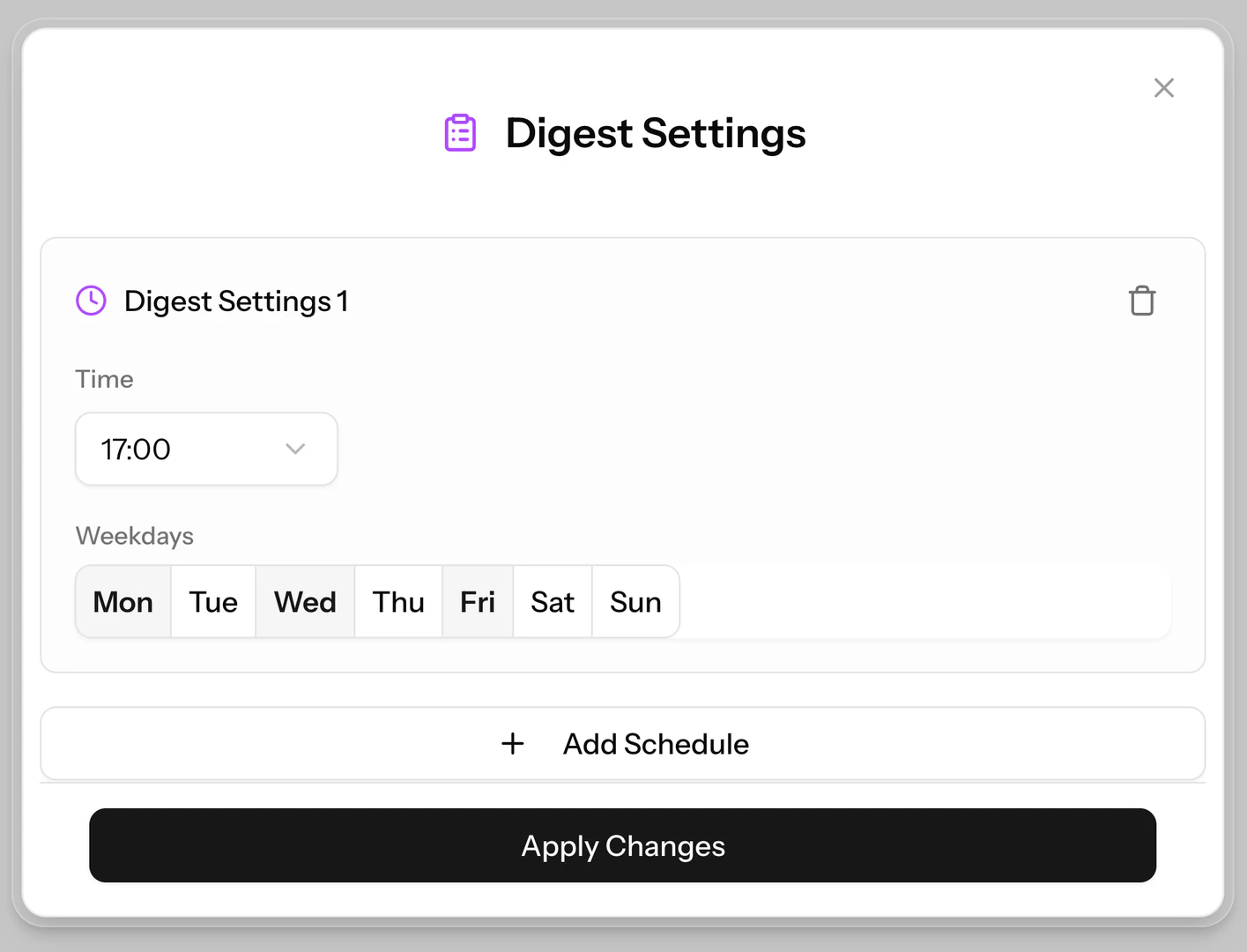
- Schedule Summaries: Decide when you want to receive email summaries, whether daily, weekly, or at specific times that suit your routine.
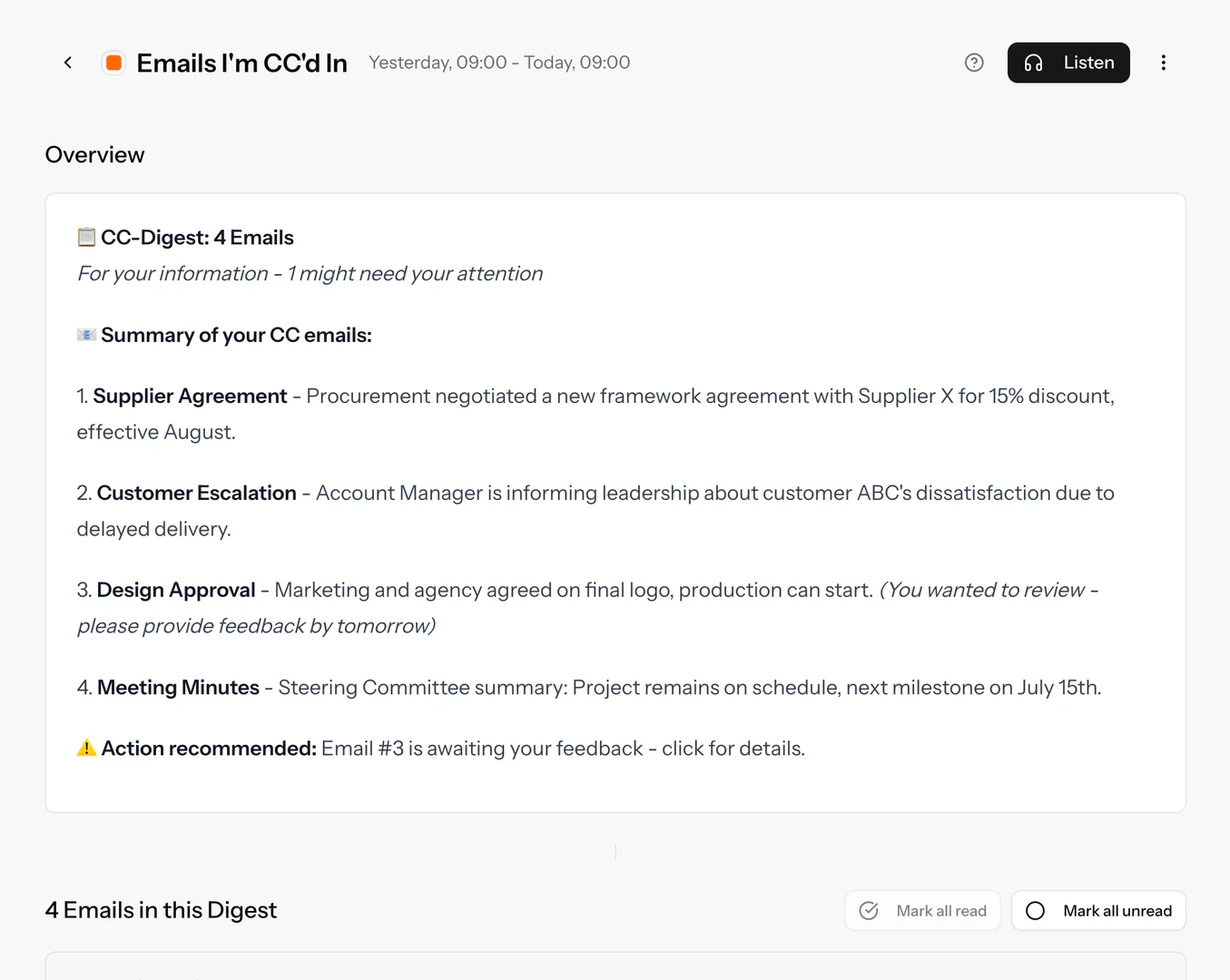
- Enjoy Audio Summaries[5]: Opt to receive your summaries in audio format, allowing you to listen while on the go.
What are the main features of Mailwizardai?
- Intelligent Filtering[2]: Automatically sorts emails based on your preferences, ensuring only the most relevant emails appear in your inbox.
- One-Click Email Cleanup: Allows for quick organization of emails, such as moving newsletters to folders or skipping the inbox.
- Custom Rule Engine[4]: Users can create personalized rules to determine how emails are filtered and managed.
- Smart Summaries[3]: Provides concise summaries of your emails, highlighting urgent and important messages without needing to open each one.
- Audio Summaries: Offers the option to listen to email summaries, perfect for multitasking or commuting.
- Flexible Scheduling: Users can choose when to receive email summaries, accommodating their unique schedules.
Who is Mailwizardai for?
Mailwizardai is designed for professionals and anyone overwhelmed by email clutter. This includes busy executives, team leaders, and remote workers who receive a high volume of emails daily and need a streamlined way to manage their inbox. Additionally, it caters to individuals seeking to enhance their productivity by minimizing distractions and focusing on essential communications. Whether you're in marketing, project management, or customer service, Mailwizardai helps you regain control over your email management.
What are the use cases of Mailwizardai?
- Email Management for Busy Professionals: Ideal for individuals who receive countless emails daily, allowing them to focus on priority messages.
- Project Coordination: Helps teams manage updates and communications without losing track of important client messages or project-related emails.
- Customer Support: Ensures support teams can quickly identify urgent customer inquiries while filtering out less critical messages.
Product Images
Mailwizardai Pros and Cons
Pros
- Intelligent Email Filtering: MailWizard intelligently filters your inbox, ensuring only urgent and important emails are visible, while summarizing the rest for easy access.
- Time-Saving Automation: Automate email management with smart workflows, allowing you to reclaim at least 35 minutes daily by reducing time spent on sorting and deleting emails.
- Customizable Email Summaries: Receive tailored email summaries at your preferred schedule, including audio summaries for convenience, enhancing your productivity.
Cons
No cons data detected for this tool
Mailwizardai Pricing
Starter
Unlimited Workflows: Create intelligent filters (e.g. "Emails containing a task for me" or "Frustrated customer emails with negative tone") Email Actions: Let emails automatically archive, label or move Summaries: Get overviews of your emails when you want them Up to 750 emails automatically processed per month (~25 daily) 1 Email Account
Pro
Unlimited Workflows: Create intelligent filters (e.g. "Emails containing a task for me" or "Frustrated customer emails with negative tone") Email Actions: Let emails automatically archive, label or move Summaries: Get overviews of your emails when you want them Up to 3,000 emails automatically processed per month (~100 daily) 2 Email Accounts Audio Summaries: Listen to your email overview on the go
For the latest pricing, please visit this link: https://mailwizard.ai/
Prices are subject to change. Please visit the official website for the most up-to-date pricing information.
Analytics of Mailwizardai
Mailwizardai Website Traffic Analysis
Visits Over Time
Traffic Sources
Jan 2026 - Jan 2026 Worldwide Desktop Only
- Search: 70.40%
- Direct: 14.29%
- Social: 7.64%
- Referrals: 6.40%
- Paid Referrals: 0.99%
- Mail: 0.07%
Top Keywords
| Keyword | Volume | CPC | Estimated Value |
|---|---|---|---|
| mail wizards | 580 | $0.00 | $20.00 |
| mailwizard | 290 | $0.00 | $270.00 |
| email wizard | 240 | $0.00 | $0.00 |
| mailwizarsd | 90 | $0.00 | $90.00 |
| lmail wiazars | 20 | $0.00 | $20.00 |




