Ayari





What is Ayari?
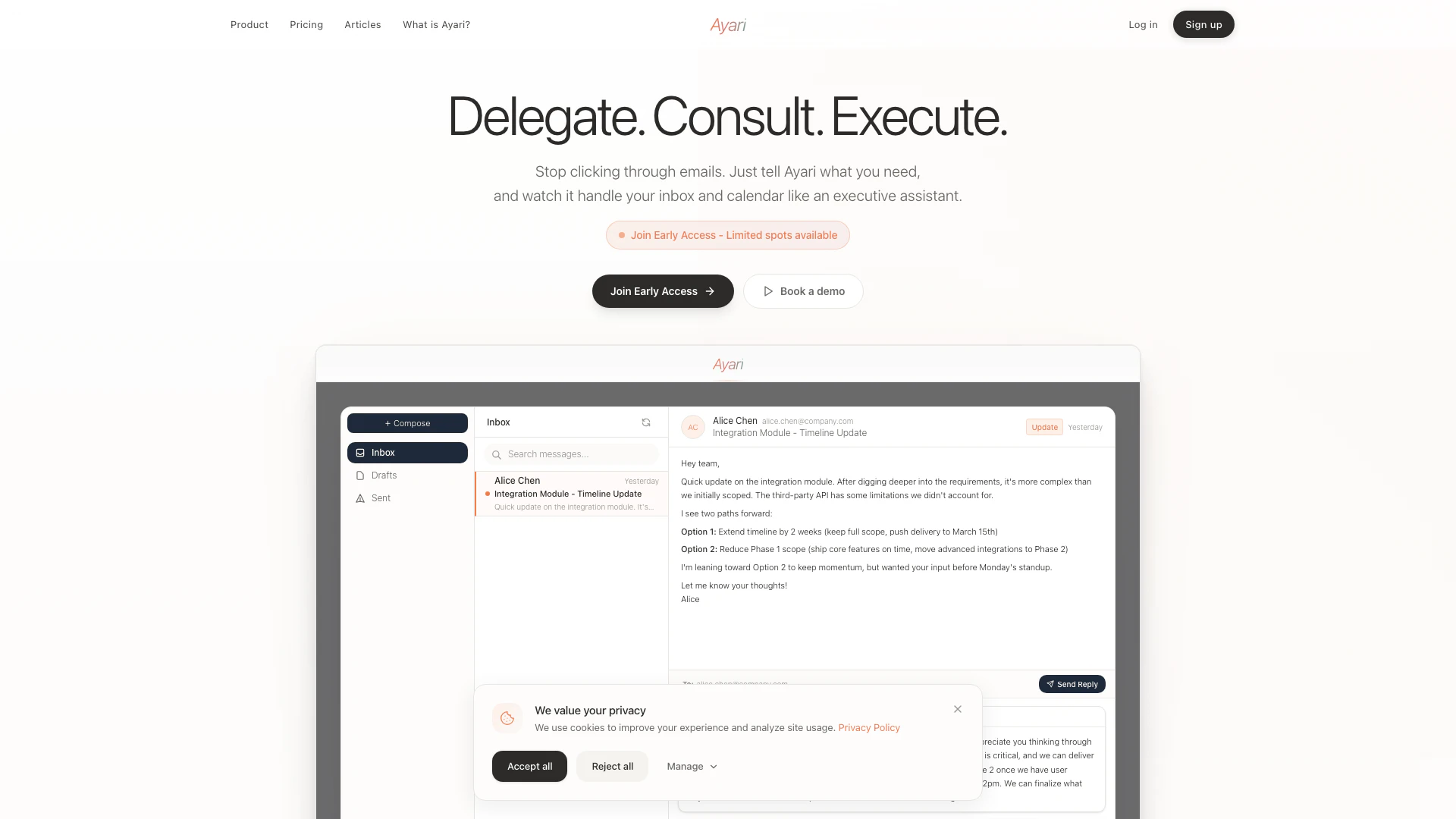
Ayari is an AI-powered executive assistant designed to manage your email and calendar through natural conversation. By leveraging advanced conversational AI[1], Ayari allows users to delegate tasks such as email triage[5] and meeting scheduling, effectively transforming how professionals interact with their inboxes and calendars. With Ayari, you can save over 11 hours each week, as it understands context, prioritizes important messages, and drafts responses in your voice, acting like a personal assistant that streamlines your workflow.
How to use Ayari?
- Sign Up and Connect: Visit ayari.io and create an account. Securely connect your Gmail or Outlook account to allow Ayari to access your emails and calendar.
- Start Delegating: Use natural language to ask Ayari to perform tasks, such as summarizing emails, drafting replies, or scheduling meetings. For example, say "What needs my attention today?" or "Draft a response to this email."
- Review and Approve: Ayari will present the results or drafts for your review. You can approve, modify, or let Ayari execute the tasks automatically.
- Let Ayari Learn: As you continue to use Ayari, it will adapt to your preferences and communication style, improving its efficiency and accuracy in handling your requests.
What are the main features of Ayari?
- Intelligent Email Management[2]: Automatically triages emails based on urgency and importance, helping users focus on what truly matters.
- Context-Aware Scheduling[4]: Efficiently manages calendar appointments, preventing conflicts and optimizing time for important tasks.
- Natural Language Processing[3]: Users can interact with Ayari using conversational language, making it easy to delegate tasks without complex commands.
- Drafting Responses: Ayari drafts email replies in the user’s voice, saving time on communication.
- Proactive Insights: Analyzes communication patterns to provide insights and recommendations before users even ask.
Who is Ayari for?
Ayari is ideal for a diverse range of users seeking to enhance productivity and reclaim their time. This includes: - Students and Young Professionals: Those managing coursework, job applications, and networking opportunities can benefit from Ayari’s organizational capabilities. - Busy Professionals: Individuals juggling multiple projects and responsibilities will find Ayari invaluable for managing communications and scheduling. - Entrepreneurs: Business owners coordinating with clients and partners can streamline their operations using Ayari’s intelligent automation. - Executives and Leaders: High-level professionals can leverage Ayari to reduce time spent on administrative tasks, allowing them to focus on strategic decision-making.
What are the use cases of Ayari?
- Email Prioritization: Users can ask Ayari to summarize their inbox, highlighting emails that require immediate attention, thus saving time on manual sorting.
- Meeting Scheduling: Ayari can coordinate complex meeting schedules, taking into account existing commitments and suggesting optimal times for all participants.
- Follow-up Management: Users can delegate follow-up tasks, allowing Ayari to remind them of important deadlines and pending communications automatically.
Ayari Pros and Cons
Pros
- Efficient Email Management: Ayari automates email triage and drafting, allowing users to save significant time by handling urgent emails and summarizing inbox content.
- Intelligent Calendar Optimization: The tool intelligently schedules meetings and blocks focus time, preventing conflicts and enhancing productivity.
- Natural Language Interaction: Users can interact with Ayari using natural language, making it easy to delegate tasks without navigating complex interfaces.
Cons
No cons data detected for this tool
Ayari Pricing
Starter
Perfect for professionals getting started with AI-powered email and calendar management. Includes 150 standard requests/month, 20 premium requests/month, all email & calendar intelligence, AI-powered reply drafting, smart task planning, and more.
Professional
For power users handling high-volume communications and complex workflows. Includes everything in Starter, plus 300 standard requests/month, 100 premium requests/month, 5x more premium model access, priority support, and more.
Enterprise
Tailored solutions for teams with industry-specific workflows and requirements. Custom pricing based on specific needs.
For the latest pricing, please visit this link: https://ayari.io/
Prices are subject to change. Please visit the official website for the most up-to-date pricing information.
Ayari Reviews
Gave it my syllabus and class schedule and it just laid out a study plan for me. I didn't have to think about when to start reviewing what.
Finally, I can focus on strategic work instead of email management.
Scheduling used to take up half my morning. Now it just... happens. I don't even think about it anymore.
For more reviews, visit this link: https://ayari.io/#reviews