Parallelflow




What is Parallelflow?
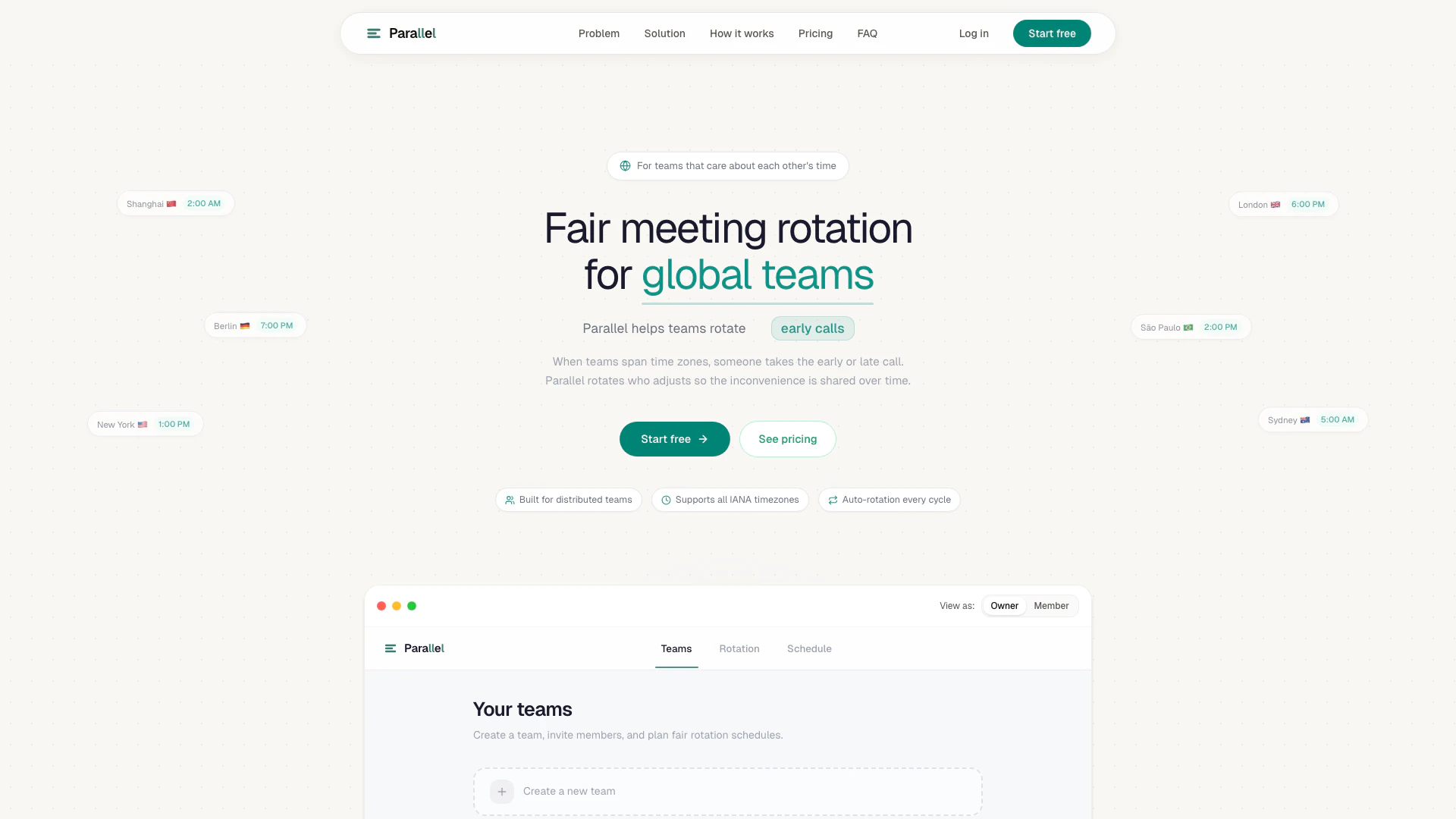
Parallelflow is an innovative scheduling tool designed to facilitate fair meeting rotations for global teams. It addresses the common issue of inconvenient meeting times that often burden specific team members, particularly in distributed teams operating across various time zones. By automatically rotating meeting times, Parallelflow ensures that no one team member is consistently assigned to early morning or late night calls, promoting fairness and shared responsibility. This tool not only streamlines the scheduling process but also enhances team collaboration by making the meeting burden visible and manageable.
How to use Parallelflow?
- Create your team: Sign up and invite your teammates to join your workspace. Only the team owner needs to initiate the setup.
- Define meeting rules: Input the meeting cadence, time zones, availability windows, and any hard boundaries that should be respected.
- Generate a rotation: Let Parallelflow compute a fair meeting schedule that distributes inconvenient times across the team over time.
- Review and publish: Check the generated schedule, understand who has been assigned which times, and publish the final rotation with transparency.
What are the main features of Parallelflow?
- Fair meeting rotation: Automatically rotates meeting times to ensure that no single team member is consistently burdened with inconvenient meeting slots.
- Time zone support: Supports all IANA time zones, allowing for seamless scheduling across global teams.
- Instant availability analysis: Quickly analyzes team members' availability, eliminating the need for manual time zone calculations.
- Multi-week scheduling: Generates weeks of meeting schedules in seconds, streamlining the planning process.
- Burden tracking: Keeps a record of who has taken inconvenient slots, allowing for informed scheduling decisions and promoting transparency.
Who is Parallelflow for?
Parallelflow is designed for distributed teams and organizations that operate across multiple time zones. It is particularly beneficial for teams that conduct regular meetings and want to ensure fairness in scheduling. This tool is ideal for project managers, team leaders, and members of global teams who are looking to improve collaboration and reduce the burden of inconvenient meeting times on individual team members.
What are the use cases of Parallelflow?
- Project team meetings: Schedule regular syncs for project teams located in different time zones, ensuring that meeting times are fair and shared among all members.
- Cross-functional collaboration: Facilitate meetings between departments that span across continents, maintaining engagement without disadvantaging specific team members.
- Recurring status updates: Organize weekly or bi-weekly status updates for distributed teams, allowing for a balanced approach to scheduling and participation.
Parallelflow Pros and Cons
Pros
- Fair Meeting Rotation: Parallel ensures fair rotation of meeting times across time zones, preventing any single team member from consistently bearing the burden of inconvenient meeting hours.
- Instant Scheduling: The tool analyzes team members' availability instantly, allowing for quick scheduling without the need for manual time-zone calculations.
- Visibility of Meeting Burden: Parallel provides a clear view of who has taken inconvenient meeting slots, helping teams make informed decisions about scheduling.
Cons
No cons data detected for this tool
Parallelflow Pricing
Starter
Perfect for small distributed teams. Up to 5 team members, generate rotations up to 4 weeks, up to 2 active teams, rotation analysis, export rotations to your calendar (.ics). 14-day free trial.
Pro
For growing distributed teams. Up to 20 team members, generate rotations up to 12 weeks, unlimited teams, advanced rotation analysis, priority support, everything in Starter.
Enterprise
For large organizations. Custom pricing for unlimited team members, unlimited rotation planning, API access, enterprise security, dedicated support.
For the latest pricing, please visit this link: https://parallelflow.app/pricing
Prices are subject to change. Please visit the official website for the most up-to-date pricing information.