


Twitter-color Created with Sketch. Amazon-color Created with Sketch. Facebook-color Created with Sketch. github [#142] Created with Sketch. meta_fill Pinterest-color Created with Sketch. ProductHunt-color Created with Sketch. Spotify-color Created with Sketch. Threads Logo Streamline Icon: https://streamlinehq.com Yelp-color Created with Sketch. Youtube-color Created with Sketch.
TopAIToolsTopAITools
  • Free Tools
  • Category
  • Leaderboard
  • Deals
  • Submit
EN
TopAIToolsTopAITools
TopAI

TopAITools

TopAITools, The Best Top AI Tools

AI Glossary|English简体中文繁體中文한국어日本語PortuguêsEspañolDeutschFrançaisTiếng Việt|Map

© 2026 TopAITools. All rights reserved.

About

  • Privacy Policy
  • Terms of use

Contact Us

business@topaitoolsreview.com
Home
AI Information Management Tools
Organizechatgpt
Last updated: May 28, 2026
Organizechatgpt logo

Organizechatgpt

Get deal
5.0|0 Comments|0 Saved
Introduction:
OrganizeChatGPT enhances ChatGPT by organizing chats into folders.
Launch Date:
December 2, 2023
Monthly Visits:
4.1K
Inputs:
Text
Outputs:
Text
Supported Languages:
ENNL
AI Models:
ChatGPT
Website
Free
💼Work🎨Creativity
AI Information Management Tools161AI Prompt Management Tools9AI Task Management Tools132
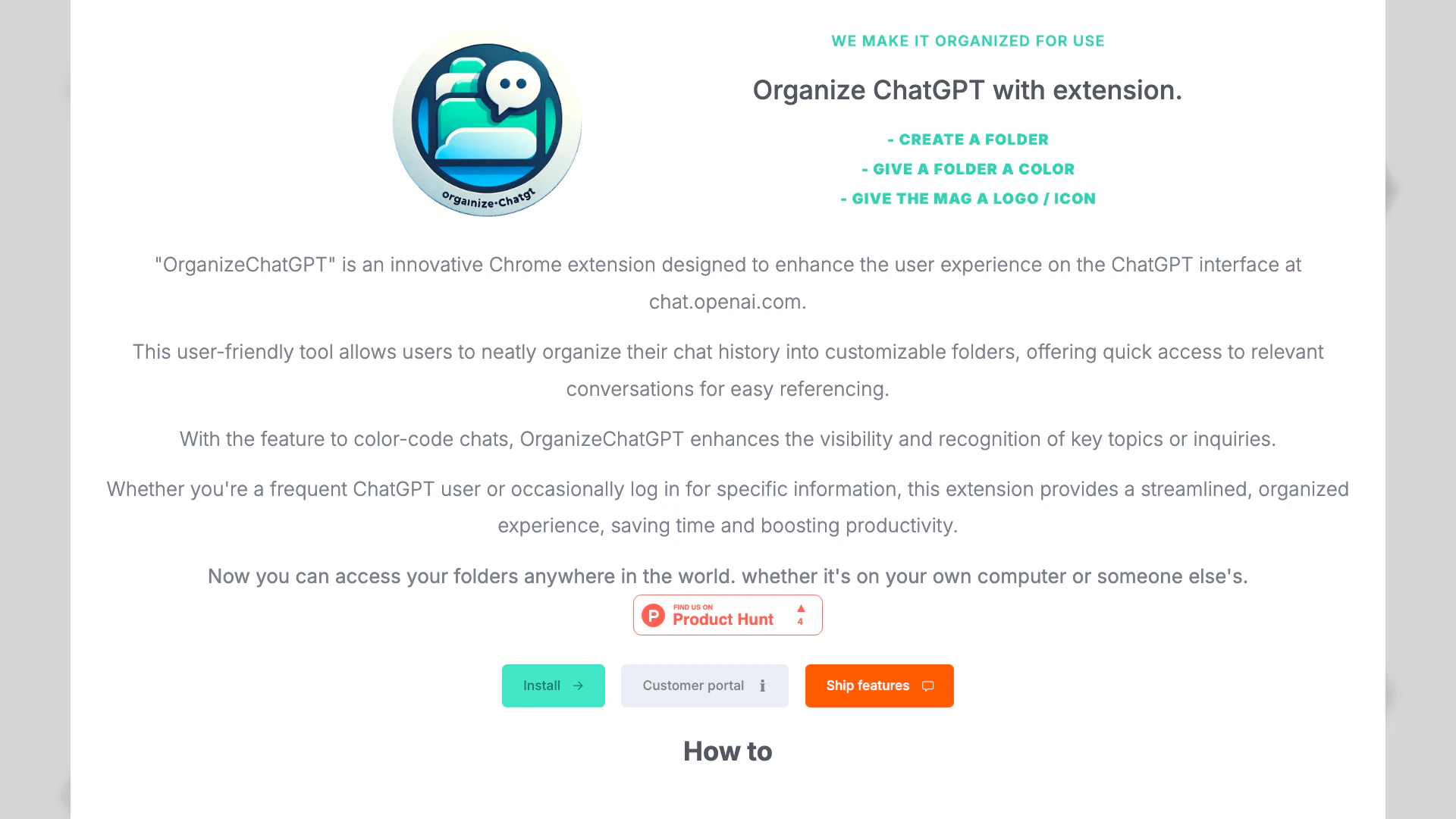
Organizechatgpt website screenshot showing OrganizeChatGPT enhances ChatGPT by orga... interface and features
Use tool
Update this tool
Notion 1771246560178 logo

Notion 1771246560178

Notion AI enhances productivity by integrating AI tools directly into your workspace.

AI Models logo

AI Models

We believe our research will eventually lead to artificial general intelligence, a system that can solve human-level problems. Building safe and beneficial AGI is our mission.

Docgpt Ai Writer For Docs logo

Docgpt Ai Writer For Docs

GPT for Sheets™ Docs™ Forms™ Slides™ - Google Workspace Marketplace

Figma logo

Figma

Automate layer renaming in Figma for better organization.

Gemini logo

Gemini

Gemini is Google’s AI assistant for writing and brainstorming.

Organizechatgpt Overview

What is OrganizeChatGPT?

OrganizeChatGPT is a Chrome extension[1] designed to enhance the user experience on the ChatGPT platform at chat.openai.com. This innovative tool allows users to efficiently organize their ChatGPT conversations into customizable folders[3], making it easier to manage chat history and access important discussions. With features such as folder creation, color-coding[5] for easy recognition, and the ability to pin important chats[4], OrganizeChatGPT streamlines the process of referencing past conversations, ultimately saving time and boosting productivity.


How to use OrganizeChatGPT?

To effectively use OrganizeChatGPT, follow these steps: 1. Install the Extension: Download and install the OrganizeChatGPT extension from the Chrome Web Store. 2. Create Folders: Use the extension to create folders that categorize your chats by topic or project, allowing for better organization. 3. Pin Conversations: Highlight important chats by pinning them for quick access whenever needed. 4. Color-Code Folders: Assign colors to your folders for visual separation, making it easier to recognize key topics. 5. Search & Filter: Utilize the search and filtering options to quickly find any specific chat, ensuring you never lose track of important conversations.


What are the main features of OrganizeChatGPT?

OrganizeChatGPT offers several key features that enhance the ChatGPT experience: - Folder Organization[2]: Create customizable folders to categorize your chat history. - Color-Coding: Assign different colors to folders for easy visual identification. - Pin Important Chats: Highlight crucial conversations for quick access. - Search & Filter Options: Quickly locate specific chats through efficient search functionalities. - Cross-Device Access[6]: Access your organized folders from any computer, ensuring flexibility and convenience.


Who is OrganizeChatGPT for?

OrganizeChatGPT is ideal for anyone who frequently uses ChatGPT, including students, researchers, professionals, and casual users. It is especially beneficial for individuals who engage in multiple conversations on various topics and need a streamlined way to manage and reference their chat history. Whether you are looking to organize discussions for academic purposes, work projects, or personal inquiries, this extension provides the tools necessary for an efficient and organized ChatGPT experience.


What are the use cases of OrganizeChatGPT?

OrganizeChatGPT can be applied in various scenarios, including: 1. Academic Research: Organize chats related to research topics into folders for easy reference. 2. Project Management: Keep track of discussions related to specific projects by categorizing them in dedicated folders. 3. Personal Information Management: Store and quickly access important conversations regarding personal interests or inquiries.

Organizechatgpt Pros and Cons

Pros

  • Customizable Folder Organization: OrganizeChatGPT allows users to create customizable folders for their chats, enhancing organization and quick access to important conversations.
  • Color-Coding for Easy Recognition: Users can color-code their folders, making it easier to visually separate and recognize key topics or inquiries.
  • User-Friendly Interface: The extension features a user-friendly interface that simplifies the process of managing chat history, making it accessible for all users.

Cons

No cons data detected for this tool

Organizechatgpt Pricing

Free Plan

Contact Us

The extension is free to use.

Lifetime Access Plan

€29

Use the folders on multiple computers for a one-time fee.

For the latest pricing, please visit this link: https://billing.stripe.com/p/login/28o6pjdSA4YB4ak6oo

Prices are subject to change. Please visit the official website for the most up-to-date pricing information.

Analytics of Organizechatgpt

Loading...

Organizechatgpt Compare

Tool NameIntroductionPricing
Type
RatingLaunch DateLearn more
Solidgrids logo
Solidgrids
Configure it once and automate your images forever without intervention—no need to review. Photos are ready to publish. Adjust backgrounds, lighting, banners, and more to fit your company branding.
Free
💼Work🎨Creativity
October 5, 2021
Get deal
Rewind Ai logo
Rewind Ai
Rewind
Free
🙋‍♂️Personal💼Work
February 2, 2018
Get deal
Quillbot Paraphraser logo
Quillbot Paraph...
Paraphrasing Tool (Ad-Free and No Sign-up Required) - QuillBot AI
Free
💼Work🎨Creativity
December 31, 1984
Get deal

Info current as of post date. Offers and availability may vary by location and are subject to change.

Organizechatgpt Q&A

You can organize your ChatGPT conversations by creating folders to categorize your chats by topic or project, pinning important conversations for quick access, and using color codes to visually separate chats for easy recognition.

Organizechatgpt Launch embeds

Use website badges to drive support from your community for your TopAITools Review. They're easy to embed on your homepage or footer.

FEATURED ONTopaitoolsreview.com

Organizechatgpt Alternatives

Gemini screenshot

Gemini

Discover Gemini, Google's versatile AI assistant for writing and planning.

Website
Free
💼Work
Productivity & OfficeAI Productivity ToolsAI Business Planning ToolsAI Prompt Management Tools
  • Productivity & Office
  • AI Productivity Tools
  • AI Business Planning Tools
  • AI Prompt Management Tools
Use tool
2068.6M
Direct77.40%
Search17.27%
Referrals4.45%
Notion 1771246560178 screenshot

Notion 1771246560178

Notion AI enhances productivity by integrating AI tools directly into your workspace.

Website
Free
🙋‍♂️Personal💼Work🎨Creativity
Productivity & OfficeAI Productivity ToolsAI Information Management ToolsContent Management Tools
  • Productivity & Office
  • AI Productivity Tools
  • AI Information Management Tools
  • Content Management Tools
Use tool
178.3M
Direct81.45%
Search10.98%
Referrals7.05%
Notion screenshot

Notion

Notion is an AI-powered workspace that automates tasks and enhances team collaboration.

Website
Free
💼Work🎨Creativity
Productivity & OfficeAI Productivity ToolsAI Information Management ToolsAI Task Management Tools
  • Productivity & Office
  • AI Productivity Tools
  • AI Information Management Tools
  • AI Task Management Tools
Use tool
159.0M
Direct81.12%
Search11.13%
Referrals7.29%

Organizechatgpt Tags

Chat ManagementFolder OrganizationPin ConversationsCustomizable FoldersSearch FunctionalityChat History Management

Also used for

AI Information Management Tools161AI Prompt Management Tools9AI Task Management Tools132AI Identity Protection5AI Security Tools2AI Keyboard Tools6AI Productivity Tools313AI Spreadsheet Tools27AI Spreadsheet Automation Tools29AI File Management Tools22AI Document Processing Tools89AI Business Planning Tools59AI Pitch Deck Generators37AI Branding Tools6AI Knowledge Base Organizers17

Sources (6)

Organizechatgpt logo
OrganizechatgptFree
Get deal

Organizechatgpt Comments (0)

Your rating

?
0/2000

No comments yet

Be the first to share your thoughts!

🚀0
🚀0

Organizechatgpt Prompts (0)

Prompts And Results

Add your own prompts and outputs to help others understand how to use this AI.


