

Monitup




What is MonitUp?
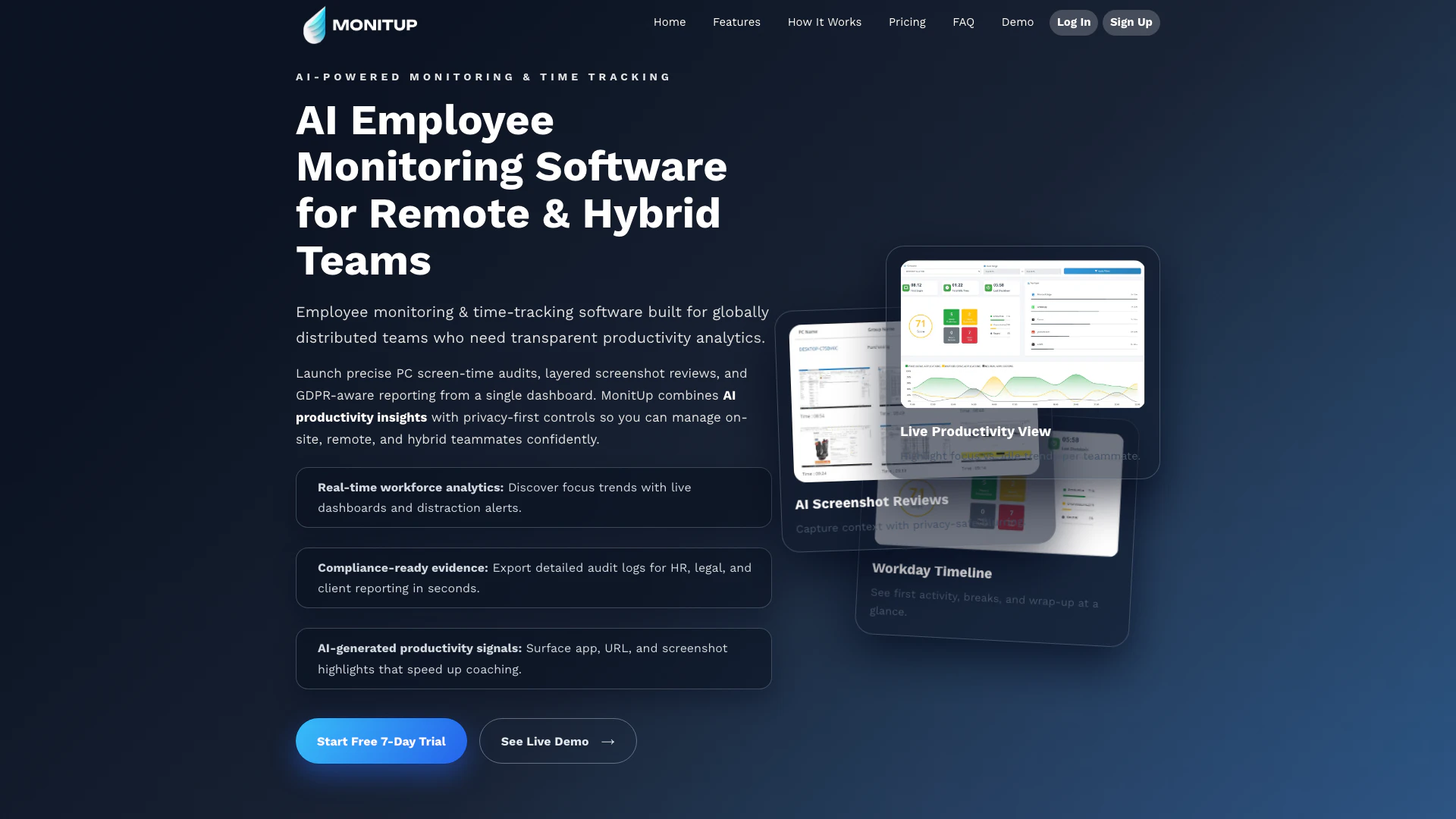
MonitUp is an AI-powered[1] employee monitoring[2] and screen-time tracking[3] tool designed to enhance productivity in remote and hybrid teams. It offers features that allow organizations to conduct precise screen-time audits, generate productivity reports[4], and ensure compliance with data privacy regulations. By providing real-time workforce analytics and AI-generated insights, MonitUp helps managers monitor their teams effectively, ensuring transparency and accountability while fostering a productive work environment.
How to use MonitUp?
- Sign up for a free trial on the MonitUp website to create your account.
- Install the MonitUp agent on your team's devices, which can be done quickly with a one-click installation for Windows.
- Once installed, the tool will start tracking screen time, productivity metrics, and employee activities in real-time.
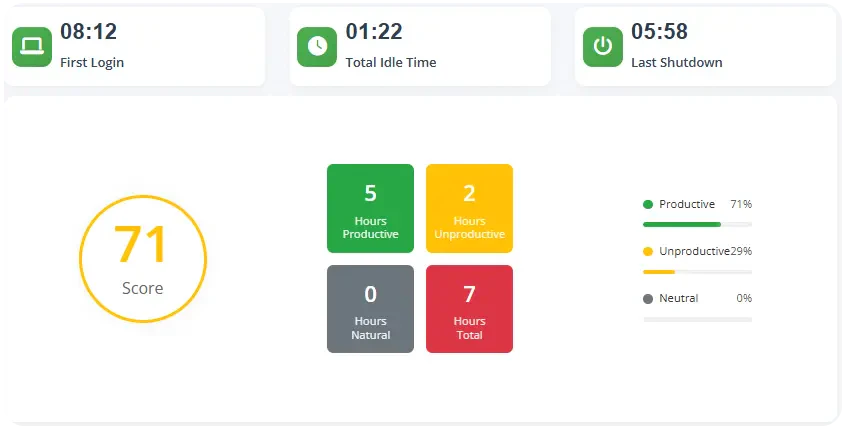
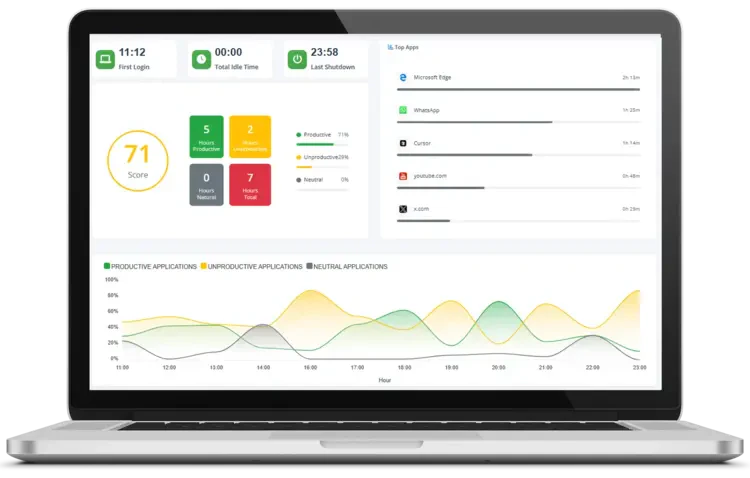
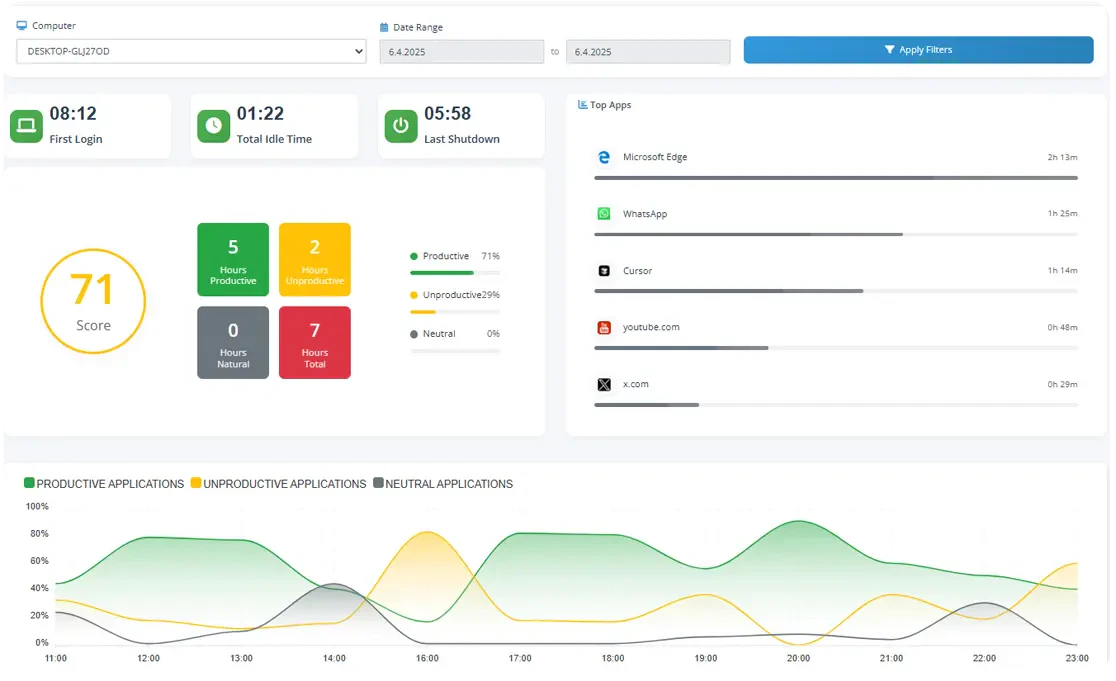
- Access the MonitUp dashboard to view live productivity metrics, including focus vs. idle trends, and receive distraction alerts.
- Use the AI-generated productivity reports to analyze team performance, provide feedback, and optimize workflows.
What are the main features of MonitUp?
- Real-time Workforce Analytics: Monitor focus trends and receive distraction alerts with live dashboards.
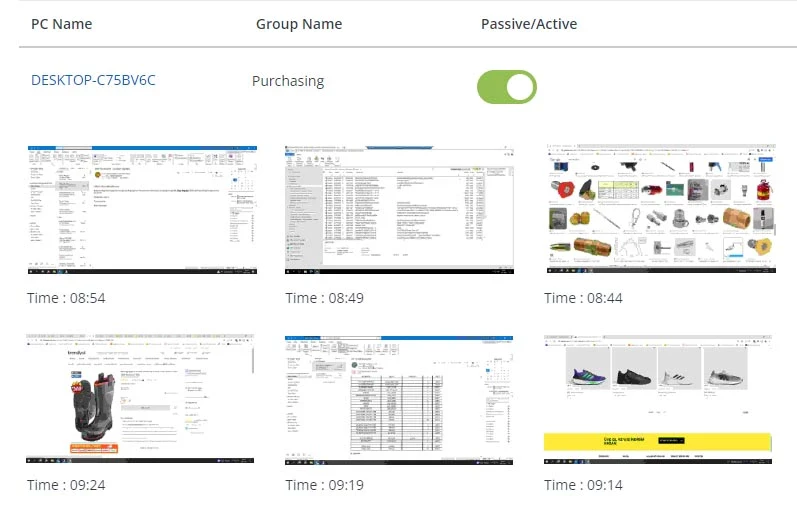
- AI Productivity Insights: Get highlights on app usage, URLs, and screenshots to enhance coaching efforts.
- GDPR-compliant[5] Reporting: Export detailed audit logs for compliance and reporting in seconds.
- Automated Time Tracking: Automatically track time spent on tasks to identify areas for improvement.
- Privacy-Safe Screenshot Reviews: Capture context while ensuring employee privacy with blurred screenshots.
Who is MonitUp for?
MonitUp is designed for organizations with remote, hybrid, and distributed teams looking to enhance productivity and transparency. It is particularly beneficial for managers and team leaders who need to monitor employee performance, track time efficiently, and provide actionable feedback. Industries such as consulting, law, healthcare, education, and manufacturing can leverage MonitUp to optimize their workflow and ensure compliance with productivity standards.
What are the use cases of MonitUp?
- Remote Team Management: Use MonitUp to track the productivity of remote employees and identify areas where support is needed.
- Hybrid Workplace Analytics: Analyze productivity trends across teams that work both onsite and remotely to optimize collaboration.
- Compliance Reporting: Generate compliance-ready reports for HR and legal purposes, ensuring that all employee activities are documented accurately.
Product Images
Monitup Pros and Cons
Pros
- AI-Powered Insights: MonitUp utilizes AI to provide productivity insights, helping teams identify focus trends and areas for improvement.
- Real-Time Analytics: The tool offers real-time workforce analytics, allowing managers to monitor productivity and receive distraction alerts.
- GDPR Compliance: MonitUp ensures compliance with GDPR, providing privacy-first controls and detailed audit logs for reporting.
Cons
No cons data detected for this tool
Monitup Pricing
SCREEN TIME
Track apps & websites, AI-based productivity tips, productivity reports, identify productive apps, invisible tracking, employee login access, automatic tracking start, on-premise setup option.
PREMIUM
Everything in Screen Time, plus: Start/End times, real-time session tracking, app usage notifications, advanced notifications, screenshots, task manager tracking, department description, track PC performance, set work hours, detailed productivity reports, policy monitoring report, location tracking.
FREELANCER
Everything in Premium, plus: Manual tracking start/stop, job assignment, desktop app access.
For the latest pricing, please visit this link: https://www.monitup.com/pricing
Prices are subject to change. Please visit the official website for the most up-to-date pricing information.
Analytics of Monitup
Monitup Website Traffic Analysis
Visits Over Time
Traffic Sources
Nov 2025 - Jan 2026 Worldwide Desktop Only
- Search: 46.43%
- Direct: 37.99%
- Referrals: 8.09%
- Social: 6.52%
- Paid Referrals: 0.77%
- Mail: 0.12%
Top Keywords
| Keyword | Volume | CPC | Estimated Value |
|---|---|---|---|
| what is my daily screen time on computer today | 0 | $0.00 | $210.00 |
| screen yime | 0 | $0.00 | $200.00 |
| monitup | 610 | $0.91 | $380.00 |
| logiciel gestion temps d'écran pc | 590 | $0.00 | $500.00 |
| windows スクリーンタイム | 270 | $0.00 | $210.00 |
Monitup Reviews
MonitUp shows every AI productivity report I need before our Monday stand-up. It's the first tool my remote PMO opens each day.
The Windows screen-time agent deployed in minutes and gave us provable insights for our Screen Time for Windows audit.
Micro-CTAs to pricing inside the dashboard helped legal teams in the Law Firms segment move from trial to paid in one sprint.
For more reviews, visit this link: https://www.monitup.com/#reviews






Monitup Social Listening
MOTION AI review: Does this pr...
✨ Supercharge your productivit...
Komari 轻量级的自托管服务器监控工具 平替哪吒监控的存...
komari 部署命令 https://blog.kejil...
Monitor Your Employees with Mo...
Monitor Your Employee Working ...
Unlock to view 9 social media results.