

Kolva





What is Kolva?
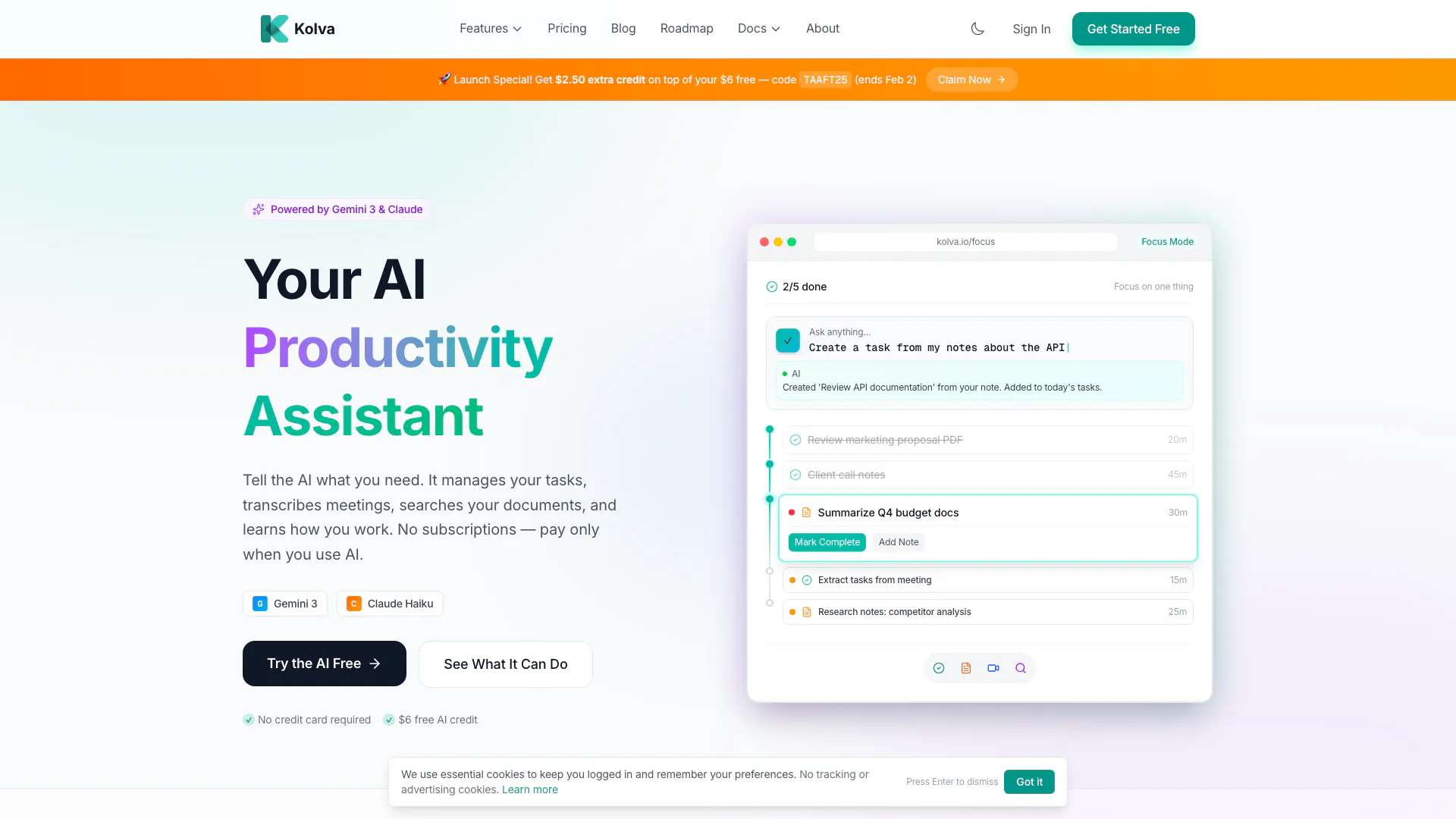
Kolva is an AI-powered productivity assistant designed to streamline task management[1], transcribe meetings, and facilitate document search[3]es. Utilizing advanced AI models like Gemini 3 and Claude, Kolva learns how you work, helping you manage your tasks efficiently without the burden of subscriptions. Instead, users only pay for the AI services they utilize, making it a cost-effective solution for enhancing productivity.
How to use Kolva?
- Sign up for a free account at Kolva's website.
- Familiarize yourself with the user interface and available features.
- Use the natural language interface to describe tasks, such as 'Create a task to review the Q4 budget by Friday.'
- Record meetings to automatically generate transcripts and action items.
- Upload documents for AI analysis and search capabilities.
- Explore the AI command bar for quick access to functionalities and assistance.
What are the main features of Kolva?
- Task Management: AI-powered task creation and management that breaks goals into actionable subtasks.
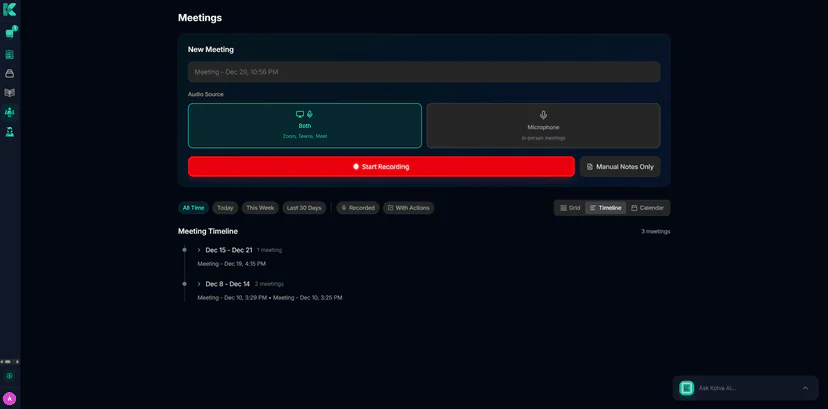
- Meeting Transcription[2]: Automatically records meetings, generating transcripts, summaries, and action items.
- Document Search: AI reads and analyzes documents to provide answers to queries.
- Focus Mode: A unified workspace to plan your day and prioritize tasks.
- Smart Scheduling: Learns your work patterns to suggest optimal task scheduling.
- Integration Capabilities: Connects with email and other tools for enhanced productivity.
Who is Kolva for?
Kolva is designed for professionals, teams, and organizations seeking to improve their productivity and task management. It is particularly beneficial for project managers, executives, and anyone who frequently attends meetings or handles multiple documents. Its user-friendly interface and AI capabilities make it suitable for both tech-savvy users and those less familiar with advanced tools.
What are the use cases of Kolva?
- Project Management: Use Kolva to create and manage tasks related to specific projects, ensuring deadlines are met.
- Meeting Efficiency: Record meetings to capture discussions and follow-up tasks automatically, saving time on note-taking.
- Document Organization: Upload and search through documents to quickly retrieve necessary information, enhancing workflow efficiency.
Product Images
Kolva Video

Kolva Pros and Cons
Pros
- AI-Powered Task Management: Kolva offers AI-driven task management that breaks down goals into actionable subtasks, enhancing productivity.
- Meeting Transcription and Summarization: The tool automatically transcribes meetings and generates summaries and action items, saving time on note-taking.
- Flexible Payment Model: Users only pay for AI operations they use, with no subscription fees, making it cost-effective.
Cons
No cons data detected for this tool
Kolva Pricing
Pay-as-you-go
Pay only for the AI you use. Light month? Pay less. Busy month? Still cheaper than a subscription.
Meeting AI
AI transcription, summary generation, and action item extraction.
Document AI
AI analysis, summarization, and semantic embedding for search.
AI Queries
Natural language questions across your entire knowledge base.
Storage Pricing
Your first 100 MB of document storage is free. Additional storage is just $0.65/GB per month.
For the latest pricing, please visit this link: https://kolva.io/pricing
Prices are subject to change. Please visit the official website for the most up-to-date pricing information.



