

Korgiboard





What is Korgiboard?
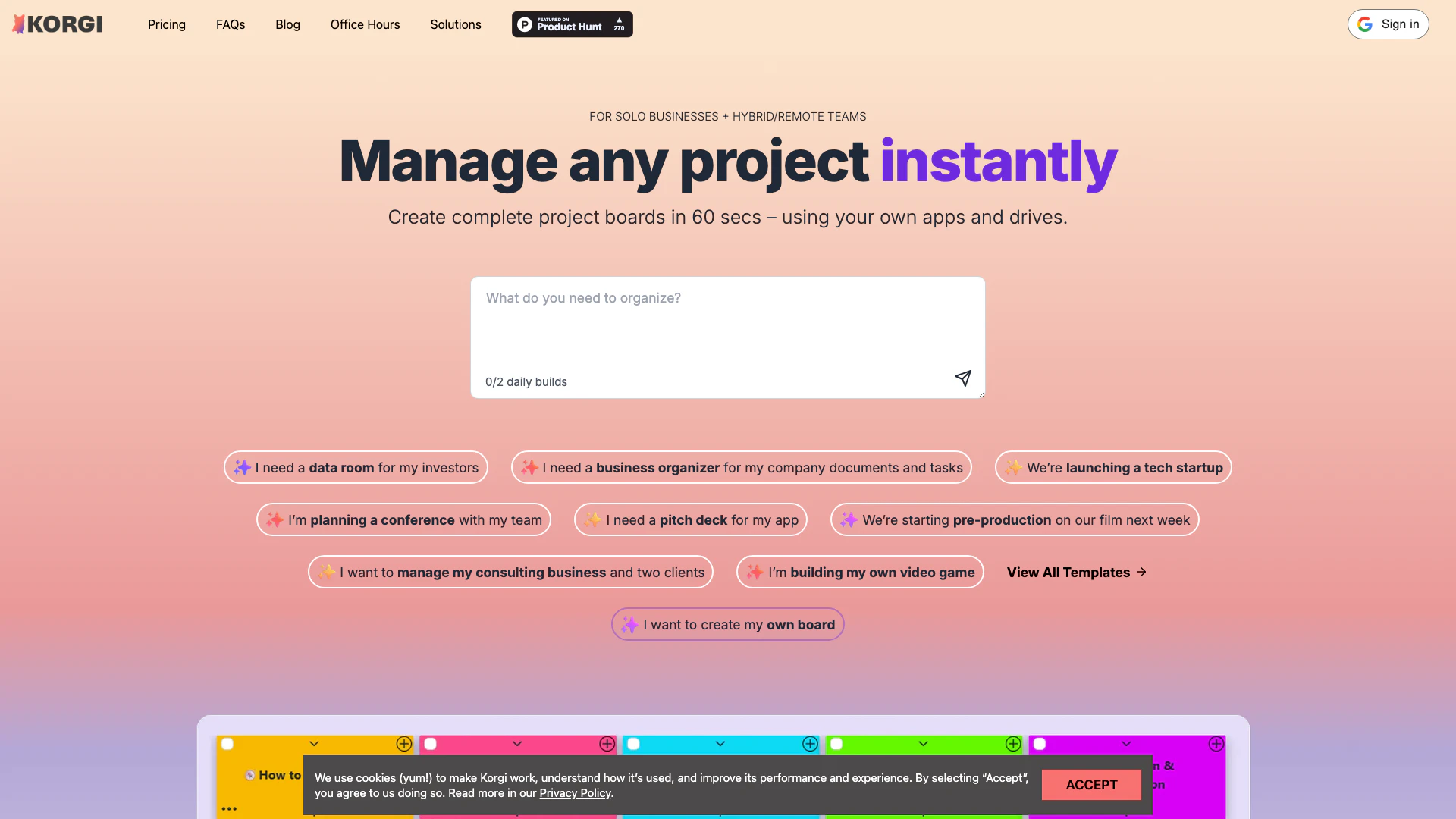
Korgiboard is an AI-powered project management platform designed to streamline productivity by integrating various tools like Google Workspace™, Microsoft 365™, Zoom™, and chat applications into a single, unified workspace. This innovative tool allows users to create complete project boards in just 60 seconds, facilitating efficient project management and collaboration among team members. Korgiboard's core value lies in its ability to reduce context switching, save time, and enhance productivity by providing a centralized location for managing tasks, documents, and communications.
How to use Korgiboard?
- Sign Up and Log In: Visit the Korgiboard website and create an account. Once registered, log in to access your workspace.
- Create a Project Board: Click on the option to create a new project board. You can either choose from prebuilt templates or start from scratch by specifying your project needs.
- Integrate Your Tools: Connect your Google Workspace, Microsoft 365, or other productivity tools to Korgiboard. This allows seamless access to documents, calendars, and communications directly from the board.
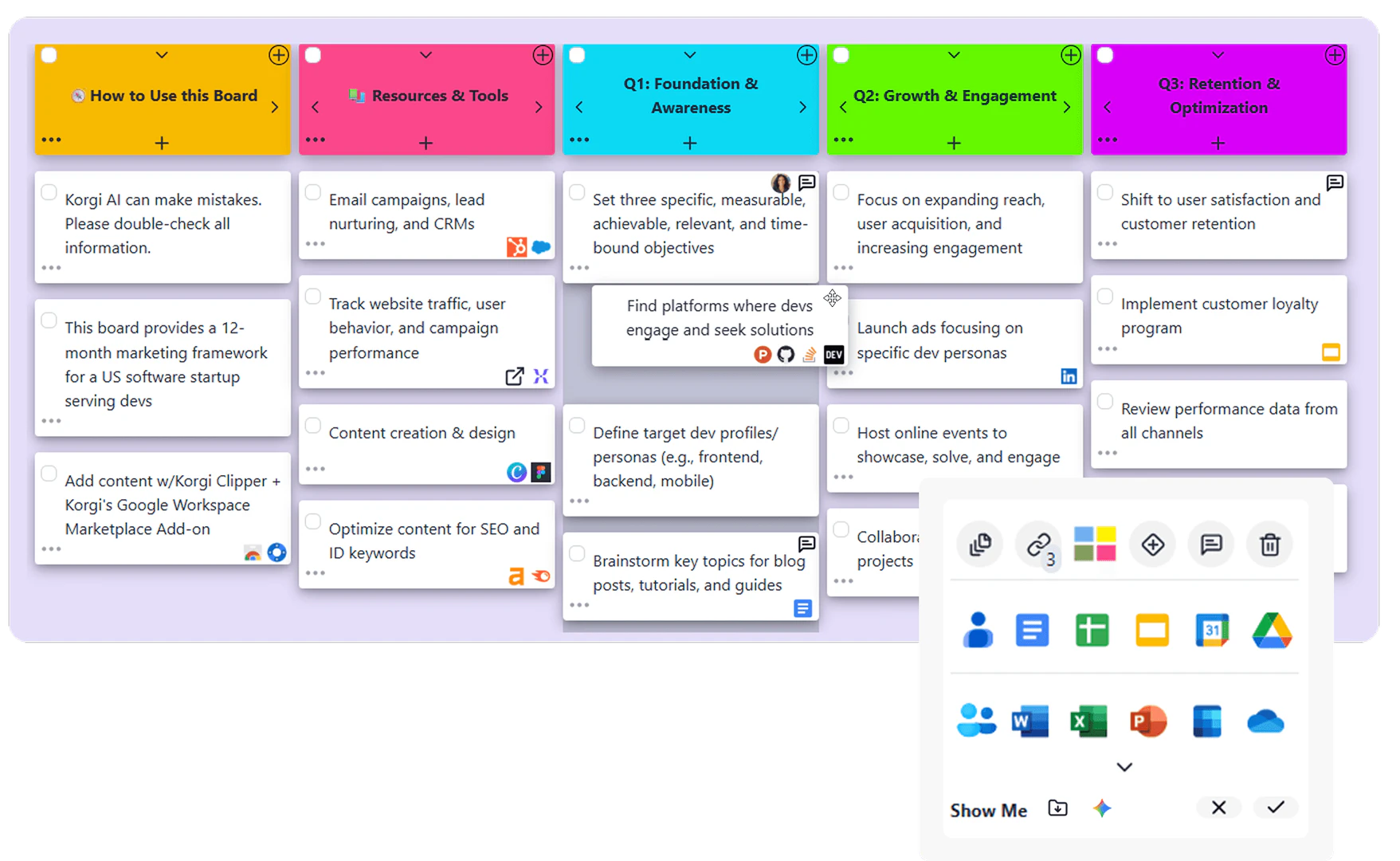
- Add Content and Tasks: Populate your project board with tasks, deadlines, and necessary resources. You can also link relevant documents and applications to keep everything organized.
- Collaborate and Share: Share the project board with your team members, allowing them to collaborate in real-time. Utilize features like Zoom integration for meetings and chat for instant communication.
- Track Progress: Monitor the progress of your project through the board, making adjustments as necessary to stay on track.
What are the main features of Korgiboard?
- AI-Powered Project Creation: Instantly generate project boards tailored to your needs using AI technology.
- Integration with Productivity Tools: Seamlessly connect with Google Workspace™, Microsoft 365™, Zoom™, and chat applications for a cohesive workflow.
- Customizable Templates: Choose from a variety of prebuilt templates or create your own to suit different project requirements.
- Centralized Workspace: Manage all your tasks, documents, and communications in one place, reducing the need for multiple tabs and applications.
- Time-Saving Features: Users report saving significant time each week by utilizing Korgiboard's efficient project management capabilities.
Who is Korgiboard for?
Korgiboard is ideal for solo entrepreneurs, remote teams, and businesses that require efficient project management solutions. It caters to a diverse audience, including educators, content creators, event planners, and professionals across various industries who need to organize their work effectively. Whether you are managing a startup, planning a conference, or coordinating a creative project, Korgiboard provides the necessary tools to enhance collaboration and streamline workflows.
What are the use cases of Korgiboard?
- Startup Project Management: Use Korgiboard to create project boards that help manage tasks and deadlines for tech startups, ensuring all team members are aligned.
- Event Planning: Organize all aspects of an event, from scheduling meetings to managing guest lists and documents, in one centralized location.
- Educational Projects: Educators can utilize Korgiboard to track student projects, assignments, and resources, facilitating better organization in the classroom.
Product Images
Korgiboard Pros and Cons
Pros
- AI-Powered Project Management: Korgi utilizes AI to streamline project management, allowing users to create comprehensive project boards quickly and efficiently.
- Integration with Popular Tools: The platform integrates seamlessly with Google Workspace, Microsoft 365, and Zoom, making it versatile for various workflows.
- Time-Saving Features: Users report saving 5-6 hours per week by reducing context switching and providing one-click exports to formatted documents.
Cons
No cons data detected for this tool
Korgiboard Pricing
Korgi College
For students applying to college. Includes a pre-built college application board, one additional board (including AI-generated), integrated Google Workspace apps, integrated chat, and real-time co-editing with Korgi Plus collaborators.
Korgi Plus
For Individuals, Founders, solopreneurs. Includes AI-generated boards (limited), app integrations (Google Workspace™ & Microsoft 365™), integrated Korgi AI assistant and Notes, export to Docs, Sheets, Slides, save boards as personal templates, and Korgi Dash.
Korgi Pro
For Individuals AND Teams. Add VAs, team, contractors, clients. Includes all features of Korgi Plus, plus more AI-generated boards, board sharing and real-time collaboration, save boards as shared templates, in-board video meetings (Zoom™, Meet™), and domain restrictions for folders and users.
Korgi Enterprise
Connect your existing tech stack with one tool - keep everything in your own drives. Annual per seat pricing. Includes all features of Korgi Pro, plus extra security and controls.
For the latest pricing, please visit this link: https://www.korgiboard.com/pricing
Prices are subject to change. Please visit the official website for the most up-to-date pricing information.





