Deckassistant




What is Deckassistant?
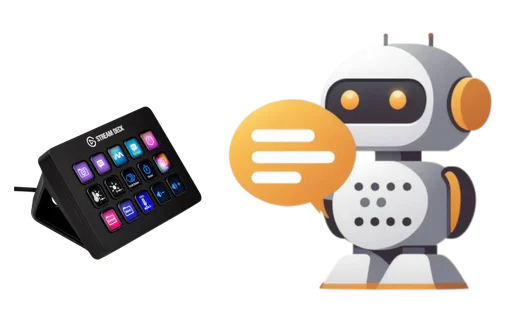
Deckassistant is an innovative AI Assistant designed specifically for the Stream Deck platform, providing users with enhanced capabilities for interaction with AI technologies. This tool integrates seamlessly with your Stream Deck, allowing you to access advanced AI functionalities directly at your fingertips. With Deckassistant, you can process selected text from any application, engage in freeform conversations, and utilize a variety of AI-powered features that enhance productivity and creativity. It positions itself as a superior alternative to traditional chat interfaces like ChatGPT, offering a more tailored and user-friendly experience.
How to use Deckassistant?
- Create an account on the Deckassistant website.
- Copy the API token from your user dashboard.
- Install the Deckassistant Stream Deck plugin from the Elgato app store.
- Add a button to your Stream Deck and paste the API token into the designated field.
- Press the button to start using Deckassistant and experience the AI magic!
What are the main features of Deckassistant?
- Integrates with Stream Deck for easy access to AI functionalities.
- Allows selection of text in any application for instant processing.
- Offers freeform prompt capabilities for direct AI interaction.
- Features customizable prompts and folders for organized chat management.
- Includes message editing, data export, and chat history search.
- Provides options to generate stunning images and share charts.
- Contains a prompt library with example prompts for quick setup.
Who is Deckassistant for?
Deckassistant is designed for Stream Deck users who are looking to enhance their workflow with AI capabilities. It is ideal for content creators, streamers, and professionals who frequently interact with text and require advanced AI assistance. Whether you need to correct grammar, generate creative content, or simply streamline your tasks, Deckassistant caters to individuals seeking a more efficient and powerful AI experience directly from their Stream Deck.
What are the use cases of Deckassistant?
- Correcting spelling and grammar in real-time while working on documents or presentations.
- Generating creative content ideas during live streams or video production.
- Conducting quick research by processing selected text and generating summaries or insights.
- Utilizing the image generation feature for creating visuals on-the-fly during creative projects.
- Managing chat interactions and prompts efficiently with organized folders and history search.
Deckassistant Pros and Cons
Pros
- Integrated AI Functionality: Allows users to process selected text and interact with AI directly through a button, enhancing productivity.
- Customizable Prompts: Users can create their own prompts or use provided examples, offering flexibility in interaction.
- User-Friendly Interface: The plugin is designed for easy installation and setup, making it accessible for users.
Cons
No cons data detected for this tool
Analytics of Deckassistant
Deckassistant Website Traffic Analysis
Visits Over Time
Traffic Sources
Dec 2025 - Dec 2025 Worldwide Desktop Only
- Direct: 41.92%
- Search: 32.36%
- Referrals: 12.68%
- Social: 10.02%
- Paid Referrals: 1.90%
- Mail: 0.21%
Top Keywords
| Keyword | Volume | CPC | Estimated Value |
|---|---|---|---|
| deck ai | 14.58K | $2.12 | $0.00 |
| stream deck home assistant | 790 | $0.00 | $0.00 |
| deck ai\ | 190 | $0.00 | $0.00 |
| can chat gpt program an elgato stream deck? | 10 | $0.00 | $0.00 |