
Best 36 Ai Presentation Generator Tools in 2026
Presentations Ai, Aippt, Slidesgpt, Slidesai, Supademo 2 0, Decktopus Ai, Magicslides, Wonderslide, Sendsteps Ai First Ai Presentation Tool, Funblocks Ai are the best paid / free Ai Presentation Generator tools.
AI Presentation Generators are innovative tools designed to assist users in creating visually appealing and informative presentations effortlessly. By harnessing the power of artificial intelligence, natural language processing, and machine learning, these tools analyze content inputs to generate slides that are not only aesthetically pleasing but also tailored to specific audiences and topics. They cater to professionals, educators, and students by simplifying the presentation design process, allowing users to focus on their message while the AI handles layout, design elements, and content organization. This results in presentations that are engaging, coherent, and impactful.

Starter
Starter AI model and agent with up to 20 slides and 100 credits.
Pro
Advanced AI features plus all Pro features with 5,000 credits.
Gold
All Pro features plus advanced brand customization and presentation tracking & analytics with 50,000 credits.
For the latest pricing, please visit this link: https://www.presentations.ai/
Prices are subject to change. Please visit the official website for the most up-to-date pricing information.

What is AiPPT?
AiPPT is an innovative AI-powered presentation maker designed to simplify and accelerate the process of creating stunning slide decks. With just one click, users can transform their ideas, documents, and even web pages into professional presentations. This tool is ideal for anyone needing to produce high-quality slides quickly and efficiently, making it a valuable asset for professionals, educators, and students alike.

Free Starter
Free forever - Create & view presentations (unlimited), Share presentations, HQ formats: PowerPoint, Google Slides, and PDF, Perfect for offline use, editing, and printing, 10 downloads / month.
Pro
Create & view presentations (unlimited), Share presentations, HQ formats: PowerPoint, Google Slides, and PDF, Perfect for offline use, editing, and printing, 10 downloads / month.
Pro XL
Create & view presentations (unlimited), Share presentations, HQ formats: PowerPoint, Google Slides, and PDF, Perfect for offline use, editing, and printing, 50 downloads / month.
For the latest pricing, please visit this link: https://slidesgpt.com/
Prices are subject to change. Please visit the official website for the most up-to-date pricing information.

Basic
Good enough to get started - 12 Presentations / year - 2500 Character Input / Presentation - 120 AI Credits / year
Pro
Perfect plan for students - 120 Presentations / year - 6000 Character Input / Presentation - 600 AI Credits / year - Document Upload
Premium
For Educators and Professionals - Unlimited Presentations - 12000 Character Input / Presentation - 1200 AI Credits / year - Document Upload
For the latest pricing, please visit this link: https://www.slidesai.io/pricing
Prices are subject to change. Please visit the official website for the most up-to-date pricing information.

What is Supademo 2.0?
Supademo 2.0 is an AI-powered platform designed to create interactive product demos quickly and efficiently. It enables users to generate engaging product demonstrations that facilitate faster sales cycles, enhance product onboarding, and improve customer engagement. By leveraging generative AI, Supademo allows users to create demos in various formats including HTML, screenshots, and videos, making it a versatile tool for showcasing products.

Decktopus AI | Make presentations with AI | AI Presentation Assistant
What is Decktopus AI?
Decktopus AI is an innovative AI-powered presentation assistant designed to streamline the process of creating professional presentations. It enables users to generate engaging slides effortlessly by simply typing a prompt. The tool automatically creates an outline, selects relevant slides, and builds content tailored to the user's preferences, including colors, fonts, and logos. Decktopus AI is positioned as a solution for anyone looking to enhance their presentation-making efficiency, offering a user-friendly interface that combines creativity with advanced AI technology.

What is MagicSlides?
MagicSlides is an advanced AI-powered presentation tool designed to create stunning PowerPoint presentations instantly. By simply inputting a prompt, users can generate ready-to-use presentations in over 136 languages. This innovative tool streamlines the presentation creation process, allowing users to transform their ideas, topics, or content sources into polished slides within seconds. With its user-friendly interface and powerful AI capabilities, MagicSlides caters to professionals looking to enhance their presentation skills and efficiency.

What is Wonderslide?
Wonderslide is a fast AI presentation designer that transforms your drafts into polished slides within minutes. It allows users to upload various document formats such as PPTX, PDF, or DOCX, and converts them into designer-quality presentations effortlessly. Built with a focus on speed and user control, Wonderslide offers a seamless integration with PowerPoint, ensuring that your slides maintain their visual integrity during the export process. This tool is designed for professionals who need to create visually appealing presentations quickly and efficiently.

Transform Presentations with Sendsteps: AI-Powered PPT Maker
What is Sendsteps Ai First Ai Presentation Tool?
Sendsteps Ai First Ai Presentation Tool is an innovative AI-powered platform designed to revolutionize the way presentations are created and delivered. This tool allows users to transform their content into visually appealing and interactive presentations quickly and efficiently. With its AI-driven features, Sendsteps not only enhances the aesthetics of PowerPoint presentations but also incorporates engaging elements like quizzes and live polls, making it an ideal choice for educators and business professionals alike.

All-in-One AI Workspace – From Mind Maps to Slides & Docs | FunBlocks AI
What is Funblocks Ai?
Funblocks Ai is an innovative all-in-one AI workspace designed to enhance productivity and creativity through a suite of powerful tools. It integrates various functionalities, including mind mapping, document creation, and slide generation, all powered by artificial intelligence. This platform allows users to visualize their thoughts, brainstorm ideas, and produce professional presentations effortlessly. Funblocks Ai aims to revolutionize how individuals and teams work by providing a seamless and interactive environment for exploration and creation.

AI Pitch Deck Generator that helps you write presentations 10x faster and cheaper by enabling you to create slides from a seed prompt instantly using AI.
Monthly Plan
Unlimited slide generation in 300+ modes, Unlimited reviews in 8 modes, Unlimited ppt/pdf uploads, Generation & reviews in 100+ languages.
For the latest pricing, please visit this link: https://pitchgrade.com/
Prices are subject to change. Please visit the official website for the most up-to-date pricing information.

What is Powerpresent Ai?
Powerpresent Ai is a free online AI presentation maker[1] designed to help users create stunning slides quickly and effortlessly. Leveraging advanced AI technology, it transforms ideas into visually appealing presentations in seconds. This tool is particularly valuable for professionals, educators, and anyone needing to deliver impactful presentations[4] without the hassle of starting from scratch. With its intuitive interface and smart design[5] capabilities, Powerpresent Ai stands out as a leading solution for creating engaging presentations.

PresentationGPT is a highly advanced AI Powered Presentation Generator that can create stunning PowerPoint presentations in seconds.
Free Plan
Create unlimited presentations, share presentations easily, access to basic design templates, high-quality, editable file format - PowerPoint, high-quality, non-editable file format - PDF, high-quality, editable Google Slides deck, perfect for offline use, editing and printing, download unlimited presentations, generate Slides from file upload, updated advanced language model.
Pay Per Download
Create unlimited presentations, share presentations easily, access to basic design templates, high-quality, editable file format - PowerPoint, high-quality, non-editable file format - PDF, high-quality, editable Google Slides deck, perfect for offline use, editing and printing, download unlimited presentations, generate Slides from file upload, updated advanced language model.
Unlimited Downloads Subscription
Create unlimited presentations, share presentations easily, access to basic design templates, high-quality, editable file format - PowerPoint, high-quality, non-editable file format - PDF, high-quality, editable Google Slides deck, perfect for offline use, editing and printing, download unlimited presentations, generate Slides from file upload, updated advanced language model.
For the latest pricing, please visit this link: https://www.presentationgpt.com/
Prices are subject to change. Please visit the official website for the most up-to-date pricing information.

What is Onvo AI?
Onvo AI is an innovative tool designed to simplify the process of building and embedding dashboards and reports using artificial intelligence. It empowers users to create visually appealing and interactive dashboards with minimal effort, eliminating the need for complex SQL queries and extensive customization. By leveraging AI prompts, Onvo AI allows users to showcase their data effectively, making data visualization accessible to both technical and non-technical users. The platform stands out for its ability to automate data insights and streamline workflows, making it an essential tool for businesses looking to enhance their data analysis capabilities.

Free
Free Presentation Generation, Download Hundreds of Free Presentations, Generate Charts, No Annoying Watermarks
Pro
Everything in Free plus Monthly AI Credits, Up to 30 slides per presentation, Replace Slide Images, Early access to new features, Cancel Anytime
Business Pro
Everything in Pro plus More AI Credits, Premium Support
For the latest pricing, please visit this link: https://sliderai.com/
Prices are subject to change. Please visit the official website for the most up-to-date pricing information.

Create social media videos effortlessly with Templify’s ready-made templates, auto beat sync, and trending formats.
What is Templify?
Templify is a powerful video creation tool designed to simplify the process of making social media videos. With its ready-made templates, auto beat synchronization, and trendy formats, Templify enables users to create high-quality video content quickly and effortlessly. The app focuses on a creator-first approach, providing a full suite of editing tools that streamline the content creation process from concept to publication. By integrating design automation, AI editing, and cross-platform publishing, Templify transforms hours of work into a seamless creative flow, making it ideal for anyone looking to boost the virality of their content.

What is Glimmer?
Glimmer is an innovative AI-powered tool designed to revolutionize the way presentations are created and delivered. Utilizing advanced technologies like GPT-3 and DALL·E 2, Glimmer enables users to generate visually stunning presentations effortlessly. By simply providing text or voice commands, users can create engaging presentations that not only capture attention but also convey information effectively. The core value of Glimmer lies in its ability to combine ease of use with cutting-edge AI capabilities, making it a game-changer for professionals, educators, and anyone who needs to present information in a compelling manner.

Korl | Instantly Generate Customer-Specific QBR & Renewal Presentations with AI | Korl
What is Korl?
Korl is an innovative AI-powered tool designed to streamline the creation of customer-specific presentations for Quarterly Business Reviews (QBRs) and renewals. By leveraging artificial intelligence, Korl instantly generates tailored presentations that are rich in context and aligned with customer needs. This tool eliminates the need for generic templates, allowing businesses to create personalized, on-brand presentations that resonate with their clients. Korl integrates seamlessly with various data sources, ensuring that the presentations reflect the unique goals, personas, and usage data of each customer.

What is Toseaai?
Toseaai is an innovative tool designed to transform academic papers and documents into visually appealing and precise academic slides using advanced AI-powered technology. With its focus on accuracy and professionalism, Toseaai enables users to create presentations that not only convey information effectively but also maintain a high aesthetic standard. This tool is perfect for academics, researchers, and students who need to present their work in a clear and engaging manner.

Free
The best way to get started with STORYD. Includes 5 credits (to create or rewrite), personalized content with AI, professional business templates, custom themes and branding, present from browser, and export to PowerPoint, Google Slides, Keynote and Canva.
Pro
For individuals and teams looking to unlock superior capabilities. Everything in Free, plus unlimited credits, priority access, team collaboration, and real-time editing.
Automate
For companies and developers looking to automate presentations. Unlimited users, 50 presentation credits per month, branded themes, API Access, and $500/mo per private structure.
For the latest pricing, please visit this link: https://www.storyd.ai/#Pricing
Prices are subject to change. Please visit the official website for the most up-to-date pricing information.

Briefly describe your startup, select an accelerator, and watch as PitchPal AI auto-magically generates a perfect application for you ✨
What is Pitchpal?
Pitchpal is an innovative AI-powered tool designed to streamline the startup funding application process. It allows entrepreneurs to easily create tailored applications for various accelerators by simply providing a brief description of their startup and selecting the desired accelerator. Pitchpal's intelligent algorithms automatically generate a comprehensive and customized application, ensuring it meets the specific guidelines and expectations of each accelerator, thereby enhancing the chances of securing funding.

What is MotionIt.ai?
MotionIt.ai is an innovative platform that leverages artificial intelligence to create stunning slides and videos for various purposes such as startup pitch decks, conference presentations, and more. This tool simplifies the content creation process, allowing users to generate professional-quality presentations effortlessly. With features that enable exporting to Google Slides, PowerPoint (PPTX), or PDF formats, MotionIt.ai provides flexibility and control, making it an ideal choice for business owners, marketing professionals, and students alike.

One Time Payment
Get access to 200 AI generated backgrounds, unlimited gallery downloads, and HD quality backgrounds.
For the latest pricing, please visit this link: https://zoomscape.ai/
Prices are subject to change. Please visit the official website for the most up-to-date pricing information.

What is Messa?
Messa is an innovative online platform designed to help individuals excel at Model United Nations (MUN) conferences. It provides a range of engaging exercises and resources aimed at enhancing delegates' skills in formal English, speech-making, and effective communication, ultimately empowering users to become the best delegates they can be.

Starter
20 downloads/month, 80 AI prompts/month, Web image search support, Image generation support.
Pro
Unlimited downloads, 200 AI prompts/month, Web image search support, Image generation support, Priority support.
Team
Everything in Pro, 500 AI prompts/month, Up to 5 team members, Better Slide Image Quality, Priority support, Custom branding.
For the latest pricing, please visit this link: https://xlslides.com/Pricing
Prices are subject to change. Please visit the official website for the most up-to-date pricing information.
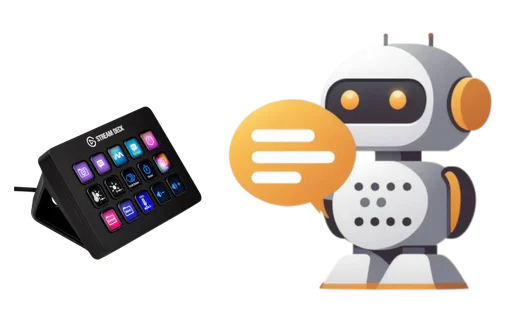
What is Deckassistant?
Deckassistant is an innovative AI Assistant designed specifically for the Stream Deck platform, providing users with enhanced capabilities for interaction with AI technologies. This tool integrates seamlessly with your Stream Deck, allowing you to access advanced AI functionalities directly at your fingertips. With Deckassistant, you can process selected text from any application, engage in freeform conversations, and utilize a variety of AI-powered features that enhance productivity and creativity. It positions itself as a superior alternative to traditional chat interfaces like ChatGPT, offering a more tailored and user-friendly experience.

Create stunning presentations effortlessly with Plus AI.
Basic
Best for individuals who need to create basic presentations. Unlimited AI generation in Google Slides and PowerPoint. Create single slides. Rewrite and remix slides with AI.
Pro
Best for individuals and teams who need advanced AI features. Everything in the Basic plan, plus document uploads (PDF, docx, txt), 100K+ character prompts, and the ability to generate AI images.
Team
Best for teams who need to stay on brand. Everything in the Pro plan, plus customize logo, colors, and fonts, upload a custom template (beta), save custom instructions, prompt history and presets, and team-wide custom branding and templates.
Enterprise
For organizations who need custom templates, custom assets, and workflows. Custom templates with advanced slide types, integrate asset libraries, workflows and automations, and white-glove setup and support.
For the latest pricing, please visit this link: https://plusai.com/pricing
Prices are subject to change. Please visit the official website for the most up-to-date pricing information.

Create professional presentations in minutes with SlidesGo's AI-powered tools that enhance your PowerPoint experience.
What is SlidesGo?
SlidesGo is a revolutionary AI PPT maker that transforms your ideas into polished presentations in minutes. As the most advanced AI PowerPoint generator, SlidesGo leverages cutting-edge artificial intelligence to manage design, layout, and content structure, making it an ideal solution for both business and educational presentations. With SlidesGo, users can create professional results effortlessly, marking the future of presentation creation.

Flash is an AI-powered presentation maker that allows you to create stunning, professional slide decks in seconds.
What is Flashslides?
Flashslides is an AI-powered presentation maker designed to help users create stunning and professional slide decks in mere seconds. By simply entering a topic, users can leverage the AI capabilities of Flashslides to generate a complete presentation, including titles, content, and visuals. This innovative tool eliminates the hassle of design work, allowing users to focus on their message and ideas. With advanced editing options, users can refine their slides further and export them in both PPTX and PDF formats.

Max
Most Popular - Create Much Faster & 10X more AI. Full team access with collaboration and scale. Everything in Plus, Up to 10 free users (just per user/month), 50,000 Credits a month, 1 TB Cloud Storage, Unlimited Text & Chat Generation, Unlimited Image Generation, Unlimited Video generation, Access to all latest video models, 24/7 support via chat, email & phone.
For the latest pricing, please visit this link: https://www.template.net/pricing
Prices are subject to change. Please visit the official website for the most up-to-date pricing information.

Basic
For individuals. 10 slideshows and 30 slides. Multi language support. Visuals generation (photos). Access to Charts & Insights. Downloadable data. No watermarks. Export PDF / PPTX. Up to 3 files uploaded per query.
Professional
For client-facing professionals. Everything in Basic + Unlimited slides and slideshows. Unlimited Charts & Analysis. Access to full analysis. Unlimited files uploaded per query.
Enterprise
For large businesses. Everything in Professional + Premium support. Extended API access. Dedicated customer success manager. 99.99% SLA.
For the latest pricing, please visit this link: https://app.kesem.ai/landing
Prices are subject to change. Please visit the official website for the most up-to-date pricing information.

AISlide allows you to create stunning presentations in minutes using AI with a chat-like experience.
What is Aislide?
Aislide is an innovative AI-powered tool designed to simplify the process of creating presentations. With its chat-like interface, users can generate stunning presentations in just minutes by typing in their desired topic. Aislide combines advanced AI technology with user-friendly features, allowing for real-time web research and automatic image selection, making it an essential tool for anyone looking to create professional presentations quickly and efficiently.








