Bulkshare





What is Bulkshare?
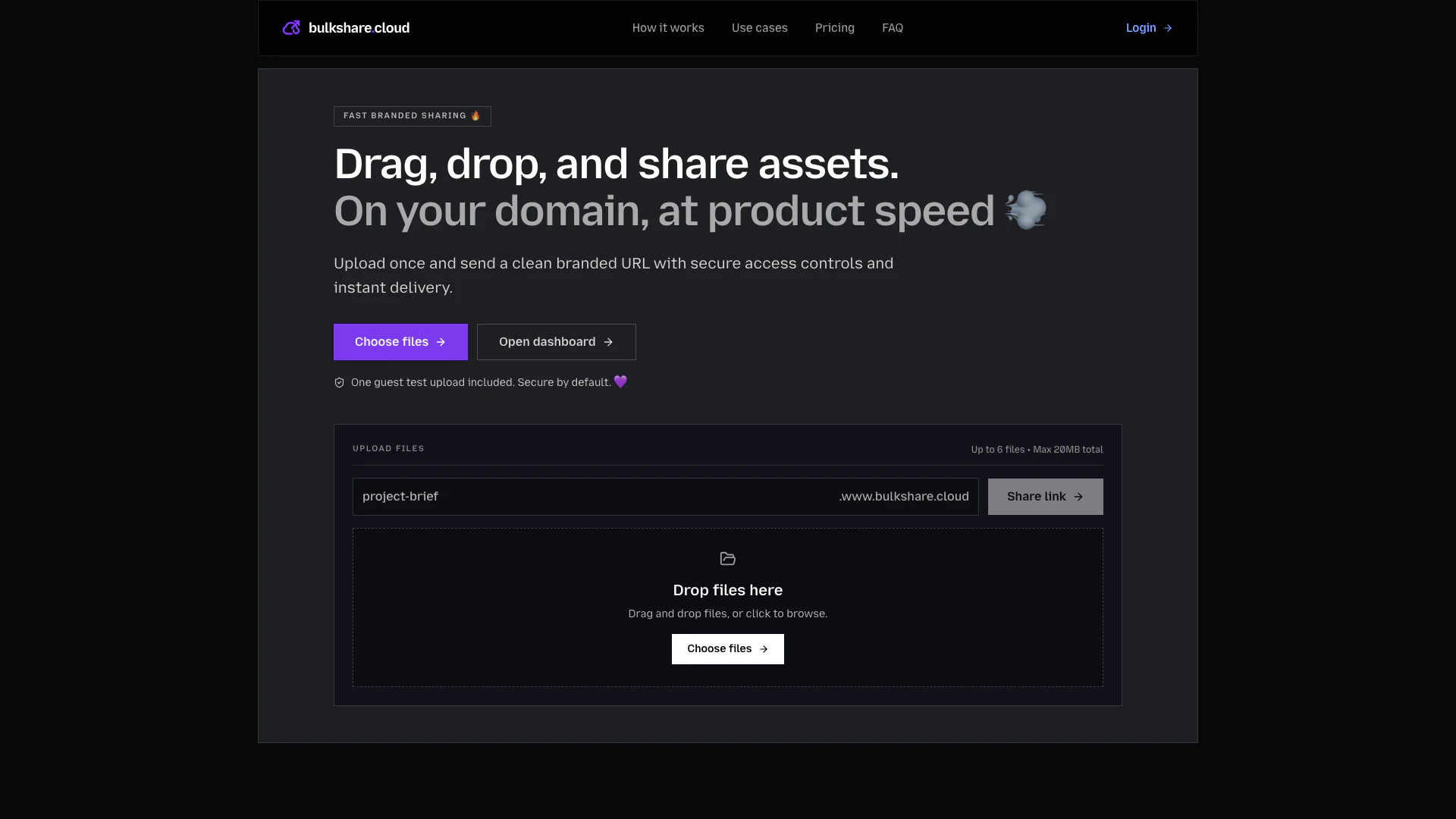
Bulkshare is a secure file sharing[1] platform designed to streamline the process of sharing files and folders through branded URLs[2]. It replaces cumbersome attachment workflows with a more efficient solution, allowing users to upload files once and share them instantly via a clean, branded link. With built-in security features such as access controls[3], password protection[4], and tracking capabilities, Bulkshare is ideal for agencies, freelancers, and teams needing reliable and professional file delivery.
How to use Bulkshare?
- Upload Files: Drag and drop files or folders into the Bulkshare workspace. You can upload multiple files at once, with a maximum total size of 20MB.
- Set Access Rules: Before sharing, configure access settings such as passwords and expiration dates for your links to ensure secure delivery.
- Share and Track: Generate a branded URL for your files and send it to your recipients. You can monitor the activity on your shared links, including opens and downloads.
What are the main features of Bulkshare?
- Branded File Sharing: Share files using your own domain for a professional look.
- Secure Access Controls: Implement password protection and link expiration to safeguard your files.
- Activity Tracking: Monitor opens and downloads to track engagement with your shared content.
- User-Friendly Interface: Simple drag-and-drop functionality for easy uploads and sharing.
- Custom Domain Support: Use your domain for a fully branded experience.
Who is Bulkshare for?
Bulkshare is tailored for a variety of professionals, including agency owners, freelancers, studio producers, marketing teams, and operations administrators. It serves those who require efficient, branded file sharing solutions, particularly in environments where client communication and file security are paramount. The platform is ideal for anyone looking to enhance their file delivery process while maintaining a professional appearance.
What are the use cases of Bulkshare?
- Agency Deliverables: Agencies can deliver client assets under their own domain, ensuring a consistent brand experience.
- Freelancer Projects: Freelancers can send final files with a clean branded link, avoiding the hassle of email attachments.
- Marketing Campaigns: Marketing teams can publish campaign assets on a branded URL, providing partners with a trusted download experience.
Bulkshare Pros and Cons
Pros
- Branded File Sharing: Bulkshare allows users to share files using their own domain, enhancing brand visibility and credibility with every shared link.
- Secure Delivery Options: Users can set password protection and expiration controls for each link, ensuring secure file transfers tailored to project needs.
- Activity Tracking: The platform provides analytics on link opens and downloads, allowing users to monitor engagement and follow up effectively.
Cons
No cons data detected for this tool
Bulkshare Pricing
Starter
For quick sharing.
Pro
For client delivery.
Agency
For multi-client teams.
For the latest pricing, please visit this link: https://www.bulkshare.cloud/pricing
Prices are subject to change. Please visit the official website for the most up-to-date pricing information.