Filently



What is Filently?
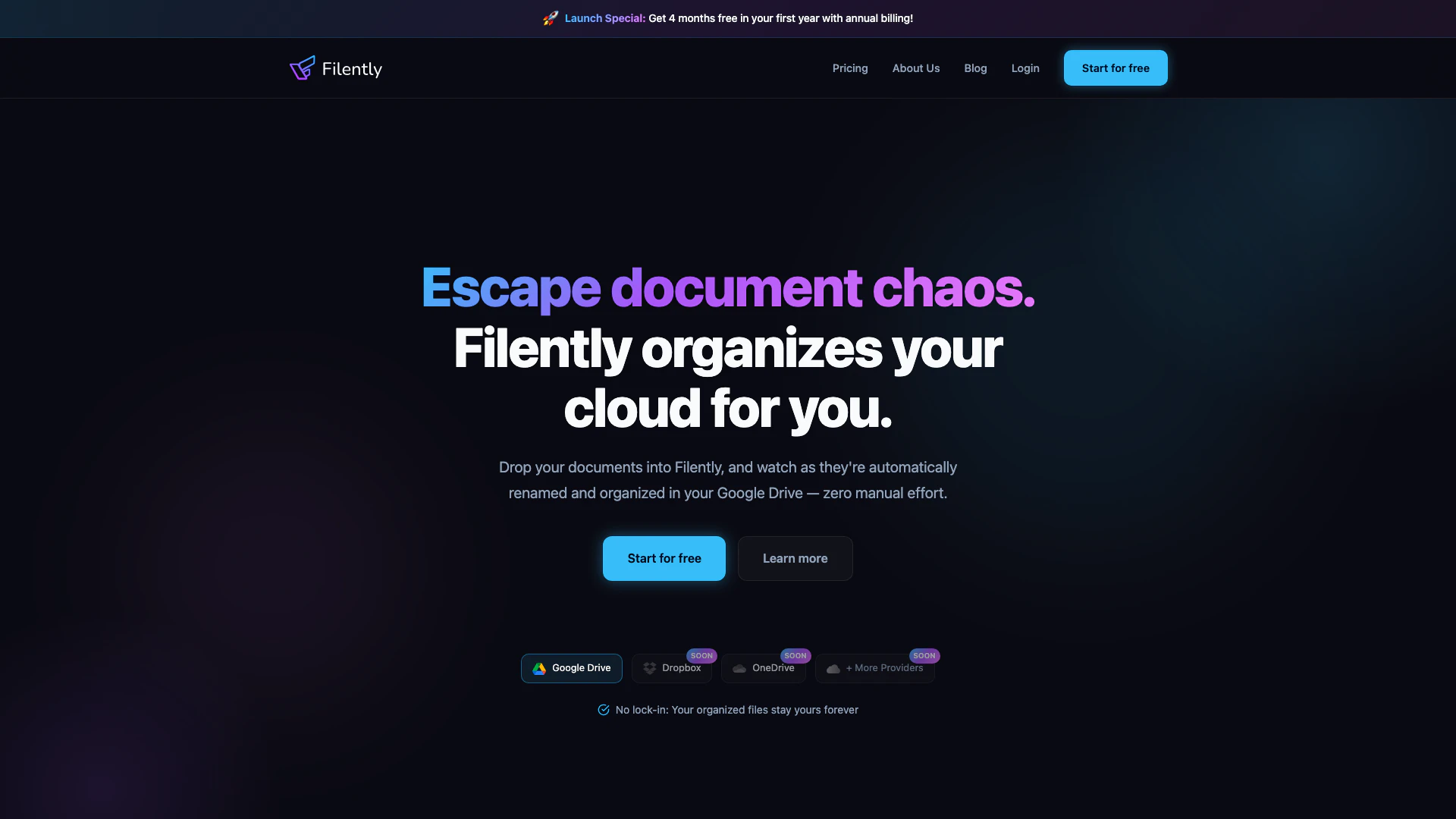
Filently is an innovative AI-powered[1] document organization[2] tool designed to streamline your cloud storage experience. By simply dropping your documents into Filently, the tool automatically renames and organizes them in your Google Drive[3], eliminating the need for manual sorting. It employs advanced AI to recognize various document types, extract essential information, and categorize files according to your established preferences. Think of Filently as a virtual assistant that tirelessly manages your documents, ensuring they are always in order and easily accessible, allowing you to reclaim valuable time.
How to use Filently?
- Sign Up: Start by signing up for a free account on the Filently website.
- Connect Your Google Drive: Authenticate your Google Drive account to allow Filently to access your documents.
- Drag and Drop Documents: Simply drag and drop your documents into the Filently interface.
- Automatic Organization: Watch as Filently automatically renames and organizes your files in Google Drive without any additional input from you.
- Review and Adjust: If necessary, review the organization and make any adjustments based on your preferences.
What are the main features of Filently?
- Smart Document Recognition[4]: Utilizes AI-powered OCR to automatically identify and extract key information from invoices, receipts, and contracts.
- Intelligent Folder Mapping: Analyzes your existing Google Drive structure to place documents in the correct folders without any setup required.
- Zero-Touch Processing: Just drag and drop your files; Filently takes care of the rest, including naming and filing.
- No Vendor Lock-in: Your files remain in your Google Drive, ensuring you retain all organizational benefits even if you stop using Filently.
- Continuous Learning: Filently adapts to your filing preferences, improving accuracy over time based on your feedback.
- Privacy-First Processing: Processes documents directly in your Google Drive without storing copies, ensuring your data remains secure.
Who is Filently for?
Filently is ideal for busy professionals, freelancers, small business owners, and anyone who manages a significant volume of digital documents. It is particularly beneficial for individuals who seek to simplify their document organization process without the hassle of manual sorting. Whether you are an accountant dealing with invoices, a student managing research papers, or a business owner handling contracts, Filently provides a seamless solution to keep your documents organized and easily accessible.
What are the use cases of Filently?
- Invoice Management: Automatically organize and rename invoices in Google Drive, making it easy to retrieve and manage financial documents.
- Receipt Organization: Streamline the process of filing receipts for expense tracking and tax preparation.
- Contract Filing: Keep important contracts organized and easily accessible without the risk of misplacing crucial documents.
Product Images


Filently Pros and Cons
Pros
- Smart Document Recognition: AI-powered OCR accurately identifies and extracts key information from various document types, including invoices and contracts.
- Zero-Touch Processing: Users can simply drag and drop documents, with Filently handling all naming and filing automatically, saving time and effort.
- Continuous Learning: Filently adapts to user preferences over time, improving its organization accuracy based on corrections and feedback.
Cons
No cons data detected for this tool
Filently Pricing
Personal
25 documents/month, 50 MB max file size, 1 filing location. Up to 50 min saved/month.
Professional
250 documents/month, 100 MB max file size, Shared Drive support, Email forwarding, 2 filing locations. Up to 8 hours saved/month.
Teams
1000 documents/month, 10 filing locations, 3 team seats included, Team activity dashboard. Up to 33 hours saved/month.
Founding Member
Lifetime access to all Pro features, bonus of 4x monthly documents, Product Advisory Panel membership, Direct access to the founders, Priority support.
For the latest pricing, please visit this link: https://filently.com/pricing/
Prices are subject to change. Please visit the official website for the most up-to-date pricing information.
Analytics of Filently
Filently Website Traffic Analysis
Visits Over Time
Traffic Sources
Jan 2026 - Jan 2026 Worldwide Desktop Only
- Direct: 42.14%
- Search: 32.05%
- Referrals: 12.63%
- Social: 10.08%
- Paid Referrals: 1.92%
- Mail: 0.21%
Top Keywords
| Keyword | Volume | CPC | Estimated Value |
|---|---|---|---|
| file.o | 300 | $0.00 | $0.00 |
| is there a way to automatically sort my photos in google photos | 180 | $0.00 | $0.00 |
| fileo logiciel | 170 | $0.00 | $0.00 |
| what ai tool can help me clean my google drive | 170 | $0.00 | $0.00 |
| file organizer for google drive | 140 | $0.00 | $0.00 |
Filently Reviews
It works amazingly, both the automated folder structure and file sorting. It handled files in 3 languages with perfect understanding.
For more reviews, visit this link: https://filently.com/#reviews