Yogesh




What is yogesh?
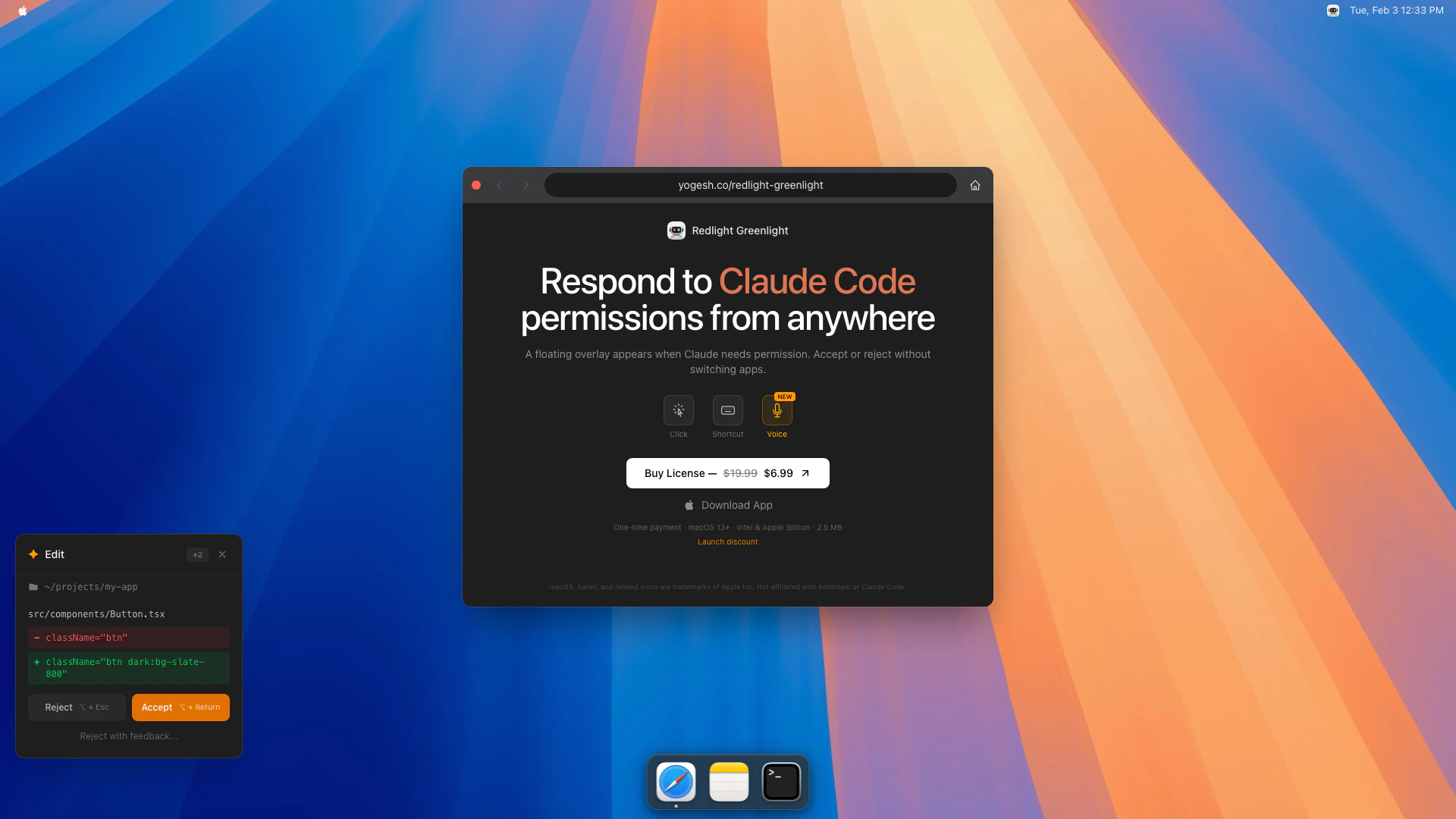
Yogesh is a native macOS[1] menu bar[2] application designed to streamline the process of responding to Claude Code permission requests. This tool enhances user experience by providing a floating overlay[3] that allows users to accept or reject permission requests without the need to switch to the terminal or any other application. It is particularly useful for developers and users who frequently interact with Claude Code, making permission management more efficient.
How to use yogesh?
- Download and install the yogesh app from the official website.
- Launch the app from your macOS menu bar.
- When a Claude Code permission request appears, a floating overlay will show up.
- Use keyboard shortcuts to respond quickly: press ⌥ + Return to accept or ⌥ + Esc to reject.
- Provide feedback if necessary and continue working without interruption.
What are the main features of yogesh?
- Floating Overlay: Displays permission requests in a non-intrusive overlay.
- Keyboard Shortcuts: Quick response options using keyboard shortcuts for efficiency.
- User-Friendly Interface: Seamless integration with macOS menu bar for easy access.
- Compatibility: Works on macOS 13+ and supports both Intel and Apple Silicon.
Who is yogesh for?
Yogesh is designed for macOS users, particularly developers and tech professionals who frequently use Claude Code. It is ideal for those who require a streamlined way to manage permission requests without disrupting their workflow. This tool is perfect for anyone looking to enhance their productivity while working on coding projects.
What are the use cases of yogesh?
- Software Development: Developers can respond to permission requests while coding, saving time and maintaining focus.
- Project Management: Team members can handle permissions efficiently during collaborative projects without switching contexts.
- Testing and Debugging: Quick responses to permission prompts can facilitate smoother testing phases for applications using Claude Code.
Yogesh Pros and Cons
Pros
- Convenient Permission Management: Easily respond to Claude Code permission requests from a floating overlay without switching applications.
- Native macOS Integration: Designed specifically for macOS, ensuring seamless performance on macOS 13+ with support for both Intel and Apple Silicon.
- User-Friendly Interface: The app features a simple and intuitive interface, making it easy for users to accept or reject permissions quickly.
Cons
No cons data detected for this tool