Shotomatic



What is Shotomatic?
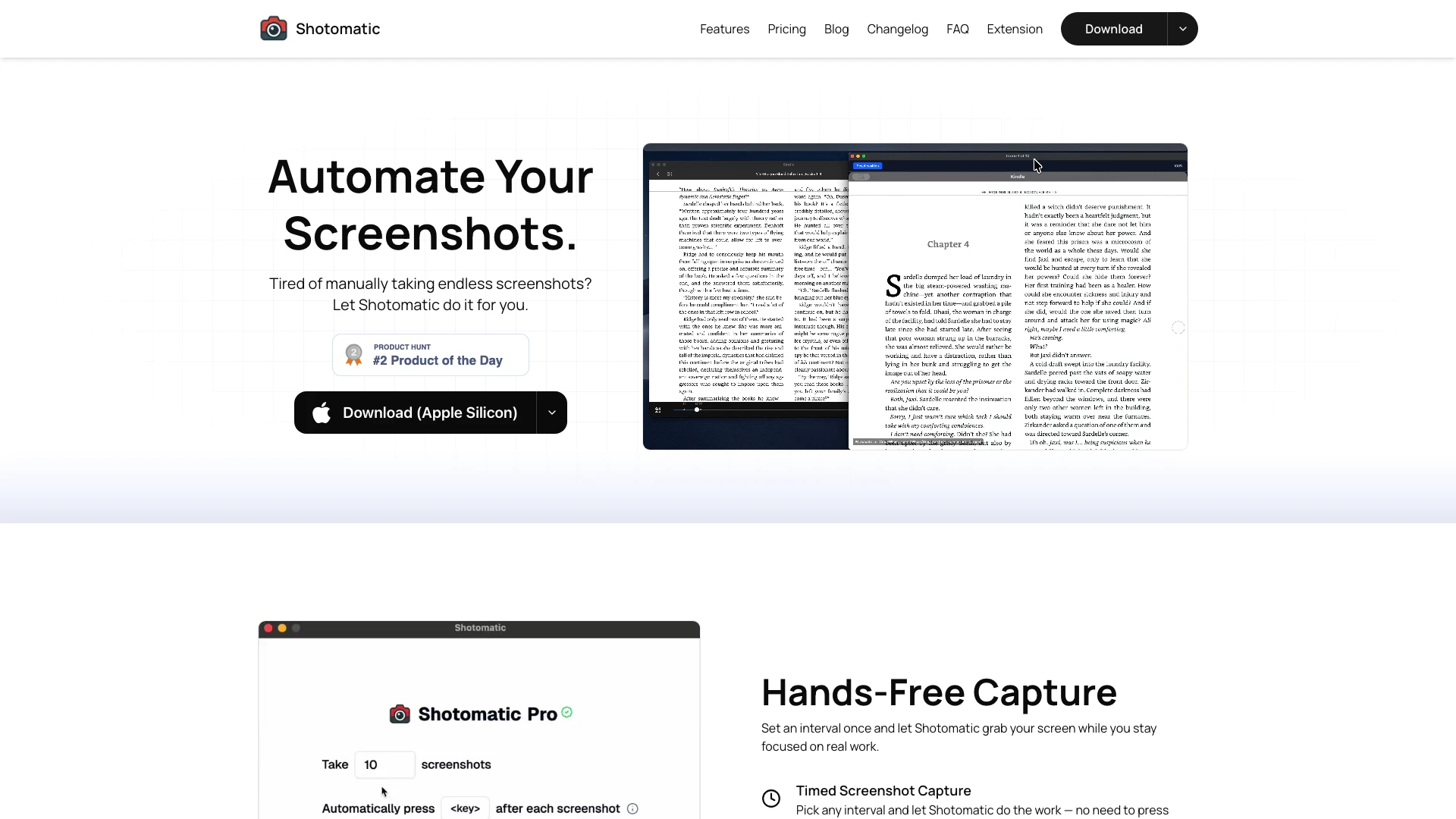
Shotomatic is an innovative screenshot automation[1] tool designed specifically for Mac[2] users. It captures, schedules, and scripts screenshots effortlessly, allowing users to archive their favorite content, create timelapse video[5]s, and record bug reports or tutorials without manual intervention. With Shotomatic, users can automate the tedious process of taking screenshots, enabling them to focus on their actual work while the tool handles the capturing process seamlessly.
How to use Shotomatic?
- Download and install Shotomatic from the official website.
- Launch the application and set your desired screenshot interval.
- Choose the capture area: entire screen, specific window, or custom area.
- Optionally, configure keypress automation[3] for advanced workflows.
- Start the capture process and let Shotomatic automatically take screenshots as per your settings.
What are the main features of Shotomatic?
- Hands-Free Capture: Automate your screenshot process by setting a specific interval.
- Timed Screenshot Capture: Capture screenshots at chosen intervals without manual input.
- Keypress Automation: Simulate keystrokes between captures for enhanced workflows.
- Customizable Capture[4] Areas: Select to capture the entire screen, a specific window, or a custom area.
- Batch Website Capture: Automatically capture multiple websites with flexible options.
- Timelapse Video Creation: Transform screenshot sessions into engaging timelapse videos.
- MP4 Export: Export your captures as professional videos ready for sharing.
Who is Shotomatic for?
Shotomatic is designed for Mac users who frequently need to take screenshots for various purposes, including content creators, educators, developers, and anyone who wishes to document their work visually. It's ideal for individuals who want to automate the tedious task of manual screenshot capturing and for teams that need to create tutorials, bug reports, or visual documentation efficiently.
What are the use cases of Shotomatic?
- Archiving content from e-books and webcomics by capturing entire pages.
- Recording bug reports by taking screenshots of application errors automatically.
- Creating tutorials that demonstrate workflows through timelapse videos.
- Capturing multiple websites for research or content creation in a batch process.
- Documenting progress on projects by turning hours of work into concise video summaries.
Product Images

Shotomatic Pros and Cons
Pros
- Hands-Free Screenshot Automation: Shotomatic allows users to automate screenshot capturing at set intervals, enabling them to focus on their work without manual intervention.
- Versatile Capture Options: Users can capture the entire screen, specific windows, or custom areas, providing flexibility for various needs.
- Timelapse Video Creation: Transform captured screenshots into engaging timelapse videos, perfect for documenting workflows and sharing progress.
Cons
No cons data detected for this tool
Shotomatic Pricing
Personal
For single-device solo makers. 1 macOS device. Perfect for individuals. Unlimited screenshots per session. Keypress automation. JPG, PNG, PDF, ZIP export. Lifetime updates.
Standard
For multi-device power users. 3 macOS devices. Perfect for power users. Unlimited screenshots per session. Keypress automation. JPG, PNG, PDF, ZIP export. Lifetime updates.
Team
For growing teams (5 seats). 5 macOS devices. Perfect for small teams. Unlimited screenshots per session. Keypress automation. JPG, PNG, PDF, ZIP export. Lifetime updates.
For the latest pricing, please visit this link: https://www.shotomatic.com/pricing
Prices are subject to change. Please visit the official website for the most up-to-date pricing information.