Motiondesk





What is MotionDesk?
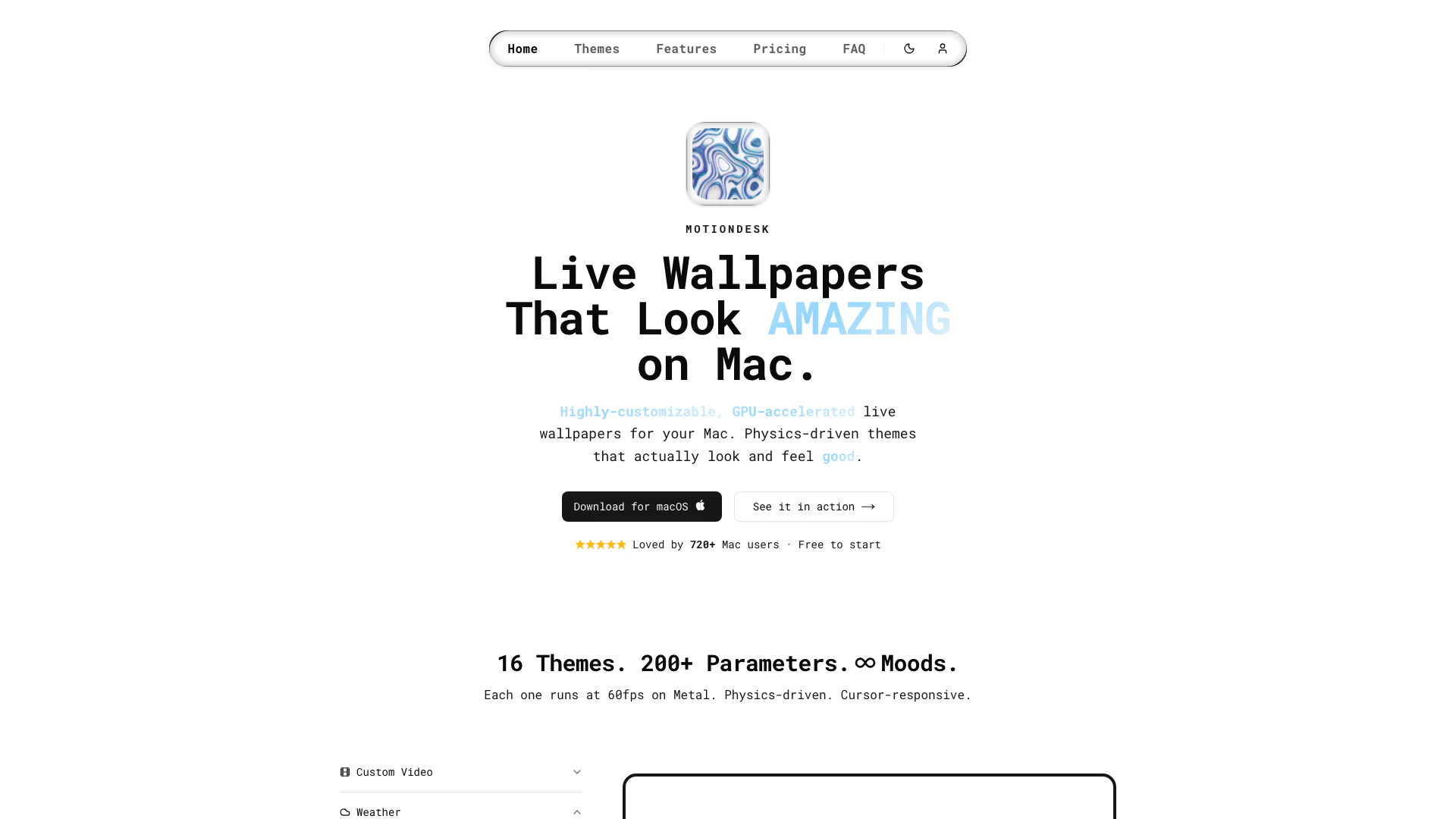
MotionDesk is a cutting-edge GPU-accelerated[1] live wallpaper[2] application designed specifically for macOS[3]. It allows users to enhance their desktop experience with stunning interactive themes[4] that are both visually appealing and responsive. With features like multi-display support, autopilot mode, and deep customization options, MotionDesk transforms your Mac into a dynamic and engaging workspace. The application runs smoothly at 60 frames per second, utilizing Metal-powered rendering for optimal performance. Whether you're looking to create a calming atmosphere with weather-themed wallpapers or want something more energetic, MotionDesk offers a range of themes and customization settings to suit every user's preference.
How to use MotionDesk?
- Download MotionDesk from the official website and install it on your macOS device.
- Launch the application and browse through the available themes in the interface.
- Select a theme that you like and click on it to apply it to your desktop.
- Use the customization options to adjust colors, speed, and density according to your preferences.
- Enable the autopilot mode if you want the wallpaper to animate itself automatically.
- For multi-display setups, configure per-display controls to enable or disable MotionDesk on specific monitors.
What are the main features of MotionDesk?
- GPU-accelerated rendering for smooth performance.
- 16 distinct interactive themes that respond to user input.
- Multi-display support for seamless integration across multiple screens.
- Autopilot mode to automatically animate wallpapers.
- Granular customization options for fine-tuning wallpaper settings.
- Global pause shortcut to pause or resume wallpapers instantly.
- Video wallpaper mode to use personal videos as animated wallpapers.
- Menu bar quick controls for easy theme switching and adjustments.
Who is MotionDesk for?
MotionDesk is ideal for macOS users who want to personalize their desktop experience with beautiful and interactive live wallpapers. It caters to a wide range of users including creative professionals, gamers, and anyone who appreciates visually stunning aesthetics on their screens. Whether you are a casual user looking to enhance your workspace or a tech-savvy individual wanting to customize your Mac with dynamic themes, MotionDesk provides the tools and features to meet those needs.
What are the use cases of MotionDesk?
- Enhancing productivity by creating a visually stimulating work environment with customizable themes.
- Setting a calming atmosphere in creative spaces with weather-themed wallpapers that change with the seasons.
- Using video wallpapers for presentations or events to capture attention and impress audiences.
- Personalizing the desktop experience for gamers with themes that react to gameplay or user interactions.
- Providing a unique aesthetic for multi-display setups in offices or home studios.
Motiondesk Pros and Cons
Pros
- GPU-Accelerated Performance: MotionDesk utilizes GPU acceleration for smooth rendering, ensuring live wallpapers run at 60fps while being battery-friendly.
- Highly Customizable Themes: With 16 distinct themes and over 200 customizable parameters, users can fine-tune their wallpapers to match personal preferences.
- Multi-Display Support: The app supports multiple displays, allowing users to span wallpapers seamlessly across all screens.
Cons
No cons data detected for this tool
Motiondesk Pricing
Free
Free forever. Two full themes, all physics features. No card, No account.
Monthly
Full access to every theme and feature.
Lifetime
Pay once, own forever.
For the latest pricing, please visit this link: https://motiondesk.app/#pricing
Prices are subject to change. Please visit the official website for the most up-to-date pricing information.
Motiondesk Reviews
They implemented my feedback on the Stars scene very quickly... the update released the very next day 🚀
this is one of the best wallpaper overlays you can get for your mac running smoothhhh on my 2015 macbook pro
Can't stop looking at the rain's splashes in the bottom of my screen tbh.
For more reviews, visit this link: https://motiondesk.app#reviews