Stridesync
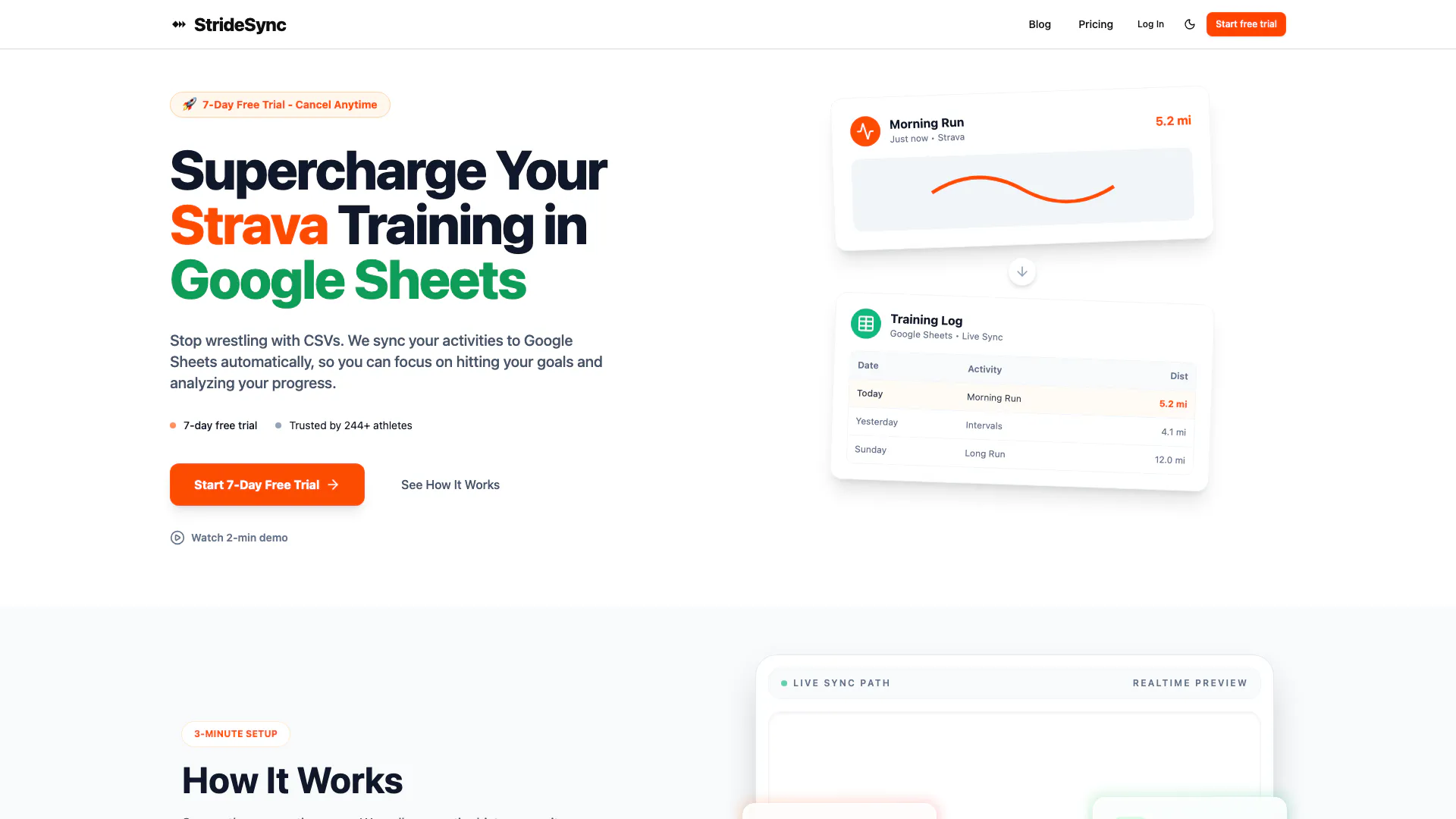





What is StrideSync?
StrideSync is an innovative tool designed to seamlessly connect Strava, a popular fitness tracking app, with Google Sheets. By automating the process of data export and synchronization, StrideSync allows users to effortlessly manage their running and cycling activity data without the need for manual exports. This means that users can focus on their workouts and performance metrics while StrideSync handles the data management, ensuring that all their Strava data is instantly available in Google Sheets for analysis and record-keeping.
How to use StrideSync?
- Visit the StrideSync website and sign up for an account.
- Connect your Strava account by following the prompts to authorize StrideSync.
- Choose the specific data types (running, cycling activities) you want to sync to Google Sheets.
- Set up your preferred Google Sheets destination for the synced data.
- Start the synchronization process, and your Strava data will automatically be exported to Google Sheets.
What are the main features of StrideSync?
- Automatic Data Sync: Effortlessly sync your Strava data to Google Sheets without manual intervention.
- Activity Import: Import both running and cycling activity data with ease.
- Real-time Updates: Get instant updates in your Google Sheets as new data becomes available in Strava.
- User-Friendly Interface: Navigate the tool easily with a simple and intuitive interface.
Who is StrideSync for?
StrideSync is ideal for athletes, fitness enthusiasts, and data analysts who use Strava to track their running and cycling activities. It caters to users who want to analyze their performance metrics, maintain a record of their activities, and streamline their data management process. Whether you're a casual runner or a dedicated cyclist, StrideSync simplifies the task of exporting and syncing your fitness data.
What are the use cases of StrideSync?
- Performance Analysis: Athletes can analyze their performance trends over time by exporting their Strava data to Google Sheets.
- Training Logs: Coaches and trainers can maintain detailed training logs for their athletes by syncing workout data directly from Strava.
- Data Sharing: Users can easily share their fitness progress with friends or teammates by providing access to their Google Sheets.
Stridesync Pros and Cons
Pros
- Automatic Data Sync: StrideSync automatically connects Strava to Google Sheets, eliminating the need for manual exports and saving users time.
- Effortless Importing: Users can effortlessly import running and cycling activity data into Google Sheets, making data management easier.
- Instant Updates: The tool provides instant syncing of Strava data to Google Sheets, ensuring that users always have the latest information.
Cons
No cons data detected for this tool
Analytics of Stridesync
Stridesync Website Traffic Analysis
Visits Over Time
Traffic Sources
Nov 2025 - Dec 2025 Worldwide Desktop Only
- Search: 42.86%
- Direct: 35.80%
- Referrals: 13.66%
- Social: 4.44%
- Paid Referrals: 1.64%
- Mail: 0.22%
Top Keywords
| Keyword | Volume | CPC | Estimated Value |
|---|---|---|---|
| how to export strava data | 580 | $0.00 | $0.00 |
| how to download strava data | 570 | $0.00 | $0.00 |
| export strava activities | 390 | $0.00 | $0.00 |
| strava running shoe data | 380 | $0.00 | $0.00 |
| stridesync | 120 | $0.00 | $120.00 |