Morgen



What is Morgen?
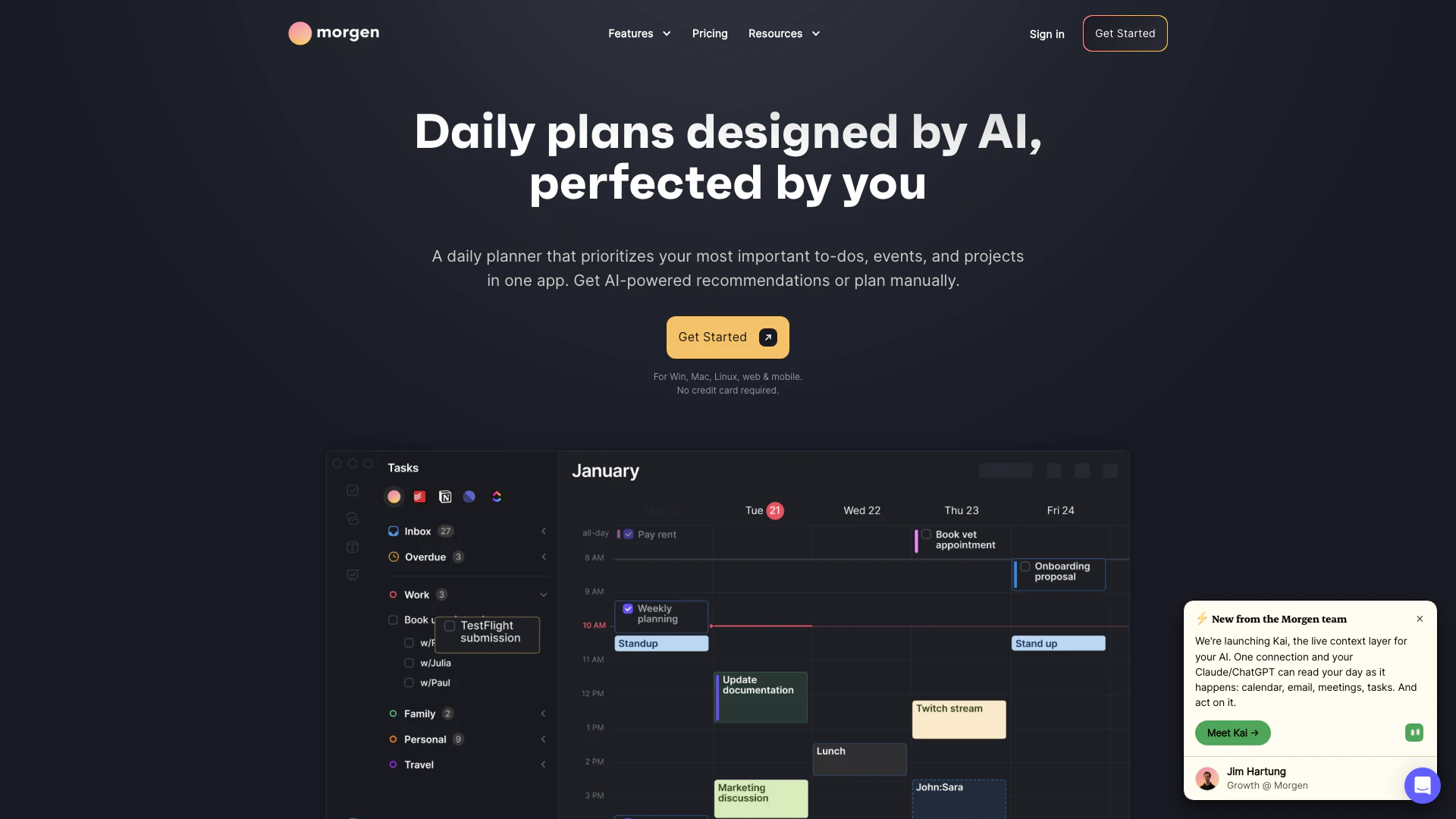
Morgen is an AI-powered productivity tool designed to streamline daily planning by integrating all your calendars and task management systems into one cohesive platform. With its intelligent scheduling capabilities, Morgen enables users to time block their day, schedule meetings, and protect focus time efficiently. By prioritizing impactful work, Morgen helps users feel confident in their daily tasks while adapting to changes in their schedules, ensuring they stay on track and meet deadlines. This all-in-one app is perfect for individuals looking to enhance their productivity and manage their time effectively across multiple platforms.
How to use Morgen?
- Sign up for a Morgen account on the website (https://www.morgen.so/).
- Connect your calendars and task management tools, such as Notion, ClickUp, Linear, or Todoist.
- Use the AI Planner to create a structured daily schedule by dragging and dropping tasks into your calendar.
- Adjust the schedule as needed, and the AI Planner will adapt in real-time.
- Confirm your schedule to protect focus time and ensure you meet your deadlines.
What are the main features of Morgen?
- AI Planner: Automatically adjusts your schedule based on task priority and deadlines.
- Calendar Integration: Consolidates multiple calendars (Google, Outlook, Apple, etc.) into one interface.
- Task Management: Schedule and manage tasks directly from various project management tools.
- Time Blocking: Easily block time for tasks to enhance focus and productivity.
- Reminders: Set personalized reminders for tasks and events.
- Scheduling Links: Share booking links for others to schedule time with you based on real-time availability.
- Team Availability: View colleagues' availability to suggest optimal meeting times.
Who is Morgen for?
Morgen is ideal for professionals, students, and anyone who manages multiple tasks and calendars daily. It caters to individuals who seek to improve their productivity by consolidating their scheduling and task management into one user-friendly interface. Whether you are a project manager juggling various deadlines, a student organizing study sessions, or a busy professional coordinating meetings, Morgen provides the tools needed to streamline your workflow and maximize your efficiency.
What are the use cases of Morgen?
- Daily Planning: Use Morgen to create a structured daily agenda that prioritizes your most important tasks.
- Meeting Scheduling: Simplify the process of scheduling meetings by integrating your availability and avoiding conflicts.
- Project Management: Combine tasks from various project management tools into your calendar for seamless oversight of projects and deadlines.
Morgen Pros and Cons
Pros
- Multiple Calendar Integration: Morgen integrates with multiple calendar platforms, allowing users to manage their work and personal schedules in one place.
- AI-Powered Scheduling: The AI Planner feature helps users adapt their schedules in real-time, ensuring that they can prioritize tasks effectively and avoid conflicts.
- Time Blocking Feature: Morgen allows for time blocking, enabling users to allocate specific time slots for tasks directly within their calendars, enhancing productivity.
Cons
- Limited Calendar Support: Morgen may have limited support for certain lesser-known calendar applications, which could restrict users who rely on those tools.
- Learning Curve for New Users: Users may need to familiarize themselves with the AI Planner and its functionalities, which could require a learning curve for new users.
- Variable Performance Across OS: Morgen's performance may vary across different operating systems, particularly on less common platforms.