Git Assistant




What is Git Assistant?
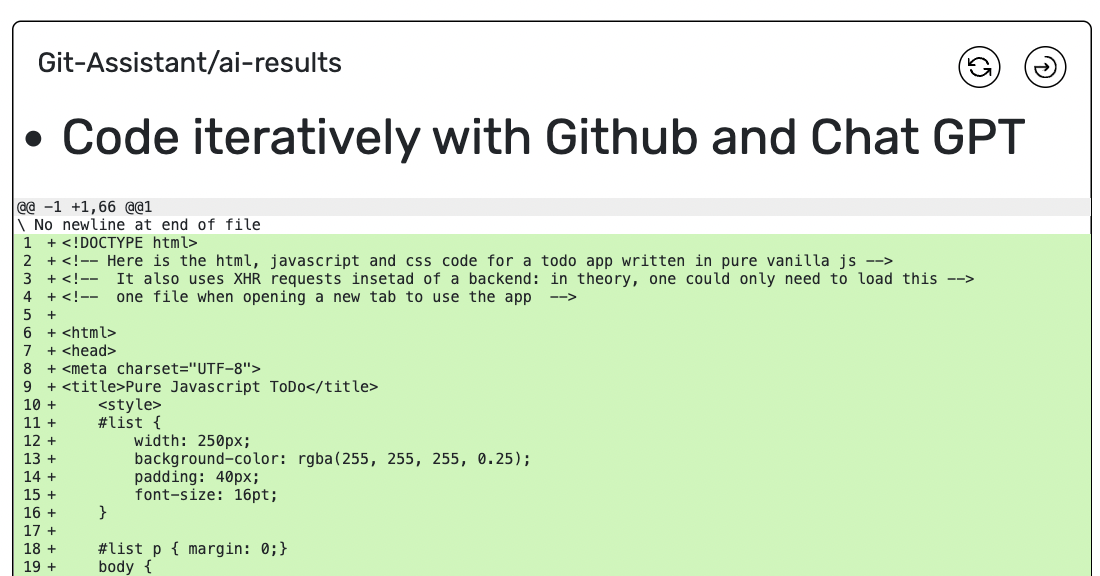
Git Assistant is an innovative tool designed to enhance your coding experience by integrating GitHub with Chat GPT. It allows developers to code iteratively, leveraging the capabilities of Chat GPT to improve prompt engineering and streamline the coding process. With features like comparing changes and managing pull requests, Git Assistant aims to simplify collaboration and enhance productivity for developers.
How to use Git Assistant?
- Sign Up: Visit the Git Assistant website and create an account to get started.
- Access the Demo: Try the demo version to familiarize yourself with the tool's interface and capabilities.
- Integrate with GitHub: Connect your GitHub account to Git Assistant to start managing your repositories.
- Utilize Chat GPT: Use Chat GPT prompts to assist in coding tasks, enhancing your coding process.
- Manage Pull Requests: Click on the 'Pull Request' link to compare changes made in your repository.
What are the main features of Git Assistant?
- Iterative Coding: Code iteratively using GitHub and Chat GPT for improved prompt engineering.
- Change Comparison: Easily compare changes in your repository with the 'Pull Request' feature.
- Private Pull Requests: Available in the premium version, allowing for private collaboration.
- Prompt Management: Add prompts to previous entries to build a more effective working process.
Who is Git Assistant for?
Git Assistant is ideal for developers, software engineers, and anyone involved in coding and version control. It is particularly beneficial for those looking to enhance their coding skills with the help of AI, streamline their workflow, and improve collaboration on GitHub. Whether you are a beginner or an experienced developer, Git Assistant can help you leverage AI in your coding practices.
What are the use cases of Git Assistant?
- Collaborative Development: Use Git Assistant to work on projects with multiple contributors, facilitating easier management of pull requests.
- Learning and Development: Beginners can utilize Chat GPT prompts to learn coding concepts and improve their programming skills.
- Code Review: Leverage the change comparison feature to conduct effective code reviews, ensuring high-quality code before merging.
Product Images

Git Assistant Pros and Cons
Pros
- Affordable Pricing: The premium subscription is priced at $2 per month, which includes features like a private pull request option and grandfathering for future premium features.
- Integration with GitHub and Chat GPT: The tool allows users to code iteratively with GitHub and Chat GPT, facilitating an efficient workflow.
Cons
No cons data detected for this tool
Git Assistant Pricing
Premium
Private Pull Request option, Grandfathered in for future premium features
For the latest pricing, please visit this link: https://gitassistant.com/
Prices are subject to change. Please visit the official website for the most up-to-date pricing information.