

Js



What is Js?
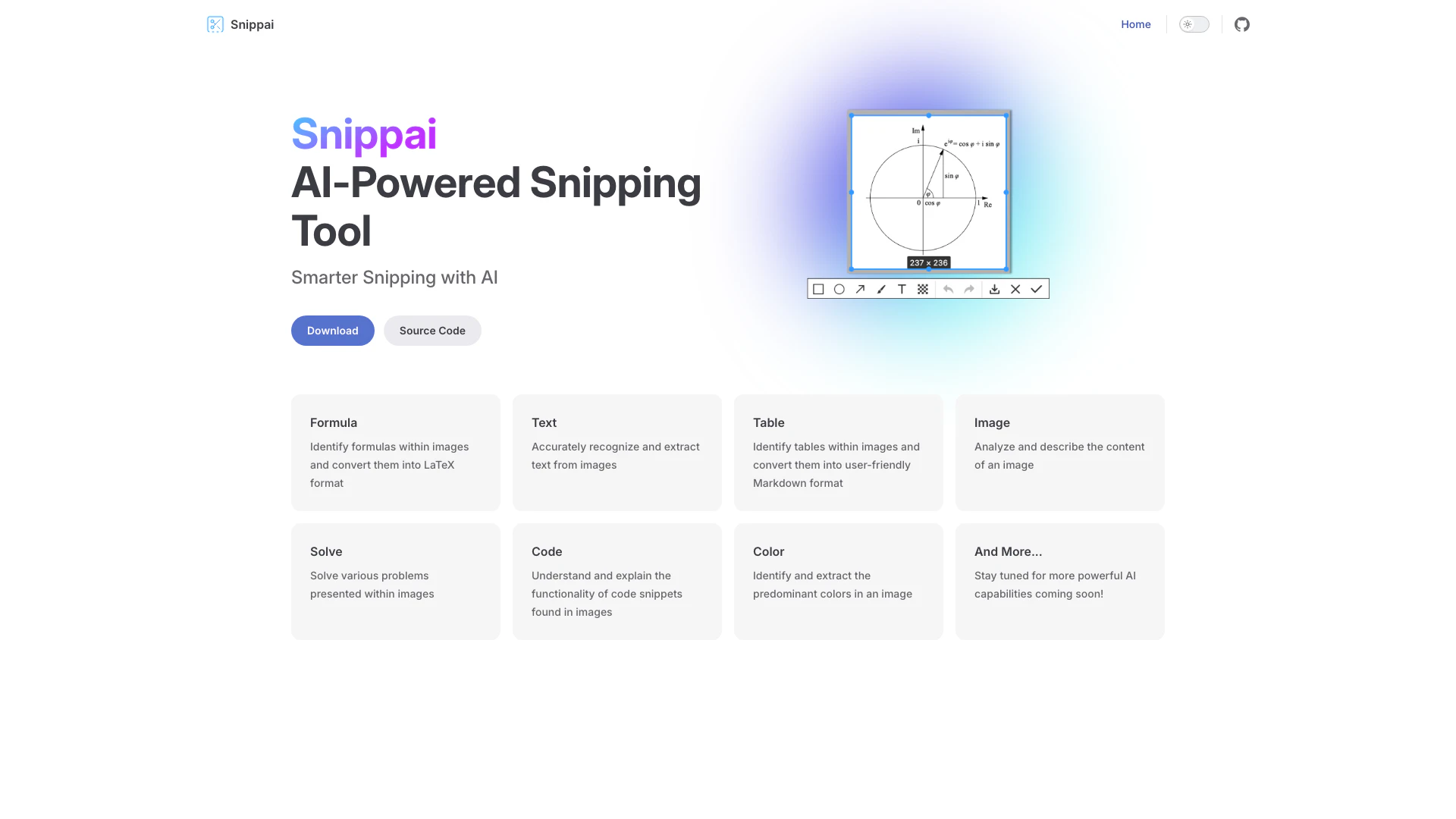
Js, known as Snippai, is an AI-powered[1] snipping tool[2] designed to enhance the way users interact with images and text. This innovative tool leverages artificial intelligence to recognize, extract, and convert various elements from images, such as text, formulas, tables, and code snippets. By streamlining the process of capturing and manipulating content from images, Js aims to provide users with smarter snipping capabilities that save time and improve productivity.
How to use Js?
- Download and Install: Visit the [Snippai GitHub releases page](https://github.com/xyTom/snippai/releases) to download and install the tool on your device.
- Open the Tool: Launch the Js application to access its features.
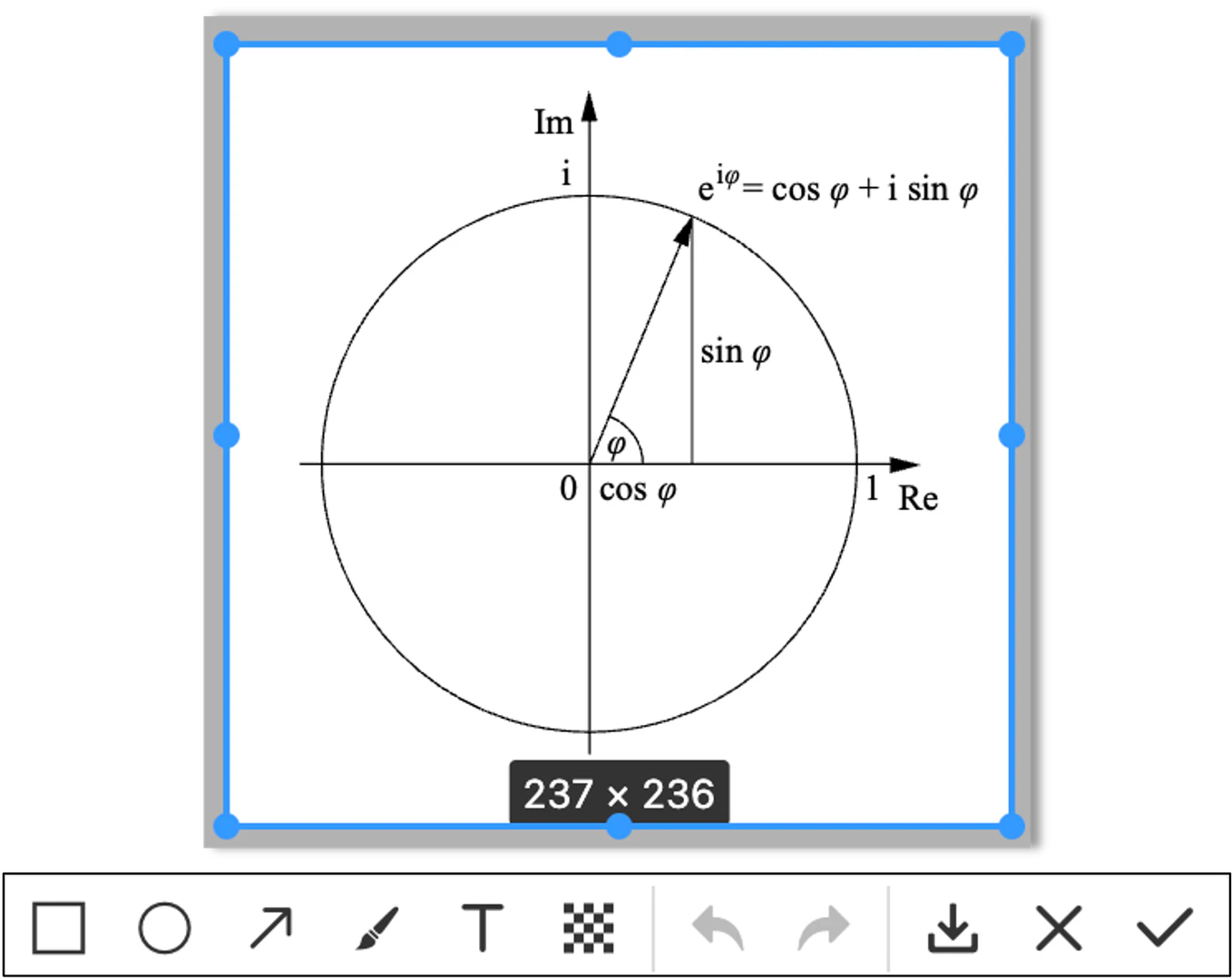
- Capture an Image: Use the snipping tool to select an area of the screen or upload an image that contains the content you want to extract.
- Choose a Function: Depending on your needs, select from various functions such as text extraction[3], formula identification, or code analysis.
- Process the Image: Let Js analyze the image and extract the desired information.
- Review and Export: Review the extracted data and export it in your preferred format, such as LaTeX for formulas or Markdown for tables.
What are the main features of Js?
- Formula Recognition[4]: Identify mathematical formulas within images and convert them into LaTeX format.
- Text Extraction: Accurately recognize and extract text from images for easy editing and use.
- Table Conversion[5]: Identify tables in images and convert them into user-friendly Markdown format.
- Image Analysis: Analyze and describe the content of an image for better understanding.
- Problem Solving: Solve various problems presented within images using AI capabilities.
- Code Understanding: Understand and explain the functionality of code snippets found in images.
- Color Identification: Extract and identify the predominant colors in an image.
Who is Js for?
Js is designed for students, educators, researchers, and professionals who frequently work with images containing text, formulas, tables, or code snippets. It is particularly useful for individuals in academic settings who need to extract and manipulate data from lecture slides, textbooks, or research papers. Additionally, software developers and data analysts can benefit from its code understanding and problem-solving capabilities, making it a versatile tool for anyone who requires efficient image processing.
What are the use cases of Js?
- Academic Research: Extracting text and formulas from academic papers for citation and study purposes.
- Software Development: Analyzing code snippets from tutorials or documentation to understand functionality.
- Data Analysis: Converting tables from reports or presentations into Markdown format for easier manipulation and analysis.
- Graphic Design: Identifying colors in images for design projects or branding purposes.
- Problem Solving in Education: Solving mathematical problems presented in images for homework or study guides.
Product Images
Js Pros and Cons
Pros
- AI-Powered Features: Utilizes AI to enhance snipping capabilities, providing smarter and more efficient image processing.
- Multiple Recognition Capabilities: Can identify and extract text, formulas, tables, and colors from images, making it versatile for various tasks.
- User-Friendly Formats: Converts extracted content into user-friendly formats like LaTeX and Markdown, facilitating easy integration into documents.
Cons
No cons data detected for this tool
Analytics of Js
Js Website Traffic Analysis
Visits Over Time
Traffic Sources
Nov 2025 - Jan 2026 Worldwide Desktop Only
- Search: 100.00%
Top Keywords
| Keyword | Volume | CPC | Estimated Value |
|---|---|---|---|
| snip | 18.62K | $0.69 | $0.00 |
| snipin ai | 3.26K | $0.00 | $90.00 |
| snippai | 340 | $0.00 | $160.00 |
| snippai ocr | 60 | $0.00 | $60.00 |
| javascript snips | 20 | $0.00 | $20.00 |



