

Graphicsai





What is graphicsai?
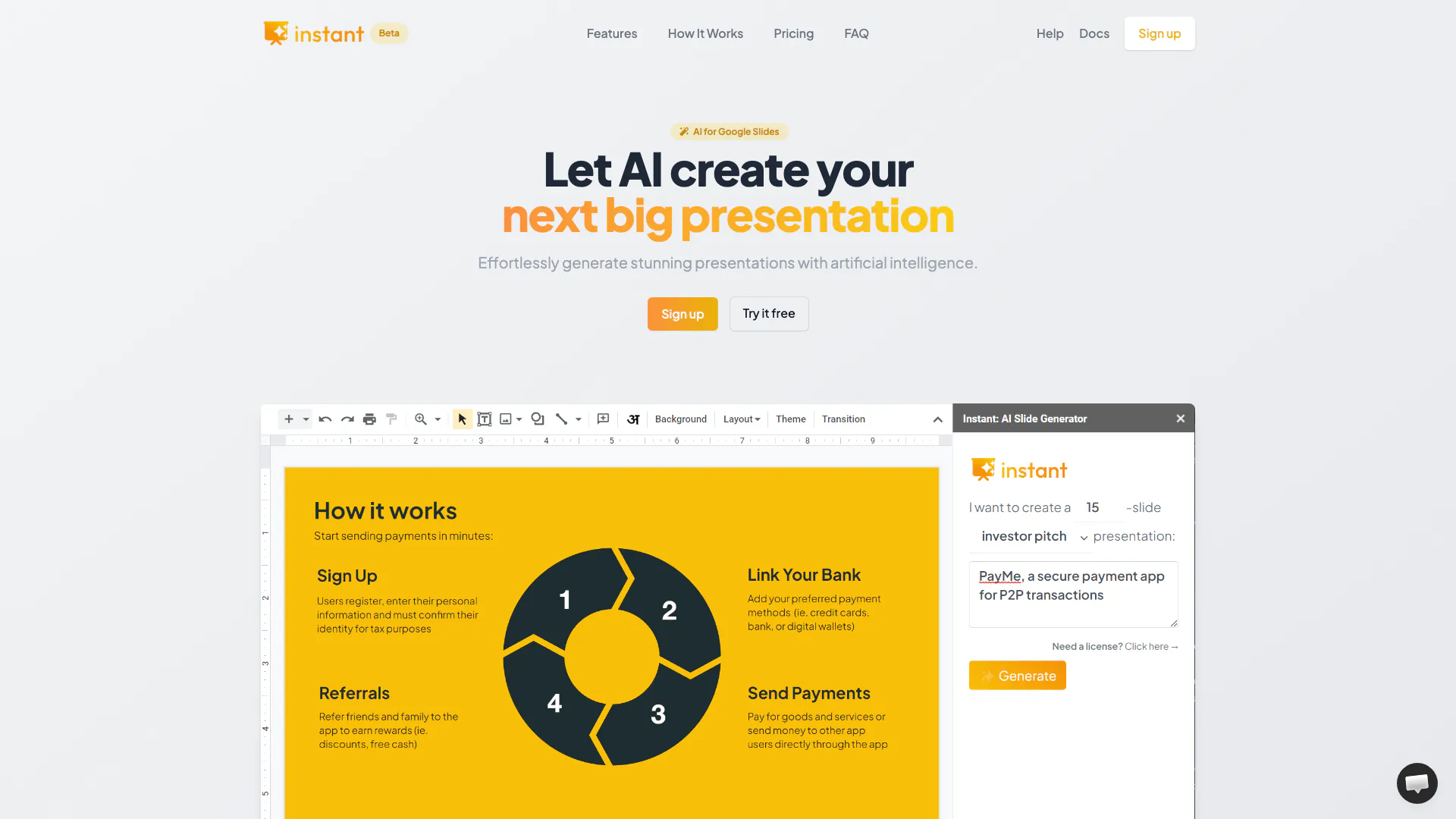
graphicsai is an AI-powered[1] presentation tool[2] designed to simplify the process of creating visually engaging slides in Google Slides[3]. By leveraging artificial intelligence, graphicsai allows users to effortlessly generate fully-editable presentations that are not only aesthetically pleasing but also tailored to meet specific presentation needs. This tool is particularly beneficial for those who wish to enhance their presentation quality without the steep learning curve typically associated with design software. With hundreds of professional-grade templates[5] at your disposal, graphicsai positions itself as a leading solution for creating impactful presentations.
How to use graphicsai?
- Install the Extension: Begin by installing the graphicsai extension from the Google Workspace Marketplace.
- Open Google Slides: Launch a new or existing Google Slides document where you want to create your presentation.
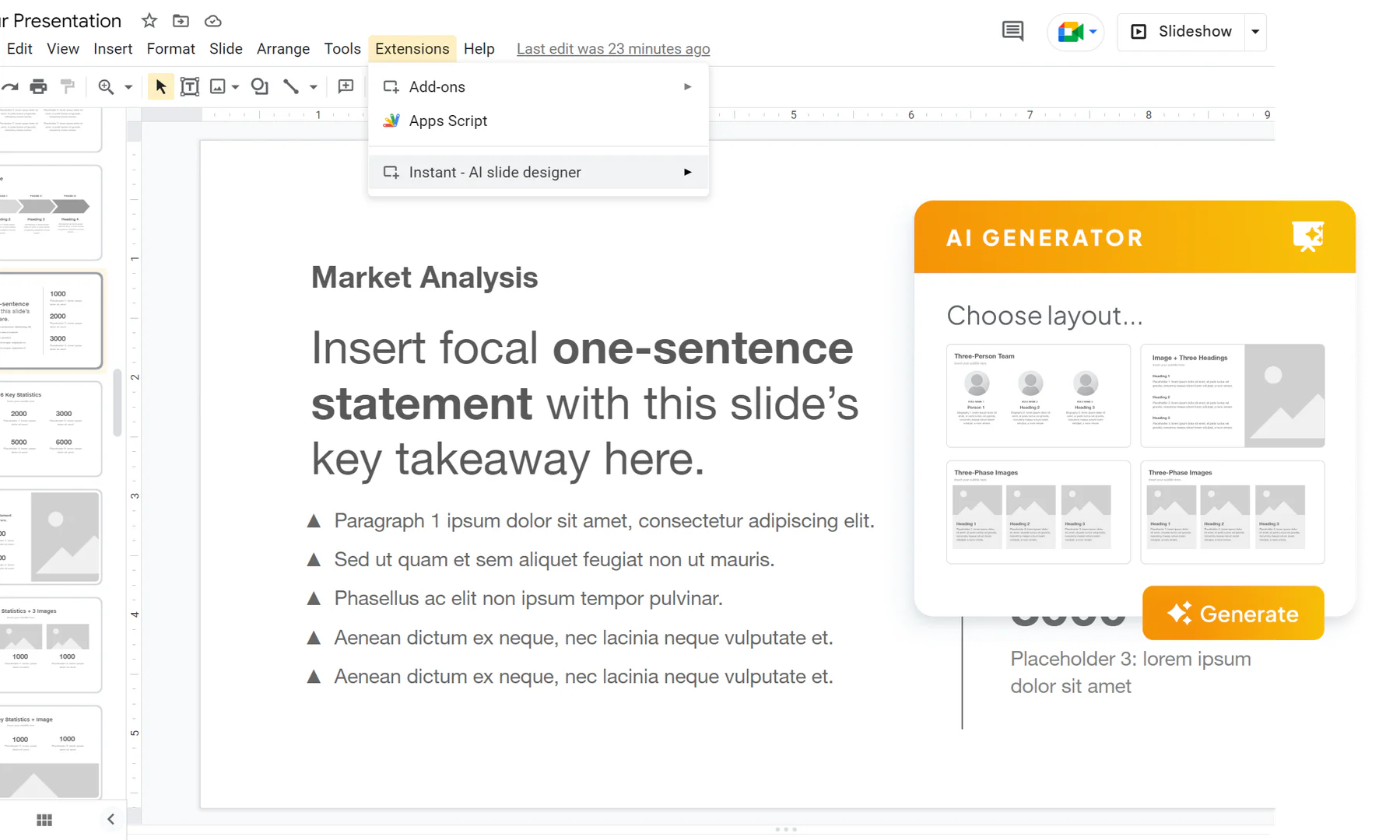
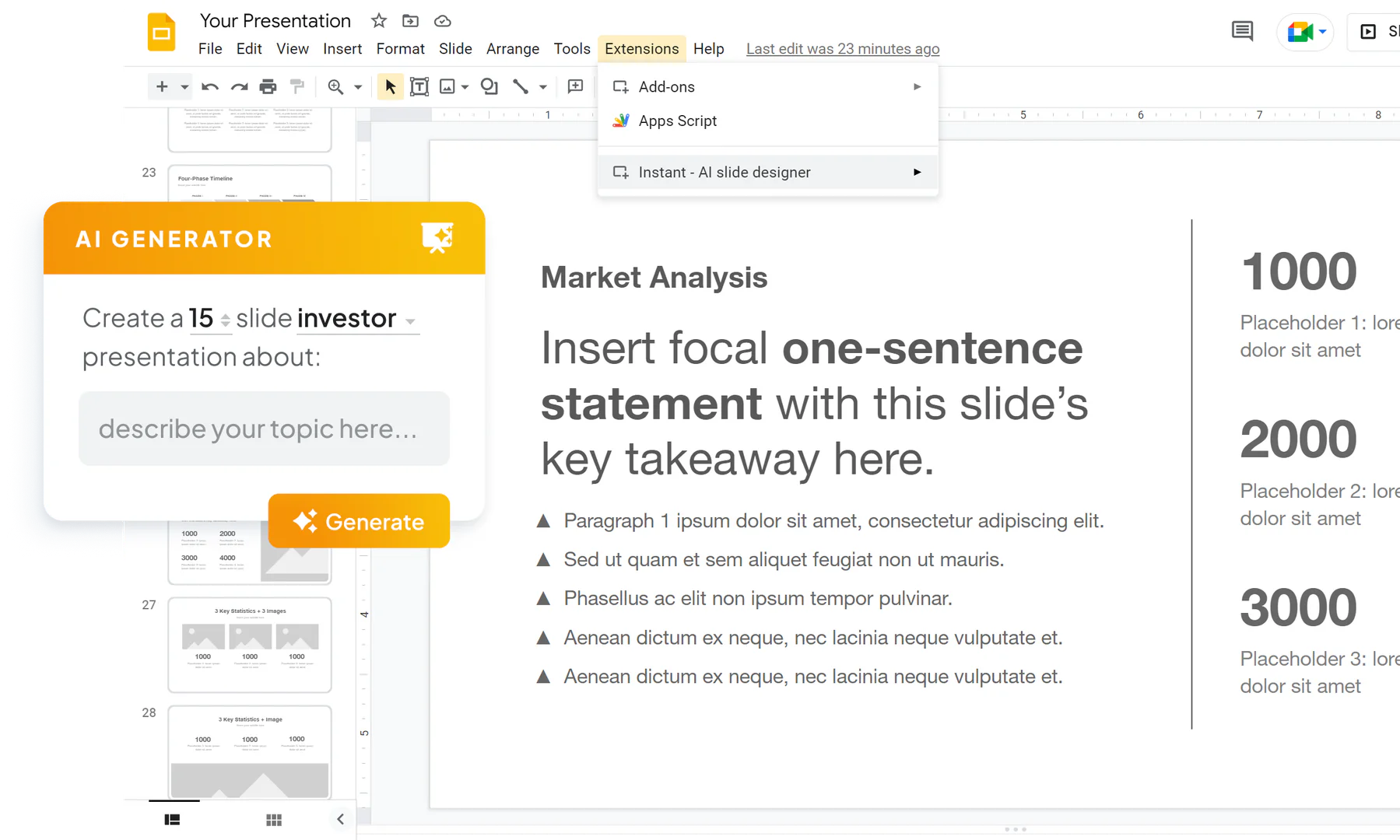
- Access the Tool: Navigate to the 'Extensions' menu in Google Slides, and select graphicsai to open the tool.
- Choose Presentation Type: Select the type of presentation you need (e.g., investor pitch, sales presentation) and specify the desired length.
- Describe Your Topic: Provide a brief description of the topic for your presentation.
- Customize Styles: Choose your preferred colors and fonts to match your branding.
- Generate Outline: Allow the AI to create an outline based on your inputs, which you can modify as necessary.
- Auto-generate Slides: Finally, let the AI draft the content for each slide and choose from suggested layouts to complete your presentation.
What are the main features of graphicsai?
- AI-Powered Generation: Automatically create presentations with minimal effort using advanced AI technology.
- Fully-Editable Slides[4]: Generate slides that are fully customizable within Google Slides.
- Professional-Grade Templates: Access a library of hundreds of expert-designed templates for various presentation types.
- Customization Options: Easily customize colors and fonts to align with your brand identity.
- User-Friendly Interface: Designed for seamless integration with Google Slides, ensuring a familiar workflow for users.
- Support for Visuals: Create engaging visuals including infographics and diagrams to enhance your presentations.
Who is graphicsai for?
graphicsai is designed for a wide range of users who need to create professional presentations quickly and efficiently. This includes business professionals, marketers, educators, and students who wish to enhance their presentation skills without extensive design knowledge. Additionally, organizations looking to streamline their presentation creation process will find graphicsai particularly beneficial, as it combines ease of use with powerful AI capabilities to produce visually appealing slides that capture the audience's attention.
What are the use cases of graphicsai?
- Business Presentations: Create impactful pitch decks and sales presentations that effectively communicate ideas to stakeholders.
- Educational Purposes: Generate engaging lecture slides for classrooms or online courses to enhance student learning.
- Marketing Campaigns: Develop visually compelling presentations to showcase marketing strategies and results during team meetings or client pitches.
Product Images

Graphicsai Pros and Cons
Pros
- AI-Powered Presentation Creation: Effortlessly generate visually engaging presentations using AI technology, making the process quick and efficient.
- Integration with Google Slides: Create fully-editable slides directly in Google Slides, allowing users to leverage familiar tools and workflows.
- Professional-Grade Templates: Access a robust library of over 100 expert-designed templates, enabling the creation of visually appealing and professional presentations.
Cons
No cons data detected for this tool
Graphicsai Pricing
Lite
Up to 60 slides per month for just $44.
Pro
Up to 150 slides per month for just $99.
Premium
Unlimited slides – no limits for $199 per month.
Free
Try it 100% free. No card or sign up required.
For the latest pricing, please visit this link: https://ai.vip.graphics/#pricing
Prices are subject to change. Please visit the official website for the most up-to-date pricing information.
Analytics of Graphicsai
Graphicsai Website Traffic Analysis
Visits Over Time
Traffic Sources
Oct 2025 - Dec 2025 Worldwide Desktop Only
- Search: 39.61%
- Direct: 34.91%
- Referrals: 12.65%
- Social: 11.34%
- Paid Referrals: 1.13%
- Mail: 0.16%




