Clearcal





What is ClearCal?
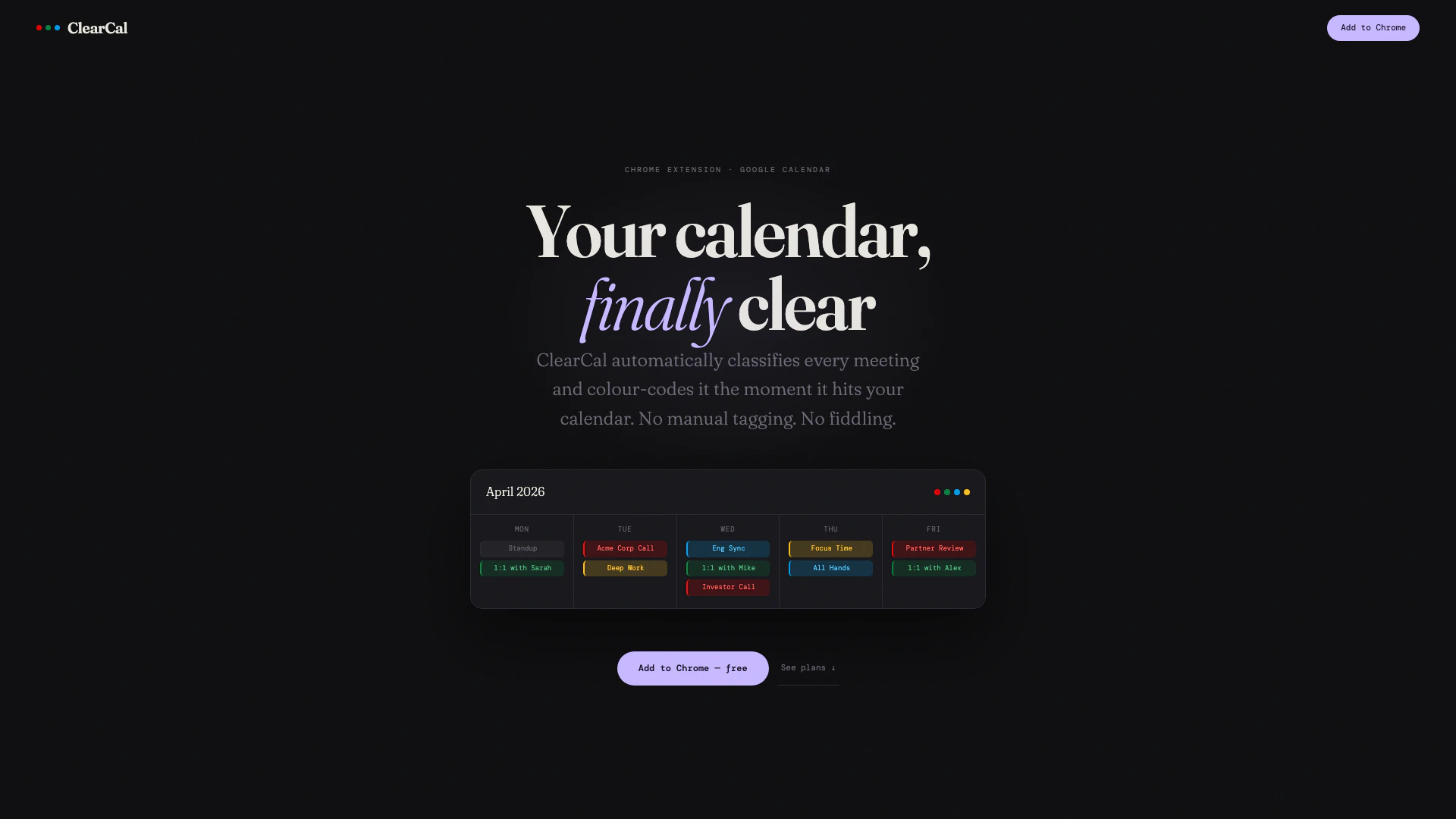
ClearCal is an innovative Chrome extension designed to enhance your Google Calendar experience by automatically classifying and color-coding every meeting based on its type. It allows users to instantly identify external calls, 1:1 meetings, and internal syncs at a glance, eliminating the clutter and confusion often associated with traditional calendar views. By streamlining the organization of calendar events, ClearCal provides a clear and efficient way to manage your time and prioritize tasks.
How to use ClearCal?
- Install ClearCal from the Chrome Web Store by clicking 'Add to Chrome'.
- Connect ClearCal to your Google account by signing in; this process takes less than a minute.
- Once connected, ClearCal will automatically scan your calendar and classify each event without any manual tagging.
- Enjoy instant color-coding for all new events, as ClearCal refreshes every 30 minutes to keep your calendar up to date.
- Customize your color rules by toggling them on or off; Pro users can choose from 11 different Google Calendar colors.
What are the main features of ClearCal?
- Automatic classification of meetings by type (external, 1:1, internal syncs).
- Instant color-coding for improved visibility of calendar events.
- Customizable color rules for Pro users, with access to all 11 Google Calendar colors.
- Regular updates every 30 minutes to ensure your calendar reflects the latest changes.
- Minimal permissions required, ensuring user privacy and data security.
Who is ClearCal for?
ClearCal is designed for professionals and teams who rely heavily on Google Calendar to manage their schedules. It is particularly beneficial for those who attend numerous meetings, as it simplifies the process of distinguishing between different types of events. Whether you are a project manager, a team leader, or anyone looking to optimize their calendar management, ClearCal provides the tools needed to enhance productivity and maintain focus.
What are the use cases of ClearCal?
- Quickly identify and differentiate between client calls and internal meetings, allowing for better time management.
- Utilize color-coded events to prepare for meetings in advance, improving overall meeting efficiency.
- Track time allocation by visualizing how much time is spent on various types of meetings, helping to identify areas for improvement in productivity.
Clearcal Pros and Cons
Pros
- Automatic Classification of Meetings: ClearCal automatically classifies and color-codes meetings in Google Calendar, eliminating the need for manual tagging and making it easy to identify meeting types at a glance.
- Customizable Color Coding: Pro users can customize the color coding for different meeting types using any of the 11 Google Calendar colors, allowing for personalized organization.
- Privacy Focused: ClearCal processes calendar data locally within the Chrome extension, ensuring that user data never leaves their device and is not stored on external servers.
Cons
No cons data detected for this tool
Clearcal Pricing
Free
Great for getting started. Includes 2 colour rules, 7-day lookahead, and auto-refresh every 30 minutes. Limited features: does not include all 5 rules, colour picker per rule, or 28-day lookahead.
Pro
For professionals who live in their calendar. Includes all 5 colour rules, 28-day lookahead, auto-refresh every 30 minutes, full colour picker per rule, instant rule reset, and priority support.
Lifetime
Everything, forever. Pay once, done. Includes all 5 colour rules, 28-day lookahead, full colour picker per rule, all future rules & updates, priority support, and no subscription, ever.
For the latest pricing, please visit this link: https://clearcal.io/#pricing
Prices are subject to change. Please visit the official website for the most up-to-date pricing information.