Autoprint





What is AutoPrint[1]?
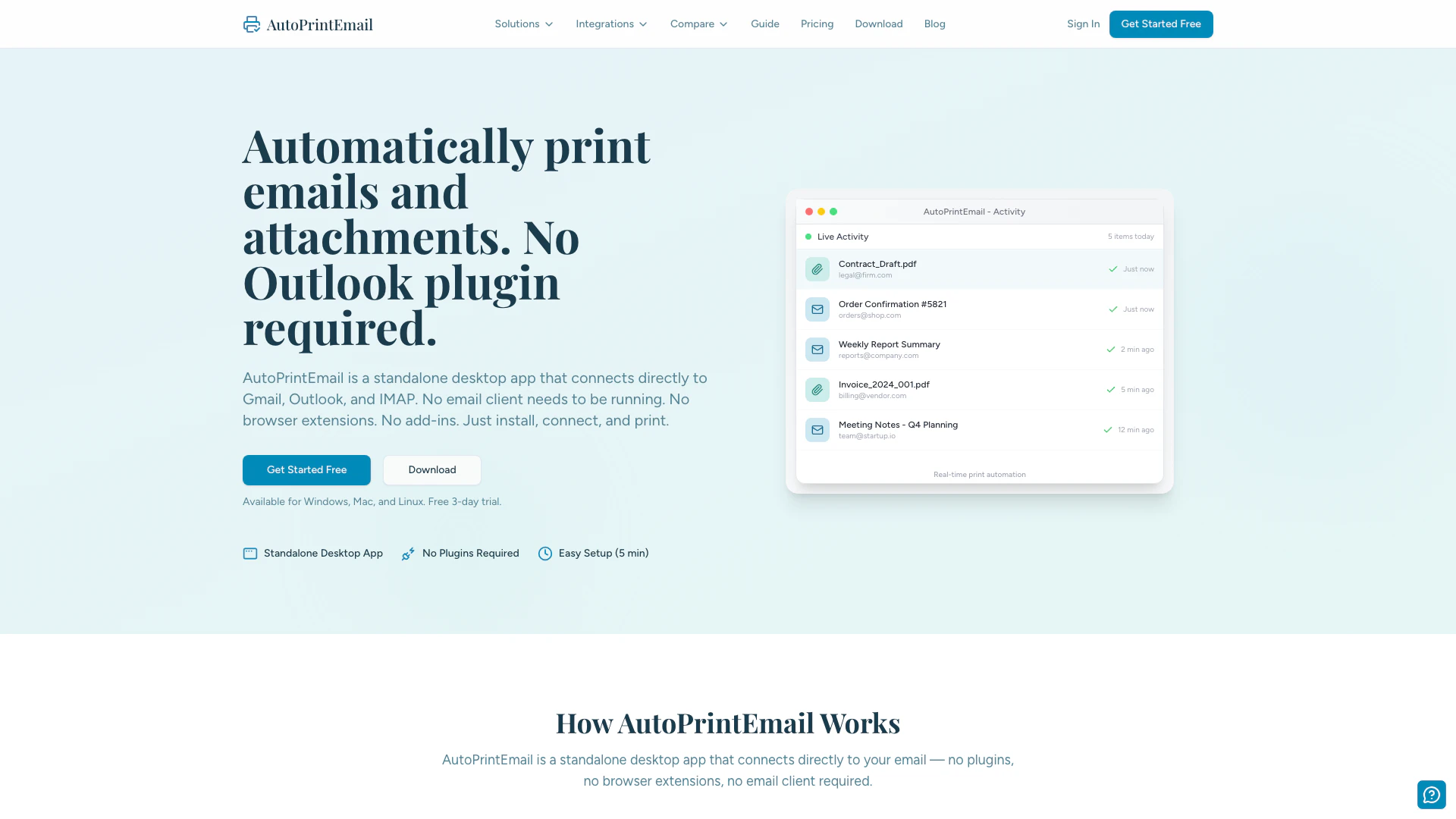
AutoPrint is a standalone desktop application designed for automating the printing of emails and their attachments directly from your email accounts such as Gmail, Outlook, and IMAP. Unlike traditional email clients, AutoPrint does not require any plugins, browser extensions, or additional software to be running. It simplifies the process of managing email correspondence by allowing users to print important documents without the need for constant screen engagement, ultimately helping to reduce digital eye strain. Available for Windows, Mac, and Linux, AutoPrint offers a user-friendly setup and customizable printing options, making it an ideal solution for both individual users and businesses looking to streamline their email management.
How to use AutoPrint?
- Download the App: Visit the AutoPrint website and download the application compatible with your operating system (Windows, Mac, or Linux).
- Install the Application: Run the installation wizard, which is designed to be quick and user-friendly, requiring no technical expertise.
- Connect Your Printer: Follow the setup wizard to connect your printer to the AutoPrint system. It supports both wireless and USB connections and automatically detects most modern printers.
- Configure Email Settings: Set up your preferences to determine which emails and attachments to print automatically, utilizing existing email filters for specific mailboxes.
What are the main features of AutoPrint?
- Standalone Application: No need for additional plugins or email clients.
- Cross-Platform[2] Support: Works on Windows, Mac, and Linux.
- Real-Time Print Automation: Automatically prints emails and attachments as they arrive.
- Customizable Printing Preferences: Set specific filters for which emails to print, including options for printing only the body or attachments.
- Privacy[3] and Security: Utilizes end-to-end encryption[4] for secure transmission of emails to your printer.
Who is AutoPrint for?
AutoPrint is designed for a wide range of users, including small business owners, managers, educators, and individuals looking to reduce screen time. It is particularly beneficial for those who handle a high volume of emails and require physical copies of important documents, such as invoices, meeting notes, and correspondence. Additionally, it serves well in environments like restaurants for printing orders, in logistics for shipping documents, and in healthcare for maintaining HIPAA-compliant printing practices.
What are the use cases of AutoPrint?
- E-commerce: Automatically print packing slips and order confirmations for seamless order processing.
- Education: Print student submissions and assignments directly for review, helping teachers manage workload efficiently.
- Healthcare: Print patient documents and forms while ensuring compliance with privacy regulations.
Autoprint Pros and Cons
Pros
- Standalone Desktop App: AutoPrintEmail operates as a standalone desktop application, eliminating the need for any email client, plugins, or browser extensions.
- Cross-Platform Compatibility: The app is compatible with Windows, Mac, and Linux, providing a seamless experience across different operating systems.
- Easy Setup Process: Users can set up AutoPrintEmail in under 5 minutes with a straightforward installation wizard, requiring no technical expertise.
- Real-Time Print Automation: Automatically prints emails and attachments as they arrive, helping users stay organized without manual intervention.
- Privacy and Security: End-to-end encryption ensures that emails are securely transmitted to printers without being stored on external servers.
Cons
No cons data detected for this tool
Autoprint Pricing
Monthly
Start with a 3-day free trial. No credit card required. Cancel anytime before it ends.
Lifetime
One-time payment for lifetime access. While we offer monthly subscriptions for flexibility, most customers choose the lifetime license for its long-term value.
For the latest pricing, please visit this link: https://autoprint.email/pricing
Prices are subject to change. Please visit the official website for the most up-to-date pricing information.
Analytics of Autoprint
Autoprint Website Traffic Analysis
Visits Over Time
Traffic Sources
Nov 2025 - Jan 2026 Worldwide Desktop Only
- Direct: 39.78%
- Search: 36.18%
- Referrals: 13.08%
- Social: 7.75%
- Paid Referrals: 1.93%
- Mail: 0.21%
Top Keywords
| Keyword | Volume | CPC | Estimated Value |
|---|---|---|---|
| print email | 420 | $0.00 | $10.00 |
| how can i print a email | 290 | $0.00 | $10.00 |
| automatic print gmail receipts | 60 | $0.00 | $60.00 |
| autoprintemail | 50 | $0.00 | $50.00 |
| system of automaizing printer from mail | 50 | $0.00 | $50.00 |
Autoprint Reviews
AutoPrintEmail has completely changed how I handle my correspondence. I no longer need to stare at my phone reading emails. Instead, they're automatically printed and waiting for me when I get home.
As someone who gets eyestrain from screens, this app has been a game changer. I can read my important emails on paper and only use my devices when I need to respond.
My elderly parents struggled with email until we set up AutoPrintEmail. Now their important messages are automatically printed each morning. It's simplified their lives tremendously.
For more reviews, visit this link: https://autoprint.email/#testimonials