Talon





What is Talon?
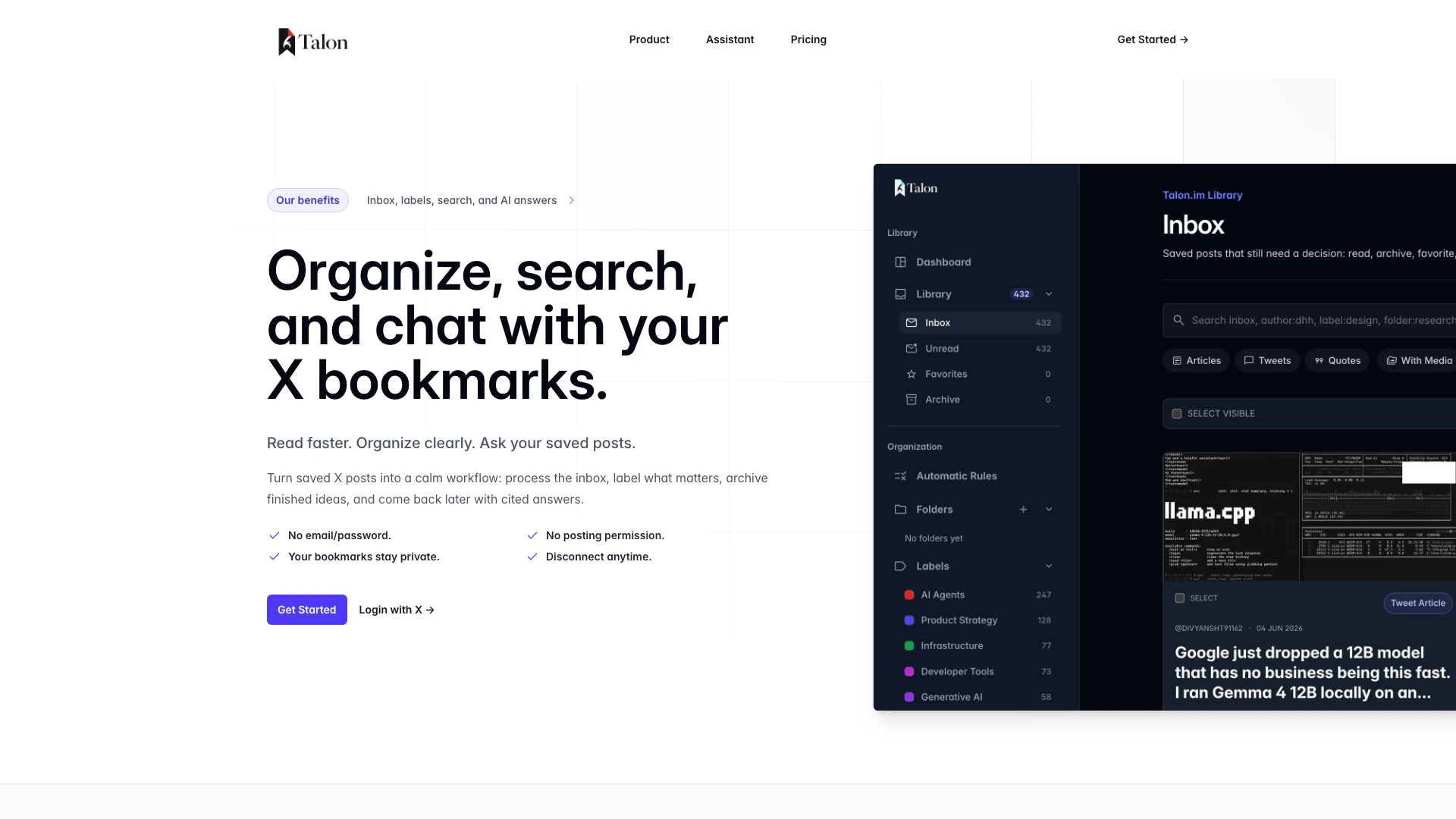
Talon is an advanced bookmark management tool designed to enhance your experience with saved posts on X. It transforms the way you organize, search, and interact with your bookmarks by providing a structured workflow. With Talon, users can efficiently process their saved content, apply labels, archive completed ideas, and retrieve cited answers when needed. This tool is particularly beneficial for individuals who manage a large number of saved posts, allowing them to maintain a calm and organized workflow without the clutter often associated with traditional bookmarking.
How to use Talon?
- Sign in to Talon using your X account, eliminating the need for an email and password.
- Start saving your posts directly into Talon's inbox, where they will be organized automatically.
- Use folders to categorize your bookmarks and apply labels to add context.
- Archive completed items to keep your inbox tidy and focus on what matters.
- Utilize the AI assistant to ask questions about your saved posts and receive cited answers, allowing for quick retrieval of information.
What are the main features of Talon?
- Organized Inbox: Process saved posts like email, with a dedicated inbox for easy management.
- Folders and Labels: Create folders for organization and apply both manual and AI-generated labels for context.
- Archiving: Archive finished ideas to keep your workspace clutter-free.
- Semantic Search: Quickly find relevant bookmarks with advanced search capabilities.
- AI Assistant: Chat with your saved posts and get answers with citations attached.
Who is Talon for?
Talon is designed for users who frequently save content on X and require a robust system to manage large volumes of bookmarks. It is ideal for researchers, students, content creators, and professionals who need to organize their saved posts efficiently. If you find yourself overwhelmed by a growing collection of bookmarks and seek a streamlined workflow to enhance your productivity, Talon is the perfect tool for you.
What are the use cases of Talon?
- Research Management: Organize and retrieve articles, papers, and resources efficiently for academic or professional research.
- Content Curation: Save and categorize content for blogs, social media, or newsletters, allowing for easy access and management.
- Idea Development: Archive and label ideas for future projects, ensuring you can return to them with context and clarity.
Talon Pros and Cons
Pros
- Efficient Bookmark Organization: Talon allows users to efficiently organize their saved X posts with features like folders, labels, and an inbox for easy processing.
- AI-Powered Features: The tool offers AI labels, summaries, and chat functionalities, enhancing the user experience by providing quick access to relevant information.
- Privacy and Security: Talon ensures user privacy by not requiring email/password sign-in and keeping bookmarks private by default.
Cons
No cons data detected for this tool
Talon Pricing
Inbox
For keeping saved posts searchable, readable, and out of the pile. - Inbox, archive, and favorites - Folders and labels - Manual rules and scoped search - 100 Twitter/X bookmarks
Talon Pro
For turning the archive into answers, summaries, labels, and organized follow-up. - AI Assistant - Talk to your bookmarks - AI summaries - Auto-labeling with editable topics - 5,000 Twitter/X bookmarks - Priority access to new AI workflows
For the latest pricing, please visit this link: https://talon.im/#pricing
Prices are subject to change. Please visit the official website for the most up-to-date pricing information.