Subfile





What is Subfile?
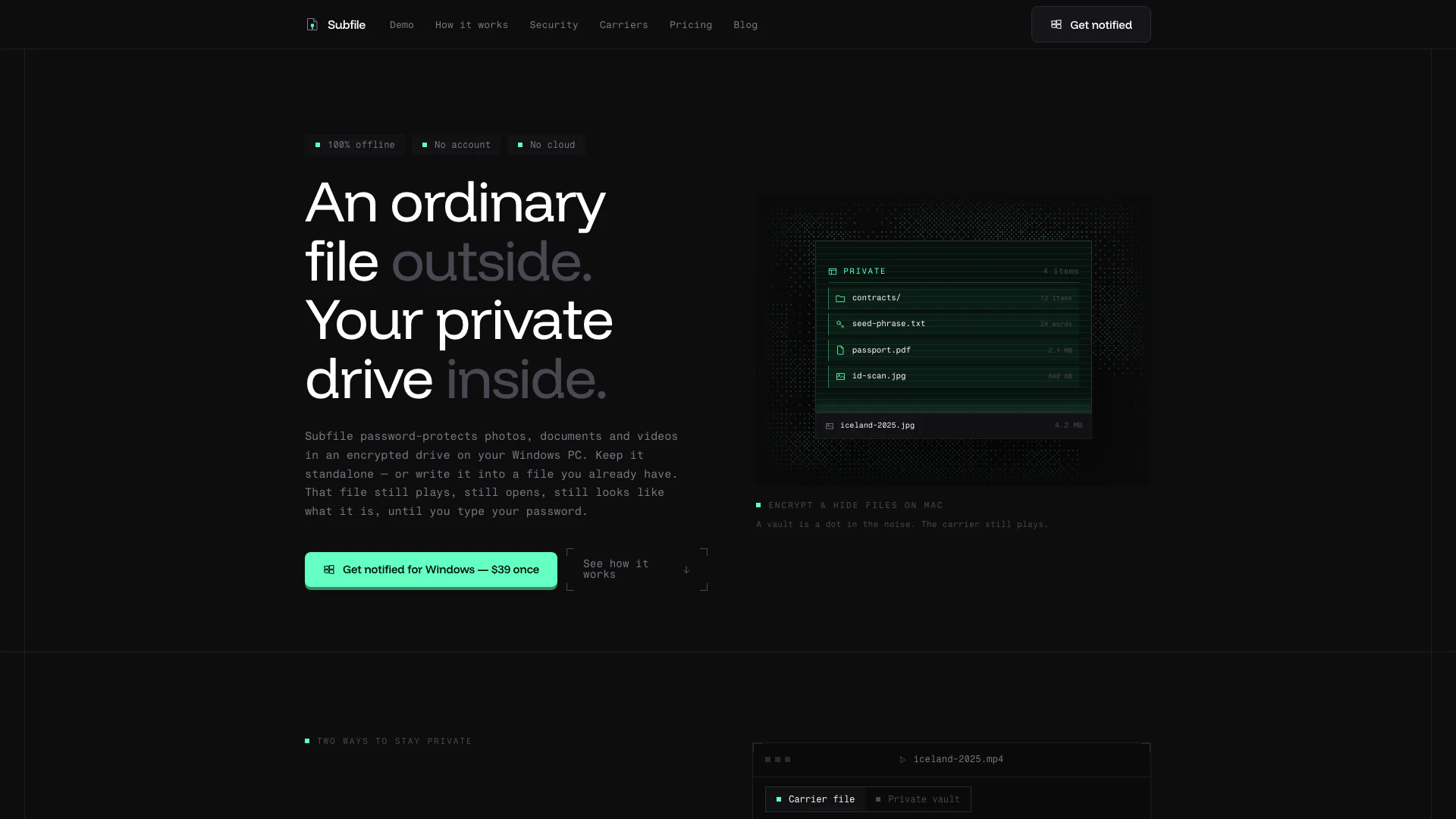
Subfile is a powerful encryption tool designed for macOS that allows users to password-protect and hide photos, documents, and videos within an encrypted drive. It operates entirely offline, meaning users do not need to create an account or rely on cloud storage, making it a secure solution for protecting sensitive information. With a one-time purchase of $39, Subfile provides a straightforward and effective way to maintain privacy without ongoing subscription fees or complicated setups.
How to use Subfile?
- Pick a carrier file: Choose a video, photo, audio file, or a plain container file. Subfile will write the encrypted vault into this file, keeping the original format intact.
- Drop your files in: Drag and drop the folders or files you wish to protect directly from Finder into the Subfile interface. All files will be encrypted before being saved, ensuring no unencrypted data is temporarily stored.
- Open it in Subfile: Enter your chosen password to unlock the vault in Subfile’s file browser. You can manage your files within the vault and close it when done. The vault will automatically lock after five minutes of inactivity.
What are the main features of Subfile?
- Password Protection: Securely encrypt your files with a password, ensuring only authorized access.
- Offline Functionality: Operates entirely offline, meaning no internet connection is needed, and no data is sent to external servers.
- No Account Required: Users can utilize Subfile without creating an account, eliminating privacy concerns related to user data.
- Multiple Carrier Formats: Supports various file types (video, audio, photo, or plain container) to hide your vault within.
- Military-Grade Encryption: Uses advanced encryption methods (XChaCha20-Poly1305 and Argon2id) to ensure robust security against unauthorized access.
- Decoy Vaults: Create additional vaults with different passwords to further enhance privacy.
Who is Subfile for?
Subfile is ideal for individuals and professionals who prioritize data security and privacy. It caters to users who need to protect sensitive information, such as photographers, videographers, freelancers, and anyone handling confidential documents. Additionally, it is suitable for those who prefer offline solutions without the need for cloud storage or accounts, making it perfect for privacy-conscious users.
What are the use cases of Subfile?
- Personal Data Protection: Users can safeguard sensitive personal documents, such as tax returns, identification, or legal contracts, ensuring they remain private and secure.
- Media Privacy: Photographers and videographers can protect their work by encrypting media files, preventing unauthorized access while keeping the original files intact.
- Secure Storage for Sensitive Information: Individuals can store sensitive information like passwords, private keys, or confidential notes in an encrypted format, ensuring they are safe from prying eyes.
Subfile Video

Subfile Pros and Cons
Pros
- Private Vault Creation: Allows users to create a private vault for photos, documents, and videos that can be password-protected and encrypted.
- Hide Vaults in Ordinary Files: Enables users to hide encrypted vaults inside ordinary files, making them appear as regular files until the password is entered.
- One-Time Purchase: One-time payment of $39 grants lifetime access to the app without any subscription or recurring fees.
- macOS Compatibility: Compatible with macOS 15.4 or later, including support for both Apple Silicon and Intel processors.
- Offline Functionality: No account creation or cloud storage is required, allowing for offline use and enhanced privacy.
- Unlimited Vaults and Sizes: Supports unlimited vaults and sizes, allowing users to store a large amount of data securely.
Cons
- Limited Platform Availability: The app is only available for macOS, limiting access for users on other operating systems.
- Requires Password Management Skills: Requires users to have basic knowledge of password management to effectively secure their files.
- File Type and Size Limitations: The app may have limitations on file types and sizes that can be hidden within carrier files.
Subfile Pricing
Subfile
Password-protect and hide photos, documents and videos in an encrypted drive on your Mac. One licence for every platform you own, unlimited vaults of unlimited size, and all carrier formats supported. Includes features like a decoy vault with a second password, auto-lock, integrity checks, backups, and free updates within 1.x.
For the latest pricing, please visit this link: https://subfile.app/#pricing
Prices are subject to change. Please visit the official website for the most up-to-date pricing information.