Sendtodrive





What is SendToDrive?
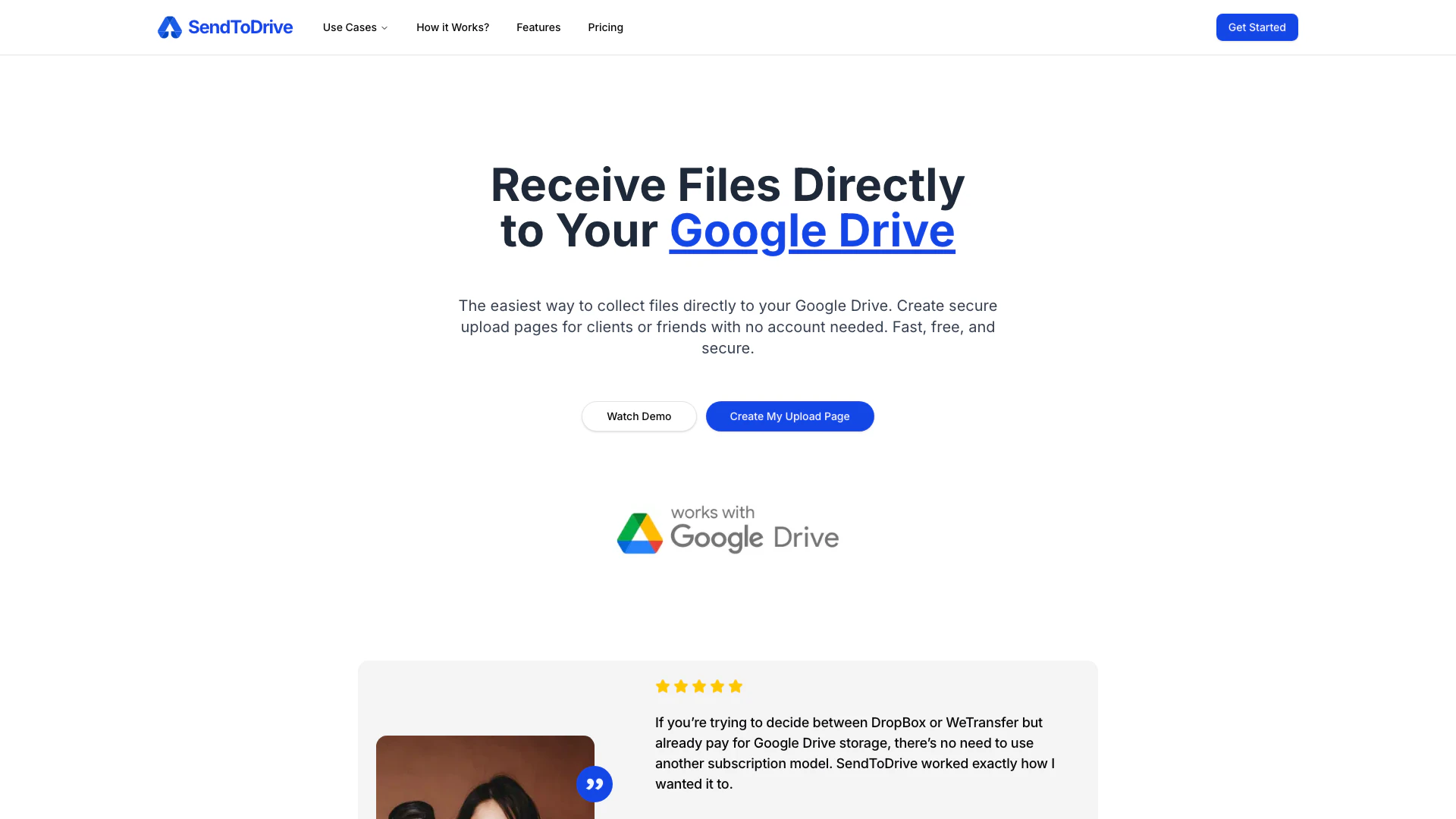
SendToDrive is an innovative tool designed to simplify the process of collecting and receiving files directly into your Google Drive. It allows users to create secure upload pages that can be shared with clients, friends, or team members without requiring them to create an account. With its fast and secure functionality, SendToDrive enhances file transfer efficiency, making it an ideal solution for anyone looking to streamline their file collection process.
How to use SendToDrive?
- Create a Google Drive Upload Page: Visit SendToDrive and set up a secure upload page tailored for your needs.
- Share the Upload Link or QR Code: Once your page is created, share the generated upload link or QR code with anyone who needs to send you files.
- Others Upload Files Without Login: Recipients can upload their files directly to your Google Drive without needing to log in or request access.
- Receive Files Directly in Your Google Drive: All uploaded files will automatically save to your Google Drive, organized and ready for use.
What are the main features of SendToDrive?
- Upload via Link or QR Code: Easily create upload links or QR codes for seamless file submissions.
- Password-Protected Upload Page: Secure your upload page with a password to control access.
- Email Notifications: Receive instant notifications whenever files are uploaded.
- Expired Upload Pages: Set expiration dates for upload pages to manage file submissions effectively.
- Custom Branding: Personalize your upload page with your logo for a professional touch.
- Collect Sender Information: Gather details like name and email from senders alongside their uploaded files.
- Automatic Subfolders: Keep your Google Drive organized with automatic subfolder creation for each upload.
- Custom Form Builder: Design custom upload forms to collect additional information from senders.
Who is SendToDrive for?
SendToDrive is ideal for a wide range of users, including professionals, businesses, and teams who need to collect files efficiently. Photographers, event planners, and freelancers can particularly benefit from its features, as it allows them to receive client files without the hassle of managing multiple file storage solutions. Additionally, it is suitable for internal teams looking to streamline document submissions or job applications, making it a versatile tool for various file collection scenarios.
What are the use cases of SendToDrive?
- Client File Collection: Easily collect images, documents, or other files from clients for projects or collaborations.
- Job Applications: Streamline the process of receiving job applications and resumes directly into your Google Drive.
- Event Submissions: Use SendToDrive to gather submissions for events, contests, or feedback from participants efficiently.
Sendtodrive Pros and Cons
Pros
- No Account Needed: Users can upload files without needing to create an account, simplifying the process for both senders and recipients.
- Direct Google Drive Integration: Files are uploaded directly to the user's Google Drive, ensuring seamless integration and easy access to received files.
- Customizable Upload Pages: Users can create personalized upload pages with branding options, enhancing the professional appearance for clients.
Cons
No cons data detected for this tool
Sendtodrive Pricing
Free
1 Upload Page (one-time use), Upload Pages Expire After 7 Days, Unlimited Uploads per Page, Unlimited Files per Upload, No File Size Limit, Collect Uploader Info (name, email, note), Supports All Common File Types, Shared Drive Compatible, Built-in Form Builder, Multi-language Upload Pages, Share via Link or QR Code
Premium
Unlock advanced features for collecting files securely to your Google Drive. Includes all Free Plan Features, Unlimited Upload Pages, Smart Upload Organization, Custom File Naming, Password Protection, Unlimited & Custom Expiration, Email Notifications, Export Upload Reports, Custom Branding. Billed annually.
For the latest pricing, please visit this link: https://sendtodrive.com/pricing
Prices are subject to change. Please visit the official website for the most up-to-date pricing information.