

Save




What is SaveDay?
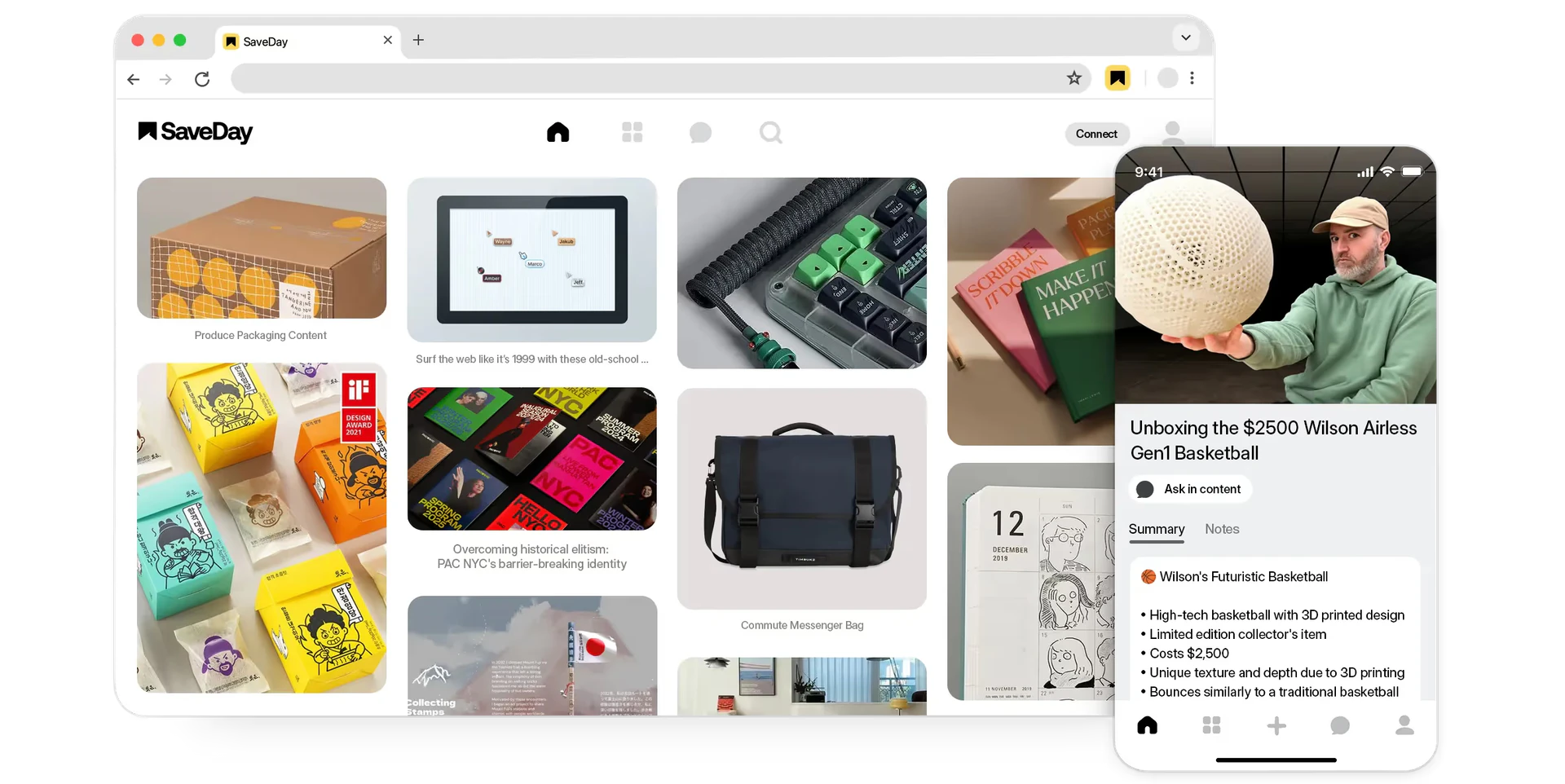
SaveDay is a smart tool designed to capture, organize, and utilize your knowledge efficiently. It acts as a powerful bookmark manager that allows users to save and manage information from the internet seamlessly. With just a click, users can capture everything they find useful online, eliminating the hassle of manually organizing content. SaveDay's core value lies in its ability to streamline knowledge management, making it easier for users to access and utilize their saved information whenever needed.
How to use SaveDay?
- Install the Extension or App: Start by installing the SaveDay extension from the Chrome Web Store or download the mobile app from the Apple App Store or Google Play Store.
- Capture Content: While browsing the internet, click the SaveDay button to capture any content, including articles, videos, and links, instantly.
- Organize Automatically: Let SaveDay organize your captured content automatically, saving you time on manual sorting and labeling.
- Search and Utilize: Use the built-in search feature to find your saved items quickly. You can ask questions based on your saved content to retrieve relevant information efficiently.
What are the main features of SaveDay?
- Instant Capture: SaveDay allows users to capture content from the internet with a single click.
- Smart Organization: The tool automatically organizes saved content, reducing the need for manual management.
- Effective Search: Users can search through their saved items efficiently and retrieve answers based on their saved knowledge.
- Multi-Platform Access: Available as a web app, Chrome extension, and mobile apps for iOS and Android, making it convenient to use across devices.
Who is SaveDay for?
SaveDay is ideal for anyone looking to streamline their knowledge management process. This includes students who need to organize research materials, professionals who want to keep track of important articles and resources, and anyone interested in enhancing their productivity by managing information more effectively. Whether you are a busy executive, a researcher, or a casual internet user, SaveDay provides the tools necessary to capture and utilize knowledge efficiently.
What are the use cases of SaveDay?
- Research Projects: Save articles, videos, and other resources for easy access while working on academic or professional research.
- Content Curation: Collect and organize content from various sources to create a curated knowledge base or resource library.
- Learning and Study: Capture and summarize educational videos or articles for study purposes, making learning more effective and organized.
Product Images
Save Pros and Cons
Pros
- Easy Capture of Information: SaveDay allows users to capture everything on the Internet quickly with just one click, making information gathering effortless.
- Smart Organization: The tool automatically organizes saved information, eliminating the need for manual labeling and saving users time.
- Effective Knowledge Utilization: Users can search for saved content effectively and receive answers based on their saved information, enhancing knowledge application.
Cons
No cons data detected for this tool
Save Pricing
Basic
100 saved items per month, fewer than 5 key point credits per month, fewer than 5 Q&A credits per month, 1 image template for key points, 1 integration, unlimited auto-tags, unlimited collections (private and public), unlimited search, unlimited highlights, unlimited notes.
Standard
Everything from Basic, and 1,000 saved items per month, unlimited integrations, no-questions-asked refunds.
Essential
Everything from Standard, and 10,000 saved items per month, unlimited key point credits, more image templates for key points without SaveDay logo and name, early access to all upcoming features.
Elite
Everything from Essential, and unlimited saved items, unlimited Q&A credits, priority support.
For the latest pricing, please visit this link: https://www.save.day/pricing
Prices are subject to change. Please visit the official website for the most up-to-date pricing information.
Save Reviews
Amazing PKM tool. Super pumped about this innovative tool. a great way to save an ideal amount of time, especially for a telegram nerd like me.
This is an awesome idea! I used to use the 'talking to myself' feature in a chat app to save important links for quick access. Now, this can serve as a perfect replacement for me.
A fantastic tool to stay organized. SaveDay's instant saving and easy search functionality is a game-changer for productivity. Well deserved!
For more reviews, visit this link: https://save.day/#wall-of-love



