Pdfmergefree




What is Pdfmergefree?
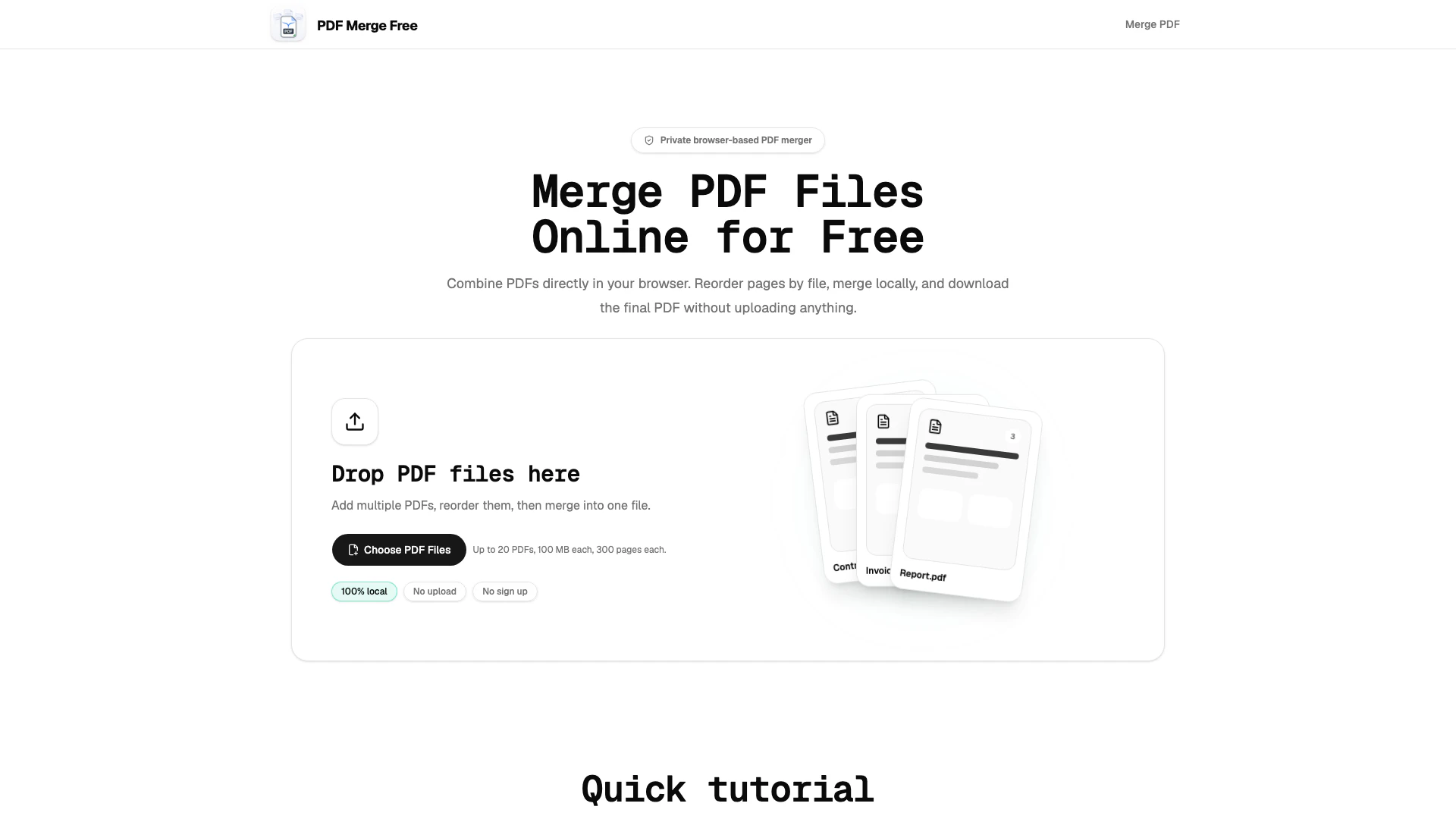
Pdfmergefree is a powerful online tool designed for merging PDF files quickly and efficiently. It allows users to combine multiple PDF documents directly in their web browser without the need for uploads, sign-ups, or watermarks. With a focus on privacy, Pdfmergefree processes files locally, ensuring that sensitive documents remain secure on the user's device. This tool is particularly beneficial for handling contracts, invoices, reports, and other important paperwork that should not be transmitted to external servers.
How to use Pdfmergefree?
- Open your web browser and navigate to the Pdfmergefree website.
- Drag and drop your PDF files into the designated area on the homepage. You can add up to 20 files, each up to 100 MB and 300 pages.
- Reorder the files by dragging them into your desired sequence. You can preview the first page of each PDF to assist with the arrangement.
- Once you are satisfied with the order, click the 'Merge' button to combine the PDFs.
- After the merging process is complete, download the final PDF document directly to your device.
What are the main features of Pdfmergefree?
- Local Processing: Merges PDFs directly in your browser without uploading files to a server.
- No Sign-Up Required: Users can merge documents without creating an account, ensuring a hassle-free experience.
- No Watermark: The merged PDF is delivered without any watermarks, making it suitable for professional use.
- File Reordering: Easily drag and drop PDF files to arrange them in the desired order before merging.
- File Size and Page Limits: Supports up to 20 PDFs, with each file being a maximum of 100 MB and 300 pages.
- Privacy Focused: Keeps all documents local, ensuring that sensitive information is not exposed.
Who is Pdfmergefree for?
Pdfmergefree is ideal for a wide range of users, including students, professionals, and administrative personnel who need to combine PDF documents efficiently. It caters to those who handle contracts, invoices, reports, and other essential paperwork that requires confidentiality. Whether for academic purposes, business documentation, or everyday office tasks, Pdfmergefree provides a user-friendly solution for anyone looking to streamline their PDF merging process without compromising on privacy or quality.
What are the use cases of Pdfmergefree?
- Combining Work Documents: Merge contracts, invoices, and reports for seamless client presentations and administrative tasks.
- Academic Use: Combine class notes, study materials, and research papers into a single PDF for easy access and organization.
- Personal Organization: Create comprehensive files for scanned paperwork, receipts, and personal documents to keep everything in one place.
Pdfmergefree Pros and Cons
Pros
- No Upload Required: Merge PDF files directly in your browser without uploading them to a server, ensuring privacy and security.
- User-Friendly Interface: The tool allows users to easily drag and reorder PDF files before merging, making the process straightforward and efficient.
- No Watermark on Merged PDFs: Users can download merged PDFs without any watermarks, making them suitable for professional use.
- Free to Use: PDF Merge Free offers its merging services without any fees, registration, or hidden costs.
Cons
No cons data detected for this tool
Pdfmergefree Pricing
Free Plan
Merge PDF files online for free. Combine PDFs directly in your browser without uploading, signing up, or watermarks. Supports up to 20 PDFs, 100 MB each, and 300 pages each.
For the latest pricing, please visit this link: https://pdfmergefree.com/
Prices are subject to change. Please visit the official website for the most up-to-date pricing information.