Documentpro




What is DocumentPro?
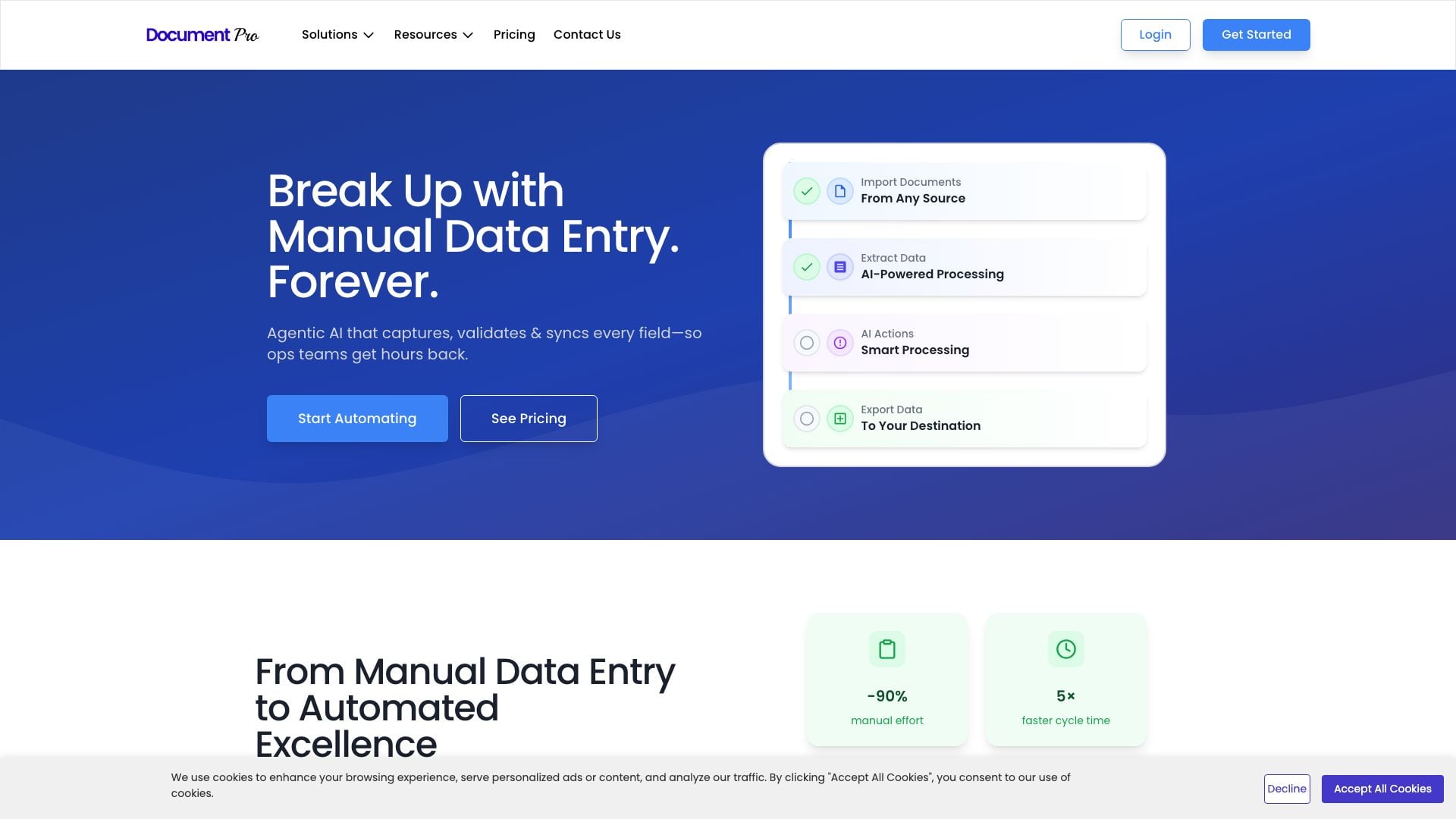
DocumentPro is an advanced AI-powered tool designed to automate document processing workflows, particularly in accounts payable, order management, and data extraction. By leveraging cutting-edge AI technologies, DocumentPro streamlines the collection, validation, and synchronization of data from various document formats, allowing businesses to significantly reduce manual data entry efforts and improve operational efficiency.
How to use DocumentPro?
- Import Documents: Upload documents from various sources such as email, API, Google Drive, and other connectors.
- Extract Data: Utilize AI models like OpenAI, Gemini, and Claude to extract relevant data from the uploaded documents.
- Perform Actions: Implement actions such as database lookups, flagging for review, and editing or approving the extracted data.
- Export Data: Export the processed data to webhooks, download results in Excel format, or integrate directly with QuickBooks.
What are the main features of DocumentPro?
- Automated Document Import: Seamlessly import documents from multiple sources including email and cloud storage.
- AI-Powered Data Extraction: Leverage AI models for accurate data extraction from various document types.
- Customizable Actions: Add personalized actions for data validation, editing, and approval.
- Integration Capabilities: Easily integrate with existing systems such as ERP and accounting software.
- Multi-Language Support: Support for over 50 languages to cater to a diverse user base.
Who is DocumentPro for?
DocumentPro is designed for businesses and organizations that deal with high volumes of document processing, particularly in finance, accounting, and supply chain management. It is ideal for operations teams, finance departments, and IT professionals looking to automate tedious manual tasks, improve accuracy, and save time on data entry.
What are the use cases of DocumentPro?
- Accounts Payable Automation: Streamline the processing of invoices and receipts, reducing processing time by up to five times.
- Order Management Efficiency: Automate the extraction of data from purchase orders, enhancing order processing speed and accuracy.
- Data Extraction from Various Formats: Transform manual data entry into structured data from PDFs, images, and scanned documents.
Documentpro Pros and Cons
Pros
- Automation Efficiency: DocumentPro reduces manual effort by up to 90% and boosts processing speed by 5 times.
- AI-Powered Data Extraction: Utilizes AI models like OpenAI GPT-4 to extract data from various document formats, enhancing accuracy.
- Integration Capabilities: Supports document import from multiple sources including email, API, and Google Drive.
- Cost-Effective Plans: Offers plans starting from $49/mo, making it accessible for businesses looking to automate document processing.
Cons
No cons data detected for this tool
Analytics of Documentpro
Documentpro Website Traffic Analysis
Visits Over Time
Traffic Sources
Oct 2025 - Dec 2025 Worldwide Desktop Only
- Search: 40.77%
- Direct: 38.57%
- Referrals: 13.96%
- Social: 3.67%
- Paid Referrals: 2.11%
- Mail: 0.17%
Top Keywords
| Keyword | Volume | CPC | Estimated Value |
|---|---|---|---|
| docpro | 560 | $0.00 | $0.00 |
| ai parser | 420 | $0.00 | $0.00 |
| data extraction without ai vs automated data extraction | 160 | $0.00 | $0.00 |
| document_library_pro | 140 | $0.00 | $0.00 |
| ai sent parser | 80 | $0.00 | $0.00 |