Kanban




What is Kanban?
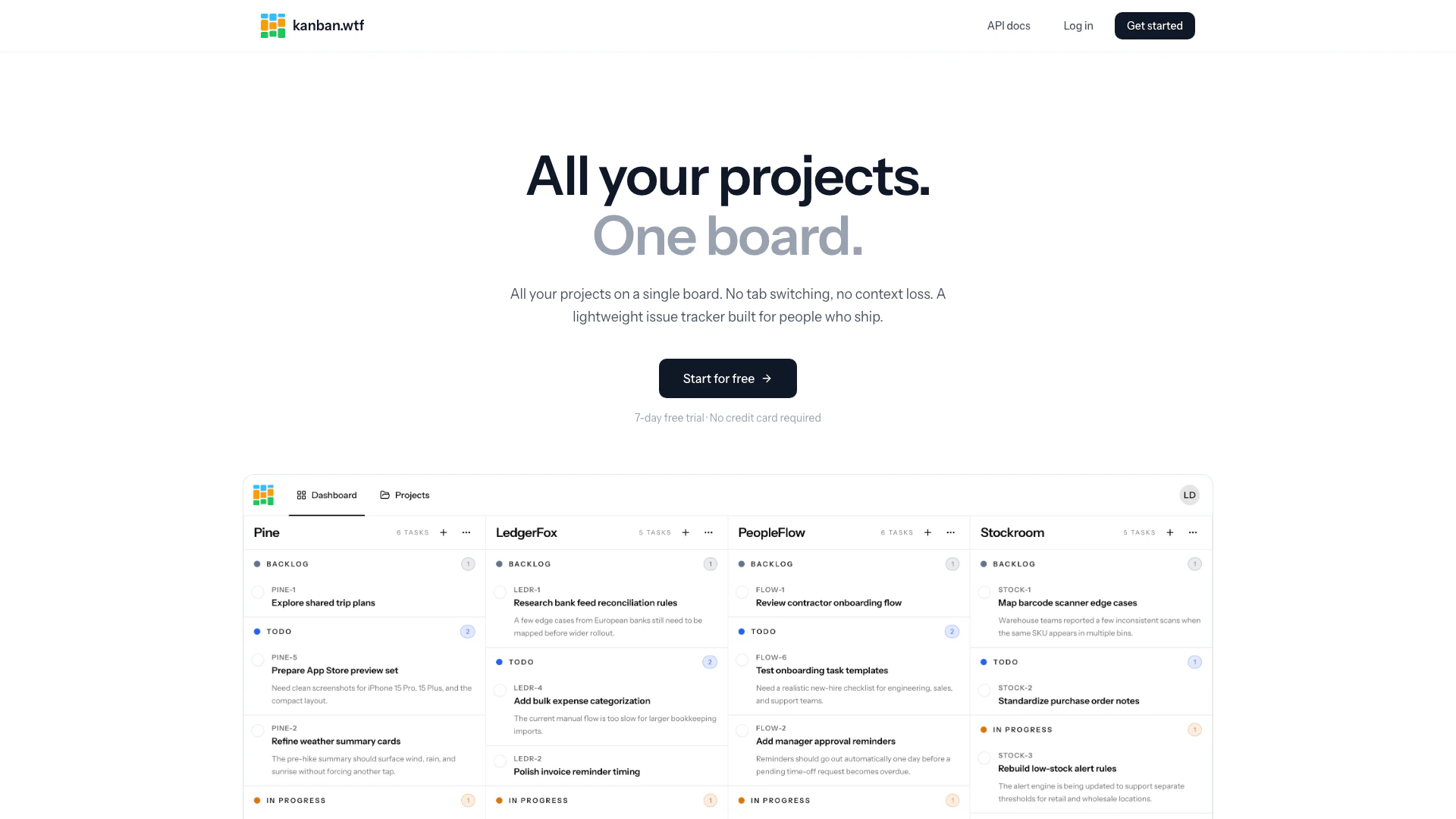
Kanban is a lightweight issue tracker designed to streamline project management by consolidating all your projects onto a single board. This innovative tool eliminates the need for tab switching and context loss, allowing users to focus on shipping their work efficiently. With Kanban, teams can visualize their workflow, manage tasks effectively, and enhance collaboration across projects.
How to use Kanban?
- Sign up for a free account on the Kanban website to start your 7-day trial without a credit card.
- Create a new project and define its workflow states (Backlog, Todo, In Progress, Done) that will be consistent across all your projects.
- Add tasks to your project, utilizing the drag-and-drop feature to move tasks between different workflow states as work progresses.
What are the main features of Kanban?
- Single Board View: All projects are displayed as columns on one dashboard, allowing for easy access and visibility.
- Shared Workflow States: Define workflow states once, ensuring consistency across all projects.
- Drag-and-Drop Functionality: Easily move tasks between workflow states and reorder project columns to align with priorities.
- Auto-Numbered Issue Keys: Each project is assigned a short prefix, automatically numbering tasks for easy identification.
- Archiving: Projects can be archived instead of deleted, preserving history and context.
- Integrations API: Connect Kanban with other tools to pull projects and tasks, enhancing your workflow.
Who is Kanban for?
Kanban is ideal for teams and individuals who need a straightforward and efficient way to manage their projects and tasks. It is particularly suited for software developers, project managers, and agile teams who value clarity and simplicity in their project management tools. Its no-frills approach makes it accessible for users who may find traditional project management tools overly complex.
What are the use cases of Kanban?
- Agile Project Management: Use Kanban to manage software development projects, allowing teams to visualize progress and quickly adapt to changes.
- Task Management: Organize personal or team tasks effectively, ensuring nothing falls through the cracks.
- Workflow Optimization: Analyze and refine workflows by utilizing the shared workflow states and drag-and-drop capabilities to enhance productivity.
Kanban Pros and Cons
Pros
- Single Board for All Projects: Kanban allows users to manage all their projects on a single board, eliminating the need for tab switching and reducing context loss.
- Lightweight and User-Friendly: The tool is designed to be lightweight, focusing on essential features without unnecessary complexity, making it easy to use for everyone.
- Shared Workflow States: Users can define workflow states like Backlog, Todo, In Progress, and Done once, ensuring consistency across all projects.
Cons
No cons data detected for this tool
Kanban Pricing
Standard Plan
Unlimited projects & tasks. Full access to every feature.
For the latest pricing, please visit this link: https://kanban.wtf/
Prices are subject to change. Please visit the official website for the most up-to-date pricing information.