Getslackoff




What is Slackoff?
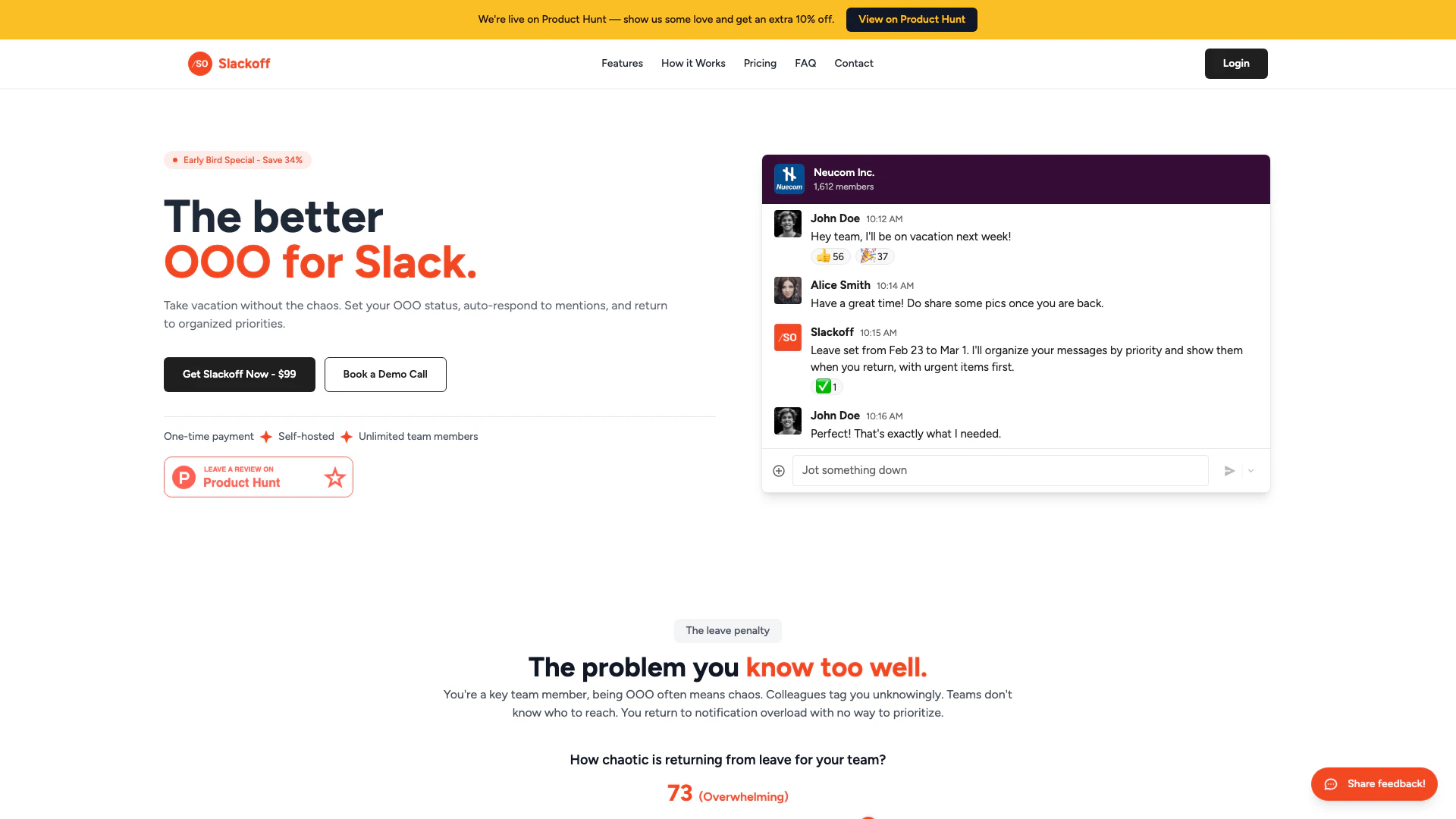
Slackoff is an innovative tool designed to streamline leave management[1] for teams using Slack. It acts as an autopilot[2] for managing out-of-office (OOO) statuses, allowing users to set their leave dates and automatically respond to team members who tag them during their absence. This smart leave management system not only provides auto-responses[3] but also prioritizes messages based on urgency, ensuring that team members can easily identify critical tasks upon their return. With a one-time payment model and self-hosting capabilities, Slackoff supports unlimited team members, making it an ideal solution for organizations looking to enhance productivity and reduce chaos during employee leave.
How to use Slackoff?
- Purchase Slackoff for a one-time fee of $99 and receive the source code along with deployment guides.
- Self-host Slackoff on your preferred platform (like AWS or GCP) by following the provided step-by-step guide, which includes Docker templates.
- Create a Slack App and add the necessary app tokens to invite Slackoff to your channels, allowing your team to start using the autopilot feature immediately.
What are the main features of Slackoff?
- Smart Leave Management: Automatically responds to team members who tag you while you're out.
- Priority Handling[4]: Team members can classify messages as high or low priority, ensuring urgent matters are addressed first.
- Organized Return: Upon returning, users see a structured list of messages categorized by priority, reducing chaos.
- Self-Hosted Solution: Offers complete control over data privacy and customization, with no recurring fees.
- Unlimited Users: One purchase covers the entire organization, accommodating any number of team members.
Who is Slackoff for?
Slackoff is designed for any team member who frequently takes leave and needs to manage their out-of-office communications effectively. This includes project managers, HR personnel, designers, sales representatives, finance teams, marketing professionals, customer support agents, engineers, legal advisors, and anyone else who interacts with colleagues via Slack. By simplifying the leave management process, Slackoff is suitable for small startups and large organizations alike, helping teams maintain productivity during absences.
What are the use cases of Slackoff?
- Vacation Management: Employees can easily set their OOO status while ensuring their responsibilities are managed in their absence.
- Team Coordination: During multiple team members' absences, Slackoff helps maintain clear communication by providing points of contact for urgent issues.
- Project Management: Project managers can utilize Slackoff to ensure critical tasks are prioritized and addressed promptly, minimizing delays and maximizing team efficiency.
Product Images

Getslackoff Pros and Cons
Pros
- Smart Leave Management: Slackoff automates leave management by allowing users to set their Out of Office status and automatically respond to mentions, ensuring priorities are organized upon return.
- One-Time Payment: With a one-time payment of $99, users gain lifetime access to the tool without any recurring fees, making it cost-effective for teams.
- Unlimited Team Members: Slackoff supports unlimited team members under a single purchase, allowing entire organizations to benefit from its features without additional costs.
- Self-Hosted Solution: Being self-hosted, Slackoff ensures data privacy and control, as all data remains within the user's infrastructure.
Cons
No cons data detected for this tool
Getslackoff Pricing
Slackoff
One-time payment for Slackoff, a self-hosted leave management tool for unlimited team members. Includes complete source code, deployment guides, and lifetime updates.
For the latest pricing, please visit this link: https://getslackoff.com/#pricing
Prices are subject to change. Please visit the official website for the most up-to-date pricing information.
Getslackoff Reviews
Perfect! That's exactly what I needed.
For more reviews, visit this link: https://getslackoff.com/#reviews