Elasticnote
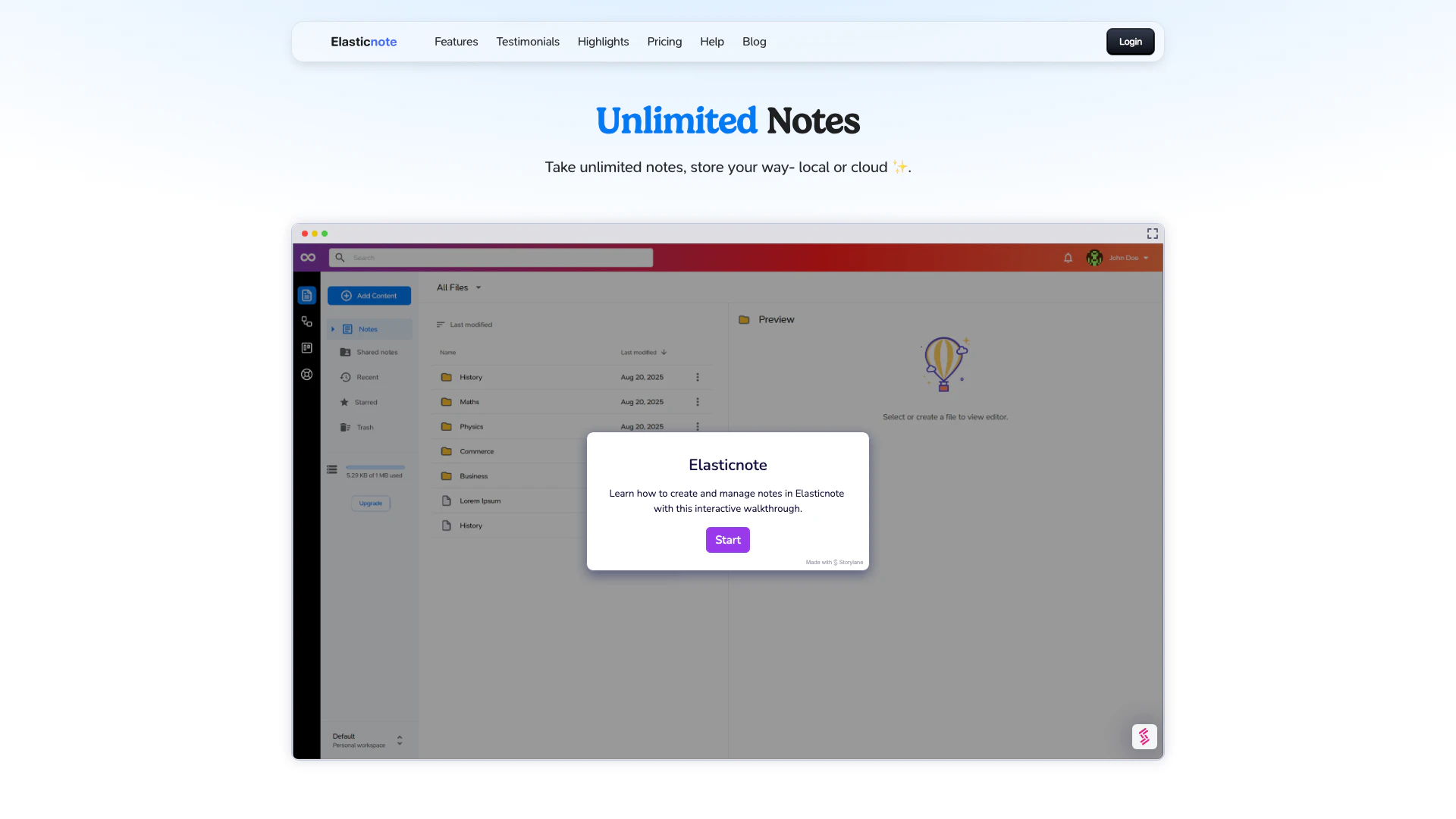



What is Elasticnote?
Elasticnote is a privacy-first[1] note-taking[2] web application designed to allow users to take unlimited notes securely. It emphasizes user control over data by enabling local storage[3] options while also offering cloud capabilities for enhanced accessibility. With a beautifully crafted block editor, users can create organized and visually appealing notes that incorporate various elements such as images, checklists, and equations. The tool is perfect for individuals seeking a simple yet powerful solution for managing their thoughts and tasks.
How to use Elasticnote?
- Create a Workspace: Start by creating a workspace within Elasticnote. You can attach this workspace to a local folder on your computer for secure storage.
- Select Your Storage Option: Choose whether you want to save your notes locally or use the cloud. For local storage, ensure you use a compatible browser like Chrome or Edge that supports the Native File System API.
- Start Taking Notes: Use the block editor to create and organize your notes. You can add images, checklists, and other elements to enhance your notes.
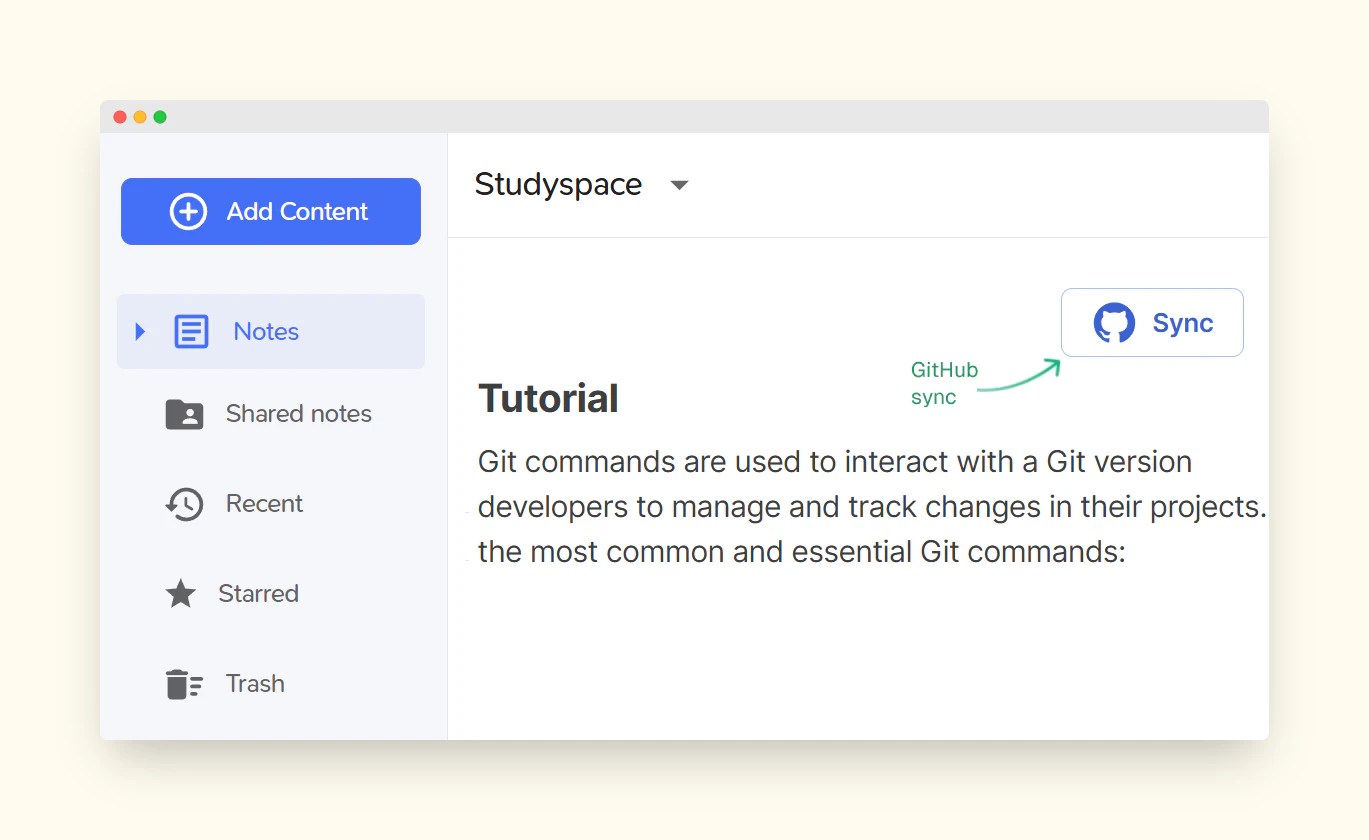
- Sync with GitHub: If you prefer cloud storage, connect your Elasticnote workspace to a GitHub repository for version control. Input your personal access token to enable synchronization.
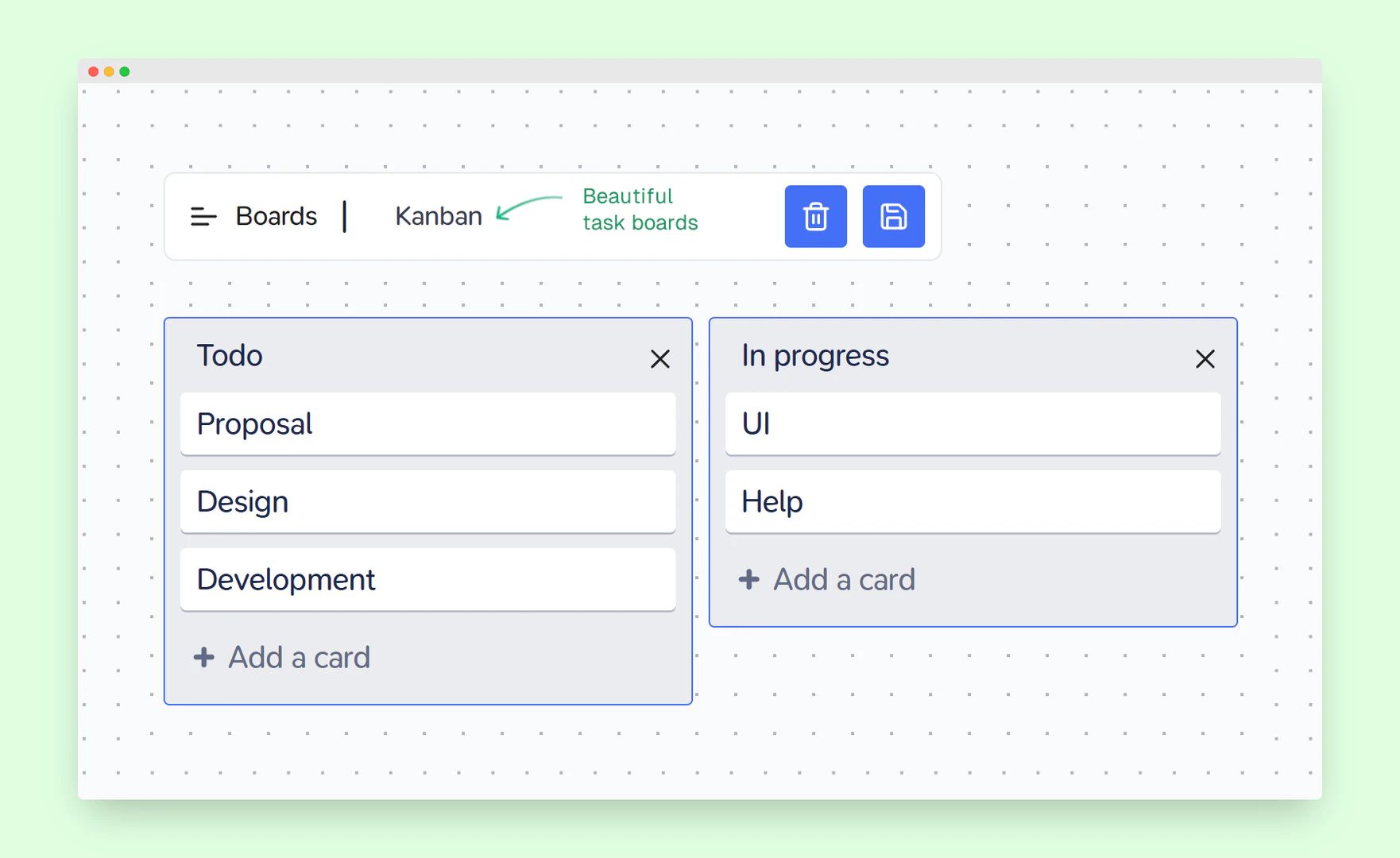
- Utilize Kanban Boards: Manage your tasks effectively using the integrated Kanban board feature for better productivity.
What are the main features of Elasticnote?
- Unlimited Notes: Create and store an unlimited number of notes securely, either locally or in the cloud.
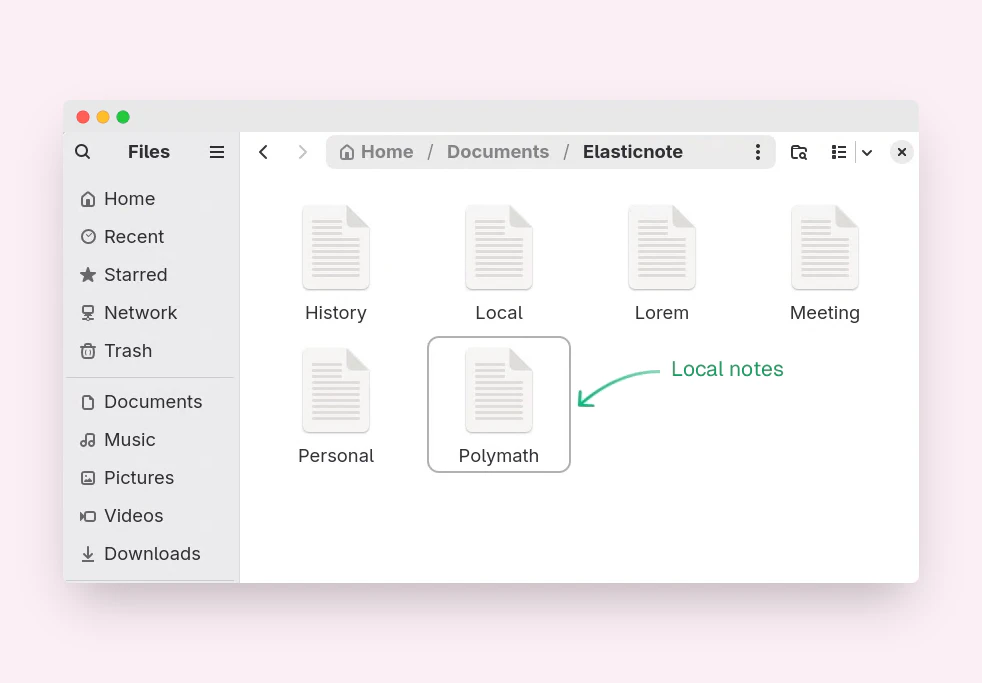
- Local Storage: Keep your notes private by saving them directly on your computer.
- GitHub Sync[4]: Sync your notes with a private GitHub repository for version control.
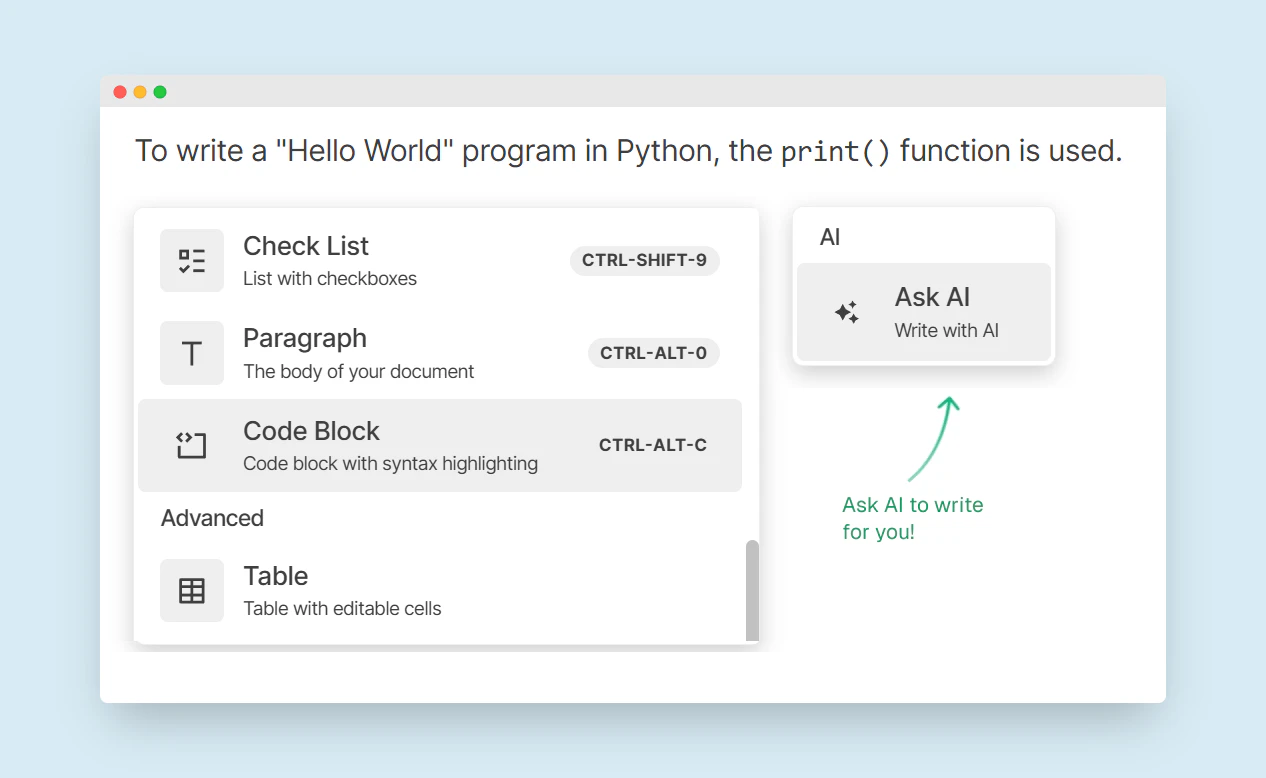
- Beautiful Block Editor: Utilize a visually appealing block editor with built-in AI support for enhanced note-taking.
- Kanban Boards: Manage tasks and to-dos effectively with integrated Kanban boards.
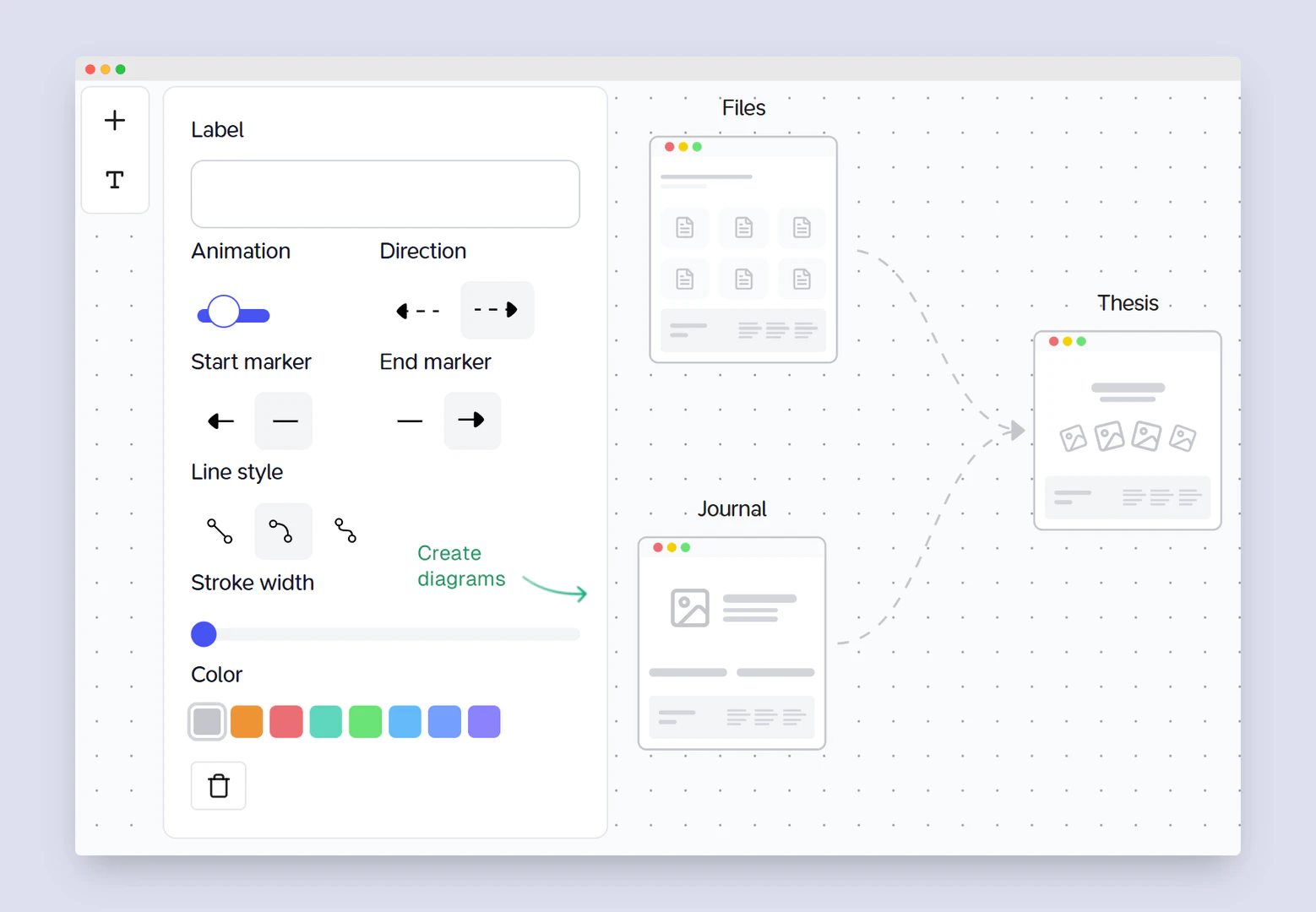
- Workflow Diagrams: Design workflows using beautiful diagrams and wireframe-like nodes.
- Markdown Support: Write notes in Markdown format for easy formatting and compatibility.
Who is Elasticnote for?
Elasticnote is designed for individuals who prioritize privacy and control over their data while taking notes. It is ideal for students, professionals, and anyone who needs a flexible and powerful note-taking solution. Users who enjoy working with Markdown, require version control, or want to collaborate with others will find Elasticnote particularly beneficial. The tool's unique features, such as local storage and GitHub integration, make it suitable for tech-savvy users and those in creative fields looking for a comprehensive workspace.
What are the use cases of Elasticnote?
- Project Management: Utilize the Kanban board feature to manage tasks and track project progress visually.
- Personal Note-taking: Keep personal notes organized and secure by saving them locally on your device.
- Collaborative Work: Share notes and collaborate with team members by inviting them to view or edit files within the platform.
- Research Documentation: Create and organize research notes that include images, equations, and references in a structured manner.
- Creative Writing: Use the AI writing assistant to enhance your writing process, making it easier to draft, edit, and refine your notes.
Product Images
Elasticnote Pros and Cons
Pros
- Unlimited Note Taking: Elasticnote allows users to take unlimited notes, providing flexibility in storing notes either locally or in the cloud.
- Privacy Control: Users have full control over their data, with the option to store notes locally, ensuring privacy and security.
- Version Control with GitHub: Elasticnote supports syncing notes with private GitHub repositories, enabling version control for free.
- Collaboration Features: Users can easily share and collaborate on notes with others, enhancing teamwork and productivity.
Cons
No cons data detected for this tool
Elasticnote Pricing
Free
Limited local notes, 1MB of cloud storage, 10 workspaces, Kanban tasks and diagrams.
Personal
Unlimited local notes, Unlimited workspaces, AI assist, 25GB of cloud storage, Kanban tasks and diagrams, GitHub Sync, Share and collaboration, API and integrations.
Professional
Unlimited local notes, Unlimited workspaces, AI assist, 100GB of cloud storage, Kanban tasks and diagrams, GitHub Sync, Share and collaboration, API and integrations.
For the latest pricing, please visit this link: https://www.elasticnote.com/
Prices are subject to change. Please visit the official website for the most up-to-date pricing information.
Elasticnote Reviews
Whether I'm tackling work or my personal notes, it seamlessly adapts to my changing needs.
Elasticnote has its exceptional support. The team behind this product has been quick to respond.
Simplicity of Elasticnote has significantly helped my work and life. Its drive-like interface has made my day!
For more reviews, visit this link: https://www.elasticnote.com/#testimonials