Chunkapp




What is Chunk?
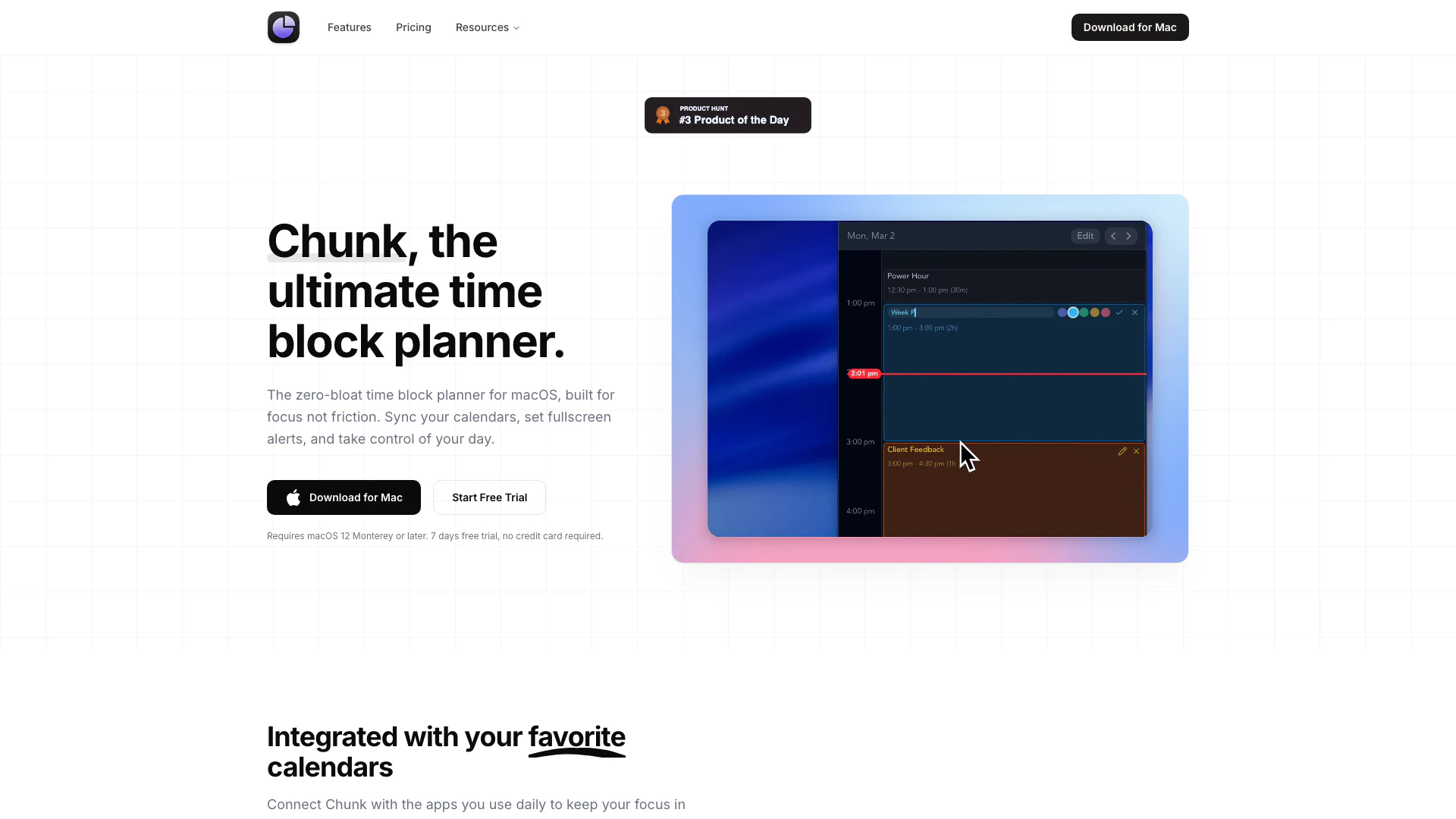
Chunk is a minimalist time block planner designed specifically for macOS users. It provides a streamlined interface that allows individuals to organize their day into manageable time blocks, enhancing focus and productivity. With features such as menu bar access, calendar synchronization, and customizable templates, Chunk is tailored to support users, particularly those with ADHD, in effectively managing their time and tasks without unnecessary distractions.
How to use Chunk?
- Download and Install: Visit the [Chunk website](https://www.chunkapp.net/) to download the app. Install it on your macOS device (requires macOS 12 Monterey or later).
- Start Free Trial: Launch Chunk and sign up for a 7-day free trial by entering your email. No credit card is required.
- Set Up Your Calendar: Integrate your Apple, Google, or Outlook calendars to view your scheduled events within Chunk.
- Create Tasks and Templates: Start adding tasks to your day and save common layouts as templates for future use.
- Utilize the Timer: Use the built-in timer to manage your focus periods, with options for fullscreen alerts to keep you on track.
What are the main features of Chunk?
- Menu Bar Access: Quickly check your progress without switching windows, as Chunk stays in your menu bar.
- Calendar Integration: Sync with Apple, Google, and Outlook calendars for a unified view of your schedule.
- Custom Templates: Save task layouts as templates and apply them to specific days to streamline planning.
- Instant Tasks: Add tasks with a single click to start timers immediately.
- Fullscreen Alerts: Receive prominent notifications when your timer runs out, ensuring you stay focused.
Who is Chunk for?
Chunk is ideal for macOS users looking for a simple yet effective way to manage their time. It caters particularly to individuals with ADHD, providing features that minimize distractions and enhance focus. Additionally, professionals, students, and anyone seeking to improve their productivity through structured time management will find Chunk beneficial.
What are the use cases of Chunk?
- Daily Task Management: Users can organize their daily tasks into specific time blocks, allowing for better focus and efficiency.
- Project Planning: Teams can use Chunk to allocate time for different project phases, ensuring that deadlines are met without overwhelm.
- Routine Building: Create templates for recurring tasks or routines, making it easier to maintain consistency in daily activities.
Chunkapp Pros and Cons
Pros
- Calendar Integration: Chunk seamlessly integrates with Apple, Google, and Outlook calendars, allowing users to manage their time blocks in sync with their existing schedules.
- Customizable Templates: Users can create and save custom templates for tasks, making it easy to reuse layouts and maintain consistency in planning.
- Menubar Access: Chunk stays accessible in the macOS menubar, enabling users to check their progress without switching between different applications.
Cons
No cons data detected for this tool
Chunkapp Pricing
Free Trial
Try Chunk completely free for 7 days with no credit card required. Experience full access to all features.
Lifetime License
A one-time purchase to unlock Chunk permanently. No subscriptions or recurring charges.
For the latest pricing, please visit this link: https://www.chunkapp.net/pricing
Prices are subject to change. Please visit the official website for the most up-to-date pricing information.