Best 31 Ai Image To Image Tools in 2026

Vheer, Vivagoai, Imgtoimgai, Lykosai, Nanobnana, Open Interpreter, Aiimagetoimage, Mediaai, Genimgai, Thefluxtrain are the best paid / free Ai Image To Image tools.

AI Image-to-Image technology transforms visual content with precision and creativity. By leveraging advanced algorithms, it enables seamless conversion of images from one form to another, whether enhancing details, altering styles, or generating new visuals. This powerful tool is ideal for graphic designers, developers, and creators looking to streamline their workflow and unlock new artistic possibilities. From realistic photo editing to AI-driven art generation, the applications are vast and impactful. Whether refining visuals for marketing, creating digital art, or improving image quality for technical use, AI Image-to-Image delivers efficiency and innovation. Its accuracy and adaptability make it a vital asset in the modern digital landscape.

Vheer

Instantly create stunning AI images and videos with Vheer.

4
0 views
0 saved
1.4M

Free

0.00 USD free

Forever free access to all Vheer products, free and unlimited usage, no watermark, access to Pro / Max models, high speed, best resolution, and no ads.

View Pricing

Premium

9.99 USD monthly

Start using advanced AI models with 600 credits per month for Pro/Max usage, no watermark, high speed, higher quality, and no ads.

View Pricing

Advanced

19.99 USD monthly

More credits and save more with 1500 credits per month for Pro/Max usage, no watermark, high speed, highest quality, and no ads.

View Pricing

100 Credits

3.99 USD one-time

Perfect for your AI generation needs with 5-10 images generation and 2-5 videos generation using Pro/Max models, no expiration, no subscription.

View Pricing

500 Credits

9.49 USD one-time

More credits for your AI generation needs.

View Pricing

1000 Credits

18.49 USD one-time

More credits for your AI generation needs.

View Pricing

1500 Credits

26.99 USD one-time

More credits for your AI generation needs.

View Pricing

2000 Credits

34.99 USD one-time

More credits for your AI generation needs.

View Pricing

5000 Credits

69.99 USD one-time

More credits for your AI generation needs.

View Pricing

For the latest pricing, please visit this link: https://vheer.com/pricing

Prices are subject to change. Please visit the official website for the most up-to-date pricing information.
What is Vheer?

Vheer is an innovative AI platform designed to instantly create stunning images and videos using advanced AI technology. With a user-friendly interface, Vheer allows users to generate visuals from text prompts, convert images into videos, and utilize various editing tools like background removal and photo enhancement. The platform offers unlimited generations without requiring a signup, making it accessible for both personal and commercial use. Vheer is perfect for anyone looking to bring their creative ideas to life quickly and effortlessly.

Pros

  • Unlimited Generations: Vheer offers unlimited AI image and video generations without requiring a subscription, making it accessible for both personal and commercial use.
  • Diverse Creation Tools: The platform includes a wide range of tools such as text-to-image, image-to-video, background remover, and various generators for specific art styles.
  • User-Friendly Interface: Vheer is designed to be intuitive and easy to use, allowing users to create stunning visuals without prior technical or design skills.

What are the main features of Vheer?

  • AI Text to Image Generator: Instantly create unique images from text prompts.
  • Image to Video Generator: Transform a single image into a high-quality video.
  • Background Remover: Effortlessly remove backgrounds from multiple images at once.
  • Flux Kontext Editor: Apply seamless edits to images based on contextual descriptions.
  • Image to Image Generator: Reimagine photos while retaining original structures.
  • AI Image Describer: Generate detailed descriptions of images for consistent visual recreation.
  • Unlimited Generations: Create as many images or videos as you want without any subscription fees.
Vivagoai

Easily create and edit high-quality images and videos for free.

4
0 views
0 saved
441.8K

What is Vivagoai?

Vivagoai is a free AI generation tool and community designed to simplify the process of creating high-quality images and videos. It offers a variety of generation functions, including Text-to-Image[1], Image-to-Image[2], Text-to-Video[3], and Image-to-Video[4]. Additionally, Vivagoai provides powerful AI editing tools[5] that allow users to enhance images, repaint elements, and improve the quality of images and videos to 4K resolution. With its user-friendly interface and no-cost access, Vivagoai aims to make AI creation simpler and more efficient for everyone.
Pros

  • Multiple Generation Functions: Vivagoai offers a variety of generation functions including Text-to-Image, Image-to-Image, Text-to-Video, and Image-to-Video, catering to diverse creative needs.
  • Free Access: All features of Vivagoai are available for free, allowing users to create high-quality images and videos without any cost.
  • High-Quality Outputs: The tool provides powerful AI editing capabilities, enabling users to enhance images and videos to 4K quality.

What are the main features of Vivagoai?

  • Text-to-Image Generation: Create images from textual descriptions effortlessly.
  • Image-to-Image Generation: Modify existing images with AI enhancements.
  • Text-to-Video Generation: Transform text into engaging video content.
  • Image-to-Video Generation: Convert images into dynamic videos.
  • AI Editing Tools: Expand, repaint, and enhance images for improved quality.
  • 4K Quality Output: Generate high-resolution images and videos for professional use.
  • Free Access: All features are available at no charge, making it accessible to everyone.
Imgtoimgai

Transform images effortlessly with AI.

5
0 views
0 saved
412.0K

Hobby

9.99 USD monthly

100 Credits, reset monthly 30 day history 4 running jobs at once Priority generation queue No Watermark Commercial License

View Pricing

Basic

15.99 USD monthly

300 Credits, reset monthly 60-day history 4 running jobs at once Priority generation queue No Watermark Commercial License

View Pricing

Pro

31.99 USD monthly

600 Credits, reset monthly 100-day history 4 running jobs at once Priority generation queue No Watermark Commercial License

View Pricing

For the latest pricing, please visit this link: https://imgtoimg.ai/pricing

Prices are subject to change. Please visit the official website for the most up-to-date pricing information.
What is Imgtoimgai?

Imgtoimgai is an innovative online photo editor that serves as an Image to Image AI Generator. This powerful tool allows users to effortlessly edit, reshape, and restyle images using text prompts. By leveraging advanced artificial intelligence, Imgtoimgai enables users to transform existing images into new variations while maintaining the original structure and composition. It is designed for a variety of users, from designers and marketers to creative enthusiasts, providing professional-quality results with remarkable efficiency.

Pros

  • Powerful Image Transformation Features: The tool allows users to edit, reshape, and restyle images using advanced AI technology, providing a versatile platform for creative expression.
  • Fast Processing Speed: Users can generate multiple image variations in seconds, making it efficient for exploring different creative directions.
  • High-Quality Outputs: The platform produces professional-quality images suitable for commercial use, ensuring high resolution and detail in transformed images.

What are the main features of Imgtoimgai?

  • Image Transformation: Convert existing images into new variations using advanced AI technology.
  • Text Prompt Customization: Describe specific changes to apply to the image, allowing for personalized results.
  • Aspect Ratio Adjustment: Choose the desired aspect ratio for the output image.
  • Multiple Outputs: Generate several variations at once to explore different creative directions.
  • High-Quality Results: Produce professional-quality images suitable for commercial use.
Lykosai

Lykosai simplifies AI image generation with its versatile package manager and inference UI.

5
0 views
0 saved
135.8K

What is Lykosai?

Lykosai is a powerful multi-platform package manager and inference user interface specifically designed for AI image generation. It seamlessly integrates with popular frameworks such as Flux and Stable Diffusion, allowing users to generate high-quality images with ease. With Lykosai, users can manage their AI models, perform image inference, and customize their environment without the hassle of complex setups. The tool aims to simplify the AI image generation process, making it accessible for both novice and experienced users.

Pros

  • Multi-Platform Support: Lykosai is compatible with Windows, Linux, and macOS, providing flexibility for users across different operating systems.
  • One-Click Installation: Users can get started instantly without needing Python or other prerequisites, simplifying the setup process.
  • Model Import and Management: Easily import models using drag and drop, and manage them efficiently with a shared models folder, saving disk space.
  • CivitAI Integration: Seamlessly download the latest models from CivitAI, enhancing the user experience with up-to-date resources.

What are the main features of Lykosai?

  • Multi-Platform Compatibility: Works seamlessly across Windows, macOS, and Linux.
  • One-Click Installation: Easy setup without the need for Python or complex prerequisites.
  • Model Importing: Effortlessly import models with a drag-and-drop interface, including options for metadata.
  • CivitAI Integration: Download and manage the latest models directly from CivitAI.
  • Shared Models Folder: Save disk space by sharing models across different web UI packages.
  • Customization Options: Tailor your environment with command-line arguments and environment variables.
Nanobnana

Create stunning images from text effortlessly with NanoBnana.

4
0 views
0 saved
42.4K

What is NanoBnana?

NanoBnana is an advanced AI image generator that transforms text descriptions into stunning visuals in seconds. It offers a user-friendly interface, allowing both beginners and developers to create high-quality images effortlessly. With capabilities for image-to-image generation and API access, NanoBnana caters to a wide range of creative needs, making it an ideal tool for artists, marketers, and content creators.
Pros

  • Ultra-Fast Image Generation: NanoBnana generates images in seconds, providing instant results without compromising quality.
  • High-Quality Outputs: Produces sharp and detailed visuals suitable for professional projects and marketing campaigns.
  • User-Friendly Interface: The simple prompt-based interface requires no technical knowledge, making it accessible for beginners.
  • SEO-Optimized Images: Images are lightweight and web-optimized, improving page speed and boosting SEO performance.

What are the main features of NanoBnana?

  • Ultra-Fast Generation: Images are generated in seconds without compromising quality.
  • High-Quality Outputs: Produces sharp, detailed visuals suitable for professional use.
  • SEO-Optimized Images: Lightweight images that enhance page speed and SEO performance.
  • Easy-to-Use Interface: No technical knowledge required; just type a prompt.
  • Multi-Platform Ready: Images can be used seamlessly across various platforms.
  • Free Trial & Premium Plans: Start with free credits and upgrade for unlimited access.
Open Interpreter

A new way to use computers.

4
1,808 views
269 saved
25.0K

What is Open Interpreter?

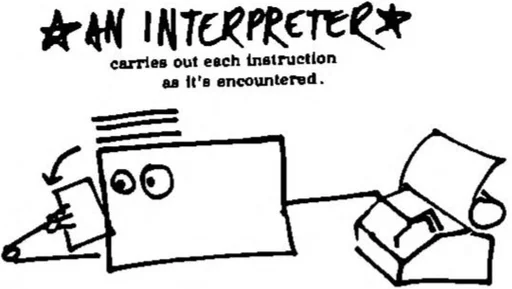
Open Interpreter is an innovative tool that serves as an Agent-Computer-Interface project based in Seattle, Washington. It represents a new way to interact with computers, enabling users to leverage advanced functionalities and streamline their computing tasks. This tool aims to enhance user experience by simplifying complex interactions, making it accessible for various users looking to optimize their workflows.

What are the main features of Open Interpreter?

  • User-friendly interface designed for seamless interaction.
  • Advanced agent capabilities that interpret user commands effectively.
  • Open-source project available on GitHub, promoting community collaboration and enhancements.
  • Active support community via Discord for troubleshooting and sharing tips.
Aiimagetoimage

Transform images effortlessly with AI-driven tools.

4
0 views
0 saved
17.9K

Free Trial

0.00 USD free

Experience the future of photo editing with powerful AI image to image transformation technology. Transform your images, swap objects, and change entire scenes with a simple text command, all while preserving the perfect consistency of your original photo.

For the latest pricing, please visit this link: https://aiimagetoimage.io/

Prices are subject to change. Please visit the official website for the most up-to-date pricing information.
What is Aiimagetoimage?

Aiimagetoimage is a cutting-edge AI image-to-image generator that allows users to transform photos with Photoshop-quality[2] editing using simple text prompt[1]s. This tool is designed for anyone looking to enhance their images without the need for extensive editing skills or software. With no signup or credit card required, Aiimagetoimage provides a user-friendly platform for creating high-impact visuals quickly and efficiently, preserving the consistency of original photos while offering a range of creative transformations.

Pros

  • Photoshop-Quality Editing: Achieve professional-grade image editing results with a simple text prompt, eliminating the need for advanced skills.
  • Fast and Efficient Workflow: Complete complex edits in seconds, significantly boosting productivity compared to traditional manual editing.
  • No Signup Required: Use the tool for free without the hassle of signing up or providing credit card information.
  • Intuitive Text Control: Easily describe your vision in plain language, making complex editing accessible to everyone.

What are the main features of Aiimagetoimage?

Aiimagetoimage offers a robust suite of features designed for efficient and high-quality image transformation[3]s: - Text-Guided Editing[4]: Users can easily modify images by simply describing their vision in plain language. - Object Swapping[5]: The tool allows for seamless replacement of objects and accessories in images while maintaining realism. - Professional Headshots: Transform casual photos into studio-quality portraits with optimal lighting and context. - Old Photo Restoration[6]: Enhance and restore details in old or damaged photographs, breathing new life into cherished memories. - AI Canvas Outpainting: Expand your images by intelligently generating background extensions that match the original scene.

Mediaai

Transform your photos into stunning artwork with AI.

4
0 views
0 saved
16.6K

Free Trial

0.00 USD free

Get 2 free credits every day to try AI image/video generation!

View Pricing

VIP Basic

12.00 USD monthly

100 credits /month, includes text-to-image generation, image-to-image generation, 20+ advanced AI editing tools, high-quality PNG downloads, watermark-free downloads, private image generation, and more.

View Pricing

VIP Standard

24.00 USD monthly

250 credits /month, includes all features of VIP Basic plus unlimited storage, priority processing, commercial use rights, ad-free experience, priority email support, and API access.

View Pricing

For the latest pricing, please visit this link: https://www.mediaai.art/en/price/

Prices are subject to change. Please visit the official website for the most up-to-date pricing information.

What is Mediaai?

Mediaai is an innovative AI-powered tool designed to transform your photos into stunning artworks. With a wide range of creative features, it allows users to create oil paintings[2], watercolors[3], and various artistic styles inspired by popular animations such as Ghibli[4], Disney[5], and Pixar[6]. Mediaai provides over 20 unique tools, including options for character creation, gender swapping, aging effects, and more, making it a versatile platform for anyone looking to enhance their images or create unique art pieces effortlessly.

Pros

  • Diverse Art Styles: Mediaai offers over 100 different art styles, including oil paintings, watercolors, and anime transformations, allowing users to create unique artwork.
  • Instant Results: The AI tools provide quick transformations, typically completing image edits in under 30 seconds, making it efficient for users.
  • User-Friendly Interface: The platform is designed for ease of use, enabling users to upload photos and apply effects with simple prompts or one-click tools.

What are the main features of Mediaai?

  • AI Art Styles[1]: Transform photos into various art styles including oil paintings, watercolors, and animated styles like Ghibli and Pixar.
  • Character Creation Tools: Create unique characters using tools like Chibi Art, Action Figure Generator, and Gender Swap.
  • Photo Editing Functions: Enhance images with features such as background removal, photo restoration, and AI-powered filters.
  • Creative Generators: Utilize tools like Pixel Art and Emoji Maker for creative projects.
  • Instant Results: Get quick transformations and edits, typically in under 30 seconds.
Genimgai

Create stunning AI images effortlessly.

5
0 views
0 saved
8.8K

Pro

18.90 USD monthly

Save 30% on credits. $0.024 per credit.

View Pricing

Basic

11.90 USD monthly

Save 30% on credits. $0.040 per credit.

View Pricing

Max

25.90 USD monthly

Save 30% on credits. $0.013 per credit.

View Pricing

Pro Max

59.90 USD monthly

Save 30% on credits. $0.010 per credit.

View Pricing

For the latest pricing, please visit this link: https://genimg.ai/price

Prices are subject to change. Please visit the official website for the most up-to-date pricing information.

What is Genimgai?

Genimgai is an advanced AI image generator[1] that specializes in text-to-image[2] and image-to-image[3] generation. It utilizes the Flux.1 models[4], which include various iterations such as Schnell[5], Dev, Pro, and Pro Ultra. This tool enables users to create high-quality images based on textual descriptions or modify existing images through advanced AI techniques. With Genimgai, users can explore their creativity and produce unique visuals effortlessly, making it an essential tool for artists, marketers, and content creators.

Pros

  • Advanced AI Models: Genimgai offers advanced AI models like Flux.1, including Schnell, Dev, Pro, and Pro Ultra, for high-quality image generation.
  • Versatile Image Generation: The tool supports both text-to-image and image-to-image generation, allowing for diverse creative possibilities.
  • Free Usage Options: Users can start generating images for free with 10 credits, making it accessible for beginners.

What are the main features of Genimgai?

  • Text-to-Image Generation: Create stunning images from textual descriptions using advanced AI models.
  • Image-to-Image Generation: Modify existing images by uploading them and applying AI transformations.
  • Multiple Models: Access various models like Flux.1 Schnell, Dev, Pro, and Pro Ultra for different creative needs.
  • User-Friendly Interface: Easy navigation and intuitive design for seamless image creation.
  • Free Credits: New users can sign up to receive free credits for generating images.
Thefluxtrain

Create personalized visual stories with AI.

5
0 views
0 saved
6.5K

Starter pass

15.00 USD one-time

5000 credits, 2-3 finetunes, Valid for 1 year, 1-2 AI influencer, Auto caption, Inpainting LoRA editor, 48 hr support.

Pro pass

20.00 USD one-time

10000 credits, 4-5 finetunes, Valid for 1 year, 3-4 AI influencer, Auto caption, Inpainting LoRA editor, Image to image, AI video from image, 24 hr support.

Advance pass

40.00 USD one-time

23000 credits, 10-11 finetunes, Valid for 1 year, 8-9 AI influencer, Auto caption, Inpainting LoRA editor, Image to image, AI video from image, 24 hr support.

Super pass

125.00 USD one-time

75000 credits, 30+ finetunes, Valid for 1 year, Many AI models, Auto caption, Inpainting LoRA editor, Image to image, AI video from image, 24 hr support.

Cosmo pass

200.00 USD one-time

125000 credits, 50+ finetunes, Valid for 1 year, Many AI models, Auto caption, Inpainting LoRA editor, Image to image, AI video from image, 24 hr support.

For the latest pricing, please visit this link: https://thefluxtrain.com/

Prices are subject to change. Please visit the official website for the most up-to-date pricing information.

What is Thefluxtrain?

Thefluxtrain is an innovative AI tool designed to create personalized visual stories. It empowers users to train AI models on their own images, enabling the generation of consistent characters and compelling narratives. With Thefluxtrain, users can transform their ideas into fully illustrated stories, children's books, and even animated videos, all while maintaining character consistency across various scenes and styles. This tool is ideal for anyone looking to unleash their creativity and bring their visual storytelling to life.

Pros

  • Personalized AI Training: Train custom AI models using just 3-9 images, allowing for infinite variations and consistent character generation.
  • Effortless Character Consistency: Maintain character consistency across different scenes and styles with features like Swap Character and Transfer Action.
  • Comprehensive Storytelling Tools: Create fully illustrated storybooks and animated narratives, with AI assistance in story development and scene generation.

What are the main features of Thefluxtrain?

  • Character Consistency: Effortlessly maintain consistent characters across different scenes and styles.
  • Action Transfer: Transfer complex movements and poses from one character to another.
  • AI Storybook Creation: Transform your ideas into fully illustrated children's books with consistent characters.
  • Image to Video: Bring static images to life with cinematic AI video generation.
  • AI-Powered Image Editor: Edit and manage generated images with advanced AI tools for enhanced creativity.
  • Bulk Generation and Editing: Generate and edit multiple images simultaneously for efficient workflows.
Imagetodrawio

Transform images into editable Draw.io diagrams instantly.

5
0 views
0 saved
6.0K

Free

0.00 USD free

Perfect for trying out the service. No commitment • Test our AI • See results instantly.

View Pricing

Credit Pack

4.99 USD one-time

Perfect for occasional conversions. One-time purchase • Watermark-free • Perfect for light users.

View Pricing

Pro Monthly

7.99 USD monthly

For users who convert regularly. Unlimited conversions • No watermarks • Advanced features.

View Pricing

For the latest pricing, please visit this link: https://imagetodrawio.com/pricing

Prices are subject to change. Please visit the official website for the most up-to-date pricing information.
What is Imagetodrawio?

Imagetodrawio is an innovative tool that allows users to convert images into fully editable Draw.io diagrams with AI precision. This service is especially useful for transforming static diagrams captured in screenshots, whiteboard photos, or other image formats into dynamic, editable files compatible with Draw.io. By utilizing advanced AI technology, Imagetodrawio ensures accurate conversions that maintain the integrity of the original design, enabling users to make quick edits without starting from scratch. The tool is designed to enhance productivity for professionals who frequently work with diagrams and need a reliable solution for converting image-based content into editable formats.

Pros

  • AI-Powered Accuracy: The tool uses advanced AI to ensure precise conversions, recognizing shapes, preserving text, and maintaining connections, even for hand-drawn sketches.
  • Instant Online Editing: Converted diagrams open immediately in an embedded editor, allowing users to edit without downloads or installations.
  • Privacy Protection: User data is processed securely, with uploaded images deleted after conversion, ensuring privacy and confidentiality.
  • Simple Pay-Per-Conversion Model: Users pay only once for each diagram conversion, with no ongoing fees, making it cost-effective for occasional users.

What are the main features of Imagetodrawio?

  • AI-Powered Conversions: Utilizes advanced AI to accurately convert images into editable Draw.io diagrams, recognizing shapes, text, and connections.
  • Privacy Focused: Ensures that all uploaded images are processed securely and deleted after conversion, maintaining user privacy.
  • Instant Online Editing: Provides an embedded Draw.io editor for immediate diagram editing post-conversion, with no need for downloads.
  • Multiple Image Formats Supported: Accepts various image formats including PNG, JPG, JPEG, and WEBP, making it versatile for different use cases.
  • Professional-Grade Accuracy: Capable of handling complex diagrams such as AWS architectures and detailed flowcharts, ensuring high fidelity in conversions.
Reve

Transform images effortlessly with AI.

5
0 views
0 saved
4.3K

What is Reve?

Reve is an innovative AI image generator and creative tool that allows users to reimagine reality by creating, editing, and remixing images. It combines the power of natural-language processing with a user-friendly drag-and-drop image editor, making it accessible for both beginners and experienced creators. With Reve, users can effortlessly manipulate images, apply complex edits using simple language commands, and explore their creativity without the steep learning curve often associated with traditional graphic design software.
Pros

  • AI-Powered Image Generation: Reve utilizes advanced AI technology to generate high-quality images, allowing users to create stunning visuals effortlessly.
  • Natural Language Editing: Users can make edits using natural language commands, simplifying the editing process and enhancing creativity.
  • User-Friendly Interface: The drag-and-drop functionality makes it easy for users of all skill levels to navigate and utilize the tool effectively.

What are the main features of Reve?

  • AI Image Generation[1]: Create stunning images from scratch using AI technology.
  • Natural-Language Editing: Apply edits by simply typing commands in plain language, making it easy for anyone to use.
  • Drag-and-Drop Interface[3]: Intuitive design allows for easy manipulation of images without any prior experience.
  • Image Remixing[4]: Combine different images and styles to create unique artworks.
  • Real-Time Preview: See changes as you make them, ensuring that you achieve the desired outcome.
Gebleeai

Transform your photos into enchanting Ghibli-style art with AI.

4
0 views
0 saved
3.8K

Free Edition

0.00 USD free

Free Try. Try Free. Great for getting started!

View Pricing

Standard

6.90 USD monthly

For new artists and creators. Best for new user!

View Pricing

Pro

12.90 USD monthly

For professional artists and creators. Best for professional use!

View Pricing

Pro Max

22.90 USD monthly

For Professional artists and creators. Best for professional use!

View Pricing

For the latest pricing, please visit this link: https://geblee.ai/#pricing

Prices are subject to change. Please visit the official website for the most up-to-date pricing information.

What is Ghibli AI?

Ghibli AI is a revolutionary platform that utilizes advanced artificial intelligence technology to transform ordinary photos into enchanting artwork inspired by the iconic style of Studio Ghibli animations. This free AI image generator allows users to experience the magic of Ghibli art by effortlessly converting their images into stunning Ghibli-style creations, making it an ideal tool for both casual users and professional artists.

Pros

  • Free Image Generator: Ghibli AI offers a free image generator that allows users to create Ghibli-style artwork without any cost, making it accessible for everyone.
  • ChatGPT Integration: The integration with ChatGPT enables users to describe their desired artwork in natural language, simplifying the creation process.
  • High-Quality Output: Ghibli AI generates high-resolution images, ensuring that the artwork produced is of excellent quality suitable for various uses.

What are the main features of Ghibli AI?

Ghibli AI offers a range of powerful features designed to enhance your art creation experience: - Free Generator: Access the Ghibli image generator at no cost, perfect for casual users. - ChatGPT Integration: Utilize natural language to describe your desired artwork, allowing for easy and intuitive art creation. - Style Transfer: Transform your photos into Ghibli-style artwork seamlessly. - High Resolution: Generate high-quality images suitable for various applications. - Multiple Styles: Choose from a variety of Ghibli art styles to match your creative vision. - Privacy & Security: Enjoy enterprise-grade security features to protect your creations.

Imagetoimage

Transform images into stunning visuals effortlessly.

5
0 views
0 saved
2.0K

Free

0.00 USD monthly

credit: 15/Day What's included? * Image to Image * Text to Image * Image Tools * Standard Queue * Download with watermark

View Pricing

Basic

9.90 USD monthly

credit: 1000/Month What's included? * Image to Image * Text to Image * Image to Video * Text to Video * Image Tools * Priority Processing * Download without watermark

View Pricing

Plus

23.90 USD monthly

credit: 4000/Month What's included? * Image to Image * Text to Image * Image to Video * Text to Video * Image Tools * Priority Processing * Download without watermark

View Pricing

Pro

39.90 USD monthly

credit: 8000/Month What's included? * Image to Image * Text to Image * Image to Video * Text to Video * Image Tools * Turbo Access & Parallel * Download without watermark

View Pricing

For the latest pricing, please visit this link: https://imagetoimage.tech/#pricing

Prices are subject to change. Please visit the official website for the most up-to-date pricing information.

What is Imagetoimage?

Imagetoimage is an innovative AI tool that transforms any image into high-quality results through advanced image processing technology. It serves as a comprehensive image editing platform, allowing users to enhance their creativity by converting photos, sketches, and designs into polished artworks. The core value of Imagetoimage lies in its ability to intelligently blend user inputs with AI capabilities, resulting in professional outputs that maintain the essence of the original image while delivering unique artistic interpretations.

Pros

  • Instant Image Transformation: The tool allows quick conversion of photos, sketches, or designs into polished results within seconds, enhancing creative workflows.
  • Flexible Input Options: Users can upload single or multiple images, or use text prompts, providing versatility for various creative processes.
  • High-Fidelity Outputs: Delivers sharp, detailed images that maintain the essence of the original, ensuring professional-quality results.

What are the main features of Imagetoimage?

  • Instant Image Transformation: Quickly convert any photo, sketch, or design into a refined result within seconds.
  • Flexible Input Options: Choose from various methods such as text-to-image or uploading multiple images to fit your workflow.
  • Intelligent AI Editing: Perform intuitive edits ranging from subtle adjustments to bold transformations, enhancing your images according to your style.
  • High-Fidelity Outputs: Achieve sharp and detailed results that reflect your original vision, ensuring professional-quality images.
Provamodaai

Provamodaai revolutionizes fashion photography with AI-driven models and virtual try-on features.

4
0 views
0 saved
1.9K

Basic

35.00 USD one-time

The essentials to get started. Includes 140 credits for 140 images, high resolution, and image editing with prompts.

View Pricing

Professional

99.00 USD one-time

For growing businesses. Includes 450 credits for 450 images, high resolution, video generation, and image editing with prompts.

View Pricing

Enterprise

450.00 USD one-time

For large businesses. Includes 2300 credits for 2300 images, ultra high resolution, video generation, and image editing with prompts.

View Pricing

For the latest pricing, please visit this link: https://provamoda.ai/pricing

Prices are subject to change. Please visit the official website for the most up-to-date pricing information.

What is Provamodaai?

Provamodaai is a cutting-edge generative AI fashion platform that specializes in fashion design and photography. It allows users to create high-quality images of men's clothing using advanced AI technology. The platform features tools for generating stylish AI models, offering virtual try-on experiences with augmented reality (AR) glasses, and transforming fashion photography through photo-to-photo AI capabilities. With Provamodaai, brands can streamline their fashion photography process, producing professional-grade images quickly and efficiently.

Pros

  • High-Quality AI Fashion Photography: Provamoda generates professional-grade fashion photos in minutes, allowing e-commerce stores to enhance their visual appeal without extensive photoshoots.
  • Customizable Virtual Try-On Features: The platform offers extensive customization options for virtual try-ons, enabling brands to provide an interactive shopping experience that boosts customer confidence.
  • Quick and Efficient Production: Users can create entire campaigns quickly by uploading product photos and selecting models and scenes, significantly reducing the time and cost associated with traditional photography.

What are the main features of Provamodaai?

  • AI Fashion Models: Generate professional-grade images featuring diverse AI models tailored to your products.
  • Virtual Try-On Technology: Experience augmented reality features that allow customers to visualize products on virtual models.
  • Photo-to-Photo AI Capabilities: Transform existing images into high-quality fashion photos with just a few clicks.
  • Customizable Models and Settings: Choose body types, skin tones, and environments to match your brand's identity.
  • Fast Generation Speed: Quickly produce high-resolution images, significantly reducing the time and cost associated with traditional photoshoots.
Styleartai

Easily create stunning art with Style Art AI.

5
0 views
0 saved
1.8K

Premium

9.90 USD monthly

Basic plan for personal users. 200 images generated per month. Credits never expire. Supports generating multiple images at once. Text-to-image generation support. Image-to-image generation support. Faster generation speed. High-resolution image download. Early access to new features. No ads. No watermark.

View Pricing

Ultimate

19.90 USD monthly

Full-featured unlimited plan. 500 images generated per month. Credits never expire. Supports generating multiple images at once. Text-to-image generation support. Image-to-image generation support. Faster generation speed. High-resolution image download. Early access to new features. No ads. No watermark.

View Pricing

For the latest pricing, please visit this link: https://styleart.ai/#pricing

Prices are subject to change. Please visit the official website for the most up-to-date pricing information.

What is Styleartai?

Styleartai is an innovative AI-powered tool that utilizes the advanced ChatGPT 4o[1] model to enable users to create stunning images through text-to-image[2] and image-to-image[3] generation. With no prior skills required, Styleartai allows users to effortlessly customize their artwork in various artistic styles[4], including anime, cartoon, and many more. This tool is designed to unleash creativity, making it accessible for everyone to produce beautiful and unique images with just a few clicks.

Pros

  • Multi-Style Generation: Style Art AI allows users to create images in over 30 artistic styles, including popular ones like Disney and Pixar, enhancing creative possibilities.
  • User-Friendly Interface: No artistic skills are required to use Style Art AI, making it accessible for everyone to generate stunning images simply by inputting text.
  • Fast Image Processing: The tool generates images quickly, typically within 2-3 minutes, allowing users to see results without long waiting times.

What are the main features of Styleartai?

Styleartai offers a range of powerful features, including: - Text-to-Image Generation: Create images from textual descriptions effortlessly. - Image-to-Image Transformation: Upload an image and modify it into various artistic styles. - Multiple Artistic Styles: Choose from over 30 different styles, including anime, cartoon, and more. - Style Mixing[5]: Combine different artistic styles to create unique visuals. - High-Resolution Outputs: Download images in high resolution for professional use. - User-Friendly Interface: Designed for both beginners and experienced users, making art creation simple and enjoyable.

Imagesartai

Create stunning AI images effortlessly.

4
0 views
0 saved
1.5K

Free Plan

0.00 USD free

Get 10 free credits on signup (up to 10 images). Free users will see a small watermark on generated images.

View Pricing

Pro Plan

0.00 USD monthly

Upgrade to get Pro features including unlimited AI image generation and watermark-free images.

View Pricing

For the latest pricing, please visit this link: https://imagesart.ai/subscription

Prices are subject to change. Please visit the official website for the most up-to-date pricing information.

What is Imagesartai?

Imagesartai is a free AI image generator[1] that specializes in creating stunning visuals through both text-to-image[2] and image-to-image[3] capabilities. This tool allows users to generate high-quality AI art in any language, making it accessible for a diverse range of creative projects. With its user-friendly interface, Imagesartai enables quick and efficient image creation, appealing to artists, marketers, and anyone looking to transform their ideas into visual content.

Pros

  • Multilingual Support: The AI image generator can understand prompts in multiple languages, allowing users to create images without needing translation.
  • Fast Image Generation: Images are generated in seconds, providing quick results for both text to image and image to image tasks.
  • High-Resolution Outputs: The tool generates sharp, high-resolution images suitable for sharing and professional use.

What are the main features of Imagesartai?

Imagesartai offers a range of powerful features, including: - Smart Text to Image Prompts: Understands natural language for clearer outputs. - Image to Image Reference: Upload images to guide the editing process. - AI Art Style Controls: Choose from various styles and aspect ratios. - High-Resolution Images[4]: Generate sharp, professional-quality images. - Multilingual Support[5]: Create images in any language without translation. - Fast Generation: Receive results in seconds for both text and image inputs.

Image Recursor

Create evolving images with DALL-E 3 and GPT-4 Vision.

4
0 views
0 saved
357

What is Image Recursor?

Image Recursor is an innovative AI tool that combines the capabilities of DALL-E 3 and GPT-4 Vision to generate a dynamic chain of images based on user-defined prompts. This tool allows users to explore the transformation of images over multiple iterations, creating unique visual narratives. By leveraging advanced AI technologies, Image Recursor enables users to craft imaginative and diverse images, making it ideal for artists, designers, and anyone interested in creative visual expression.

Pros

  • Advanced Image Generation Features: Utilizes DALL-E 3 and GPT-4 Vision for high-quality image generation, allowing users to create unique and complex images.
  • Customizable Prompts: Users can input custom prompts and modify them with various options like 'scarier' or 'more mystical' to influence the image generation process.
  • On-Device API Key Security: The OpenAI API key is stored on-device, ensuring user privacy and security during image generation.

What are the main features of Image Recursor?

  • DALL-E 3 Integration: Utilize the powerful image generation capabilities of DALL-E 3.
  • GPT-4 Vision Capabilities: Enhance image prompts with the advanced vision understanding of GPT-4.
  • Customizable Prompts: Modify the image generation process with options to make images scarier, more mystical, or funnier.
  • On-device API Key Security: Your OpenAI API key is kept secure and on-device, ensuring privacy.
  • Dynamic Image Transformation: Generate a series of images that evolve based on your initial prompt, providing a unique creative experience.
Nanabanana2ai

Transform images effortlessly with AI.

4
0 views
0 saved
18

Pro

19.90 USD monthly

350 credits per month, Full 4200 credits issued once, Up to 35 videos per month, Up to 350 images per month, All AI models Here Support, Priority support, Commercial usage rights, Priority processing speed, Remove watermark.

View Pricing

Basic

9.90 USD monthly

150 credits per month, Full 1800 credits issued once, Up to 15 videos per month, Up to 150 images per month, All AI models Here Support, Priority support, Commercial usage rights, Priority processing speed, Remove watermark.

View Pricing

Max

34.90 USD monthly

750 credits per month, Full 9000 credits issued once, Up to 75 videos per month, Up to 750 images per month, All AI models Here Support, Priority support, Commercial usage rights, Priority processing speed, Remove watermark.

View Pricing

Pro Max

59.90 USD monthly

1500 credits per month, Full 18000 credits issued once, Up to 150 videos per month, Up to 1500 images per month, All AI models Here Support, Priority support, Commercial usage rights, Priority processing speed, Remove watermark.

View Pricing

For the latest pricing, please visit this link: https://nanabanana2.ai/pricing

Prices are subject to change. Please visit the official website for the most up-to-date pricing information.
What is Nana Banana 2?

Nana Banana 2 is an advanced AI image editor designed to edit, enhance, and transform images using powerful AI tools. Powered by the Nano Banana 2 model, it combines the advanced world knowledge and visual quality of its predecessor, Nana Banana Pro, with significantly faster image generation speeds. Users can create photorealistic images with precise text rendering, subject consistency, and resolutions of up to 4K, all in a matter of seconds. This makes Nana Banana 2 a versatile tool for creators looking to produce high-quality visuals quickly and efficiently.

Pros

  • Advanced AI Image Editing: Nana Banana 2 offers powerful AI tools for editing, enhancing, and transforming images, allowing users to create photorealistic visuals quickly.
  • High Resolution Support: Supports image resolutions from 512px up to 4K, ensuring high-quality outputs suitable for various applications, including commercial use.
  • Precision Text Rendering: Generates accurate and legible text within images, making it ideal for marketing materials and branded content, with translation capabilities.

What are the main features of Nana Banana 2?

Nana Banana 2 offers several powerful features, including: - Advanced World Knowledge: Accurately renders subjects and cultural details for informative visuals. - Precision Text Rendering: Generates clean, legible text within images, ideal for marketing and branding. - Production-Ready Resolutions: Supports resolutions from 512px to 4K, ensuring sharp images for any platform. - Subject Consistency: Maintains character resemblance across multiple images, perfect for storytelling. - Precise Instruction Following: Adheres to detailed prompts for accurate image generation. - Smart Image Editing: Allows users to upload existing images and describe desired changes in natural language.

Imgtoimg-ai

Transform images effortlessly with AI.

5
0 views
0 saved
8

Try

4.99 USD monthly

Perfect for getting started

View Pricing

Hobby

7.99 USD monthly

Perfect for getting started

View Pricing

Basic

12.99 USD monthly

Best value for most users, includes everything in Hobby, plus additional features.

View Pricing

Pro

19.99 USD monthly

For professionals and teams, includes everything in Basic, plus additional features.

View Pricing

For the latest pricing, please visit this link: https://imgtoimg-ai.com/pricing

Prices are subject to change. Please visit the official website for the most up-to-date pricing information.

What is Imgtoimg-ai?

Imgtoimg-ai is an all-in-one image to image AI generator designed to transform your photos effortlessly. With its advanced img2img[1] capabilities, users can upload images to edit, enhance, restyle, outpaint, and apply various AI effects without needing any prior skills. This tool is particularly valuable for those looking to create polished, high-quality visuals quickly and efficiently, making it suitable for designers, marketers, and content creators alike.

Pros

  • User-Friendly Interface: Imgtoimg-ai offers a zero learning curve, allowing users to edit and enhance images without any prior skills.
  • Diverse AI Models: The platform integrates over 10 elite AI models, enabling users to choose based on their needs for quality and detail.
  • One-Click Tools: Includes 20+ ready-to-use tools like background removers and photo restorations, making it convenient for quick edits.
  • Extensive AI Effects: Offers 100+ viral AI photo effects and filters that can be applied instantly, enhancing creativity and visual appeal.

What are the main features of Imgtoimg-ai?

Imgtoimg-ai offers a range of powerful features including: - Photo & Image Restyling: Easily swap styles while maintaining the original framing and subject. - Subject Editing[2]: Make precise object-level edits, such as removing distractions or refining product details. - Image Restoration[3] & Enhancement: Revive old or blurry photos with improved clarity and reduced noise. - Background Processing: Remove or replace backgrounds seamlessly to fit your subject's perspective. - Smart Outpainting: Extend images beyond their original frame, perfect for various formats. - One-Click AI Effects & Filters: Apply trending effects instantly for social media-ready results.

Getinksure

Visualize your tattoo on your skin before inking.

5
0 views
0 saved

What is Getinksure?

Getinksure is an innovative tattoo visualization tool that allows users to see how their chosen tattoo design will look on their skin before making a commitment. By simply uploading a photo of their body part and the desired tattoo design, users receive ultra-realistic mockups within 12 hours. This service is particularly valuable for individuals who want to avoid the regret of a permanent tattoo that doesn't suit their style or body.
Pros

  • Ultra-Realistic Mockups: Get 3-4 ultra-realistic tattoo mockups within 12 hours, allowing you to visualize how the design will look on your skin.
  • User-Friendly Process: Simply upload a photo and your tattoo design, making it easy for anyone to see their future ink without any special skills.
  • Free Revisions Included: The service includes 2 free revisions, ensuring the tattoo placement is perfect before you commit.

What are the main features of Getinksure?

  • Realistic Mockups: Get ultra-realistic visualizations of how tattoos will appear on your skin, factoring in natural light and skin tone.
  • Fast Turnaround: Receive your mockups within 12 hours of submitting your photo and design.
  • Free Revisions: Each order includes 2 free revisions to ensure the tattoo placement is perfect.
  • User-Friendly Process: Simple steps to upload your photo and design make the process accessible to everyone.
  • Wide Design Compatibility: Accepts various design formats, from professional artwork to rough sketches.
Nanobananapro

Create stunning 4K visuals with the GPT Image 2 Image Generator by OpenAI, featuring unparalleled text accuracy and character consistency.

5
0 views
0 saved

Credit Pack 1

4.00 USD one-time

400 credits, valid for 1 year.

Credit Pack 2

12.00 USD one-time

1200 credits, valid for 1 year.

Credit Pack 3

22.00 USD one-time

2400 credits, valid for 1 year.

Credit Pack 4

89.00 USD one-time

9600 credits, valid for 1 year.

For the latest pricing, please visit this link: https://nanobananapro.pics/ai-image/gpt-image-2

Prices are subject to change. Please visit the official website for the most up-to-date pricing information.
What is Nanobananapro?

Nanobananapro is an advanced AI tool that utilizes the GPT Image 2 Image Generator by OpenAI to create stunning 4K visuals. Launched in 2026, it represents a significant evolution from previous models like DALL-E 3, offering unparalleled capabilities in image generation. With features like 'Thinking Mode', it can reason like a human designer, understanding complex layouts and lighting with remarkable precision. This tool is designed to deliver commercial-grade photorealistic images with 99% text accuracy, making it ideal for both digital and print applications.

Pros

  • High-Quality Visuals: GPT Image 2 generates stunning 4K visuals with commercial-grade photorealistic quality, making it ideal for professional use.
  • Multilingual Text Rendering: The tool offers 99% text accuracy and can render over 20 scripts, including CJK and Hindi, ensuring precise multilingual outputs.
  • Seamless Workflow Integration: GPT Image 2 integrates smoothly with platforms like Airtable, allowing for end-to-end automation in creative workflows.

What are the main features of Nanobananapro?

  • Ultra HD 4K Resolution: Delivers crisp images with 4x the pixel density of previous models.
  • 99% Text Rendering Accuracy: Accurately incorporates text into images, reducing the need for post-editing.
  • Character Consistency Across Frames: Maintains identity features across multiple generated images, ideal for storytelling.
  • 3x Faster Generation Speed: Generates images in just 10-15 seconds, enhancing workflow efficiency.
  • Thinking Mode: Allows the AI to reason about design elements and lighting.
Monkeyai

Transform your ideas into stunning visuals with Monkey AI.

5
0 views
0 saved

Basic

5.00 USD monthly

1,200 credits / year, 600 image generations, AI image generation, Community gallery access, Email support, Access all creative case prompts.

View Pricing

Pro

10.00 USD monthly

3,600 credits / year, 1,800 image generations, Advanced AI image generation, Priority processing, Advanced editing tools, Priority support, Commercial license, Access all creative case prompts.

View Pricing

Max

20.00 USD monthly

9,600 credits / year, 4,800 image generations, Professional AI image generation, Highest priority processing, All advanced features, Dedicated support, Full commercial license, Batch processing, Access all creative case prompts.

View Pricing

Starter Pack

14.99 USD one-time

200 credits, Perfect for trying paid features, no subscription commitment, 100 image generations, Credits never expire.

View Pricing

Creator Pack

29.99 USD one-time

500 credits, Close to Pro plan value, but cheaper as one-time purchase, 250 image generations, Credits never expire.

View Pricing

Studio Pack

69.99 USD one-time

1,400 credits, For heavy generation needs and professional users, 700 image generations, Credits never expire.

View Pricing

For the latest pricing, please visit this link: https://monkeyai.cc/pricing

Prices are subject to change. Please visit the official website for the most up-to-date pricing information.
What is Monkeyai?

Monkeyai is an innovative AI-powered[1] tool designed to create stunning visuals effortlessly. Users can upload their ideas and remix references to transform their imagination into art within seconds. With advanced technology, Monkeyai caters to a variety of creative needs, from simple edits to complex artistic styles, making it a versatile solution for artists, designers, and anyone looking to enhance their visual content.

Pros

  • Advanced AI Technology: Monkey AI utilizes advanced AI technology to create stunning visual transformations, allowing users to bring their creative visions to life.
  • High Resolution Outputs: The tool supports a maximum resolution of 8K, ensuring high-quality images for professional use.
  • User-Friendly Interface: Monkey AI features an intuitive interface that simplifies the creative process, making it accessible for users of all skill levels.

What are the main features of Monkeyai?

  • AI-Powered Visual Creation[2]: Transform ideas into stunning visuals using advanced AI technology.
  • Multiple AI Models[3]: Access different AI models for various artistic styles and effects.
  • High-Resolution Outputs: Generate images with a maximum resolution of 8K.
  • Fast Generation: Quickly create visuals, allowing for rapid creative exploration.
  • User-Friendly Interface: Intuitive design makes it easy for users of all skill levels to navigate and create.
Zestygen

Transform your photos into stunning visuals with AI.

4
0 views
0 saved

Starter

9.69 USD monthly

Perfect for trying out

View Pricing

Mini

19.69 USD monthly

Great for regular users

View Pricing

Plus

36.69 USD monthly

Most popular plan

View Pricing

Pro

59.69 USD monthly

For power creators

View Pricing

For the latest pricing, please visit this link: https://zestygen.com/pricing

Prices are subject to change. Please visit the official website for the most up-to-date pricing information.

What is Zestygen?

Zestygen is the ultimate image to image[1] AI tool that enables users to instantly apply AI style transfer[2] and powerful photo effects[3] to their images. This professional platform is designed for transforming ordinary photos into stunning visuals with studio-quality lighting, cinematic mood, and premium details. With a comprehensive suite of image and video transformation tools, Zestygen allows creators, marketers, and professionals to enhance their visual content efficiently and effectively.

Pros

  • Advanced AI Style Transfer: Zestygen offers powerful AI style transfer capabilities, allowing users to instantly apply artistic styles to their photos, enhancing creativity and visual appeal.
  • Extensive Library of Effects: With over 100 AI photo and video effects, Zestygen provides a wide range of options for transforming images, catering to various artistic needs.
  • High-Resolution Output: The platform generates professional-quality images up to 4K resolution, making it suitable for print and commercial projects that require high-quality visuals.

What are the main features of Zestygen?

Zestygen offers a variety of powerful features, including: - AI Art Generator[4]: Create stunning artwork from text prompts using advanced text-to-image technology. - Image to Image AI & Style Transfer: Transform photos with powerful AI style transfer, enhancing quality and applying artistic styles. - Image to Video AI Generator: Convert static images into dynamic videos with smooth animations and professional effects. - AI Music Generator: Generate custom soundtracks to complement your visual content. - 100+ AI Photo Effects Library: Access a vast array of professional-grade photo effects for instant transformations. - High-Resolution Outputs: Generate images in up to 4K resolution, suitable for various applications.

Nanabananapro

Quickly generate AI images and videos with Nana Banana Pro.

4
0 views
0 saved

Basic

7.90 USD monthly

Perfect for individuals and light users.

View Pricing

Pro

14.90 USD monthly

Ideal for creators and small teams.

View Pricing

Max

39.90 USD monthly

Built for enterprises and professional teams.

View Pricing

For the latest pricing, please visit this link: https://nanabananapro.net/pricing

Prices are subject to change. Please visit the official website for the most up-to-date pricing information.

What is Nana Banana Pro?

Nana Banana Pro is an advanced AI tool designed for creating high-quality images and videos through its powerful generative capabilities. Utilizing technologies like Nano Banana 2[1] and Google Veo 3.1[2], it offers a comprehensive suite for text-to-image[3], image-to-image[4], text-to-video[5], and image-to-video[6] generation. This tool is particularly tailored for producing short-form content such as TikTok clips, Instagram Reels, and ads, making it an ideal choice for marketers and content creators looking to enhance their visual assets quickly and efficiently. With a credit-based system, users can enjoy fast exports and maintain consistency in their creative outputs.

Pros

  • Fast Image and Video Generation: Nana Banana Pro enables rapid creation of images and videos, allowing users to generate multiple candidates in seconds, which is ideal for quick project turnarounds.
  • High Customization Options: Users can customize aspect ratios, resolutions, and styles, providing precise control over the visual output to meet specific project needs.
  • Collaboration Features: The platform supports team collaboration, allowing users to share prompts, notes, and approvals, which enhances workflow efficiency.

What are the main features of Nana Banana Pro?

Nana Banana Pro boasts a variety of powerful features, including:

  • Text-to-Image Generation: Create stunning visuals from descriptive text prompts.
  • Image-to-Image Generation: Modify existing images based on new prompts or styles.
  • Text-to-Video Generation: Transform written content into engaging video formats.
  • Image-to-Video Generation: Convert images into dynamic video clips.
  • Customizable Outputs: Users can adjust aspect ratios, resolutions, and styles to meet specific project needs.
  • Fast Exports: Quickly export high-quality visuals in various formats, including 4K.
  • Team Collaboration Tools: Share prompts and notes easily within teams for efficient project management.
Batchbanana

Batchbanana allows you to generate, compare, and edit images seamlessly across 25+ AI models in one creative workspace.

4
0 views
0 saved

Plus

20.00 USD monthly

Everything you need to start generating and curating a library of images. ~150 images/mo, 2,500 credits/mo, 4 images per prompt, 25+ image models, Upscale & background removal, Prompt assist.

Pro

50.00 USD monthly

Explore faster from idea to final image with variations, multi-model runs, and canvas effects. ~500 images/mo, 7,000 credits/mo, +1,000 bonus, 8 images per prompt, One‑click prompt variations, Compare up to 4 models per run, Canvas effects editor, Unlimited prompt assist.

Max

100.00 USD monthly

Bring your whole team and run production workflows with CSV batch generation. ~1,050 images/mo, 15,000 credits/mo, +2,000 bonus, CSV batch generation, Real‑time team collaboration, Priority support.

For the latest pricing, please visit this link: https://batchbanana.com/

Prices are subject to change. Please visit the official website for the most up-to-date pricing information.
What is Batchbanana?

Batchbanana is an innovative AI tool designed for generating, comparing, and editing images across more than 25 AI models within a single, user-friendly workspace. This platform allows users to streamline their creative process by enabling batch generation, multi-model comparison, prompt variations, and bulk editing, making it an essential tool for creatives looking to enhance their workflow.

Pros

  • Multi-Model Support: Batchbanana allows users to generate and compare images across 25+ AI models in a single workspace, enhancing flexibility and creativity.
  • Efficient Image Management: The Lightbox feature enables users to scrub through generated images fluidly, making it easy to compare results without interrupting the creative flow.
  • Collaborative Features: Batchbanana supports team collaboration, allowing multiple users to generate, review, and iterate on ideas together, fostering creativity and teamwork.

What are the main features of Batchbanana?

  • Multi-Model Comparison: Effortlessly compare images generated by different AI models without switching tools.
  • Batch Generation: Create multiple images at once to save time and enhance productivity.
  • Prompt Variations: Experiment with different variations of prompts to explore diverse creative outputs.
  • Bulk Editing: Edit multiple images in one go, streamlining the editing process.
  • Lightbox Feature: Fluidly scrub through generated images to compare results without losing your creative flow.
  • Collaboration Tools: Invite team members to work together on projects, enhancing collaborative creativity.
Soralum

SoraLum is a unified AI workspace for creating, editing, and animating images, prompts, and videos seamlessly.

4
0 views
0 saved

What is Soralum?

Soralum is an innovative AI platform designed to streamline the creation of images, prompts, and videos within a single, unified workspace. It enables users to generate, edit, restyle, and animate content quickly and efficiently using advanced image-to-image and text-to-video tools. By eliminating the need to switch between multiple applications, Soralum provides a seamless workflow that is especially beneficial for non-designers, allowing them to produce professional-quality results with ease.

Pros

  • Unified Workspace for Creation: SoraLum offers a single platform for creating, editing, and animating images and videos, eliminating the need to switch between multiple tools.
  • Advanced AI Models: Access to over 10 cutting-edge AI models for both image and video generation ensures high-quality outputs tailored to various styles and tasks.
  • User-Friendly for Non-Designers: Designed for non-designers, SoraLum features guided presets and clear controls, making it accessible for beginners and marketers to produce professional results.

What are the main features of Soralum?

  • Unified workspace for creating images, prompts, and videos.
  • Image-to-image and text-to-video capabilities for versatile content creation.
  • Over 10 advanced AI models for high-quality image and video generation.
  • 20+ ready-to-use tools for image and video editing, including face swap and watermark removal.
  • 100+ trending social media effects and filters to enhance visuals instantly.
  • Prompt generator and enhancer to create detailed, effective prompts from images.
Imagetoimageaiai

Transform and enhance photos effortlessly with AI.

4
0 views
0 saved

Standard

9.90 USD monthly

Get Started with the Standard plan.

View Pricing

Premium

19.90 USD monthly

Get Premium with enhanced features.

View Pricing

Business

49.90 USD monthly

Get Business for advanced needs.

View Pricing

Enterprise

99.90 USD monthly

Get Enterprise for the highest level of service.

View Pricing

For the latest pricing, please visit this link: https://www.imagetoimageai.ai/pricing

Prices are subject to change. Please visit the official website for the most up-to-date pricing information.

What is Image to Image AI?

Image to Image AI is a free online image generator[1] and editor that leverages advanced artificial intelligence technology to transform and enhance photos. This tool allows users to perform a variety of tasks including face swap[2]ping, restoring old photos, removing backgrounds, upscaling images, and applying artistic styles. Designed for ease of use, Image to Image AI requires no technical skills, making it accessible for everyone, from casual users to professional creators. With its comprehensive suite of features, users can achieve professional-quality results in just seconds.

Pros

  • Comprehensive Toolset: Image to Image AI offers over 12 powerful features including face swap, photo restoration, and background removal, making it a versatile solution for various photo editing needs.
  • User-Friendly Interface: The platform requires no technical skills, allowing users to easily upload photos and apply transformations with just a few clicks.
  • High-Quality Outputs: The AI image editor delivers professional-quality results suitable for commercial use, enhancing images without compromising on detail.

What are the main features of Image to Image AI?

Image to Image AI offers a wide range of powerful features for photo transformation, including: - AI Image Enhancer: Automatically improves brightness, contrast, sharpness, and color balance. - AI Style Transfer: Applies iconic art styles to photos, such as oil painting and watercolor. - AI Face Swap: Seamlessly swaps faces between images. - Old Photo Restoration: Repairs and enhances old, damaged photos. - AI Image Upscaler: Upscales low-resolution images to high-definition quality. - AI Background Remover: Removes backgrounds with precision. - AI Watermark Remover: Erases unwanted marks from images. - AI Object Remover: Removes distractions from photos while filling in the background seamlessly. - AI Photo Colorizer[7]: Adds realistic colors to black and white photos. - AI Portrait Retouch: Enhances portraits for a professional finish. - AI Anime Converter: Transforms photos into anime-style artwork. - AI Cartoon Generator: Converts images into cartoon illustrations.

Timiai

Explore over 10,000 free AI prompts and generate images effortlessly with Timiai's extensive library.

4
0 views
0 saved

What is Timiai?

Timiai is a comprehensive online platform that offers a vast library of over 10,000 free AI prompts, catering to various creative needs. It features specialized prompts for different AI models including Nano Banana, Gemini AI, ChatGPT, and Midjourney, along with video prompt templates. Users can explore real examples and utilize the tool's capabilities to generate images from text prompts or even transform images into prompts. Timiai serves as an invaluable resource for artists, designers, and anyone looking to enhance their creative projects with AI-generated content.
Pros

  • Extensive Prompt Library: Timi AI offers a vast library of over 10,000 free AI prompts, covering various categories such as Nano Banana, Gemini AI, and ChatGPT, making it a rich resource for users.
  • User-Friendly Interface: The platform features a simple and intuitive interface that allows users to generate images with just one click, enhancing user experience and accessibility.
  • Image to Prompt Support: Timi AI includes functionality for converting images into prompts, providing users with a unique way to create and explore new ideas.

What are the main features of Timiai?

  • Extensive library of over 10,000 free AI prompts.
  • Specialized prompts for various AI models including Nano Banana, Gemini AI, and Midjourney.
  • Image to Prompt functionality, allowing users to convert images into prompts.
  • Free AI Image Generator to create images based on user-defined prompts.
  • User-friendly interface with real examples for inspiration and guidance.
Crevidai

Create stunning videos and images effortlessly with Crevid AI.

4
0 views
0 saved

Basic

15.00 USD monthly

18,000 credits/year, Up to 250 Videos/Month, Up to 300 Images/Month, One-on-One Service with prompt optimization suggestions, Commercial Usage Rights, Download, No Watermark, Private.

View Pricing

Pro

23.00 USD monthly

36,000 credits/year, Up to 500 Videos/Month, Up to 600 Images/Month, One-on-One Service with prompt optimization suggestions, Commercial Usage Rights, Download, No Watermark, Private.

View Pricing

Plus

31.00 USD monthly

64,800 credits/year, Up to 900 Videos/Month, Up to 1080 Images/Month, One-on-One Service with prompt optimization suggestions, Commercial Usage Rights, Download, No Watermark, Private.

View Pricing

Ultra

69.00 USD monthly

144,000 credits/year, Up to 2000 Videos/Month, Up to 2400 Images/Month, One-on-One Service with prompt optimization suggestions, Commercial Usage Rights, Download, No Watermark, Private.

View Pricing

For the latest pricing, please visit this link: https://crevid.ai/price

Prices are subject to change. Please visit the official website for the most up-to-date pricing information.
What is Crevid AI?

Crevid AI is an all-in-one online platform that specializes in AI video and image generation. It allows users to create high-quality content effortlessly from text or images using advanced models like Sora, Veo, Runway, Kling, and Midjourney. With its comprehensive suite of tools, Crevid AI empowers creators, marketers, and artists to produce engaging videos and images quickly, making it an essential resource for anyone looking to enhance their visual storytelling.

Pros

  • Comprehensive AI Tools: Crevid AI offers a wide range of AI tools for video and image generation, including text-to-video, image-to-video, and AI effects, catering to various creative needs.
  • High-Quality Output: The platform utilizes advanced AI models like Veo 3 and Midjourney, ensuring high-quality and professional-grade content generation.
  • User-Friendly Interface: Crevid AI is designed for ease of use, allowing users to create content without needing extensive editing skills, making it accessible for beginners.
  • Fast Content Generation: The platform enables quick generation of videos and images, with images finishing in seconds and videos taking only a few minutes.
  • Flexible Creative Options: Users can choose from various models and customize parameters to suit their specific creative goals, enhancing the creative process.

What are the main features of Crevid AI?

  • AI Video Generation: Create videos from text, images, or other videos seamlessly.
  • Image Generation: Transform text prompts into stunning images or enhance existing images.
  • Voice and Music Integration: Utilize text-to-speech, voice cloning, and AI-generated music tools to add audio to your visuals.
  • Multiple AI Models: Access various industry-leading models like Sora, Veo, and Midjourney for diverse creative outputs.
  • User-Friendly Interface: Designed for ease of use, allowing users without editing skills to create professional-quality content quickly.
Img-2-img

Transform your images effortlessly with AI style transfer.

4
0 views
0 saved

Free

0.00 USD free

For trial only. Limited trials, Watermarked, Low priority generation, Non-commercial license, No HD downloads, No batch generation, No API access.

View Pricing

Try

3.99 USD monthly

Best for getting started. Includes 40 Credits / mo, No Watermark, Commercial License.

View Pricing

Hobby

7.99 USD monthly

Best for enthusiasts. Includes everything in Try, 100 Credits / mo, Priority Queue, Faster Generation.

View Pricing

Basic

12.99 USD monthly

Best for regular users. Includes everything in Hobby, 300 Credits / mo, Priority Support.

View Pricing

Pro

19.99 USD monthly

Best for professionals. Includes everything in Basic, 600 Credits / mo, Highest Priority.

View Pricing

For the latest pricing, please visit this link: https://img-2-img.net/pricing

Prices are subject to change. Please visit the official website for the most up-to-date pricing information.


What is img-2-img?

img-2-img is an innovative AI tool designed for image-to-image[1] transformations using advanced style transfer[2] technology. It allows users to upload their images and apply various artistic styles[3], resulting in stunning visual transformations within seconds. With a user-friendly interface[5], img-2-img eliminates the need for complex prompts or design skills, making it accessible for everyone, from casual users to professional creators.

Pros

  • Fast Transformations: img2img AI allows users to transform images in seconds, making it quick and efficient for creating stunning visual content.
  • User-Friendly Interface: The tool is designed for ease of use, requiring no complex prompting or design skills, making it accessible for beginners.
  • Variety of Styles: Users can choose from multiple artistic styles such as anime, watercolor, and cyberpunk, providing diverse creative options.

What are the main features of img-2-img?

  • Image Upload: Easy upload of images in various formats (JPG, PNG, WEBP).
  • Diverse Styles: Choose from multiple artistic styles, including Anime, Watercolor, Oil Paint, Cyberpunk, and more.
  • Fast Processing[4]: Transform images in seconds without complex prompts.
  • User-Friendly Interface: Designed for users of all skill levels, requiring no design experience.



