

Ocr
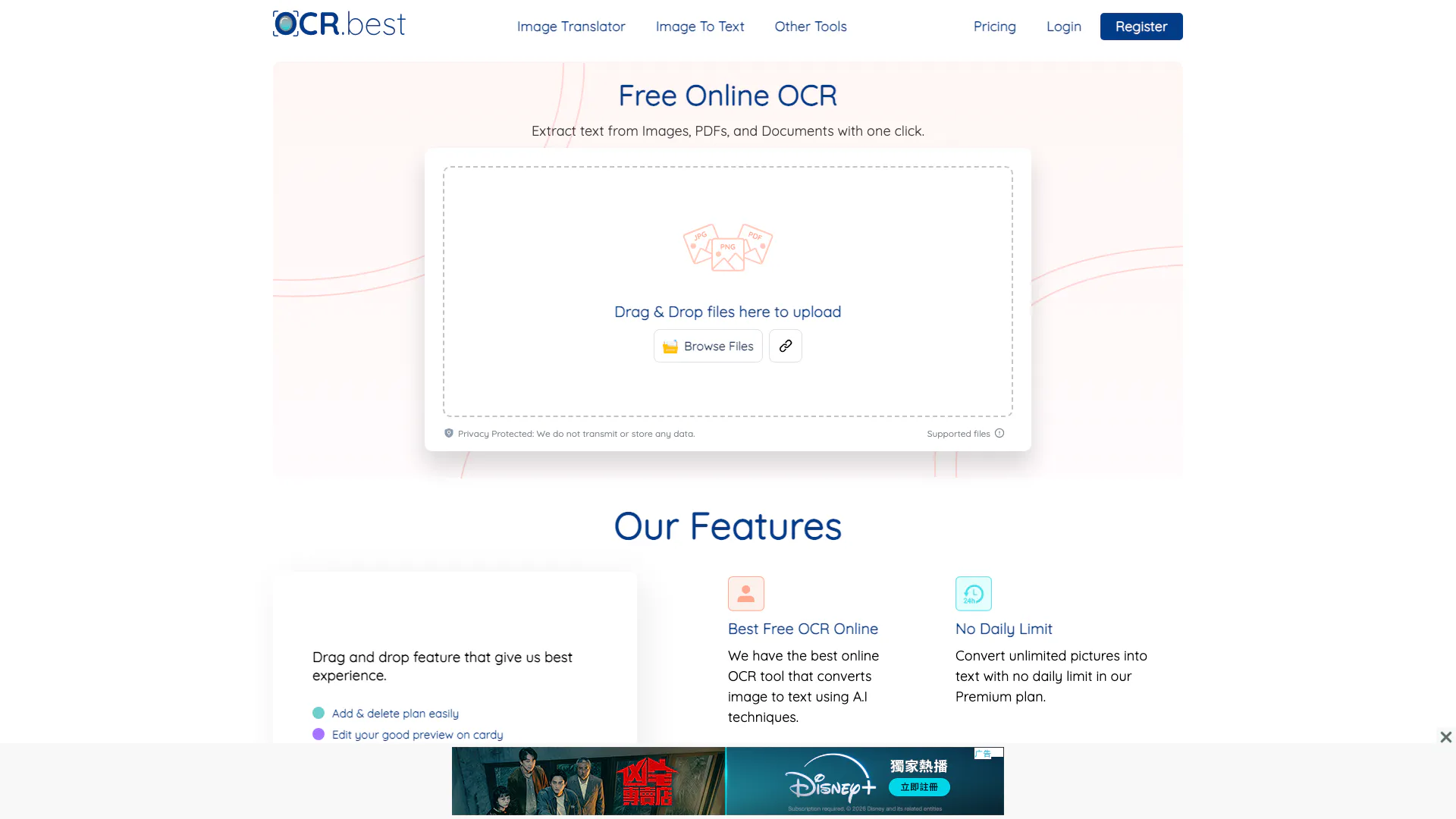




What is OCR.best?
OCR.best is an online tool designed to convert images, PDFs, and scanned documents into editable text accurately. This free OCR converter allows users to extract text from images and PDFs, making it a valuable resource for anyone needing to digitize handwritten notes, screenshots, infographics, business reports, or scanned PDF documents. Utilizing advanced Optical Character Recognition (OCR) technology, OCR.best ensures fast and accurate text conversion, enabling users to easily access and edit their content.
How to use OCR.best?
- Go to the OCR.best website.
- Drag and drop an image or PDF file into the designated area or click 'Browse Files' to upload from your device.
- Complete the reCAPTCHA verification.
- Click the 'Convert' button to start the conversion process.
- Once the conversion is complete, you will receive the editable text.
- You can either copy the text to your clipboard or download it as a .txt or .docx file.
What are the main features of OCR.best?
- User-friendly drag and drop interface for easy file uploads.
- Supports a wide range of file formats including PNG, JPG, PDF, and more.
- Converts images and PDFs into editable text with high accuracy.
- Allows users to download the converted text in .txt or .docx formats.
- No daily conversion limits for premium users, enabling bulk conversions.
- Utilizes advanced AI techniques for improved text recognition accuracy.
Who is OCR.best for?
OCR.best is ideal for students, professionals, and anyone who frequently deals with documents in image or PDF formats. It caters to users who need to convert handwritten notes, scanned documents, or images containing text into editable formats for easier manipulation and storage. Additionally, it serves educators and researchers who require a reliable tool for digitizing materials for academic purposes.
What are the use cases of OCR.best?
- Converting handwritten lecture notes into digital text for easier study and sharing.
- Extracting text from scanned business reports for data analysis or record-keeping.
- Transforming images of infographics into editable formats for presentations or publications.
Ocr Pros and Cons
Pros
- Free to Use: The OCR tool is completely free, allowing users to convert images and PDFs to text without any cost.
- Supports Multiple Formats: It supports a wide range of image formats including PNG, JPG, GIF, and PDF, making it versatile for different user needs.
- AI-Powered Accuracy: Utilizes advanced AI and machine learning technologies to ensure high accuracy in text recognition from images.
Cons
No cons data detected for this tool
Ocr Pricing
Free Plan
Limited access to OCR features, can process 3 images per request with a maximum file size of 5MB.
Weekly Plan
The easiest way to try other features with 3000 upload credits, 50 images per submission, image size up to 10 MB, 3x faster conversion, and no ads or captcha.
Monthly Plan
Better collaboration for small teams with 12000 upload credits, 50 images per submission, image size up to 10 MB, 3x faster conversion, and no ads or captcha.
Yearly Plan
Greater productivity for teams with 72000 upload credits, 50 images per submission, image size up to 10 MB, 3x faster conversion, and no ads or captcha.
JPG to Excel Weekly
Suitable for beginners or small projects with 1000 upload credits, 10 images per submission, image size up to 10 MB, 3x faster conversion, and no ads or captcha.
JPG to Excel Monthly
Ideal for professionals or consistent use with 2000 upload credits, 10 images per submission, image size up to 10 MB, 3x faster conversion, and no ads or captcha.
For the latest pricing, please visit this link: https://www.ocr.best/pricing-plans
Prices are subject to change. Please visit the official website for the most up-to-date pricing information.
Analytics of Ocr
Ocr Website Traffic Analysis
Visits Over Time
Traffic Sources
Oct 2025 - Dec 2025 Worldwide Desktop Only
- Search: 57.38%
- Direct: 31.36%
- Referrals: 7.46%
- Social: 2.79%
- Paid Referrals: 0.86%
- Mail: 0.11%
Top Keywords
| Keyword | Volume | CPC | Estimated Value |
|---|---|---|---|
| ocr online | 72.27K | $0.53 | $680.00 |
| traductor de imagenes | 19.65K | $0.19 | $720.00 |
| фото переводчик | 18.02K | $0.17 | $810.00 |
| image ocr | 6.00K | $1.02 | $520.00 |
| ocr best | 1.93K | $0.46 | $530.00 |




Ocr Social Listening
How Does Optical Character Rec...
How do computers read text on ...
DeepSeek OCR - More than OCR
In this video, I look at DeepS...
Detect Text in Images with Pyt...
In this video we learn how to ...
Unlock to view 72 social media results.