Best 22 AI Code Context Tools Tools in 2026

Cursor, Zzzcodeai, Humanlayer, Greptile, Workik, Code, Synthaai, Miromiro, Jsonviewer, Catdoes are the best paid / free AI Code Context Tools tools.

AI Code Context Tools are advanced applications designed to assist developers by providing contextual insights and suggestions while coding. Utilizing artificial intelligence, natural language processing, and machine learning, these tools analyze code patterns and user inputs to offer real-time recommendations, error detection, and code completion. They are particularly beneficial for software engineers, data scientists, and programmers of all skill levels, enhancing productivity and reducing the likelihood of bugs. By streamlining the coding process and improving code quality, these tools empower developers to write more efficient and effective code.

Cursor

Cursor enhances productivity by providing AI-powered coding assistance.

4
0 views
0 saved
17.2M

Bugbot Free

0.00 USD free

Includes: Limited code reviews each month, Unlimited access to Cursor Ask, Cursor connection to auto-fix bugs, GitHub integration.

View Pricing

Pro

20.00 USD monthly

Everything in Hobby, plus: Extended limits on Agent, Unlimited Tab completions, Background Agents, Maximum context windows.

View Pricing

Pro+

60.00 USD monthly

Everything in Pro, plus: 3x usage on all OpenAI, Claude, Gemini models.

View Pricing

Ultra

200.00 USD monthly

Everything in Pro, plus: 20x usage on all OpenAI, Claude, Gemini models, Priority access to new features.

View Pricing

Bugbot Teams

40.00 USD monthly

Everything in Pro, plus: 14-day team trial, Unlimited code reviews on all PRs, Analytics and reporting dashboard, Advanced rules and settings.

View Pricing

Bugbot Enterprise

0.00 USD monthly

Everything in Teams, plus: 30-day org-wide trial, Advanced analytics and reporting, Priority support and account management.

View Pricing

For the latest pricing, please visit this link: https://cursor.com/pricing

Prices are subject to change. Please visit the official website for the most up-to-date pricing information.

What is Cursor?

Cursor is an innovative AI-powered coding tool designed to enhance productivity for developers. It provides advanced features that streamline the coding process, allowing users to code more efficiently and effectively. With Cursor, developers can leverage AI to assist in writing code, debugging, and managing their projects, making it an essential tool for both individual programmers and teams.

Pros

  • AI-Powered Coding Assistance: Cursor offers AI-driven coding assistance, enhancing productivity by providing context-aware suggestions and autocomplete features.
  • Integration with Development Tools: The tool seamlessly integrates with popular platforms like GitHub and Slack, allowing for efficient collaboration and code review.
  • Customizable Coding Experience: Cursor allows users to customize their coding environment, including tab completion and coding models, to suit individual preferences.

What are the main features of Cursor?

  • AI-powered code suggestions and autocompletion.
  • Integration with popular platforms like GitHub and Slack.
  • Support for multiple programming languages.
  • Advanced debugging tools and performance analytics.
  • Customizable settings to tailor the coding environment.
Zzzcodeai

AI-powered coding assistance for various languages.

5
0 views
0 saved
277.4K

What is Zzzcodeai?

Zzzcodeai is an innovative online coding platform powered by artificial intelligence, specifically utilizing ChatGPT technology. It enables users to generate, convert, and explain code in a wide range of programming languages including Python, C#, C++, CSS, HTML, Java, SQL, and more. This tool is designed to assist developers, students, and anyone interested in programming by providing instant solutions to coding problems, thus enhancing productivity and learning. With its user-friendly interface, Zzzcodeai aims to simplify coding tasks and make programming accessible to everyone.

Pros

  • Versatile Coding Support: Supports a wide range of programming languages including Python, C#, C++, Java, and more, making it suitable for various coding needs.
  • AI-Powered Code Generation: Utilizes AI to generate code based on user requirements, streamlining the coding process and enhancing productivity.
  • Comprehensive Debugging and Explanation Tools: Offers tools for bug detection, code explanation, and refactoring, which help users understand and improve their code effectively.

What are the main features of Zzzcodeai?

  • AI Code Generator: Generates code based on user-defined requirements across various programming languages.
  • AI Code Converter: Converts code from one programming language to another seamlessly.
  • AI Code Explainer: Provides explanations for code snippets to enhance understanding.
  • AI Bug Detector[4]: Identifies and explains bugs in the provided code.
  • AI Code Refactor[5]: Refactors existing code for improved performance and readability.
  • AI Code Review: Offers comprehensive reviews of code for quality assurance.
  • AI Code Documentation: Automatically adds comments and documentation to code.
Humanlayer

HumanLayer enables AI to tackle complex coding challenges efficiently.

4
0 views
0 saved
259.8K

What is Humanlayer?

Humanlayer is an innovative IDE designed to help developers leverage AI to tackle complex problems in intricate codebases. It enables users to orchestrate AI coding agents[1] through a streamlined interface, allowing for efficient problem-solving in large-scale projects. Built on Claude Code[2], Humanlayer is optimized for speed and control, making it suitable for both individual developers and teams looking to enhance their coding productivity.

Pros

  • AI-Driven Problem Solving: HumanLayer utilizes AI to tackle complex coding issues, enhancing productivity in large codebases.
  • Scalable Workflows: The tool offers scalable workflows that can be adapted for individual developers or entire teams, ensuring efficiency.
  • Parallel Session Management: Supports running multiple Claude Code sessions simultaneously, allowing for better resource management and productivity.

What are the main features of Humanlayer?

  • AI Coding Agents: Orchestrate multiple AI agents to enhance coding efficiency.
  • Battle-Tested Workflows[5]: Utilize proven workflows tailored for solving complex coding problems.
  • Advanced Context Engineering[3]: Implement sophisticated context management to streamline AI interactions.
  • Multi-Cloud Management[4]: Run multiple Claude Code sessions in parallel, enhancing collaborative coding efforts.
  • Enterprise Solutions: Tailored integrations and workflows for organizations to scale AI-first development.
Greptile

Greptile automates code reviews using AI to enhance code quality and speed up development.

4
0 views
0 saved
256.2K

Cloud

30.00 USD monthly

$30 per active developer per month. Unlimited repositories, unlimited code reviews, unlimited users, create custom rules, connect unlimited external apps.

Enterprise

0.00 USD free

Custom option to self-host in your own infrastructure, security and compliance, SSO/SAML, GitHub Enterprise support, dedicated Slack channel for support, custom invoicing and payment terms, custom DPA and terms of service.

For the latest pricing, please visit this link: https://www.greptile.com/

Prices are subject to change. Please visit the official website for the most up-to-date pricing information.

What is Greptile?

Greptile is an advanced AI code review[1] tool designed to automate pull request (PR) reviews by understanding the entire codebase. It leverages AI-driven analysis to help developers catch bugs more quickly and improve overall code quality[7]. With Greptile, teams can merge their code four times faster and identify three times more bugs than traditional code review methods. This tool integrates seamlessly with GitHub and GitLab, providing context-aware feedback and custom rule enforcement tailored to a team's specific coding standards.

Pros

  • Automated PR Reviews: Greptile automates pull request reviews, significantly speeding up the review process and allowing teams to merge code 4X faster.
  • Context-Aware Analysis: The tool understands the entire codebase, providing context-aware comments that help catch bugs, security issues, and code antipatterns.
  • Customizable Coding Standards: Users can define custom rules in plain English, allowing Greptile to enforce specific coding standards across pull requests.
  • Learning Capability: Greptile learns from team interactions, improving its feedback based on previous comments and reactions, thus enhancing its effectiveness over time.

What are the main features of Greptile?

  • Automated PR Reviews[2]: Greptile automates the code review process, allowing teams to merge faster and catch more bugs.
  • Context-Aware Comments[3]: The tool provides in-line comments based on the full context of the codebase, identifying bugs and suggesting improvements.
  • Custom Rules: Users can define their own coding standards and rules, which Greptile will enforce across all PRs.
  • Learning Capability[5]: Greptile learns from team feedback on its comments, continuously improving its suggestions and understanding of coding practices.
  • PR Summaries: It generates AI-driven summaries for each PR, including file breakdowns and confidence scores, facilitating quicker reviews.
Workik

Workik provides AI-driven programming assistance to enhance developer productivity.

5
0 views
0 saved
240.2K

Trial

0.00 USD free

Includes 20 Requests upon signup, 7 requests daily, Free 50 flow runs upon signup, 20 free flow runs monthly, Vector Search with 2M Free Embedding token, 10MB vector data for one month, Unlimited AI tokens with custom API Key, Upto 3 users, AI Bots, DB Modeling, Query Generator, Mock data generator.

View Pricing

Starter

15.00 USD monthly

Everything in Trial, plus Unlimited AI requests, 20 Million Standard AI tokens, 1000 Flow runs, Vector Search with 10 Million Embedding tokens, 50 MB Vector storage, AI usage logs, Unlimited Users, Unlimited AI Bots.

View Pricing

Premium

30.00 USD monthly

Everything in Starter, plus Unlimited AI requests, 40 Million Standard AI tokens, 4 Million Advanced AI tokens, 3000 Flow runs, Vector Search with 30 Million Embedding tokens, 150 MB Vector Storage, AI usage logs, Dedicated support available.

View Pricing

Elite

80.00 USD monthly

Everything in Premium, plus Unlimited AI Requests, 100 Million Standard AI tokens, 10 Million Advanced AI tokens, 10,000 Flow runs, Vector Search with 100 Million Embedding tokens, 500 MB Vector Storage, AI token usage reports, Priority support available.

View Pricing

Tailored

62.00 USD monthly

Select the desired token amount (in millions) as per your needs. Standard computation AI tokens 10 Million, Advanced computation AI tokens 5 Million.

View Pricing

Custom

0.00 USD monthly

Everything in Premium, plus Role-based access control (RBAC), Pooled token usage, Local, on-prem, or hybrid deployment, SSO & SCIM, Advanced security & audit logs, Dedicated account manager & SLA, Custom data processing support.

View Pricing

For the latest pricing, please visit this link: https://workik.com/pricing

Prices are subject to change. Please visit the official website for the most up-to-date pricing information.
What is Workik?

Workik is an advanced AI-powered platform designed specifically for developers to enhance their programming efficiency. It offers context-driven AI assistance[1] that generates code across various domains, including Frontend[3], Backend[4], Database[5], API, and Infrastructure. By integrating with existing codebases and database schemas, Workik tailors its output to meet the specific needs of developers, making it an invaluable tool for automating coding tasks and improving productivity.

Pros

  • Context-Aware AI Assistance: Workik provides context-driven AI assistance, allowing developers to generate tailored code based on their specific codebase, database schema, and tech stack.
  • Wide Language Support: The tool supports a variety of programming languages including Python, Java, JavaScript, and more, making it versatile for different development needs.
  • AI-Powered Automation: Workik automates various tasks such as code reviews, data reports, and deployment processes, significantly enhancing developer productivity.

What are the main features of Workik?

  • Context-aware AI assistance for all programming tasks.
  • AI code generation[2] for Frontend, Backend, Database, and API development.
  • Automated workflows to streamline code reviews and deployment processes.
  • AI bots for instant support in Slack and Discord channels.
  • Documentation tools to create and maintain codebase documentation effortlessly.
  • Integration with various databases, allowing visualization and query generation.
Code

Code Market offers a vast collection of creative tools and templates.

5
0 views
0 saved
78.9K

What is Code?

Code is a comprehensive online marketplace designed to help users grow their projects by offering a wide range of creative tools and resources. It specializes in providing various digital assets[2] such as AI tools[3], mobile templates[4], web templates[5], SaaS and Micro SaaS solutions[6], design files, and games. With a focus on empowering developers and creators, Code Market[1] serves as a curatorial network where users can access and share innovative resources, catering to the needs of over 1,000,000 AI users.

Pros

  • Diverse Product Categories: Code Market offers a wide range of product categories including AI tools, mobile templates, web templates, SaaS, and design files, catering to various development needs.
  • Large User Base: With a user base of over 1 million AI users, Code Market provides a robust community for sharing and discovering creative tools.
  • High User Rating: The platform boasts a high rating of 4.9, indicating strong user satisfaction and trust in the quality of its offerings.

What are the main features of Code?

  • Extensive library of digital assets including AI tools, mobile templates, and web templates.
  • User-friendly interface for easy navigation and product discovery.
  • A vibrant community of over 1,000,000 users sharing and reviewing products.
  • Support for various categories including WordPress, React, Flutter, and more.
  • Opportunities for creators to submit and promote their products.
Synthaai

A powerful AI tool for developers to optimize and generate code.

4
0 views
0 saved
25.4K

Hobby

20.00 USD monthly

2000 AI credits/month, Access to premium models: GPT-4.1, Claude Sonnet 3.7, Generate and optimize code, Explain and document code, Visualize code and data.

View Pricing

Pro

49.00 USD monthly

6000 AI credits/month, Access to premium models: GPT-4.1, Claude Sonnet 3.7, Generate and optimize code, Explain and document code, Visualize code and data.

View Pricing

For the latest pricing, please visit this link: https://syntha.ai/pricing

Prices are subject to change. Please visit the official website for the most up-to-date pricing information.

What is Syntha AI?

Syntha AI is a cutting-edge chat-based AI[1] tool designed specifically for developers. It enables users to generate, explain, convert, debug, and optimize code efficiently. With its powerful AI agents, Syntha AI streamlines the coding process, allowing developers to enhance their productivity and focus on core development tasks. The platform supports multiple AI models, including GPT-4.1 and Claude Sonnet 4.0, providing a versatile and robust interface for coding assistance.

Pros

  • Multi-Model Support: Syntha AI allows developers to chat with both Claude and GPT models in one application, providing access to powerful AI capabilities.
  • Diverse Functionality: The tool offers various agents for generating, explaining, optimizing, and documenting code, catering to multiple development needs.
  • User-Friendly Interface: Designed specifically for developers, Syntha AI features a developer-optimized interface that enhances workflow efficiency.

What are the main features of Syntha AI?

  • Code Generation[2]: Automatically generate code for various programming tasks.
  • Code Explanation[3]: Get clear explanations of complex code in plain English.
  • Code Optimization[4]: Optimize existing code for better performance and quality.
  • Documentation Generation[5]: Create comprehensive documentation for your code effortlessly.
  • Code Conversion[6]: Convert code from one programming language to another seamlessly.
  • Automated Testing: Generate tests to ensure your code is reliable and bug-free.
  • Visual Diagram Generation: Create visual diagrams using Mermaid syntax to enhance understanding.
Miromiro

Effortlessly extract design assets and code from any website.

4
0 views
0 saved
23.4K

Free Plan

0.00 EUR monthly

Perfect for trying MiroMiro and occasional use. Inspect any element, skip DevTools, see the exact CSS behind any design, preview any site's full color system, extract up to 15 assets per month, save up to 10 assets to your library.

View Pricing

Starter

9.00 EUR monthly

Recommended. Save 2+ hours per project. Pays for itself on your first client job. Extract 150 images, SVGs & videos per month, export 10 Lottie animations per month, export 20 design systems as CSS or Tailwind, unlimited accessibility & contrast audits, save up to 100 assets to your library.

View Pricing

Pro

19.00 EUR monthly

Most Popular. For agencies and power users. Extract entire design systems in seconds, not days. 2,000 asset extractions per month, unlimited design system exports (CSS & Tailwind), unlimited Lottie animation exports, extract tokens from any number of sites, priority support via chat, unlimited library storage.

View Pricing

For the latest pricing, please visit this link: https://miromiro.app/compare-plans

Prices are subject to change. Please visit the official website for the most up-to-date pricing information.

What is MiroMiro?

MiroMiro is a powerful Chrome extension designed for designers and developers to inspect any website element and export it to code. It allows users to extract essential design assets such as CSS, colors, fonts, SVGs, Lottie animations, and even entire sections of a webpage. Trusted by over 4,000 designers, MiroMiro streamlines the design process by providing clean, production-ready code, eliminating the need to manually recreate elements from scratch. This tool is ideal for anyone looking to enhance their workflow by easily accessing and exporting design assets directly from any website.

Pros

  • Comprehensive Asset Extraction: MiroMiro allows users to extract a wide range of design assets including colors, fonts, SVGs, and Lottie animations, making it a versatile tool for designers.
  • User-Friendly Inspection Tool: The tool features an intuitive inspection mode that enables users to hover over elements to view their CSS and other design properties without needing to use complex DevTools.
  • Production-Ready Code Export: Users can export entire sections of a website as clean, production-ready code, significantly speeding up the development process.

What are the main features of MiroMiro?

  • Inspect any website element and view its CSS, colors, and fonts.
  • Export entire sections of a webpage as production-ready code.
  • Extract design tokens such as colors, fonts, and spacing from any URL.
  • Download images, videos, and Lottie animations in their original quality.
  • Create a personal library to save and reuse favorite colors, icons, and images.
  • Perform accessibility checks to ensure designs meet WCAG standards.
Jsonviewer

Visualize and compare JSON data effortlessly with interactive tools.

5
0 views
0 saved
14.7K

Free

0.00 USD free

Perfect for viewing and exploring JSON data. * Upload & Process Small Files * Powerful Chrome/VS Code Extension * Unlimited Downloads – No Restrictions * Visualize Data with Tables, Charts & Essential Tools

View Pricing

Pro

2.49 USD monthly

Ideal for advanced JSON analysis and data management. * Ad-Free Experience * Compare & Analyze Data * Edit JSON Directly from Diagrams * Unlimited Diagrams & Customization * Personalized Themes * Unlimited Downloads (No Watermark) * Save and Share Documents * API Access * Large Files (up to 5MB) * AI-Powered Assistant * Android App (Beta) * Updates & Support

View Pricing

Lifetime

99.00 USD one-time

One-time payment for lifetime access to all Pro features + future updates. * Ad-Free Experience * Compare & Analyze Data * Edit JSON Directly from Diagrams * Unlimited Diagrams & Customization * Personalized Themes * Unlimited Downloads (No Watermark) * Save and Share Documents * API Access * Large Files (up to 5MB) * AI-Powered Assistant * Android App (Beta) * Lifetime Updates & Support

View Pricing

For the latest pricing, please visit this link: https://jsonviewer.tools/pricing

Prices are subject to change. Please visit the official website for the most up-to-date pricing information.

What is JSON Viewer[1]?

JSON Viewer is a modern tool designed for developers and data enthusiasts to explore, format, compare, and visualize JSON data in an interactive manner. It allows users to convert JSON, YAML, XML, CSV, TOML, and TOON files into stunning graphs, charts, tables, and diagrams. The tool aims to simplify data visualization[2], making it intuitive and accessible, thus enhancing the data analysis experience.

Pros

  • Interactive Visualization Tools: Jsonviewer offers interactive graphs, charts, tables, and diagrams, making it easy for developers and analysts to visualize JSON data effectively.
  • Multi-Format Support: Supports various data formats including JSON, YAML, XML, CSV, TOML, and TOON, enhancing its usability for different data types.
  • AI-Powered Features: Utilizes AI capabilities to generate JSON from images and create dummy JSON, simplifying data generation and boosting productivity.

What are the main features of JSON Viewer?

  • Multi-Format Support[4]: Visualize and convert data from JSON, YAML, XML, CSV, TOML, and TOON formats.
  • Interactive Graphs and Charts: Create stunning visual representations of your data quickly and easily.
  • Graphical JSON Comparison: Compare multiple JSON files side by side with a visual diff viewer.
  • AI-Powered Features[5]: Generate JSON from images and create dummy JSON effortlessly.
  • Custom Diagrams[6]: Edit JSON data directly from diagrams for enhanced usability.
  • Secure Cloud Storage: Your data privacy is assured; it is stored only when manually uploaded.
  • User-Friendly Interface: Designed for simplicity, ensuring a seamless experience even for beginners.
Catdoes

Build mobile apps effortlessly with CatDoes' no-code platform.

5
0 views
0 saved
10.9K

Enterprise (DogDoes)

0.00 USD monthly

Custom solutions for large organizations. Everything in Business, private deployment options, unlimited app projects, dedicated support team, custom SLA guarantees.

View Pricing

Pro

25.00 USD monthly

Perfect plan for individuals. 100 credits/month, 5 daily credits, up to 100 credit rollover, access to release agent, remove the CatDoes badge, GitHub Integration, up to 10 private projects, up to 100 checkpoints.

View Pricing

Business

50.00 USD monthly

Perfect plan for businesses. Everything in Pro, code export included, up to 1000 checkpoints, priority support, additional seats (coming soon).

View Pricing

For the latest pricing, please visit this link: https://catdoes.com/pricing

Prices are subject to change. Please visit the official website for the most up-to-date pricing information.

What is CatDoes?

CatDoes is a no-code AI mobile app builder designed for individuals and businesses to create mobile applications without needing technical expertise. With CatDoes, users can effortlessly transform their app ideas into functional mobile apps, utilizing AI agents that handle everything from requirements gathering to design and coding. The platform streamlines the app development process, allowing users to launch their apps in minutes, making it accessible for everyone, from entrepreneurs to non-technical users.

Pros

  • No-Code Development: CatDoes allows users to build mobile apps without any coding skills, making app development accessible to everyone.
  • AI-Powered Features: The platform utilizes AI agents to handle app requirements, design, and coding, streamlining the development process.
  • Live Preview Functionality: Users can see a live preview of their app in the browser or on their mobile device, enhancing the development experience.
  • Comprehensive Backend Management: CatDoes Cloud automatically manages backend tasks like database and authentication, allowing users to focus on app design.

What are the main features of CatDoes?

  • No-code app development: Create mobile apps without coding skills.
  • AI-driven agents: Multiple AI agents handle requirements, design, and coding.
  • Live app preview: View your app in real-time through a browser or mobile device.
  • Cloud backend: Automatic management of database, authentication, and storage.
  • Error monitoring: Built-in error tracking and resolution assistance during development.
Sshx

Collaborate in real-time with browser-based terminals.

5
0 views
0 saved
7.1K

What is Sshx?

Sshx is a secure web-based collaborative terminal that enables real-time collaboration in a browser environment. It allows users to share their terminal sessions via a unique link, facilitating activities like teaching, debugging, and cloud access. With features like real-time chat, remote cursors, and activity tracking, Sshx provides an infinite canvas where multiple terminals can be moved and resized simultaneously. The platform is built on a lightweight server written in Rust, ensuring fast performance and end-to-end encryption, meaning that data is securely transmitted without being visible to the server.

Pros

  • Real-time Collaboration: sshx allows multiple users to collaborate in real-time with shared terminal access, enhancing teamwork and productivity.
  • End-to-End Encryption: Data is securely transmitted with end-to-end encryption, ensuring that the server does not see what users are typing.
  • Cross-Platform Support: sshx is compatible with macOS, Linux, and Windows, making it accessible to a wide range of users.
  • Infinite Canvas: Users can move and resize multiple terminal windows freely, allowing for a customizable workspace.

What are the main features of Sshx?

  • Real-time collaboration: Share your terminal and collaborate with others instantly.
  • End-to-end encryption: Securely transmit data without exposing it to the server.
  • Cross-platform compatibility: Available on macOS, Linux, and Windows.
  • Infinite canvas: Arrange and resize multiple terminals freely.
  • Live presence: See other participants' names and cursors in real-time.
  • Ultra-fast mesh networking: Connect efficiently to the nearest peer in a distributed network.
Ellipsis

Ellipsis enhances developer productivity with automated code reviews and bug fixes.

5
0 views
0 saved
5.2K

Pay per seat

20.00 USD monthly

Purchase a fixed number of seats every month. Assign those seats to developers. Developers then get unlimited use of the product in all repositories. Includes: AI Code Reviews on every commit, Pull request summaries, Unlimited code generation, Question & answer functionality.

View Pricing

For the latest pricing, please visit this link: https://www.ellipsis.dev/#pricing

Prices are subject to change. Please visit the official website for the most up-to-date pricing information.

What is Ellipsis?

Ellipsis is an advanced developer tool designed to automate code reviews and bug fixes[2], significantly enhancing the productivity of software engineers. By catching bugs, answering questions, and generating tested code, Ellipsis serves as an AI-powered teammate that assists developers in maintaining high-quality code standards across their projects. With its capabilities, developers can focus more on creative problem-solving rather than getting bogged down by repetitive debugging tasks.

Pros

  • Automated Code Reviews: Ellipsis provides automated code reviews that identify logical bugs, style guide violations, and anti-patterns on every commit, enhancing code quality.
  • Increased Developer Productivity: By catching bugs and generating tested code, Ellipsis helps software engineers save time and focus on more complex tasks, boosting overall productivity.
  • Integration with GitHub: Ellipsis seamlessly integrates with GitHub, allowing developers to assign tasks and receive code directly through comments, streamlining the development workflow.

What are the main features of Ellipsis?

  • Automated Code Reviews[1]: Provides instant feedback on logical errors and style guide violations during each commit.
  • Bug Fixes: Automatically identifies and suggests fixes for bugs in your code.
  • Async Code Generation[3]: Generates working code based on tasks assigned via GitHub comments.
  • Question & Answers[4]: Enables developers to ask questions directly in GitHub and receive prompt responses.
  • Style Guide Enforcement: Allows teams to define style guides in natural language, flagging violations automatically.
  • Customizable Feedback: Learns from team feedback to improve the relevance of code reviews over time.
Codegrowai

Effortlessly create stunning iOS apps using AI.

4
0 views
0 saved
1.5K

Free

0.00 USD free

Start for free with no credit card required.

View Pricing

Monthly

97.00 USD monthly

Monthly subscription with a 35% discount today only.

View Pricing

Yearly

970.00 USD yearly

Yearly subscription with a 38% discount today only.

View Pricing

For the latest pricing, please visit this link: https://codegrowai.com/#pricing

Prices are subject to change. Please visit the official website for the most up-to-date pricing information.

What is Codegrowai?

Codegrowai is an innovative AI-powered[1] app builder[2] specifically designed for iOS applications[3]. This tool allows users to transform their ideas into fully functional iOS apps without requiring any coding or design skills. By simply entering a text prompt, users can generate stunning app layouts, SwiftUI code[4], and App Store assets in just a few minutes. Codegrowai aims to streamline the app development process, making it accessible for everyone, from entrepreneurs to seasoned developers, enabling them to bring their app ideas to life quickly and efficiently.

Pros

  • No-Code App Development: Codegrowai allows users to create iOS apps without any coding or design skills, making app development accessible to everyone.
  • AI-Powered Features: The tool utilizes AI to generate app ideas, layouts, and SwiftUI code, enhancing the speed and efficiency of the app creation process.
  • User-Friendly Interface: With a drag-and-drop editor, users can easily customize their app's design and functionality, streamlining the development experience.

What are the main features of Codegrowai?

  • AI-Powered App Generation: Create iOS apps from text ideas, complete with SwiftUI code and App Store assets.
  • Drag-and-Drop Editor: Easily visualize and customize app layouts without any coding skills.
  • AI Functionality Addition: Enhance your app by simply describing the desired features, and let the AI generate the necessary code.
  • Instant App Store Screenshots: Automatically generate beautiful screenshots ready for App Store submission.
  • Bug Explainer AI: Quickly identify and fix bugs in your code with AI assistance.
Hounddogai

HoundDog.ai offers proactive PII leak detection and data mapping for secure coding.

4
0 views
0 saved
1.0K

What is Hounddogai?

Hounddogai is a proactive privacy code scanner[2] designed specifically for AI applications. It facilitates privacy by design[1], allowing developers to build and scale AI applications without compromising user trust. The tool focuses on detecting personally identifiable information (PII) leaks and mapping data flows within the code, ensuring that sensitive data is managed effectively throughout the development lifecycle. By integrating directly into development environments, Hounddogai helps organizations maintain compliance with privacy regulations and protects against data breaches.

Pros

  • Proactive PII Leak Detection: HoundDog.ai highlights PII leaks in real-time as code is being written, preventing sensitive data exposure during development.
  • Seamless CI/CD Integration: The tool integrates easily with CI/CD workflows, allowing automated checks for data leaks before code merges.
  • Comprehensive Data Mapping: HoundDog.ai automatically maps data flows in code, providing visibility into where sensitive data is collected and processed.

What are the main features of Hounddogai?

  • IDE Plugins[3]: Highlights PII leaks as code is being written, providing immediate feedback to developers.
  • Managed Scans: Allows users to offload scanning tasks to Hounddogai through direct source control integrations, simplifying the scanning process.
  • CI Integrations: Automates continuous integration setups to catch data leaks before code is merged, ensuring privacy compliance[6] at every stage.
Browsegptai

Automate web browsing tasks with AI assistance.

5
0 views
0 saved
58

What is BrowseGPTAI?

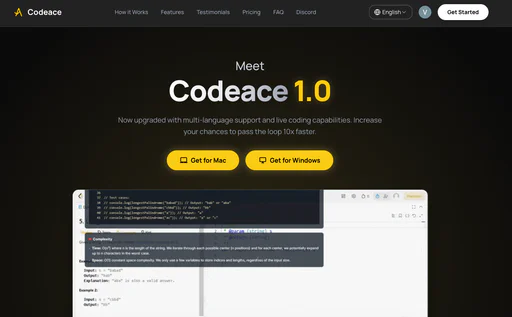
BrowseGPTAI is an innovative browser automation tool that leverages artificial intelligence to perform tasks on web pages. By utilizing OpenAI's GPT-3 model, BrowseGPTAI can interpret user commands and execute actions such as clicking buttons, entering text, and navigating through websites. This tool aims to simplify online tasks by allowing users to instruct the AI with phrases like 'Find a place to stay in Seattle on February 22nd' or 'buy a children's book on Amazon'. While it offers an exciting glimpse into the potential of AI-driven browsing, users should be aware that it is still experimental and may encounter errors or missteps during operation.
Pros

  • AI-Powered Automation: BrowseGPT utilizes AI to automate browser tasks, allowing users to give simple instructions for complex actions.
  • User-Friendly Interaction: Users can interact with the AI by providing straightforward commands, making it accessible for non-technical users.
  • Decision Transparency: The tool explains its decision-making process, enabling users to understand and correct its actions when necessary.

What are the main features of BrowseGPTAI?

  • AI-driven web browsing automation using OpenAI's GPT-3 model.
  • Ability to perform various tasks like clicking, entering text, and navigating.
  • Provides explanations for its decisions to allow user intervention if needed.
  • Experimental tool that showcases the potential of AI in everyday browsing tasks.
Codeaceai

Enhance your coding interview skills with real-time AI assistance.

5
0 views
0 saved
17

Free Trial

0.00 USD free

3 free trials included, 3 free problem solutions, 12 programming languages, 19 user interface languages, OCR with Gemini 3 Flash, Code generation with Claude Sonnet 4.5, 20+ undetectability features for total stealth, Support for all kinds of interviews, No credit card required.

View Pricing

Monthly Pro

199.00 USD monthly

Unlimited problem solutions, 12 programming languages, 19 user interface languages, OCR with Gemini 3 Pro, Code generation with Claude Opus 4.5, 20+ undetectability features for total stealth, Support for all kinds of interviews, 24/7 support.

View Pricing

Lifetime Pro

599.00 USD one-time

Unlimited lifetime access, 12 programming languages, 19 user interface languages, OCR with Gemini 3 Pro, Code generation with Claude Opus 4.5, 20+ undetectability features for total stealth, Support for all kinds of interviews, 24/7 priority support.

View Pricing

For the latest pricing, please visit this link: https://codeace.ai/#pricing

Prices are subject to change. Please visit the official website for the most up-to-date pricing information.

What is Codeace AI?

Codeace AI is an innovative coding interview assistant designed to enhance your coding interview performance. It provides real-time solutions[2], step-by-step explanations[3], and debugging support[4], ensuring that candidates are well-prepared for technical interviews. With multi-language support[5] and an undetectable interface, Codeace AI offers a unique advantage for software engineers aiming to ace their interviews and secure job offers from top companies.

Pros

  • Real-Time AI Assistance: Codeace AI provides real-time solutions and step-by-step explanations during coding interviews, enhancing user understanding and performance.
  • Multi-Language Support: The tool supports explanations in multiple languages including English, Chinese, and Spanish, catering to a diverse user base.
  • Invisible Overlay Technology: Codeace operates with an undetectable overlay, ensuring that interviewers see a normal coding environment while users receive AI assistance.

What are the main features of Codeace AI?

  • Real-Time Solutions: Instantly analyzes coding problems and generates optimal solutions.
  • Invisible Assistance: Provides an undetectable overlay that remains hidden from interviewers and anti-cheat systems.
  • Step-by-Step Explanations: Helps users understand the reasoning behind solutions, enhancing their ability to explain their thought process.
  • Multi-Language Support: Offers explanations in various languages, including English, Chinese, and Spanish, catering to a global audience.
  • Compatibility with Major Platforms: Works seamlessly with platforms like Zoom, Teams, and various coding environments.
Tokie

Track your AI token usage effortlessly with Tokie.

5
0 views
0 saved

What is Tokie?

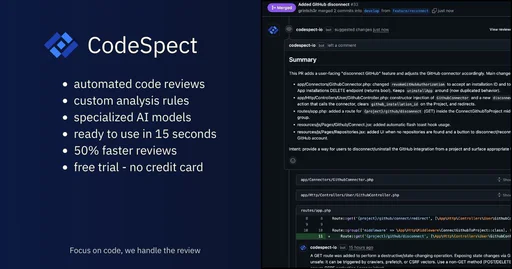
Tokie is a lightweight browser extension designed to help users track their token usage in real-time while interacting with AI models like ChatGPT and Claude. By providing insights into token consumption, Tokie ensures that users never lose context during their interactions and can manage their AI costs effectively. The tool emphasizes privacy, keeping all data local to the user's machine, and is fully open source, making it a reliable choice for those looking to optimize their AI usage.
Pros

  • Real-Time Token Tracking: Tokie allows users to monitor their token usage in real-time across ChatGPT and Claude, ensuring they stay informed about their consumption.
  • Detailed Analytics: The tool provides comprehensive insights into AI usage patterns and costs, helping users understand their spending better.
  • Cost Optimization Features: Tokie identifies opportunities to reduce costs and optimize AI spending, making it easier for users to manage their budgets.
  • Privacy-Focused Design: All data is stored locally on the user's machine, ensuring that no usage data is collected or stored by the service.

What are the main features of Tokie?

  • Real-Time Tracking: Monitor your token usage across ChatGPT and Claude as you work.
  • Detailed Analytics: Gain insights into your AI usage patterns and associated costs.
  • Cost Optimization: Identify opportunities to reduce expenses and optimize AI spending.
  • Privacy First: Your data remains local, ensuring privacy and security.
  • Smart Alerts: Receive notifications when approaching usage limits or spending thresholds.
Codespect

Automate your GitHub code reviews with AI-driven insights.

5
0 views
0 saved

Free Tier

0.00 USD free

Public repositories Free - Unlimited public repos - AI code analysis - PR summaries

View Pricing

Starter

9.00 USD monthly

Small teams $9 /mo - Everything in Free - Private repositories - Priority support

View Pricing

Pro

19.00 USD monthly

Growing teams $19 /mo - Everything in Starter - Custom analysis rules - Team management

View Pricing

For the latest pricing, please visit this link: https://codespect.io/pricing

Prices are subject to change. Please visit the official website for the most up-to-date pricing information.

What is CodeSpect?

CodeSpect is an AI-powered[1] code review[2] tool designed to automate the analysis of GitHub pull requests (PRs) by providing intelligent feedback. It specializes in various programming languages and frameworks, including Laravel[3], React[4], Vue, JavaScript, and TypeScript. By leveraging advanced AI models, CodeSpect enhances code quality, identifies potential issues, and streamlines the review process, allowing developers to save time and catch more bugs. The setup is remarkably quick, taking only 15 seconds, and users can start with a free plan for public repositories.

Pros

  • AI-Powered Code Reviews: Utilizes AI to automate code reviews, providing intelligent feedback and reducing review time by up to 50%.
  • Specialized for Popular Frameworks: Optimized AI models for Laravel, React, Vue, and TypeScript ensure accurate and context-aware code analysis.
  • Customizable Analysis Rules: Allows users to configure analysis rules that align with their coding standards, enhancing code quality.

What are the main features of CodeSpect?

  • Automated Code Analysis: Instantly analyze pull requests for code quality, potential issues, and best practices.
  • Custom Rules: Configure analysis rules that match your specific coding standards.
  • AI-Powered PR Summaries: Get concise summaries that capture the intent and key changes in your pull requests.
  • Team Insights: Track and monitor code quality trends across your repositories.
  • GitHub Native Integration: Seamlessly integrates with your GitHub workflow for an efficient review process.
Crevcli

Get AI-driven code reviews directly from your CLI.

5
0 views
0 saved

What is Crevcli?

Crevcli is an innovative command-line interface[3] (CLI) tool designed to enhance code quality[4] by providing AI-driven code reviews[2] directly from your terminal. It allows developers to leverage artificial intelligence to catch bugs early and improve their coding skills without leaving their integrated development environment (IDE). With features that consolidate codebases and deliver comprehensive reviews, Crevcli positions itself as a vital asset for software engineers looking to enhance their coding practices.

Pros

  • AI-Powered Code Reviews: Receive comprehensive code reviews from an expert AI to enhance code quality and performance, catching bugs early.
  • Seamless CLI Integration: Integrates directly with your terminal, allowing users to get AI code reviews without leaving their CLI environment.
  • Cross-Platform Compatibility: Written in Golang, Crev is fast and efficient, supporting Windows, Mac, and Linux for a wide range of users.

What are the main features of Crevcli?

  • AI-Powered Code Reviews: Get detailed feedback on your code from an expert AI, helping to identify bugs and improve overall quality.
  • Seamless CLI Integration: Enjoy a smooth experience by accessing code reviews directly within your terminal.
  • Bundling Capability: Effortlessly consolidate your entire codebase into a single file for simplified sharing and review.
  • Cross-Platform Compatibility: Built with Golang, Crevcli is fast and efficient, compatible with Windows, Mac, and Linux.
Sandimax

Sandimax creates high-quality, elegant software focused on design and performance.

5
0 views
0 saved

What is Sandimax?

Sandimax is an independent software development team dedicated to creating elegant and high-performance digital products. With a focus on design, performance, and attention to detail, Sandimax aims to deliver tools that enhance user experience across various platforms, particularly macOS and iOS. Their products, such as Wallper and Copier, showcase their commitment to quality and innovation in the software industry.

Pros

  • High-Performance Software: Sandimax focuses on building high-performance software, ensuring smooth and efficient user experiences across its applications.
  • Elegant Design: The software developed by Sandimax emphasizes elegant design, making it visually appealing and user-friendly.
  • Cross-Device Compatibility: Sandimax products support seamless synchronization across Apple devices, enhancing usability and convenience for users.

What are the main features of Sandimax?

  • Elegant Design: All applications are crafted with a focus on aesthetics, providing a seamless user interface.
  • High Performance: Sandimax products are optimized for speed and efficiency, ensuring a smooth user experience.
  • Dynamic Wallpapers: Wallper offers stunning dynamic wallpapers that can be easily customized.
  • Clipboard Management: Copier provides a secure and encrypted clipboard manager that syncs across Apple devices.
  • Cross-Device Compatibility: Applications are designed for macOS and iOS, allowing users to enjoy a consistent experience across their devices.




